Welcome to ZeexasTech.com, your online resource for AI tools, Microsoft Excel tutorials, technology guides, productivity tips, and digital solutions.
I’m Vishal Kumar, the founder of ZeexasTech.com. I share informative articles designed to help readers discover useful AI tools, understand Excel formulas, improve their digital skills, and find smarter ways to complete everyday tasks.
Our mission is to provide clear, practical, and beginner-friendly technology content that helps students, professionals, content creators, and businesses make better use of modern digital tools.
Artificial intelligence (AI) is changing how people work, learn, create content, design graphics, edit videos, and manage everyday tasks. In 2026, you do not need to be a programmer, technology expert, or professional designer to benefit from AI. Many AI tools are available through simple websites where you can type a question, upload a file, enter a prompt, or click a few buttons to get useful results.
For beginners, the biggest challenge is not finding AI tools. It is choosing the right ones from the hundreds of options available online. Some tools are excellent for writing, others are designed for research, image generation, presentations, coding, or productivity. The best choice depends on what you want to accomplish, how much time you have, and whether you need a free plan or advanced features.
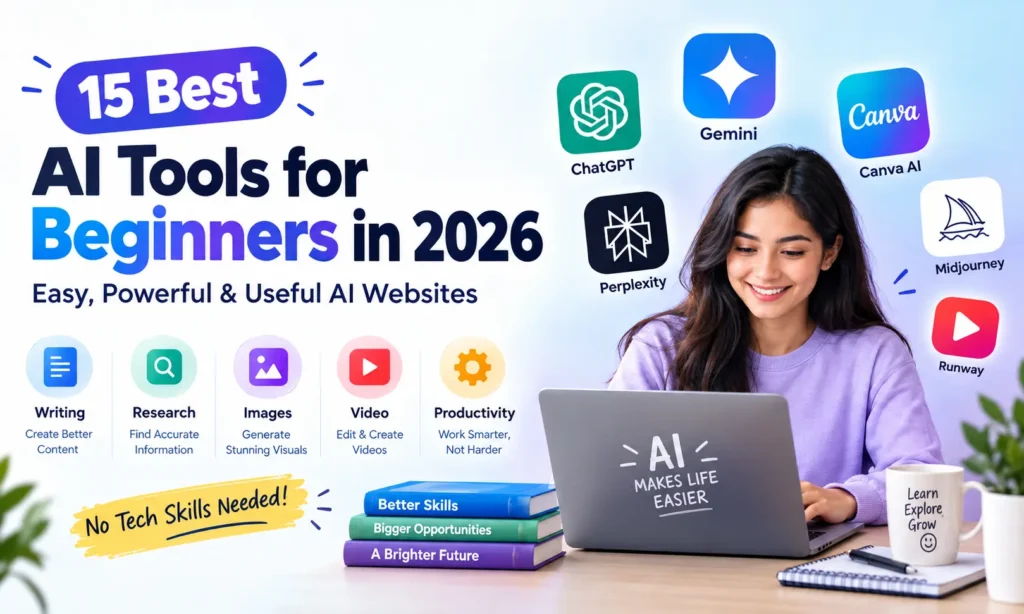
In this guide, we will explore the best AI tools for beginners in 2026, explain what each tool does, discuss its practical benefits, and show you how to start using AI without technical knowledge.
Whether you are a student, blogger, freelancer, business owner, office worker, or complete beginner, these easy-to-use AI websites can help you work smarter and save time.
What Are AI Tools?
AI tools are software applications that use artificial intelligence to perform tasks that normally require human effort. These tasks can include writing, answering questions, summarizing documents, analyzing data, creating images, generating videos, translating languages, and organizing information.
For example, you can use an AI writing assistant to create a blog outline, an AI design tool to generate a social media post, or an AI research assistant to understand a complicated topic.
Most modern AI tools work through a website or mobile application. You usually provide instructions, called prompts, and the tool generates a response based on your request.
You do not need to understand machine learning or write code to use most beginner-friendly AI applications. Clear instructions and a little practice are often enough to get started.
Why Should Beginners Use AI Tools in 2026?
AI tools can be useful for people with different skill levels, professions, and goals.
1. Save Time on Everyday Tasks
AI can help draft emails, summarize long documents, create checklists, prepare reports, and organize ideas. Tasks that once required considerable time may become easier when AI helps with the first draft.
2. Create Content More Easily
Bloggers, students, marketers, and small business owners can use AI to brainstorm topics, develop outlines, improve grammar, generate images, and prepare social media content.
3. Learn New Skills
AI assistants can explain difficult subjects in simple language, provide examples, create practice questions, and help beginners understand unfamiliar concepts.
4. Improve Productivity
AI-powered applications can help with research, meeting notes, spreadsheets, presentations, and repetitive administrative work.
5. Start Without Technical Knowledge
Many AI websites have simple interfaces and natural-language instructions. You can often begin by describing what you want instead of learning complicated software.
However, AI is not perfect. It can produce incorrect facts, biased information, or unsuitable recommendations. Always review important outputs before using them.
15 Best AI Tools for Beginners in 2026
The following tools cover common beginner needs, including writing, research, design, video creation, presentations, productivity, and coding. Availability, pricing, and feature limits can change, so check each provider’s official website before choosing a plan.
1. ChatGPT — Best Overall AI Tool for Beginners
ChatGPT is a versatile AI assistant that can help with writing, brainstorming, learning, planning, coding, and many everyday tasks. It is a strong starting point for people who want to explore AI without learning multiple applications at once.
What Can You Do With ChatGPT?
- Write blog posts, emails, product descriptions, and social media captions.
- Explain difficult topics using simple language.
- Generate ideas for websites, businesses, and content calendars.
- Summarize text and organize information.
- Create study plans, checklists, and step-by-step instructions.
- Help with formulas, programming concepts, and spreadsheet tasks.
Example for Beginners
You can enter a prompt such as:
“Create a beginner-friendly blog outline about the best free AI tools for students. Include an introduction, 10 tools, practical examples, and five frequently asked questions.”
ChatGPT can generate an outline that you can refine before writing the complete article.
Why Is It Useful?
Its flexibility makes it suitable for students, bloggers, freelancers, office workers, and business owners. Beginners can start with everyday questions and gradually learn more advanced prompting techniques.
2. Google Gemini — Best for Google’s AI Ecosystem
Google Gemini is an AI assistant that can help users write, brainstorm, learn, summarize information, and work with supported types of content. Its integration with Google’s ecosystem may be useful for people who already use Google services, although features and availability depend on the account and plan.
Key Uses
- Generate ideas and draft written content.
- Explain concepts and answer questions.
- Help plan projects and organize tasks.
- Summarize or analyze supported content.
- Assist with compatible Google productivity workflows.
Beginner Example
Ask Gemini: “Explain artificial intelligence to a beginner in 10 simple points and give one real-world example for each point.”
This type of prompt is helpful for learning new concepts without getting overwhelmed by technical language.
3. Claude — Best for Long Documents and Thoughtful Writing
Claude is an AI assistant that can help with writing, document analysis, brainstorming, and complex explanations. It can be especially useful when you want to work through a lengthy document or improve the structure and clarity of a draft.
Key Features and Uses
- Draft articles, reports, and professional emails.
- Review text for clarity, tone, and organization.
- Summarize supported documents.
- Brainstorm ideas and compare possible approaches.
- Help understand complex information.
Who Should Use Claude?
Students, researchers, writers, and professionals who regularly work with substantial amounts of text may find Claude helpful.
For example, you can provide a draft article and ask the tool to identify repetitive paragraphs, unclear explanations, and opportunities to improve readability.
4. Microsoft Copilot — Best for Everyday Productivity
Microsoft Copilot is an AI assistant that can support writing, research, brainstorming, and other productivity tasks. Certain Copilot features are available within Microsoft products, with access depending on the product, account, and subscription.
What Can Beginners Do With It?
- Draft professional emails.
- Summarize information.
- Brainstorm business ideas.
- Prepare outlines for presentations.
- Get assistance with everyday questions.
- Work with supported Microsoft applications and workflows.
Why Choose It?
If you already use Microsoft products, Copilot is worth exploring. It can help reduce the effort involved in preparing documents and organizing ideas.
5. Perplexity — Best AI Tool for Research
Perplexity is an AI-powered search and research tool designed to provide answers with supporting sources. It can be useful when you want to investigate a topic rather than simply generate text.
Key Benefits
- Explore unfamiliar topics.
- Find source links for further reading.
- Compare information from multiple sources.
- Prepare preliminary research notes.
- Discover relevant reports, articles, and references.
Beginner Example
Ask: “What are the main benefits of AI tools for small businesses? Provide sources and organize the findings into categories.”
Review the cited sources directly before relying on the results. Sources may not always support every statement, and important claims should be independently verified.
6. Grammarly — Best for Grammar and Writing Improvement
Grammarly helps users improve grammar, spelling, punctuation, clarity, and tone. Its AI-powered features can also assist with rewriting and drafting, depending on the available plan.
What Can You Improve?
- Business emails and professional messages.
- Blog posts and website content.
- School assignments and reports.
- Grammar and punctuation.
- Sentence clarity and readability.
- Tone for different audiences.
Why Is It Beginner-Friendly?
You do not need to be an expert writer. The tool can identify potential problems and suggest improvements, making it useful for people who write in English as an additional language.
Remember to check suggestions carefully so that the final text preserves your intended meaning and personal voice.
7. Canva AI — Best for Easy Graphic Design
Canva is a popular design platform with AI-assisted features for creating visual content. It helps beginners design graphics without requiring advanced knowledge of professional design software.
What Can You Create?
- Social media posts.
- YouTube thumbnails.
- Blog featured images.
- Presentations.
- Posters and flyers.
- Marketing materials and simple business graphics.
Example for Bloggers
Suppose you have written an article titled “Best AI Tools for Beginners in 2026.” You can use Canva to design a featured image with a clear headline, attractive typography, and relevant visual elements.
Some AI features and design assets may require a paid plan, depending on the feature.
8. Adobe Firefly — Best for AI Image Creation
Adobe Firefly offers AI-powered creative tools that can help users generate or edit visual content. It can be useful for people who want to experiment with image creation without mastering complex illustration techniques.
Common Uses
- Generate images from text prompts.
- Explore visual concepts for marketing.
- Create design variations.
- Edit or transform supported images.
- Develop creative ideas for projects.
Beginner Prompt Example
“Create a modern workspace with a laptop, a notebook, soft natural lighting, and a clean professional background. Use a wide horizontal composition suitable for a technology blog.”
Review generated images for visual errors, unwanted details, and suitability for your intended use. Also check current licensing and usage conditions.
9. Leonardo AI — Best for Creative Image Generation
Leonardo AI is an image-generation platform designed for creating visual concepts, illustrations, and other digital artwork.
What Can Beginners Create?
- Blog illustrations.
- Game and character concepts.
- Digital artwork.
- Creative backgrounds.
- Concept images for presentations.
- Visual ideas for social media campaigns.
Why Use It?
It gives users a way to experiment with different visual styles by describing the desired subject, composition, and mood.
For example, you might request a futuristic technology workspace with glowing interfaces, a dark blue background, and a polished editorial style.
10. CapCut — Best for Beginner Video Editing
CapCut provides video-editing tools with AI-assisted capabilities that can simplify the creation of short-form videos. Available features vary by device, region, and plan.
Useful Features
- Edit short videos.
- Add captions and subtitles with supported tools.
- Create social media clips.
- Apply transitions and effects.
- Improve the editing workflow with AI-assisted features.
- Prepare videos for platforms such as YouTube, Instagram, and TikTok.
Who Should Use CapCut?
Beginners who want to create short videos, tutorials, product demonstrations, or social media content may find it a practical starting point.
Always review automatically generated captions, especially names, technical terms, and regional-language expressions.
11. Descript — Best for Audio and Video Content
Descript is an audio and video editing platform that uses a text-based editing workflow and AI-assisted features. It can be especially useful for podcasters, educators, and creators who publish spoken content.
Key Uses
- Edit supported recordings through text.
- Prepare transcripts.
- Produce captions.
- Improve audio and video workflows.
- Create tutorials and interview content.
For example, a beginner creating a tutorial can use a transcript to locate a section that needs editing instead of manually searching through an entire recording.
12. Notion AI — Best for Notes and Organization
Notion combines notes, documents, databases, and project organization. Its AI features can assist with writing, summarizing, and organizing information within supported workflows.
What Can You Use It For?
- Organize study notes.
- Plan content calendars.
- Create project documentation.
- Summarize supported text.
- Draft task lists and meeting notes.
- Keep research and ideas in one workspace.
Why Is It Useful for Beginners?
People who struggle to manage ideas across multiple documents may benefit from a structured workspace. AI assistance can help turn rough notes into clearer, more organized information.
13. DeepL — Best for Translation and Language Support
DeepL offers translation services and writing assistance for supported languages. It can help users understand foreign-language content and prepare translations for communication.
Practical Uses
- Translate text between supported languages.
- Understand documents in another language.
- Improve the wording of translated material.
- Support multilingual communication.
- Prepare an initial translation for review.
AI translation is not always perfect, particularly for idioms, cultural references, legal documents, or specialized terminology. Have a qualified person review important translations.
14. GitHub Copilot — Best for Beginners Learning to Code
GitHub Copilot is an AI coding assistant that can help developers understand code, generate suggestions, and work more efficiently in supported development environments.
How It Can Help New Programmers
- Explain unfamiliar code.
- Suggest code completions.
- Generate simple examples.
- Help identify potential errors.
- Draft comments and documentation.
- Support learning in programming languages.
Important Tip
Do not blindly copy generated code. Run it in a safe environment, test the results, and learn what each part does. AI-generated code can contain errors, security weaknesses, or outdated approaches.
15. Gamma — Best for AI-Powered Presentations
Gamma is a presentation and content-creation platform that can help users transform ideas into structured visual documents and presentations.
What Can You Create?
- Business presentations.
- Educational slide decks.
- Project proposals.
- Product introductions.
- Training materials.
- Visual summaries of ideas.
Example for Students and Professionals
Enter a prompt such as: “Create a 10-slide beginner-friendly presentation explaining how AI helps small businesses, including examples, benefits, limitations, and a conclusion.”
Review the generated information, correct any inaccuracies, and adjust the design to fit your audience.
Best AI Tools for Beginners by Category
Different tools serve different purposes. You do not need to use every application on this list.
| Your goal | Recommended AI tool |
|---|---|
| General AI assistance | ChatGPT |
| Google’s AI ecosystem | Google Gemini |
| Long-form writing and documents | Claude |
| Research with source links | Perplexity |
| Grammar and writing improvement | Grammarly |
| Graphic design and thumbnails | Canva |
| AI-generated images | Adobe Firefly |
| Creative image concepts | Leonardo AI |
| Short-form video editing | CapCut |
| Audio and video production | Descript |
| Notes and project organization | Notion AI |
| Translation | DeepL |
| Coding assistance | GitHub Copilot |
| Presentations | Gamma |
| Microsoft productivity | Microsoft Copilot |
The best tool for you depends on your task, preferred workflow, and budget. Features overlap, so it is worth testing two or three options before paying for a subscription.
Best Free AI Tools for Beginners in 2026
If you are just starting, there is no need to purchase multiple subscriptions immediately. Many services offer free access, free trials, or limited free plans, although the exact features and usage limits can change.
Here are some tools worth trying:
- ChatGPT: General assistance, writing, brainstorming, and learning.
- Google Gemini: AI assistance and supported Google-related workflows.
- Microsoft Copilot: Everyday questions, writing, and productivity.
- Perplexity: Research and source discovery.
- Canva: Graphic design with a selection of free tools and assets.
- Grammarly: Grammar and writing support.
- DeepL: Translation for supported languages.
- CapCut: Video editing with features available on its free tier.
Before registering, check whether the tool requires an account, imposes daily limits, adds watermarks, restricts exports, or charges for advanced capabilities.
Beginner tip: Start with one general-purpose assistant and one specialized tool. For example, use ChatGPT for writing and Canva for design. Add other tools only when you have a clear reason to do so.
How to Choose the Right AI Tool as a Beginner
With so many options, choosing the right tool can feel confusing. Use these simple steps to narrow your choices.
1. Identify Your Main Goal
Start by deciding what you want AI to help you accomplish.
- Writing articles? Try ChatGPT or Claude.
- Researching a topic? Explore Perplexity.
- Creating thumbnails? Try Canva.
- Editing videos? Consider CapCut.
- Learning programming? Explore GitHub Copilot.
- Preparing presentations? Test Gamma.
Choosing tools based on real needs is more effective than signing up for every new AI website.
2. Check the Free Plan
Look at the features available without payment. Check usage limits, export options, file-upload restrictions, and access to advanced models.
A free plan may be enough for occasional use, while frequent professional work may justify a paid subscription.
3. Test Ease of Use
Try a simple task that reflects your real workflow. For example, ask a writing assistant to draft an email or use a design tool to create a sample social media graphic.
Choose the tool that produces useful results without making the process unnecessarily complicated.
4. Review Privacy and Data Policies
Avoid entering passwords, payment details, confidential business information, private customer records, or sensitive personal data into AI tools unless you understand the provider’s data practices and have authorization to share the information.
Check the provider’s privacy policy, data-retention options, and settings for model training or data use where available.
5. Compare Output Quality
Do not judge a tool only by how impressive its first response looks. Check accuracy, consistency, editing effort, output quality, and how well it handles your actual tasks.
A tool that saves time consistently is more valuable than one that produces flashy but unreliable results.
How to Use AI Tools Effectively: A Beginner’s Guide
Using AI effectively is a skill you can develop with practice. The quality of your instructions often affects the usefulness of the results.
Step 1: Give Clear Instructions
Instead of writing “Write about AI,” specify the audience, topic, format, and purpose.
For example:
“Write a beginner-friendly article explaining five practical uses of AI for students. Use simple English, clear headings, examples, and a short conclusion.”
Step 2: Add Context
Tell the tool who the content is for and what you want to achieve.
For example, a blog post for beginners should use different explanations from a technical article written for software engineers.
Step 3: Ask for a Specific Format
You can request a checklist, comparison table, step-by-step guide, email, outline, or summary.
A specific format makes the result easier to review and use.
Step 4: Improve the First Draft
Your first prompt does not need to produce a perfect result. Ask follow-up questions such as:
- “Make this explanation simpler.”
- “Add a practical example.”
- “Remove repetitive points.”
- “Check the structure and improve readability.”
- “List the claims that need reliable sources.”
Step 5: Verify Important Information
AI tools can confidently present incorrect facts. Verify dates, statistics, product features, prices, quotations, and technical instructions using reliable sources.
Step 6: Add Your Own Judgment
Use AI as an assistant rather than a replacement for your thinking. Add original examples, real experience, useful insights, and your own editorial judgment before publishing or submitting the work.
Common Mistakes Beginners Should Avoid
Depending on AI Without Checking the Facts
AI-generated content may contain inaccurate information. Review the output before sharing it, especially for educational, financial, legal, medical, or professional use.
Using Too Many Tools at Once
Signing up for many platforms can waste time and make your workflow harder to manage. Learn one or two tools first, then expand when necessary.
Expecting Perfect Results From One Prompt
AI often needs context, clarification, and revision. Treat the first output as a starting point.
Ignoring Privacy
Never assume that every AI website handles your information in the same way. Review data policies and avoid uploading confidential information without proper authorization.
Publishing Unedited AI Content
Automatically generated articles may be generic, repetitive, or inaccurate. Edit the content, add original value, and confirm that it meets your audience’s needs.
Paying for Features You Do Not Need
Start with free access where practical. Upgrade only when the additional capabilities solve a real problem or save enough time to justify the cost.
Are AI Tools Safe for Beginners?
AI tools can be useful when used responsibly, but safety depends on the application and the information you provide.
Follow these practices:
- Use official websites and verify the domain before creating an account.
- Use strong, unique passwords and enable available account security features.
- Avoid sharing confidential or sensitive information unnecessarily.
- Verify important information using trustworthy sources.
- Review usage rights before publishing AI-generated images or other creative work.
- Check AI-generated code before running it.
- Follow relevant academic, workplace, and copyright policies.
AI tools should support your decisions, not automatically replace professional judgment or independent verification.
The Future of AI Tools for Beginners
AI applications are becoming more accessible, with tools increasingly supporting text, images, audio, video, and document workflows. Many platforms are also making it easier to combine multiple tasks within a single interface.
For beginners, this means there may be less need to learn complicated software for simple projects. A person might use AI to brainstorm an article, prepare a first draft, generate visual concepts, and organize a publishing plan.
However, the most important skills will remain clear communication, critical thinking, creativity, research, and the ability to evaluate results.
Learning how to ask good questions and check AI-generated information can be more valuable than memorizing the names of dozens of applications.
Frequently Asked Questions (FAQs)
ChatGPT is a strong all-around starting point because it can assist with writing, learning, brainstorming, planning, and many everyday tasks. However, the best tool depends on your needs. Canva may be better for design, Perplexity for research, and CapCut for video editing.
Yes. Several platforms offer free plans or limited free access, including ChatGPT, Google Gemini, Microsoft Copilot, Perplexity, Canva, Grammarly, and DeepL. Free features and limits vary by provider and may change over time.
No. Most general-purpose AI assistants and creative applications can be used through simple prompts, menus, or graphical interfaces. Coding skills are useful for certain technical tasks but are not required for most beginner activities.
ChatGPT and Claude are useful for brainstorming, outlining, drafting, and editing blog content. Grammarly can help improve grammar and readability. You should still verify facts, add original insights, and edit the final article before publishing.
Canva, Adobe Firefly, and Leonardo AI are worth exploring. Canva is particularly convenient for combining graphics and text into finished designs, while Firefly and Leonardo AI can help generate visual concepts.
Yes. AI can explain concepts, generate practice questions, organize notes, and help students explore topics. Students should verify answers, protect their personal information, and follow their institution’s rules regarding AI assistance.
AI tools can support services such as writing assistance, graphic design, video editing, research, and digital marketing. However, earning money requires useful skills, quality work, clients, and consistent effort. Using an AI tool alone does not guarantee income.
No. AI systems can make mistakes, invent details, or provide outdated information. Check important claims against reliable sources, particularly when accuracy matters.
Start with one general-purpose assistant and one specialized tool that supports your main goal. For example, a blogger might begin with ChatGPT and Canva. Learn the basics before adding more applications.
AI can help generate ideas and speed up repetitive tasks, but human judgment, originality, experience, and understanding of an audience remain important. The strongest results often come from combining AI assistance with human creativity.
Conclusion: Start Your AI Journey With the Right Tools
The best AI tools for beginners in 2026 are the ones that solve real problems without making your work more complicated. You do not need to master every new application or pay for multiple subscriptions to benefit from artificial intelligence.
Start with ChatGPT or another general-purpose assistant for everyday tasks. Add Canva if you need graphics, Perplexity if you need research support, or CapCut if you want to create videos. Test the free features, compare the results, and build a workflow that fits your goals.
Remember that AI tools are most effective when combined with human judgment. Review the results, verify important facts, protect your data, and contribute your own ideas.
Whether you want to improve your productivity, create better content, learn new skills, or explore digital opportunities, beginner-friendly AI websites offer a practical way to get started. Choose one tool today, try a real task, and learn through experimentation.
The best time to start learning AI is when you have a real problem to solve. Begin small, practise regularly, and use the tools that genuinely help you work smarter.
Thank you so much for visiting ZeexasTech.com and taking the time to read my articles. Your support and interest mean a lot to me. I hope you find the information useful and enjoy exploring the website!
Best regards,
Vishal Kumar
Writer of ZeexasTech.com

3 comments