I’m Vishal Kumar, the founder of ZeexasTech.com, a platform built around my passion for technology, learning, and digital innovation.
I believe technology should be easy to understand and useful in everyday life. That’s why ZeexasTech.com focuses on sharing valuable insights about artificial intelligence, Microsoft Excel, emerging technologies, productivity tools, and practical digital skills.
My vision is to build a helpful online resource where beginners and experienced users alike can discover new tools, solve problems, develop their skills, and unlock new opportunities through technology.
Artificial intelligence is transforming the way businesses operate in 2026. From small startups and freelancers to growing companies and large enterprises, businesses are using AI tools to save time, reduce repetitive work, improve customer experiences, and make smarter decisions.
Tasks that once required hours of manual effort can now be completed much faster with the right AI-powered software. Business owners can generate marketing content, analyze spreadsheets, automate customer support, create professional designs, summarize meetings, and manage projects with less manual work.
However, choosing the right AI tools can be challenging. There are hundreds of platforms available, and every tool promises to improve productivity. The key is to identify the tools that solve real business problems rather than paying for software your team rarely uses.
In this guide, we will explore the best AI tools for business in 2026, including tools for content creation, marketing, sales, automation, customer service, productivity, research, and data analysis. You will also learn how to choose the right AI software, control costs, and use AI responsibly to grow your business.
Whether you run a small business, an online store, a digital marketing agency, or a large company, this list will help you find practical AI solutions for your everyday work.
What Are AI Tools for Business?
AI tools for business are software applications that use artificial intelligence to help companies perform tasks more efficiently. Depending on the platform, these tools can generate text, analyze data, answer customer questions, create images, summarize documents, automate workflows, and assist with decision-making.
Traditional business software usually follows predefined instructions. AI-powered software can also interpret natural language, identify patterns, generate new content, and assist with tasks that previously required more manual input.
For example, a business owner can use an AI assistant to draft a marketing email, a design platform to create social media graphics, and an automation tool to transfer new customer inquiries into a CRM system.
When these tools are used together, businesses can create more efficient workflows and give employees additional time to focus on important activities.
Why Businesses Need AI Tools in 2026
AI adoption is no longer limited to technology companies. Businesses across retail, education, consulting, finance, marketing, healthcare administration, and e-commerce are exploring AI to improve their operations.
Here are some of the biggest benefits.
1. Save Time on Repetitive Tasks
Employees often spend significant time writing emails, organizing documents, preparing reports, updating spreadsheets, and managing routine administrative work.
AI can assist with many of these activities, allowing employees to spend more time on customer relationships, planning, creative work, and business development.
2. Reduce Operational Costs
Automation can reduce the amount of manual work required for recurring processes. For example, automated workflows can route customer inquiries, organize incoming information, and notify the appropriate team member.
Actual savings depend on implementation costs, subscription fees, the complexity of the workflow, and the amount of work eliminated.
3. Improve Marketing Productivity
AI tools can help marketing teams brainstorm campaign ideas, draft blog posts, prepare email sequences, create advertisements, and adapt content for different platforms.
These capabilities can help small teams maintain a more consistent marketing schedule without requiring a large content department.
4. Improve Customer Service
AI-powered support assistants can answer common questions, retrieve information from approved knowledge bases, and help customer service representatives prepare responses.
Human support should remain available for complex complaints, sensitive situations, and questions that require judgment.
5. Make Better Business Decisions
AI tools can summarize reports, analyze spreadsheets, identify trends, and help users explore business data.
They can make information easier to understand, but important financial, legal, and operational decisions should still be checked against reliable data.
6. Support Business Growth
As a business grows, its administrative workload often increases. AI can help teams manage more content, customer inquiries, and routine processes without increasing manual effort at the same rate.
The greatest benefit comes when AI supports a well-designed business process rather than simply adding another application to the company’s software collection.
Top 15 Best AI Tools for Business in 2026
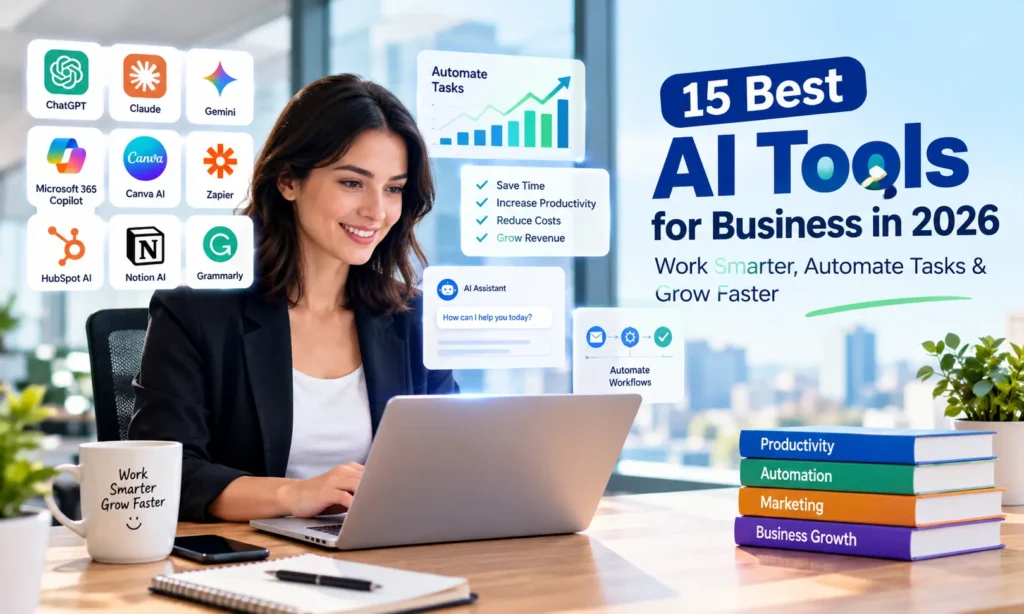
The following tools serve different business needs. They are selected for their practical use cases, accessibility, and potential value across common business workflows. The best choice for your company will depend on your existing software, budget, team size, and goals.
1. ChatGPT — Best Overall AI Tool for Business
Best for: Content writing, research, brainstorming, data analysis, planning, and everyday business tasks.
ChatGPT is a versatile AI assistant that can help businesses with a wide variety of activities. It can draft documents, explain complex topics, summarize information, brainstorm ideas, assist with coding, and analyze supported files.
For small businesses, it can serve as a flexible assistant for tasks that would otherwise require switching between several different tools.
Key business uses:
- Write business emails, proposals, and reports.
- Generate blog post outlines and marketing content.
- Brainstorm product names and campaign ideas.
- Analyze spreadsheets and summarize business information.
- Prepare meeting agendas and standard operating procedures.
- Draft customer support responses and frequently asked questions.
For example, an online store owner could use ChatGPT to brainstorm product descriptions, create an email campaign, and organize customer feedback into recurring themes.
Pros:
- Supports many different business tasks.
- Useful for both beginners and experienced professionals.
- Can assist with text, files, analysis, and creative work.
Cons:
- Generated information can contain errors.
- Results often need editing and fact-checking.
- Business users must consider privacy when uploading company information.
2. Claude — Best for Long Documents and Professional Writing
Best for: Document analysis, detailed writing, editing, research assistance, and structured business communication.
Claude is an AI assistant that can help professionals work with lengthy documents and develop clear, organized written content.
It is useful when a business needs to summarize reports, review proposals, refine internal documentation, or turn rough notes into a well-structured draft.
Key business uses:
- Summarize long business reports.
- Draft proposals and client communications.
- Review policies and internal documentation.
- Organize research notes.
- Assist with coding and technical documentation.
For example, a consultant could use Claude to summarize a lengthy project document and prepare a first draft of an executive summary.
Pros:
- Helpful for detailed writing and document-heavy workflows.
- Can organize complicated information into readable sections.
- Useful for drafting and editing professional documents.
Cons:
- Important claims still require verification.
- Available features and usage limits depend on the plan.
3. Google Gemini — Best for Google Workspace Users
Best for: Businesses using Gmail, Google Docs, Google Sheets, Google Meet, and other Google services.
Google Gemini can assist with writing, summarization, brainstorming, analysis, and other productivity tasks. Its integration with Google’s productivity ecosystem makes it particularly relevant to businesses that already use Workspace applications.
Depending on the available plan and enabled features, teams can use Gemini to help prepare emails, summarize documents, and work with information across supported applications.
Key business uses:
- Draft and refine emails.
- Summarize documents and meeting notes.
- Brainstorm marketing campaigns.
- Assist with spreadsheet analysis.
- Prepare presentations and business documents.
For example, a small agency could use Gemini to draft client emails and summarize project documents within its existing Google-based workflow.
Pros:
- Fits naturally into Google-centric work environments.
- Useful for everyday writing and productivity.
- Can reduce switching between applications.
Cons:
- Features vary by product, subscription, and region.
- Businesses should check which integrations are included in their plan.
4. Microsoft 365 Copilot — Best for Microsoft-Based Businesses
Best for: Businesses that rely on Word, Excel, PowerPoint, Outlook, and Teams.
Microsoft 365 Copilot brings AI assistance into supported Microsoft applications. It can help users create documents, summarize meetings, draft emails, prepare presentations, and work with spreadsheets.
For companies already using Microsoft 365, its biggest advantage is the ability to support existing workflows instead of introducing an entirely separate productivity platform.
Key business uses:
- Draft reports in Word.
- Analyze data and explore spreadsheet trends in Excel.
- Create presentation drafts in PowerPoint.
- Summarize supported Teams meetings.
- Prepare email drafts and summarize conversations in Outlook.
For example, a sales manager could use Copilot to summarize meeting notes and prepare a first draft of a client presentation.
Pros:
- Integrates with familiar business applications.
- Useful for document-heavy teams.
- Can help reduce repetitive office work.
Cons:
- Availability and capabilities depend on licensing.
- Generated spreadsheet formulas and business summaries need checking.
- Additional subscription costs may apply.
5. Canva AI — Best for Business Design and Marketing Graphics
Best for: Social media posts, advertisements, presentations, promotional graphics, and branded visual content.
Canva is a design platform that helps users create professional-looking visual materials without advanced graphic design skills. Its AI-powered features can assist with generating design concepts, editing images, and developing content for different marketing channels.
Small businesses can use Canva to create a consistent visual identity without depending on a designer for every routine asset.
Key business uses:
- Design Instagram and Facebook posts.
- Create promotional banners.
- Prepare business presentations.
- Develop posters, flyers, and brochures.
- Produce branded marketing materials.
For example, a local business could create a week’s worth of promotional graphics using reusable brand templates.
Pros:
- Beginner-friendly design workflow.
- Large selection of templates.
- Useful for maintaining visual consistency.
Cons:
- Some advanced features require a paid plan.
- AI-generated visuals may need refinement.
- Commercial usage rights should be checked for specific assets.
6. Zapier — Best for Business Workflow Automation
Best for: Connecting applications and automating repetitive administrative tasks.
Zapier connects supported applications so that an action in one system can trigger another action elsewhere. Its automation capabilities can help businesses move information between tools without manually repeating the same steps.
For example, a company could create a workflow that records a new form submission in a spreadsheet, adds the lead to a CRM, and notifies a sales representative.
Key business uses:
- Automate lead capture.
- Send notifications when new orders arrive.
- Transfer information between applications.
- Create task records from form submissions.
- Connect supported AI services to business workflows.
Pros:
- Reduces repetitive data entry.
- Supports many application integrations.
- Useful for teams without dedicated developers.
Cons:
- Complex workflows can require troubleshooting.
- Task limits and subscription costs depend on usage.
- Poorly designed automations can duplicate or misroute information.
7. HubSpot AI — Best for Sales and Marketing
Best for: Lead management, customer relationships, sales support, and marketing operations.
HubSpot combines customer relationship management with marketing, sales, and customer service features. Its AI capabilities can assist with content generation, prospect research, customer communications, and selected CRM workflows.
Businesses can use it to organize leads and customer interactions while helping sales and marketing teams work more efficiently.
Key business uses:
- Draft marketing emails.
- Prepare sales outreach.
- Organize customer information.
- Support lead management.
- Help summarize customer interactions.
For example, a B2B company could use its CRM to track leads and assist representatives with preparing personalized follow-up messages.
Pros:
- Brings customer information and sales activities together.
- Useful for growing marketing and sales teams.
- Supports organized customer follow-up.
Cons:
- Advanced capabilities may require paid plans.
- Setup and CRM maintenance take time.
- AI-generated outreach should be reviewed for relevance and accuracy.
8. Notion AI — Best for Team Knowledge and Documentation
Best for: Project documentation, internal knowledge bases, meeting notes, and team collaboration.
Notion provides a workspace for documents, databases, notes, and project information. Its AI features can help users summarize content, improve writing, extract important information, and work with their team’s documentation.
It is particularly helpful for businesses that need a central location for procedures, project plans, and internal knowledge.
Key business uses:
- Create standard operating procedures.
- Summarize project updates.
- Draft internal documentation.
- Organize meeting notes.
- Turn rough notes into structured action plans.
Pros:
- Combines documents and project information.
- Helpful for collaborative work.
- Supports organized internal knowledge.
Cons:
- Teams need consistent documentation habits.
- Access to AI features depends on the plan.
- Sensitive information requires appropriate permissions.
9. Grammarly — Best for Professional Business Communication
Best for: Email editing, grammar correction, tone improvement, and professional writing.
Grammarly helps users improve written communication by identifying language issues and suggesting clearer alternatives. Its AI features can also help users rewrite text, adjust tone, and generate drafts.
Businesses that send frequent customer emails, proposals, and reports can benefit from more consistent communication.
Key business uses:
- Correct grammar and spelling.
- Improve email clarity.
- Adjust writing tone.
- Refine business proposals.
- Review customer-facing content.
Pros:
- Useful for everyday writing.
- Helps improve readability and consistency.
- Supports professional communication across many tasks.
Cons:
- Suggestions can occasionally change the intended meaning.
- Specialized terminology may require manual review.
- Advanced features may require a paid subscription.
10. Perplexity — Best for Research and Information Discovery
Best for: Market research, competitor research, industry analysis, and finding supporting sources.
Perplexity is an AI-powered research tool designed to answer questions using information retrieved from online sources. Its source-linked responses can help business users investigate topics and identify material for further review.
It is useful when a company needs to explore a market, understand industry developments, or collect initial research before making a decision.
Key business uses:
- Research industry trends.
- Explore competitors’ public positioning.
- Investigate customer problems.
- Gather sources for reports.
- Develop initial research summaries.
Pros:
- Helps accelerate information discovery.
- Provides sources that users can inspect.
- Useful for building a preliminary research brief.
Cons:
- Sources must be checked for relevance and reliability.
- Search results may omit important information.
- High-stakes decisions require independent verification.
11. Otter.ai — Best for Meeting Notes
Best for: Meeting transcription, summaries, and action-item tracking.
Meetings often generate valuable information that gets lost when participants rely on memory alone. Otter.ai helps turn supported audio or meeting activity into transcripts and summaries.
This can be useful for remote teams, sales calls, interviews, and internal planning sessions.
Key business uses:
- Transcribe supported meetings.
- Summarize discussions.
- Identify decisions and follow-up actions.
- Review past conversations.
- Share meeting notes with team members.
Pros:
- Reduces manual note-taking.
- Makes meeting information easier to review.
- Helps organize follow-up tasks.
Cons:
- Transcription quality varies with audio conditions.
- Speaker attribution and technical terms can be inaccurate.
- Recording and transcription should follow consent and company policies.
12. Fireflies.ai — Best for Meeting Intelligence
Best for: Meeting summaries, conversation search, and collaboration.
Fireflies.ai is designed to help teams capture and organize information from meetings. Depending on the configuration and supported integrations, it can provide transcripts, summaries, and searchable conversation records.
It is especially useful for teams that conduct frequent sales calls, project discussions, and customer meetings.
Key business uses:
- Summarize customer calls.
- Track discussion points.
- Organize action items.
- Search meeting transcripts.
- Share conversation notes with colleagues.
Pros:
- Helps teams preserve meeting knowledge.
- Useful for recurring customer conversations.
- Reduces time spent preparing meeting recaps.
Cons:
- Automated summaries may miss context.
- Integration availability depends on the setup.
- Teams should review recording permissions and data retention.
13. GitHub Copilot — Best for Software Development
Best for: Coding assistance, code completion, debugging support, and developer productivity.
GitHub Copilot helps software developers write and understand code. It can suggest code completions, explain programming concepts, and assist with selected development workflows.
Businesses that maintain websites, applications, or internal software may find it useful for accelerating development tasks.
Key business uses:
- Generate code suggestions.
- Explain unfamiliar code.
- Draft unit tests.
- Assist with debugging.
- Support routine development tasks.
Pros:
- Useful for developers working in supported environments.
- Can reduce repetitive coding effort.
- Helps teams explore implementation ideas.
Cons:
- Generated code may contain bugs or security issues.
- Developers must review and test suggestions.
- Subscription options and enterprise controls vary.
14. ElevenLabs — Best for AI Voice and Audio
Best for: Voiceovers, training materials, audio content, and supported voice-generation workflows.
ElevenLabs provides AI-powered audio tools that can help businesses create voiceovers and other spoken content. It can be useful for companies that produce training materials, marketing videos, educational content, or multilingual audio.
Key business uses:
- Create voiceovers for promotional videos.
- Develop audio training resources.
- Produce narration for presentations.
- Support content localization.
- Generate audio drafts for review.
Pros:
- Useful for audio production workflows.
- Can reduce the time needed to record routine narration.
- Supports creative and educational applications.
Cons:
- Generated speech may require editing.
- Commercial usage rights depend on the applicable terms.
- Voice cloning requires appropriate consent and authorization.
15. Gamma — Best for AI-Powered Presentations
Best for: Business presentations, proposals, pitch decks, and visual reports.
Gamma helps users create structured visual content from written instructions and source material. It can be useful for preparing a first draft of a presentation without manually designing every slide from scratch.
Key business uses:
- Prepare sales presentations.
- Develop startup pitch decks.
- Create internal training materials.
- Turn outlines into visual presentations.
- Draft client-facing reports.
Pros:
- Speeds up initial presentation creation.
- Helps organize information into a visual format.
- Useful for people without advanced design skills.
Cons:
- AI-generated facts and figures need verification.
- Branding and layouts may require customization.
- Final presentations should be reviewed for accuracy and readability.
Comparison Table: Best AI Tools for Business in 2026
Use this table to identify the tools that best match your business needs.
| AI Tool | Best Use Case | Ideal For |
|---|---|---|
| ChatGPT | General business assistance | Startups and businesses of all sizes |
| Claude | Long documents and writing | Consultants and content teams |
| Google Gemini | Google Workspace productivity | Google-based businesses |
| Microsoft 365 Copilot | Office productivity | Microsoft 365 users |
| Canva AI | Design and graphics | Marketing teams and creators |
| Zapier | Workflow automation | Small businesses and operations teams |
| HubSpot AI | Sales and marketing | Sales teams and growing companies |
| Notion AI | Documentation and knowledge | Collaborative teams |
| Grammarly | Writing improvement | Professionals and customer-facing teams |
| Perplexity | Research and discovery | Analysts and business owners |
| Otter.ai | Meeting transcription | Remote and hybrid teams |
| Fireflies.ai | Meeting summaries | Sales and project teams |
| GitHub Copilot | Coding assistance | Software developers |
| ElevenLabs | Voice and audio | Video creators and educators |
| Gamma | Presentation creation | Consultants and business teams |
The tools are not direct substitutes for one another. For example, ChatGPT can help you plan a marketing campaign, Canva can create the campaign’s graphics, and Zapier can automate parts of the workflow that connect your forms, CRM, and communication applications.
Best AI Tools for Small Businesses
Small businesses usually need tools that are affordable, simple to learn, and capable of solving multiple problems.
Instead of subscribing to every popular AI application, start with a small group that covers your most important activities.
For Freelancers and Solo Business Owners
A practical starting combination is:
- ChatGPT for drafting, brainstorming, and planning.
- Canva for promotional graphics and presentations.
- Grammarly for refining client communication.
This combination supports many everyday tasks without requiring a complicated software setup.
For Digital Marketing Agencies
Consider:
- ChatGPT or Claude for content development.
- Canva for creative assets.
- HubSpot for customer and lead management.
- Zapier for connecting supported marketing applications.
- Perplexity for initial research.
Before publishing content, review factual claims, originality, search intent, brand voice, and any applicable client requirements.
For E-Commerce Businesses
Useful options include:
- ChatGPT for product descriptions and customer communication drafts.
- Canva for product promotions and social media graphics.
- HubSpot for supported customer relationship workflows.
- Zapier for connecting order-related and marketing applications.
- AI support tools for answering approved frequently asked questions.
Automated responses involving refunds, delivery disputes, payment problems, or personal data should have appropriate safeguards and escalation paths.
For Startups
Startups can begin with:
- ChatGPT for research and business planning.
- Notion AI for documentation.
- Gamma for pitch presentations.
- Canva for marketing design.
- Zapier for basic workflow automation.
Choose tools that support your immediate goals and can grow with the business without introducing unnecessary complexity.
How to Use AI Tools to Automate Business Tasks
The best results come from applying AI to a clearly defined workflow.
Here is a simple example of how a business could improve its lead-management process.
Step 1: Capture new leads. A customer fills out a website contact form.
Step 2: Organize the information. An automation platform transfers the approved fields into the company’s CRM.
Step 3: Prepare a response. An AI assistant drafts a personalized follow-up based on the customer’s inquiry and approved company information.
Step 4: Review and send. A team member checks the message before sending it, especially when pricing or contractual commitments are involved.
Step 5: Schedule the next action. The CRM records the interaction and creates a reminder for the sales representative.
This process can reduce manual administration while maintaining human oversight over important customer communications.
Other suitable automation opportunities include preparing weekly reports, summarizing internal meetings, organizing support requests, and notifying employees about recurring operational tasks.
Start with a process that is repetitive, measurable, and relatively low-risk. Once it works reliably, consider expanding to more complex workflows.
How to Choose the Best AI Tools for Your Business
Not every AI tool is suitable for every organization. Use the following criteria to evaluate potential solutions.
1. Identify Your Main Business Problem
Start by identifying the task that consumes the most time or creates the most operational friction.
If your team struggles with content production, investigate writing and design tools. If employees repeatedly transfer information between applications, investigate workflow automation.
A clearly defined problem makes it easier to evaluate whether a tool is worth paying for.
2. Check Integration Options
Consider the software your business already uses. An AI tool that works with your existing email, CRM, project management, and document systems may provide more value than a more powerful tool that requires constant manual copying.
Check integration availability before committing to a subscription.
3. Compare the Total Cost
Subscription prices are only one part of the total cost. Consider user seats, usage limits, integration charges, setup time, training, and ongoing maintenance.
A low-cost tool may be sufficient for an individual, while a growing company may need stronger administration and security controls.
4. Evaluate Ease of Use
A tool delivers little value if employees cannot use it effectively. Look for intuitive interfaces, clear documentation, useful templates, and workflows that fit existing habits.
Test the tool with real tasks before rolling it out across the company.
5. Review Security and Privacy
Before uploading business information, understand how the provider handles data, retention, access controls, and model training.
For sensitive information, consider enterprise controls, contractual terms, and relevant legal or regulatory obligations.
6. Measure Productivity Gains
Choose a measurable outcome before implementation. For example, you might track how long it takes to prepare a weekly report, process a support request, or draft a marketing email.
Compare results before and after introducing the tool. Include subscription and maintenance costs when assessing whether the change provides real value.
Common Mistakes to Avoid When Using AI for Business
AI tools can create significant efficiencies, but poor implementation can introduce new problems.
Relying on AI Without Fact-Checking
AI-generated content may include incorrect facts, outdated details, or invented references. Verify important information before using it in reports, customer communication, or public content.
Buying Too Many Subscriptions
Using many overlapping applications can increase expenses and fragment business information. Begin with a small set of tools and add specialized products only when they solve a clear need.
Ignoring Employee Training
Employees need practical guidance on how to write effective prompts, review outputs, protect sensitive information, and escalate unusual cases.
Automating Poorly Designed Processes
Automation can make an inefficient process run faster without making it better. Simplify the process first, then automate the steps that genuinely benefit from it.
Uploading Confidential Information Carelessly
Avoid entering passwords, sensitive customer records, confidential contracts, or proprietary business information into tools that have not been approved for that use.
Removing Human Oversight
AI should support employee judgment, not automatically replace it in every situation. Financial approvals, legal decisions, sensitive customer disputes, and other high-impact activities need appropriate human review.
Future of AI Tools for Business
Business AI is evolving beyond simple chat interfaces. Increasingly, platforms are adding features that can work across documents, software applications, and multi-step workflows.
Several developments are particularly relevant to businesses in 2026.
AI agents and workflow orchestration: Some systems can now carry out multiple connected steps with less continuous user input. Businesses should still define permissions, approval checkpoints, and monitoring.
More integrated productivity tools: AI capabilities are increasingly appearing inside office suites, CRM platforms, collaboration software, and other applications employees already use.
AI-assisted data analysis: Business teams can use natural-language interfaces to explore datasets and generate summaries, while still validating calculations and underlying data.
Personalized customer experiences: AI can help businesses prepare more relevant messages and support responses when used with appropriate customer information and privacy safeguards.
Multimodal content creation: Some platforms can assist with combinations of text, images, audio, video, and other supported media, giving marketing and training teams additional options.
These developments create opportunities, but businesses should evaluate practical reliability, cost, security, and measurable outcomes rather than adopting a tool simply because it is new.
Frequently Asked Questions (FAQs)
Some of the leading options include ChatGPT for general assistance, Claude for document-heavy work, Google Gemini for Google Workspace, Microsoft 365 Copilot for Microsoft productivity, Canva AI for design, Zapier for automation, and HubSpot AI for sales and marketing.
The best option depends on your business goals and existing software.
ChatGPT is a useful starting point for many small businesses because it supports a wide range of writing, planning, analysis, and brainstorming tasks. Canva is useful for visual marketing, while Zapier can help automate repetitive workflows.
Start with the tools that solve your most frequent problems.
Yes. Several platforms offer free plans or limited free access, although features, usage limits, and commercial terms vary. ChatGPT, Google Gemini, Canva, Grammarly, and other providers may offer ways to try selected capabilities without immediately purchasing a paid plan.
Check the current terms and limits on each provider’s official website.
AI tools may support revenue growth by helping businesses create marketing content, respond to leads faster, improve customer service, and reduce operational delays.
However, using AI does not guarantee increased revenue. Results depend on product quality, customer demand, implementation, and the effectiveness of the overall business strategy.
Yes. Many AI applications are designed for users without technical experience. Beginners can start with simple tasks such as drafting emails, summarizing documents, creating social media graphics, or organizing meeting notes.
As confidence grows, they can explore more advanced workflows and automation.
Costs range from free options to paid individual subscriptions and enterprise agreements. Pricing varies by provider, plan, number of users, usage volume, and available features.
Check official pricing pages before subscribing, and calculate the total cost of all required tools rather than comparing subscription prices alone.
AI can automate or assist with many individual processes, but most businesses still need human judgment, oversight, and accountability.
A realistic goal is to automate suitable repetitive tasks while retaining human involvement in complex decisions, exceptions, and sensitive activities.
They can be used responsibly when businesses select suitable providers, configure permissions, review data-handling policies, and train employees.
No tool should be assumed completely risk-free. Security requirements vary depending on the data, industry, application, and intended use.
ChatGPT and Claude can assist with drafting and editing, Canva can help create visual assets, Grammarly can improve writing quality, and Perplexity can support preliminary research.
For strong results, combine these tools with original insights, verified information, editorial review, and a clear understanding of the target audience.
Choose one repetitive task, establish a baseline for how long it takes, test a suitable AI tool, and compare the results. Document any errors, review privacy requirements, and train employees before expanding to additional workflows.
Conclusion: Choose the Right AI Tools and Grow Smarter
The best AI tools for business in 2026 are the ones that help your team solve real problems, work more efficiently, and deliver better results.
ChatGPT and Claude can support writing and research. Google Gemini and Microsoft 365 Copilot can assist with everyday office work. Canva AI can simplify design, Zapier can connect applications, and HubSpot can help organize sales and marketing activities. Tools such as Notion AI, Otter.ai, Perplexity, and GitHub Copilot offer additional capabilities for specific business needs.
You do not need to use all 15 tools to benefit from artificial intelligence. Start with one or two applications that fit your workflow, measure their impact, and expand only when there is a clear business reason.
Remember that AI is most effective when combined with human expertise, reliable information, strong processes, and responsible oversight.
Start small, automate wisely, and use AI to give your business more time to focus on customers, innovation, and sustainable growth.

3 comments