Introduction
Welcome to ZeexasTech.com, your trusted destination for technology, AI tools, Microsoft Excel tutorials, digital productivity, and the latest tech insights.
I’m Vishal Kumar, the creator of ZeexasTech.com. My goal is to make technology simple, practical, and accessible for everyone. Through helpful guides, step-by-step tutorials, and informative articles, I aim to help students, professionals, bloggers, and business owners learn new skills and work smarter.
At ZeexasTech.com, we believe that the right knowledge and tools can make a real difference in your digital journey.
Planning a lesson is one of the most important responsibilities of a teacher. A well-designed lesson helps students understand new concepts, participate in classroom activities, develop critical thinking skills, and achieve learning objectives. However, creating effective lesson plans can take hours, especially when teachers need to prepare different activities, worksheets, assessments, and teaching materials for multiple classes.
This is where an AI lesson plan generator can make a significant difference.
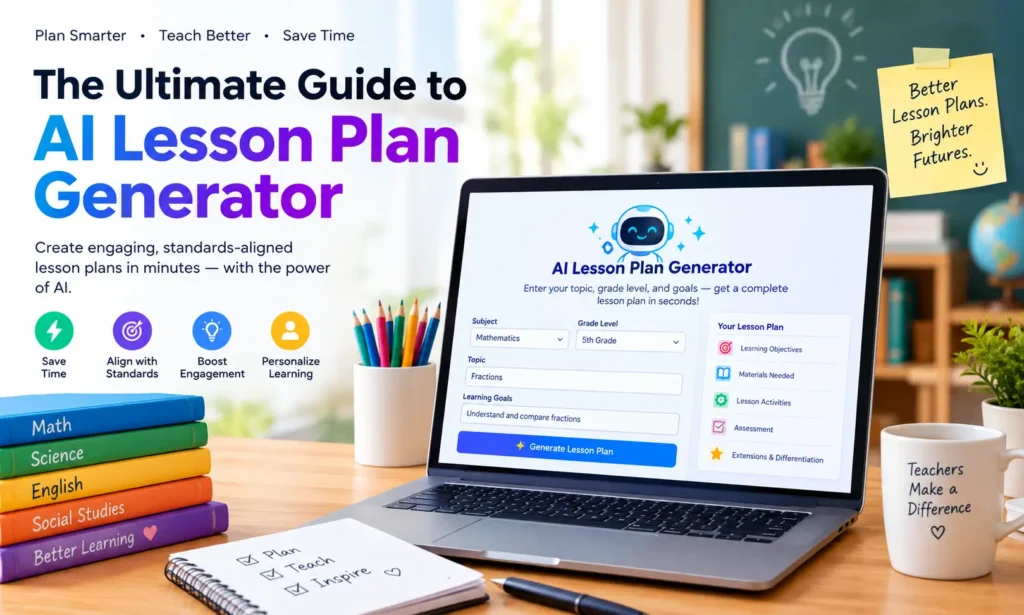
An AI lesson plan generator is a digital tool that uses artificial intelligence to help teachers create structured lesson plans based on their subject, grade level, learning objectives, curriculum requirements, and teaching preferences. Instead of starting from a blank page, educators can use AI to generate lesson outlines, classroom activities, discussion questions, assessments, and homework ideas in minutes.
Whether you teach primary school students, secondary school learners, college students, or adult learners, an AI-powered lesson planning tool can simplify preparation and help you organize your teaching more efficiently.
However, AI should not replace the professional judgment of teachers. The best results come when educators combine AI-generated ideas with their knowledge of students, classroom conditions, curriculum standards, and individual learning needs.
In this guide, you will learn what an AI lesson plan generator is, how it works, its benefits, its limitations, and how to use it to create engaging and effective lesson plans.
What Is an AI Lesson Plan Generator?
An AI lesson plan generator is a software application or AI-powered assistant that helps educators prepare lesson plans automatically or semi-automatically. It uses information provided by the teacher to suggest a structured teaching plan that can be reviewed, edited, and adapted before classroom use.
Traditional lesson planning often requires teachers to research topics, define learning objectives, select teaching strategies, design activities, create assessments, and organize resources. An AI lesson plan generator can help with many of these tasks by producing a first draft based on a short description of the lesson.
For example, a teacher might enter:
- Subject: Science
- Grade: 6
- Topic: The water cycle
- Duration: 45 minutes
- Learning objective: Explain evaporation, condensation, and precipitation
- Teaching approach: Interactive learning
The AI tool may generate a lesson plan containing an introduction, a short explanation of the water cycle, a diagram activity, group discussion questions, a quick assessment, and homework.
The teacher can then check the accuracy of the information, adjust the timing, add local examples, and make sure the activities match students’ abilities.
An AI lesson plan generator can support many educational settings, including traditional classrooms, online learning environments, tutoring sessions, homeschooling, vocational education, and professional training.
How Does an AI Lesson Plan Generator Work?
Most AI lesson planning tools follow a simple process. Although the features differ between platforms, the general workflow usually includes the following steps.
1. Enter the Lesson Topic
The teacher begins by describing the subject or topic they want to teach. This could be a mathematics concept, a historical event, a scientific principle, a language skill, or a practical activity.
For example, a teacher might enter “Introduction to fractions for Grade 4 students.”
A more detailed prompt generally produces a more useful first draft because the AI has additional information about the teaching context.
2. Select the Grade Level and Subject
The next step is to identify the intended learners. A lesson for young children should use different language, activities, and assessment methods than a lesson for university students.
Grade level, prior knowledge, reading ability, and subject requirements help determine how the lesson should be structured.
Teachers should remember that grade-level labels alone do not fully describe student ability. Some learners may need additional support, while others may be ready for more challenging work.
3. Define Learning Objectives
Learning objectives describe what students should know or be able to do by the end of the lesson.
For example:
“By the end of the lesson, students will be able to identify the three states of matter and provide one example of each.”
An AI tool can suggest measurable objectives using action verbs such as identify, explain, compare, calculate, demonstrate, analyze, or evaluate.
Teachers should review these objectives to ensure they are realistic, measurable, and aligned with the intended curriculum.
4. Generate the Lesson Structure
After receiving the input, the AI creates a draft lesson structure. This may include:
- Lesson title and overview
- Learning objectives
- Required materials
- Introduction or warm-up activity
- Direct instruction
- Guided practice
- Independent or group activities
- Formative assessment
- Lesson conclusion
- Homework or extension activities
Some tools also suggest differentiation strategies, discussion prompts, rubrics, and additional learning resources.
5. Review and Customize the Plan
The generated lesson plan is a starting point, not a finished teaching document that should automatically be used without review.
Teachers should check facts, terminology, curriculum alignment, time estimates, activity instructions, and assessment questions. They should also consider whether the suggested activities are appropriate for the classroom’s available resources.
6. Use the Plan and Improve It
Once the lesson is ready, the teacher can use it in the classroom, print it, or transfer it to a preferred planning document.
After teaching the lesson, the teacher can record what worked well and what needs improvement. That feedback can inform future lesson plans and help create a more effective teaching routine.
Why Are Teachers Using AI Lesson Plan Generators?
Teachers work in environments where time, attention, and resources are limited. Lesson planning is essential, but it is only one part of their workload.
An AI lesson plan generator can reduce the time spent creating a first draft and help teachers explore different ways of presenting the same concept.
For example, a teacher who has explained fractions using textbooks might use AI to brainstorm a cooking activity, a number-line exercise, or a visual comparison game. The teacher can choose the idea that best fits the students and available materials.
AI can also help teachers create different versions of an activity. A basic version might provide additional hints, while an advanced version might ask students to solve more complex problems.
The main attraction is not simply automation. It is the ability to generate ideas quickly, organize teaching materials, and redirect more planning time toward student learning.
Top Benefits of Using an AI Lesson Plan Generator
1. Saves Time on Lesson Preparation
One of the biggest advantages of AI-assisted lesson planning is the ability to produce an initial draft quickly.
Instead of manually writing every section, teachers can provide a topic, grade level, lesson duration, and learning objective. The AI can then suggest a structure that the teacher can refine.
This can be particularly helpful for educators who teach several subjects or prepare multiple lessons every week.
However, the actual time saved depends on the quality of the generated content, the complexity of the subject, and the amount of editing required.
2. Creates Structured Lesson Plans
A lesson plan should provide a clear sequence of activities. If the lesson is poorly organized, students may struggle to connect new information with previous learning.
An AI lesson plan generator can help organize lessons into logical stages, such as reviewing prior knowledge, introducing a concept, modeling an example, practicing a skill, checking understanding, and summarizing key ideas.
This structure helps teachers identify missing components before entering the classroom.
3. Encourages Creative Teaching Ideas
Repeating the same teaching method can make lessons less engaging for some students. AI can suggest alternative activities, classroom games, practical demonstrations, storytelling exercises, and collaborative projects.
For example, when teaching the solar system, a teacher might ask AI to suggest a role-play activity in which students represent planets and demonstrate their relative positions.
The teacher can evaluate the idea and adapt it to the classroom’s space, resources, and learning goals.
4. Supports Different Learning Levels
Students in the same class may have different levels of prior knowledge, confidence, and learning needs.
AI can help teachers prepare several versions of the same activity:
- A supported version with sentence starters and worked examples
- A standard version aligned with the main learning objective
- An extension version with more challenging questions
This approach can make lesson preparation more flexible without requiring teachers to create every activity from scratch.
AI-generated differentiation should still be checked against the actual needs of learners. A generic activity is not a substitute for individualized educational support.
5. Helps Develop Assessments
A lesson is more effective when the teacher can determine whether students have understood the material.
AI can suggest multiple-choice questions, short-answer questions, exit tickets, discussion prompts, practical tasks, and simple rubrics.
For example, after a lesson about photosynthesis, an AI tool might suggest asking students to explain why plants need light, identify the role of chlorophyll, or interpret a simple diagram.
Teachers should verify that each assessment measures the intended objective and that the questions have accurate answers.
6. Improves Consistency in Lesson Planning
Teachers often prepare lessons under tight deadlines. A reusable planning structure can help them maintain consistency across subjects and classes.
An AI-generated template can include objectives, materials, activities, assessment methods, differentiation, and reflection notes.
Using a consistent structure makes it easier to review lesson quality, share plans with colleagues, and identify areas that need improvement.
7. Supports New and Experienced Teachers
New teachers may find it difficult to decide how much content to include, how to sequence activities, or how to check understanding.
An AI lesson plan generator can provide examples that help them explore possible teaching approaches.
Experienced teachers may use the same tools to refresh existing lessons, develop alternative activities, or adapt materials for a different group of learners.
In both cases, the teacher remains responsible for deciding which suggestions are appropriate.
8. Makes Curriculum Adaptation Easier
Teachers may need to adapt lessons for different curricula, school requirements, or learning standards.
AI can help reorganize a lesson around a specified learning outcome or create activities targeting a particular skill. However, teachers should provide the relevant curriculum requirements and verify the results against the official documents.
A generated lesson should never be assumed to comply with a curriculum simply because the tool claims it is aligned.
9. Helps With Online and Hybrid Teaching
Online lessons require different approaches to participation and assessment. Teachers may need virtual discussion questions, independent activities, collaborative documents, or short knowledge checks.
AI can suggest ways to divide a lesson into shorter sections and build in opportunities for student interaction.
For hybrid teaching, it can also help create alternatives for learners who attend in person and those who participate remotely.
10. Reduces the Stress of Starting From Scratch
A blank page can be difficult when teachers are tired, busy, or preparing an unfamiliar topic.
An AI-generated outline gives teachers something concrete to evaluate. They can remove unsuitable ideas, expand useful sections, and replace generic examples with relevant ones.
This makes AI valuable as a brainstorming partner as well as a planning assistant.
Key Features to Look for in an AI Lesson Plan Generator
Not all AI lesson planning tools provide the same capabilities. Before choosing a tool, educators should consider which features support their actual workflow.
Customizable Grade Levels
The tool should let teachers specify the grade or approximate learner level. Ideally, it should also support information about prior knowledge and learning requirements.
Subject-Specific Planning
A useful tool should accommodate different subjects, including mathematics, science, English, social studies, languages, arts, and vocational education.
The teacher should be able to adapt the structure for the subject. A science lesson may require an experiment, while a literature lesson may need close reading and discussion.
Learning Objective Generation
The tool should help create clear, measurable learning objectives rather than vague statements.
For example, “understand multiplication” can be improved to “solve two-digit multiplication problems using an appropriate strategy.”
Activity and Resource Suggestions
The tool may recommend classroom activities, worksheets, discussion questions, demonstrations, and resource lists.
Teachers should prioritize activities that are practical, affordable, safe, and relevant to their students.
Assessment Creation
Assessment support can include quizzes, exit tickets, comprehension questions, rubrics, and project evaluation criteria.
Teachers should be able to modify the difficulty and format of these assessments.
Differentiation Support
Look for features that help create additional explanations, scaffolded tasks, extension questions, or alternative ways for students to demonstrate learning.
Curriculum and Standards Support
Some tools allow teachers to enter curriculum standards or select educational frameworks. If this feature is available, verify the exact standard references and confirm that the generated lesson addresses them accurately.
Export and Sharing Options
Downloadable documents, printable formats, and easy copying can help teachers move plans into their existing workflow.
Collaboration features may also be helpful for teaching teams that develop or review lessons together.
Privacy and Data Protection
Teachers should understand how a platform stores prompts, documents, and student information. Avoid entering identifiable student data into tools that have not been approved for that purpose.
How to Create a Lesson Plan Using AI: Step-by-Step Guide
The following process works with many general-purpose AI assistants and specialized lesson planning tools.
Step 1: Identify the Learning Goal
Start by deciding what students should learn.
A weak prompt might say:
“Create a lesson about plants.”
A stronger prompt might say:
“Create a 40-minute science lesson for Grade 5 students explaining the basic parts of a plant and the functions of roots, stems, leaves, and flowers.”
The second prompt provides a clearer teaching goal.
Step 2: Add the Classroom Context
Specify the grade, subject, lesson duration, class size if relevant, available materials, and students’ prior knowledge.
For example, you could explain that the class has 30 students, access to a whiteboard, and no individual computers.
This information helps the AI suggest activities that are more realistic.
Step 3: Request Measurable Objectives
Ask the AI to provide two or three objectives that can be checked by the end of the lesson.
For example:
“Write three measurable learning objectives using observable action verbs. Ensure each objective can be assessed during a 40-minute lesson.”
Review the objectives and remove any that are too broad or difficult to measure.
Step 4: Generate the Lesson Sequence
Ask the tool to organize the lesson into timed sections.
For example:
- 5 minutes: Warm-up and prior knowledge
- 10 minutes: Explanation and teacher modeling
- 15 minutes: Guided practice or group activity
- 5 minutes: Individual assessment
- 5 minutes: Summary and reflection
These timings are illustrative. A practical lesson may need different allocations depending on the topic, student age, and school schedule.
Step 5: Add Student Activities
Ask for activities that require students to use the knowledge rather than simply listen to an explanation.
Depending on the subject, these may include experiments, problem-solving exercises, pair discussions, role-play, concept maps, or short presentations.
Choose activities that directly support the learning objectives.
Step 6: Create an Assessment
Request questions or tasks that demonstrate whether students have achieved the objectives.
For example:
“Create five short assessment questions, provide the correct answers separately, and identify which learning objective each question measures.”
Check the answers before using the assessment with students.
Step 7: Add Differentiation
Ask the AI to suggest appropriate support and extension opportunities.
For example:
“Provide one scaffolded activity for students who need extra help and one extension task for students who complete the main activity quickly.”
Review these suggestions to ensure they are inclusive and appropriate.
Step 8: Verify the Content
Check factual claims, formulas, dates, quotations, examples, terminology, and curriculum references.
This step is particularly important in science, mathematics, history, health education, and other subjects where inaccuracies can cause confusion or harm.
Step 9: Adapt the Plan to Your Students
Replace generic examples with familiar objects, local contexts, culturally appropriate references, or materials available in your classroom.
For example, a mathematics lesson about percentages might use shopping discounts, while a geography lesson might use a local map.
Step 10: Reflect After Teaching
After the lesson, note which activities worked, which questions students found difficult, and whether the objectives were achieved.
Use this reflection to improve the next lesson rather than relying exclusively on the original AI output.
Best AI Prompts for Generating Lesson Plans
The quality of AI-generated lesson plans depends heavily on the information supplied by the teacher. Clear prompts help the AI understand the intended result.
Here are practical prompts you can adapt.
Prompt 1: General Lesson Plan
“Act as an experienced teacher and instructional designer. Create a detailed lesson plan for [subject] on [topic] for [grade level]. The lesson should last [duration] minutes. Include measurable learning objectives, required materials, prior knowledge, a warm-up activity, teacher explanation, guided practice, independent work, formative assessment, differentiation strategies, and a closing activity. Present the plan in a clear table with timings.”
Prompt 2: Interactive Classroom Lesson
“Create an interactive lesson for [grade level] about [topic]. Include a short introduction, at least two student-centered activities, discussion questions, opportunities for collaboration, and a quick assessment. Use low-cost materials and explain how the teacher should facilitate each activity.”
Prompt 3: Differentiated Lesson Plan
“Develop a lesson plan for [topic] for a class with varied learning needs. Include the core learning objective, a scaffolded activity for learners who need extra support, the main task for the whole class, an extension activity for advanced learners, and alternative ways students can demonstrate understanding.”
Prompt 4: Lesson Plan With Assessment
“Create a [duration]-minute lesson about [topic] for [grade level]. Include three measurable learning objectives, a teaching sequence, five assessment questions with an answer key, one exit ticket, and a simple rubric. Ensure every assessment item matches at least one learning objective.”
Prompt 5: Project-Based Learning
“Design a project-based learning lesson for [grade level] on [topic]. Include the central question, project outcome, student roles, materials, project stages, assessment criteria, collaboration guidelines, and reflection questions. Make the project achievable within [time frame] and provide alternatives for classrooms with limited technology.”
Prompt 6: Lesson Plan for Online Learning
“Create an online lesson plan for [subject] and [grade level] on [topic]. Include a short presentation, interactive questions, individual and collaborative activities, digital or offline alternatives, formative assessment, and a closing reflection. Avoid assuming that every student has a high-speed internet connection.”
Prompt 7: Curriculum-Aligned Lesson
“Create a lesson plan for [subject], [grade level], and [topic]. Use the following official curriculum standard or learning outcome: [paste the standard]. Explain how each activity and assessment supports the standard. Do not invent standard codes or claim alignment that cannot be verified.”
Prompt 8: Lesson Plan for a Mixed-Ability Classroom
“Prepare a lesson for [topic] for a mixed-ability class of [grade level]. Include clear instructions, visual or practical learning opportunities, guided practice, additional support, an extension task, and a short assessment. Avoid labeling students by ability and provide flexible options that can be adjusted by the teacher.”
Prompt 9: Lesson Plan With No Special Equipment
“Create a practical lesson about [topic] for [grade level] using only a whiteboard, paper, pencils, and common classroom objects. Include learning objectives, an engaging introduction, a hands-on activity, discussion questions, assessment, and a homework task.”
Prompt 10: Improve an Existing Lesson
“Review the following lesson plan and suggest improvements to its clarity, pacing, student participation, accessibility, and assessment alignment. Preserve the learning objectives unless there is a clear reason to revise them. Identify factual concerns separately and explain which changes are suggestions rather than verified requirements. Here is the lesson plan: [paste lesson plan].”
Example of an AI-Generated Lesson Plan
To understand how the process works in practice, consider a science lesson about the water cycle.
Lesson title: Understanding the Water Cycle
Subject: Science
Grade level: Grade 6
Duration: 45 minutes
Topic: Evaporation, condensation, and precipitation
Learning objectives: By the end of the lesson, students should be able to define evaporation, condensation, and precipitation; describe the sequence of the water cycle; and explain how heat from the Sun contributes to the process.
Materials required: A water-cycle diagram, whiteboard, paper, pencils, and optional visual resources.
Lesson Structure
1. Warm-up activity — 5 minutes
Ask students what happens to a puddle after a sunny day. Invite them to share observations and suggest where the water goes.
This connects the lesson to everyday experience and helps the teacher identify prior knowledge.
2. Teacher explanation — 10 minutes
Introduce evaporation, condensation, and precipitation. Explain how water moves between Earth’s surface and the atmosphere.
Use a labeled diagram and explain that the water cycle is continuous rather than a simple one-way process.
3. Group activity — 15 minutes
Divide students into small groups. Ask each group to draw a water-cycle diagram and label the main processes.
Students should use arrows to show movement and write a short explanation beside each label.
4. Assessment — 10 minutes
Ask students to answer questions such as:
- What is evaporation?
- How do clouds form through condensation?
- What is precipitation?
- What role does the Sun play in the water cycle?
- How are evaporation and condensation different?
Review the responses to identify misconceptions that may need further explanation.
5. Conclusion — 5 minutes
Ask students to summarize the water cycle in their own words. Invite them to identify one part of the process they found interesting or difficult.
Homework: Draw a water-cycle diagram and write a short paragraph explaining how water moves through the cycle.
Differentiation Ideas
For students who need support, provide a labeled word bank and a partially completed diagram.
For students ready for an extension, ask them to explain how temperature, humidity, or environmental conditions can influence parts of the water cycle.
Teacher Reflection
After the lesson, the teacher can consider whether students correctly distinguished evaporation from condensation, whether the group activity supported understanding, and whether additional practice is needed.
This example shows how an AI lesson plan generator can organize a topic into a practical sequence. The teacher should still review the science content, adapt the vocabulary, and choose materials appropriate for the class.
AI Lesson Plan Generator for Different Subjects
An AI lesson planning tool can be adapted to a wide range of subjects. The prompts and activities should change according to the learning outcomes.
Mathematics
AI can help create worked examples, practice questions, problem-solving tasks, and differentiated exercises.
For example, a lesson on fractions might include visual fraction models, number-line activities, real-life comparisons, and short assessment questions.
Teachers should verify calculations, answer keys, and the progression of difficulty.
Science
Science lessons may include demonstrations, observation activities, diagrams, experiments, and evidence-based discussion.
An AI tool can help organize these elements and suggest questions that encourage students to explain scientific processes.
Any practical activity must be checked for safety, equipment requirements, and age appropriateness.
English and Language Learning
AI can generate vocabulary exercises, reading comprehension questions, writing prompts, grammar practice, and speaking activities.
A lesson on descriptive writing might include a model paragraph, vocabulary development, peer review, and an independent writing task.
Teachers should review the examples for accuracy, reading level, cultural relevance, and suitability for the students.
History and Social Studies
Teachers can use AI to develop timelines, compare historical perspectives, create source-analysis questions, and organize discussions.
Historical claims should be checked against reliable sources. Sensitive events should be presented with appropriate context and care.
Computer Science
AI can suggest coding exercises, algorithm activities, debugging tasks, and project outlines.
Teachers should test code examples, verify that activities work with the available software, and adapt tasks to students’ previous experience.
Art and Creative Education
An AI lesson plan generator can suggest creative projects, observation exercises, design challenges, and reflection prompts.
The final plan should leave enough room for student experimentation, personal expression, and different approaches to completing the task.
Early Childhood Education
For younger learners, AI can help plan storytelling, movement, songs, sensory activities, simple counting games, and short guided tasks.
Teachers must check that activities are developmentally appropriate, safe, inclusive, and responsive to children’s attention spans.
Vocational and Professional Training
AI can assist with demonstrations, workplace scenarios, practical exercises, competency checklists, and role-play.
In regulated or safety-critical fields, subject experts should carefully verify the procedures, standards, and assessment requirements.
How AI Lesson Planning Supports Differentiated Instruction
Differentiated instruction means adapting teaching to address differences in students’ readiness, interests, and learning needs.
AI can support this approach by suggesting different ways to introduce a concept, practice a skill, or demonstrate learning.
For example, in a lesson about ecosystems, the teacher could use three related tasks:
- Additional support: Match pictures of organisms with their roles in a food chain.
- Core task: Create and explain a simple food web.
- Extension: Analyze how removing one species might affect the ecosystem.
All three activities address the same general topic, but they offer different levels of challenge.
AI may also suggest visual instructions, sentence starters, guided examples, vocabulary lists, or alternative response formats.
However, differentiation should not become a rigid system that permanently assigns students to categories. Teachers should adjust support according to evidence of learning and give students opportunities to develop new skills.
AI-generated strategies should be checked for accessibility and should not replace individualized plans or professional guidance where those are required.
Common Mistakes to Avoid When Using an AI Lesson Plan Generator
AI can be useful, but poor implementation can lead to ineffective or misleading lesson plans.
1. Using Vague Prompts
A prompt such as “Make a lesson plan about science” does not provide enough context for a highly relevant result.
Include the topic, grade level, lesson duration, learning objectives, and available resources.
2. Copying the Output Without Reviewing It
AI can produce factual errors, weak examples, unrealistic timings, or questions with incorrect answers.
Always review the lesson before using it in class.
3. Ignoring Student Needs
A generic lesson may not reflect students’ prior knowledge, language proficiency, accessibility needs, or local learning context.
Adapt the content using your knowledge of the learners.
4. Overloading the Lesson
AI may suggest more activities than can reasonably fit into one class period.
Choose a manageable sequence that allows students to practice and demonstrate understanding.
5. Focusing on Activities Instead of Objectives
An entertaining activity is not automatically an effective learning activity.
Every major part of the lesson should support one or more learning objectives.
6. Accepting Unverified Curriculum Claims
AI may misunderstand curriculum requirements or invent references.
Use official curriculum documents to verify standards and learning outcomes.
7. Ignoring Assessment Quality
A lesson plan can look complete while failing to measure what students were supposed to learn.
Ensure that assessments directly correspond to the objectives.
8. Sharing Sensitive Student Information
Do not enter identifiable student records, private reports, medical details, or confidential educational information into an AI platform unless its use has been appropriately authorized and meets applicable privacy requirements.
Use anonymized, general descriptions when possible.
9. Depending Entirely on AI
AI should support professional judgment, not replace it.
Teachers understand classroom relationships, student behavior, local circumstances, and individual learning needs in ways a generic planning tool may not.
10. Forgetting to Reflect and Improve
A generated plan should be evaluated after teaching. Use classroom observations and assessment results to decide what to keep, change, or remove.
AI Lesson Plan Generator vs. Traditional Lesson Planning
Traditional lesson planning and AI-assisted planning share the same goal: helping teachers organize effective learning experiences. The main difference is how the initial ideas and structure are developed.
| Feature | Traditional Planning | AI-Assisted Planning |
|---|---|---|
| Initial draft | Created manually | Generated from prompts |
| Time required | Depends on research and complexity | May reduce initial drafting time |
| Activity ideas | Developed through teacher research and experience | Can suggest multiple alternatives |
| Customization | Controlled by the teacher | Requires teacher input and review |
| Accuracy | Depends on the information and resources used | Requires verification of generated content |
| Assessment creation | Prepared manually or with existing resources | Can generate draft questions and rubrics |
| Curriculum alignment | Checked by the teacher | Must be verified against official requirements |
| Professional judgment | Essential | Essential |
AI-assisted planning does not automatically produce better lessons than traditional planning. Its value depends on the quality of the prompts, the reliability of the output, and the teacher’s ability to review and adapt the material.
Is an AI Lesson Plan Generator Suitable for Every Teacher?
An AI lesson plan generator can be useful for many educators, but its suitability depends on the teaching context and the tool being used.
School Teachers
School teachers may use AI to develop lesson outlines, classroom activities, practice questions, and assessments.
They should ensure that the final lesson meets school policies, curriculum requirements, and student needs.
College and University Educators
Higher education instructors may use AI to organize lectures, seminars, discussion questions, case studies, and assignments.
They should verify academic references and ensure that materials reflect the appropriate depth and level of complexity.
Tutors
Tutors can use AI to prepare targeted sessions based on a learner’s goals and previous difficulties.
They should avoid assuming that an AI-generated diagnosis of a learning gap is accurate without evidence from the learner’s actual performance.
Homeschooling Parents
Parents who teach at home may use AI to organize daily schedules, create practice activities, and develop interdisciplinary projects.
They should review the content for accuracy, age appropriateness, and alignment with any applicable educational requirements.
Online Educators
Online educators may use AI to develop lesson sequences, asynchronous learning activities, quizzes, and discussion prompts.
They should provide accessible alternatives for learners with limited connectivity or different technology needs.
How to Choose the Best AI Lesson Plan Generator
Choosing the right tool requires more than looking at the number of features advertised.
Start by identifying your main planning challenges. If you need quick outlines, a general-purpose AI assistant may be sufficient. If you regularly create formal school documents, a specialized platform with reusable templates and export options may be more suitable.
Consider the following factors:
Ease of use: Can you enter a topic and receive a useful draft without a complicated setup?
Customization: Can you specify grade level, lesson duration, objectives, student needs, and available materials?
Output quality: Are the plans coherent, relevant, and easy to edit?
Subject coverage: Does the tool support your teaching subjects and types of activities?
Assessment features: Can it help prepare questions, rubrics, and exit tickets?
Curriculum support: Can it work with the actual standards or learning outcomes you provide?
Accessibility: Does it support inclusive teaching strategies and practical alternatives?
Privacy: Does its data handling meet your school’s policies and applicable requirements?
Cost: Are the available features worth the subscription or usage limits?
Export options: Can you copy, print, save, or share the output in a convenient format?
Before committing to a paid plan, test the tool with a lesson you already know well. This makes it easier to compare the generated output with your own expectations.
Responsible Use of AI in Education
The growing use of AI in education creates opportunities as well as responsibilities.
Teachers should treat AI-generated content as material requiring professional review. This includes checking factual accuracy, avoiding fabricated citations, respecting copyright, protecting student privacy, and ensuring that activities are appropriate for the intended age group.
Schools should also establish clear guidelines about approved tools, data handling, acceptable use, and the review of AI-generated educational materials.
Transparency is important when AI use affects student work or educational decisions. Teachers should follow their institution’s policies on disclosing AI assistance and should not rely on automated recommendations as the sole basis for consequential decisions about learners.
Another important consideration is bias. AI systems may generate examples, assumptions, or language that do not represent every community fairly. Educators should examine materials for stereotypes, exclusionary language, and cultural insensitivity.
Finally, students should continue to develop independent thinking, creativity, communication, and problem-solving skills. AI should support these goals rather than eliminate opportunities for students to practice them.
The Future of AI Lesson Plan Generators
AI-assisted lesson planning is likely to continue developing as educational technology improves.
Future tools may offer more personalized activity suggestions, better integration with learning management systems, reusable teaching resources, and more convenient ways to adapt lessons to different learning environments.
AI may also make it easier to create related materials from a single lesson plan, such as worksheets, presentation outlines, discussion prompts, and assessment drafts.
However, more automation does not necessarily mean better teaching. The quality of education will continue to depend on thoughtful instructional design, meaningful student interaction, accurate content, and effective feedback.
Teachers who understand how to evaluate and adapt AI-generated materials will be better positioned to use these tools responsibly.
The most promising approach is a partnership in which AI helps with drafting and brainstorming while teachers provide expertise, context, empathy, and professional judgment.
Conclusion
An AI lesson plan generator can be a valuable assistant for teachers who want to simplify preparation, develop engaging classroom activities, and organize learning objectives and assessments more efficiently.
By entering clear prompts and reviewing the generated content, educators can create lesson plans for mathematics, science, English, history, computer science, and many other subjects. AI can also help suggest differentiated activities, alternative explanations, and assessment ideas.
Nevertheless, AI-generated lesson plans should never be treated as automatically accurate or suitable for every classroom. Teachers must verify the content, adapt the activities, protect student information, and ensure that the final plan meets educational goals.
The best way to use an AI lesson plan generator is to combine its speed and idea-generation capabilities with the teacher’s experience and understanding of students.
Start with one lesson, provide a clear learning objective, review the generated plan, and improve it using classroom feedback. With thoughtful use, AI can become a practical part of a modern teacher’s planning workflow.
Frequently Asked Questions (FAQs)
An AI lesson plan generator is a tool that uses artificial intelligence to help teachers create lesson outlines, learning objectives, activities, assessments, and teaching resources based on a topic, grade level, and other instructions.
The teacher provides details such as the subject, topic, grade level, lesson duration, and learning objectives. The AI uses this information to produce a draft lesson plan that the teacher can review and customize.
Some AI tools offer free access, limited usage, or trial features, while others require a subscription. Available features, limits, and pricing vary by provider, so check the current terms before choosing a tool.
AI can help draft lesson plans for many subjects, including mathematics, science, English, history, geography, languages, arts, and computer science. Subject-specific facts, procedures, and assessments should be verified.
Not always. AI can make factual mistakes, misunderstand instructions, or generate incorrect assessment answers. Teachers should check the content against reliable sources and official curriculum documents before using it.
Yes. Teachers can request scaffolded activities, additional explanations, extension questions, and alternative assessment formats. The resulting suggestions should be adapted to the actual needs of students.
Many AI assistants can draft worksheets, multiple-choice questions, short-answer assessments, exit tickets, and rubrics. Teachers should verify the answers, difficulty level, and alignment with the lesson objectives.
AI can automate or support certain planning tasks, but it cannot fully replace the relationships, classroom judgment, encouragement, and contextual understanding that teachers provide. It is best used as an assistant.
Provide a clear topic, grade level, lesson duration, measurable objectives, student context, available resources, and preferred teaching approach. Ask for a structured output and review it carefully.
It can be appropriate when teachers follow school policies, protect student information, review generated content, and use trustworthy tools. Avoid sharing confidential student data with platforms that have not been approved for that purpose.
11. Can AI align a lesson plan with curriculum standards?
AI can help map activities to standards supplied by the teacher, but its output should be checked against official curriculum documents. Never assume that a generated standard reference is correct without verification.
12. What is the biggest advantage of an AI lesson plan generator?
Its main advantage is helping teachers create an initial lesson structure and brainstorm activities more quickly. This can reduce repetitive drafting work while leaving educators in control of the final plan.
13. Can AI create lesson plans for online classes?
Yes. AI can suggest virtual discussions, short presentations, quizzes, collaborative tasks, and independent learning activities. Teachers should also plan alternatives for students with limited internet access or technology.
14. Should teachers edit AI-generated lesson plans?
Yes. Teachers should review every plan for accuracy, relevance, timing, accessibility, curriculum alignment, and student needs before using it in the classroom.
15. What information should I include in a lesson planning prompt?
At minimum, include the subject, topic, grade level, lesson duration, and learning objectives. You can improve the results by adding prior knowledge, available materials, assessment preferences, and differentiation requirements.
Thank you so much for visiting ZeexasTech.com and taking the time to read my articles. Your support and interest mean a lot to me. I hope you find the information useful and enjoy exploring the website!
Best regards,
Vishal Kumar
Writer of ZeexasTech.com
3 comments