I’m Vishal Kumar, the founder of ZeexasTech.com, a platform built around my passion for technology, learning, and digital innovation.
I believe technology should be easy to understand and useful in everyday life. That’s why ZeexasTech.com focuses on sharing valuable insights about artificial intelligence, Microsoft Excel, emerging technologies, productivity tools, and practical digital skills.
My vision is to build a helpful online resource where beginners and experienced users alike can discover new tools, solve problems, develop their skills, and unlock new opportunities through technology.
Artificial intelligence is changing the way people work, manage businesses, create content, and solve everyday problems. Tasks that once required hours of research, writing, planning, and editing can now be completed more efficiently with the help of AI-powered tools. From small business owners and freelancers to students, marketers, and large organizations, people are discovering new ways to use artificial intelligence to improve productivity and creativity.
In 2026, choosing the right AI tool is more important than ever. Some tools are excellent for writing articles and generating ideas, while others specialize in business automation, data analysis, graphic design, coding, presentations, and research. The best choice depends on your goals, budget, workflow, and the type of work you want to accomplish.
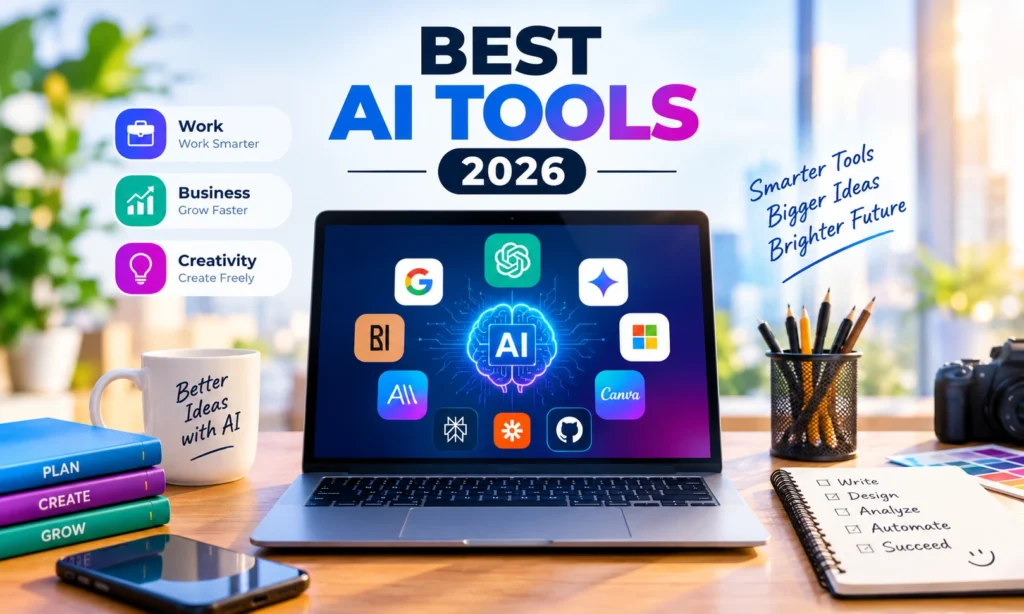
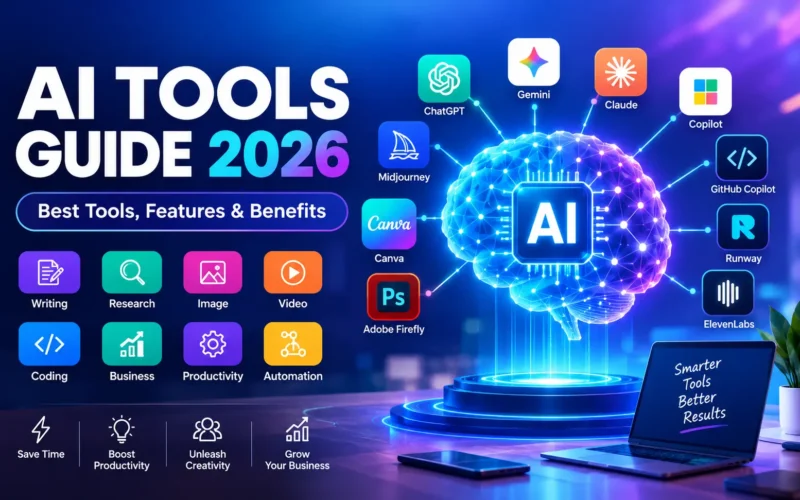
Among the leading options, ChatGPT is one of the best all-around AI tools for work, business, and creativity in 2026. It can help users brainstorm ideas, write professional content, analyze information, develop business strategies, solve problems, and support creative projects. Other powerful platforms, including Google Gemini, Claude, Microsoft Copilot, Canva AI, and Perplexity, also offer valuable features for specific tasks.
In this guide, we will explore what makes AI tools useful, how they can improve productivity, which platforms are worth considering, and how individuals and businesses can use artificial intelligence more effectively in 2026.
What Are AI Tools?
AI tools are software applications that use artificial intelligence to perform tasks that traditionally require human intelligence. Depending on their design, they can understand language, generate text and images, analyze data, summarize documents, recognize patterns, write code, and assist with decision-making.
Modern AI tools often use large language models, machine learning, computer vision, and other technologies to understand instructions and generate useful outputs.
For example, a user can ask an AI assistant to write an email, explain an Excel formula, create a marketing plan, summarize a report, or suggest ideas for a new business. Instead of starting from scratch, the user receives a starting point that can be reviewed, corrected, and improved.
AI tools are no longer limited to technical experts. Many platforms offer simple interfaces that allow beginners to get started by entering ordinary language instructions.
Common Types of AI Tools
There are several categories of AI tools available in 2026.
- AI writing tools: Help create blog posts, emails, product descriptions, reports, and social media captions.
- AI research tools: Help users explore topics, discover information, and find supporting sources.
- AI business tools: Support planning, customer communication, workflow management, and business analysis.
- AI design tools: Generate or edit images, layouts, presentations, and marketing materials.
- AI productivity tools: Help summarize information, organize tasks, and manage documents.
- AI coding tools: Assist with programming, debugging, documentation, and software development.
- AI automation tools: Connect applications and automate repetitive processes.
- AI data analysis tools: Help interpret spreadsheets, identify trends, and explain numerical information.
Although these categories sometimes overlap, each tool has its own strengths. Understanding those differences makes it easier to choose the right solution.
Why ChatGPT Is One of the Best AI Tools in 2026
ChatGPT, developed by OpenAI, is a versatile AI assistant designed to help people with a wide range of professional and creative tasks. Rather than focusing on just one function, it combines conversational assistance with capabilities that may include writing, reasoning, file analysis, coding, research, and image-related tasks, depending on the available plan and features.
Its flexibility makes it useful for people who want a single starting point for many different activities.
1. AI Writing and Content Creation
Writing is one of the most common uses of ChatGPT. It can help users create first drafts, improve existing text, organize information, and adapt writing for different audiences.
For example, a blogger can use ChatGPT to develop article outlines, write introductions, explain technical concepts, and prepare frequently asked questions. A business owner can use it to draft product descriptions, promotional messages, newsletters, and customer support responses.
It can also help with editing. Users can ask it to make a paragraph clearer, shorten a long explanation, change the tone, or improve the structure of a document.
Consider this prompt:
“Write an informative blog introduction about the benefits of AI tools for small businesses in 2026. Use a professional tone, simple English, and an engaging opening.”
ChatGPT can produce a draft that the writer can review and personalize.
However, AI-generated writing should not automatically be treated as publication-ready. Writers should verify factual claims, remove generic language, add original examples, and ensure the final article provides genuine value to readers.
2. Business Planning and Strategy
Starting or managing a business involves many decisions, from identifying customers to setting prices and planning marketing campaigns.
ChatGPT can help organize these decisions by generating ideas, comparing possible approaches, and turning broad goals into practical plans.
Business owners can use it to:
- Develop a preliminary business plan.
- Identify potential customer groups.
- Brainstorm product or service ideas.
- Draft a marketing strategy.
- Prepare a customer survey.
- Create a sales presentation outline.
- Organize a product launch checklist.
- Explore possible solutions to operational challenges.
For example, a person planning an online store could ask ChatGPT to prepare a 30-day launch plan covering product research, website preparation, content creation, promotion, and customer service.
The result can serve as a planning framework rather than a guarantee of commercial success. Market research, financial calculations, customer feedback, and professional judgment remain essential.
3. Research and Information Organization
Research can involve reading multiple documents, comparing viewpoints, identifying important questions, and organizing findings into a useful format.
ChatGPT can assist with summarization, brainstorming research questions, explaining unfamiliar terminology, and organizing information into tables or structured notes. Depending on the available features, it may also help with web research and source discovery.
For example, a marketing professional researching customer retention could ask for an overview of common retention strategies, an explanation of important metrics, and a checklist for evaluating different approaches.
When research involves current events, statistics, legal requirements, financial information, or scientific claims, verify the findings against reliable original sources. AI-generated answers can contain errors, outdated details, or unsupported statements.
4. Spreadsheet and Data Analysis
Spreadsheets are essential in many workplaces. They are used for budgets, sales reports, inventory management, customer lists, financial tracking, and performance analysis.
ChatGPT can help users understand spreadsheet formulas, troubleshoot errors, organize data, and explain how to create charts. Where file analysis is supported, users may also be able to upload compatible datasets for analysis.
For example, an Excel user might ask:
“Explain how to use INDEX and MATCH to find a product price from a table. Include a formula example and explain each part.”
ChatGPT can provide a formula and explain how it works.
It can also help users understand functions such as VLOOKUP, XLOOKUP, IF, SUMIF, COUNTIF, and INDEX-MATCH. For business reporting, it can suggest suitable chart types and explain how to interpret trends.
Always test formulas and validate calculations before relying on them for business decisions. Incorrect assumptions about the data can lead to misleading results.
5. Coding and Technical Assistance
AI coding assistance can make programming more accessible to beginners while helping experienced developers work through routine tasks.
ChatGPT can explain programming concepts, generate example code, identify possible bugs, suggest improvements, and help document software projects.
For example, a beginner learning Python can ask for a simple program that calculates monthly expenses and explains each line of code.
A developer might use it to understand an error message, draft a database query, or compare two possible implementations.
Generated code must be tested before use. Security, performance, compatibility, and licensing considerations also matter, particularly when working on commercial software or handling sensitive information.
6. Creative Thinking and Idea Generation
Creativity often begins with exploring possibilities. ChatGPT can help generate names, slogans, campaign concepts, story ideas, video outlines, and alternative approaches to a design problem.
A content creator developing a YouTube channel, for example, could ask for a list of video ideas, engaging titles, opening hooks, and an outline for the first episode.
A small business could use it to brainstorm seasonal promotions or ways to explain a complicated product in simpler language.
The strongest results usually come from collaboration: the AI provides options, while the human selects, refines, and develops the ideas that fit the intended audience and brand.
7. Everyday Productivity
Beyond specialized work, ChatGPT can help with everyday organization.
Users can ask it to create checklists, structure a weekly schedule, prepare meeting agendas, draft follow-up emails, or turn rough notes into an organized document.
For example, a manager could provide meeting notes and ask for a summary containing key decisions, unresolved questions, and proposed next steps.
This can reduce the time spent organizing information, provided the user checks that the summary accurately reflects the original discussion.
Other Best AI Tools for Work, Business, and Creativity in 2026
ChatGPT is a strong all-around option, but it is not necessarily the best choice for every workflow. Several other AI platforms deserve consideration.
1. Google Gemini: Best for Google Workspace Users
Google Gemini is an AI assistant from Google that can help with writing, brainstorming, research, summarization, and other productivity tasks.
It is particularly worth considering for people who already work with Google products. Depending on the plan and integration available, Gemini can assist with workflows involving Gmail, Google Docs, Google Sheets, Google Slides, and other Google services.
Best uses:
- Drafting and improving emails.
- Summarizing documents.
- Preparing presentation outlines.
- Organizing information in spreadsheets.
- Brainstorming marketing ideas.
- Supporting research and planning.
For example, a small business that manages most of its work through Gmail and Google Docs may prefer Gemini because it can fit naturally into the existing workflow.
Potential limitation: Features and access vary by subscription, account type, region, and application. Users should check the current offering before choosing a paid plan.
2. Claude: Best for Long Documents and Detailed Writing
Claude, developed by Anthropic, is another major AI assistant. It is useful for writing, document analysis, coding assistance, brainstorming, and working through complex instructions.
Many professionals consider Claude when they need to draft detailed documents, review lengthy material, or refine the structure and tone of written content.
Best uses:
- Reviewing lengthy documents.
- Drafting reports and proposals.
- Improving business writing.
- Summarizing complex material.
- Assisting with programming.
- Organizing research notes.
For example, a consultant could use Claude to help structure a lengthy project report, identify repetitive sections, and improve clarity.
Potential limitation: Usage limits, integrations, and available capabilities depend on the plan. Its output still requires factual verification and human review.
3. Microsoft Copilot: Best for Microsoft 365 Workflows
Microsoft Copilot is designed to assist users across Microsoft’s productivity ecosystem, with capabilities that vary by product and subscription.
It is worth evaluating for organizations that rely on Word, Excel, PowerPoint, Outlook, Teams, and other Microsoft applications.
Best uses:
- Drafting and editing documents.
- Preparing presentations.
- Summarizing meetings.
- Assisting with spreadsheet analysis.
- Drafting email responses.
- Organizing information for workplace tasks.
For example, a sales team could use supported Copilot features to help prepare a presentation, summarize meeting notes, and draft follow-up communications.
Potential limitation: Not every feature is included in every Microsoft plan. Organizations should evaluate licensing, permissions, security, and the actual applications their employees use.
4. Canva AI: Best for Visual Content and Marketing Design
Canva is a popular design platform that includes AI-assisted creative features. It can help users develop visual materials without requiring advanced graphic design skills.
It is particularly useful for creators, educators, freelancers, and businesses that regularly produce marketing assets.
Best uses:
- Social media graphics.
- Presentation design.
- Posters and flyers.
- Marketing materials.
- Visual content for blog posts.
- Brand-related creative projects.
For example, a small business could use Canva to develop a consistent set of promotional graphics for a product launch.
Potential limitation: AI-generated visuals may contain incorrect details or inconsistent branding. Review all text, layouts, image rights, and brand elements before publishing.
5. Perplexity: Best for Research and Source Discovery
Perplexity is an AI-powered research tool designed to help users explore questions and discover information from online sources.
It can be useful when a task requires an overview of a topic and links to supporting material.
Best uses:
- Exploring unfamiliar subjects.
- Discovering sources for research.
- Comparing products or services.
- Investigating industry developments.
- Preparing preliminary research notes.
- Finding references for further reading.
For example, a content writer researching changes in digital marketing can use Perplexity to discover relevant articles and reports before preparing a detailed guide.
Potential limitation: A cited source does not automatically prove that every statement in an AI-generated answer is correct. Open the original sources and verify that they support the claims being made.
6. Zapier: Best for Workflow Automation
Zapier connects supported applications and automates workflows between them. Its automation capabilities can help businesses reduce repetitive manual tasks, while available AI features can support more intelligent workflows.
Best uses:
- Connecting business applications.
- Sending information between tools.
- Automating lead notifications.
- Organizing incoming form submissions.
- Creating follow-up workflows.
- Reducing repetitive administrative work.
For example, a business could create a workflow that sends a notification when a new customer inquiry arrives through a supported form.
Potential limitation: Automated workflows need careful testing. Errors in triggers, permissions, or data mapping can cause information to be missed or sent to the wrong destination.
7. GitHub Copilot: Best for Software Developers
GitHub Copilot is an AI coding assistant that helps developers write and understand code.
It can provide code suggestions, assist with programming tasks, and help developers navigate parts of the software development process.
Best uses:
- Generating code suggestions.
- Writing repetitive code.
- Explaining existing code.
- Creating test examples.
- Drafting technical documentation.
- Supporting debugging.
For example, a developer building a web application could use GitHub Copilot to suggest a function and then test and modify the result.
Potential limitation: Generated code can contain errors or security vulnerabilities. Developers remain responsible for code review, testing, and compliance with project requirements.
Quick Comparison of the Best AI Tools in 2026
The following table summarizes the primary strengths of these tools. The rankings are practical recommendations by use case, not results of a standardized benchmark.
| AI tool | Best suited for | Main advantage |
|---|---|---|
| ChatGPT | General work and creativity | Versatile assistance across many tasks |
| Google Gemini | Google Workspace users | Fits Google-centered workflows |
| Claude | Long documents and writing | Useful for detailed text and analysis |
| Microsoft Copilot | Microsoft 365 users | Integrates with supported Microsoft workflows |
| Canva AI | Visual design | Helps create marketing and presentation assets |
| Perplexity | Research | Helps discover information and sources |
| Zapier | Business automation | Connects supported apps and workflows |
| GitHub Copilot | Software development | Assists with coding tasks |
The best tool for you depends on the work you need to complete. A content creator may prioritize writing and design, while an accountant may care more about spreadsheet workflows and data protection. A software developer will have different requirements from a small business owner.
How AI Tools Help Businesses Grow
AI tools can support business growth by reducing routine work, improving communication, and helping teams organize information.
However, purchasing an AI subscription does not automatically make a business more productive. The tool must solve a real problem, fit existing processes, and produce measurable improvements.
1. Improve Operational Efficiency
Many businesses spend significant time on repetitive activities, such as preparing standard emails, organizing documents, and compiling reports.
AI assistance can help shorten these tasks. Automation platforms may also connect applications so that information moves through a workflow with less manual intervention.
For example, a business might standardize its customer inquiry process by using AI to draft replies, while a human employee reviews the responses before sending them.
2. Support Marketing and Sales
AI tools can assist with customer research, campaign planning, product descriptions, promotional emails, and social media content.
A marketing team can use AI to brainstorm several campaign concepts, compare messaging approaches, and adapt a draft for different platforms.
Sales teams may use AI to prepare meeting questions, draft follow-up emails, and summarize customer requirements.
These tools are most useful when the output reflects genuine customer needs and the company’s actual products, pricing, and policies.
3. Improve Customer Support
Businesses can use AI to draft support responses, summarize customer complaints, classify incoming requests, and create help-center content.
With appropriate integrations and safeguards, some systems can assist with routing common questions to the right team.
For sensitive or complicated cases, human support remains important. AI should not invent refund policies, promise unavailable services, or make unsupported commitments on behalf of a business.
4. Make Better-Informed Decisions
AI can help organize business data and identify questions worth investigating.
For example, a retailer could use spreadsheet analysis to explore monthly sales, compare product categories, or identify unusual changes in inventory.
The quality of the conclusions depends on the quality of the underlying data. Important decisions should be based on verified figures, clear assumptions, and suitable analytical methods.
5. Enable Small Businesses to Do More
Small businesses may not have dedicated teams for writing, design, research, and technology.
AI tools can help one person manage a broader range of tasks, such as creating marketing drafts, preparing proposals, and developing customer communication templates.
This does not remove the need for expertise. Instead, it can help business owners spend more time on customer relationships, product quality, planning, and other activities where their judgment matters most.
How Content Creators Can Use AI in 2026
AI has become a useful assistant for bloggers, YouTubers, social media managers, designers, and digital marketers.
Blogging and SEO
Bloggers can use AI to brainstorm article topics, organize headings, identify questions readers may ask, and improve readability.
A practical workflow might include:
- Research the audience and search intent.
- Create an article outline.
- Verify facts and gather trustworthy sources.
- Draft the article with AI assistance.
- Add original examples and experience.
- Edit for clarity and accuracy.
- Write an informative title and meta description.
- Review the finished article before publishing.
AI can support SEO work, but it cannot guarantee high rankings. Search performance depends on relevance, quality, competition, technical accessibility, reputation, and many other factors.
The goal should be to create genuinely helpful content rather than publish large volumes of repetitive text.
YouTube and Video Content
Video creators can use AI to brainstorm video ideas, develop outlines, draft scripts, write descriptions, and prepare social media promotions.
For example, a creator producing educational videos about Microsoft Excel could use AI to develop an explanation of XLOOKUP, suggest a practical demonstration, and prepare a list of common beginner mistakes.
The creator should test the formulas, record accurate demonstrations, and add their own explanations to make the content useful.
Social Media Marketing
AI can help generate caption ideas, promotional messages, content calendars, and alternative versions of a campaign.
A small business could use it to prepare a weekly calendar containing educational posts, product highlights, customer questions, and promotional updates.
Each post should still be reviewed for factual accuracy, brand voice, originality, and platform requirements.
Graphic Design and Visual Creativity
AI-assisted design tools can help creators explore layouts, develop visual concepts, and produce graphics for different channels.
However, a design should do more than look attractive. It should communicate the intended message, remain readable on mobile devices, and respect copyright, licensing, and brand guidelines.
How to Choose the Right AI Tool for Your Needs
With so many options available, it is easy to spend money on tools that overlap or go unused. A practical selection process can help.
Step 1: Identify Your Main Goal
Start by identifying the task that consumes the most time or creates the biggest problem.
If writing is your priority, begin with a general AI assistant. If you work mostly in spreadsheets and documents, investigate the AI features already available in your office software. If design is your focus, evaluate a visual platform.
Choose the problem before choosing the product.
Step 2: Consider Your Existing Workflow
An AI tool is easier to adopt when it works with the applications you already use.
For example, a company using Microsoft 365 may benefit from Microsoft Copilot, while a team that works primarily in Google Workspace may prefer Gemini.
A standalone assistant such as ChatGPT or Claude may be useful when you need to work across different applications or handle tasks that do not belong to a single software ecosystem.
Step 3: Compare Free and Paid Plans
Many AI platforms offer free access, although usage limits and available features vary.
Start with a free option where possible. Test it against real tasks and determine whether its limitations affect your work.
Consider a paid plan only when its additional capabilities, usage allowance, integrations, or collaboration features justify the cost.
Always check current prices and subscription terms on the provider’s official website before purchasing.
Step 4: Test Output Quality
Do not judge a tool only by an impressive demonstration.
Give two or three competing tools the same representative task. Compare their accuracy, usefulness, clarity, editing requirements, and time saved.
For example, ask each tool to draft the same customer email or explain the same Excel formula. Review the results against your actual requirements.
Step 5: Review Privacy and Security
Before uploading company documents or customer information, understand how the provider handles data.
Check the applicable privacy policy, retention settings, data-use terms, administrative controls, and available security certifications. Business and enterprise plans may provide different protections from consumer plans.
Avoid entering passwords, confidential customer records, sensitive financial information, or proprietary material unless the tool and your organization’s policies explicitly permit the intended use.
Step 6: Measure the Results
Track whether the tool improves your workflow.
Useful measures include time saved per task, error rates, editing effort, customer response time, and the quality of the final output.
If an AI tool generates content quickly but requires extensive correction, its practical value may be lower than expected.
Best AI Tools for Different Types of Users
Different users have different priorities. The following recommendations provide a starting point.
For Students
Students can use AI to explain difficult concepts, create revision questions, organize notes, and practice problem-solving.
ChatGPT and Gemini are worth considering for general learning support. Students should follow their institution’s academic integrity rules and avoid submitting AI-generated work as their own when that is prohibited.
For Bloggers and SEO Professionals
ChatGPT and Claude can help with outlining, drafting, editing, and content planning. Perplexity can support source discovery, while Canva AI can help create featured images and supporting graphics.
Writers should add original insights, verify sources, and avoid producing repetitive articles that provide little value to readers.
For Small Business Owners
ChatGPT is a practical starting point for business planning, writing, brainstorming, and general problem-solving.
Gemini or Microsoft Copilot may be a better fit if most daily work happens in the corresponding office ecosystem. Zapier can be useful when repetitive tasks need to be connected across supported applications.
For Freelancers
Freelancers can use AI to prepare proposal drafts, improve client communication, organize research, develop content ideas, and create project checklists.
The right tool depends on the freelancer’s specialty. A writer may prioritize text quality, while a designer may prioritize visual workflows.
For Marketing Teams
A combination of a general AI assistant and a design tool can cover many marketing needs. Research tools and automation platforms can add value when source discovery or repetitive workflows become important.
Teams should maintain consistent messaging, review campaign claims, and ensure that generated content meets brand and legal requirements.
For Developers
GitHub Copilot and general-purpose assistants such as ChatGPT and Claude can support coding, debugging, and documentation.
Developers should evaluate the tools using their actual programming languages, development environment, security requirements, and review processes.
Best Practices for Getting Better Results From AI
The quality of an AI response often depends on the quality of the instructions.
Give Clear Instructions
Instead of saying, “Write a business article,” explain the topic, audience, purpose, tone, and desired structure.
For example:
“Write a beginner-friendly guide to using AI tools for small businesses. Include practical examples, benefits, limitations, and a checklist. Use clear English and organize the article with descriptive headings.”
Specific instructions help the AI understand what a useful answer should contain.
Provide Relevant Context
Include the details that matter to the task, such as the intended audience, product features, brand voice, or formatting requirements.
Do not provide unnecessary confidential information. Use fictional or anonymized examples when sensitive details are not needed.
Request a Specific Format
You can ask for a checklist, table, outline, step-by-step guide, email, or comparison.
A structured output is often easier to review and use than a long, unorganized response.
Review and Improve the First Draft
Treat AI output as a draft rather than a final authority. Ask for unclear sections to be rewritten, request alternative approaches, and correct inaccurate assumptions.
For professional work, a human review should be part of the process.
Verify Important Information
AI systems can produce incorrect facts, invented references, or outdated details.
Check important claims against reliable sources, test formulas and code, and verify current prices or policies before acting on them.
Protect Confidential Information
Use approved tools and accounts for business data. Understand the relevant data-handling rules, limit access to sensitive material, and apply human oversight to high-impact decisions.
Limitations of AI Tools You Should Understand
Although AI tools offer significant benefits, they also have limitations.
Accuracy is not guaranteed. An AI system can give a confident but incorrect answer, misinterpret a request, or misunderstand a dataset.
Human creativity remains important. AI can generate many ideas, but people provide judgment, originality, context, taste, and a deeper understanding of their audience.
Privacy requires attention. Uploading sensitive data without checking the provider’s terms can create security and compliance risks.
Costs can increase. Multiple subscriptions, usage-based services, and automation fees can add up. Businesses should measure the value of each tool.
Integration can be complicated. A platform may not support every application, account type, or workflow a business needs.
Results need review. AI-generated emails, reports, designs, formulas, and code may require significant editing or testing.
The best approach is to combine AI assistance with human responsibility. AI can speed up many tasks, but it should not replace appropriate verification, professional judgment, or accountability.
The Future of AI Tools for Work, Business, and Creativity
AI tools are evolving from simple question-and-answer assistants into more integrated systems that can support multi-step workflows.
In addition to generating text and images, some systems can interact with connected applications, analyze documents, retrieve information, and help execute defined tasks under appropriate permissions.
This development may change how people organize work. Instead of using separate tools for every small activity, employees may increasingly coordinate tasks through AI assistants that connect to the software they already use.
Businesses will also need to focus on training, governance, data quality, and process redesign. The value of AI depends not only on the technology but also on how effectively an organization incorporates it into everyday work.
AI is unlikely to eliminate the need for human judgment. Rather, the most useful systems will help people spend less time on repetitive activities and more time on planning, problem-solving, customer relationships, and creative decisions.
Conclusion: Which Is One of the Best AI Tools in 2026?
Choosing the best AI tool for work, business, and creativity depends on your individual needs. However, ChatGPT is one of the strongest all-around starting points because it can support a broad range of activities, including writing, research, brainstorming, data analysis, coding, and everyday productivity.
Google Gemini is worth considering for Google Workspace users, Claude for detailed writing and document work, Microsoft Copilot for Microsoft 365 workflows, Canva AI for visual design, Perplexity for research, Zapier for automation, and GitHub Copilot for software development.
You do not need to subscribe to every platform. Begin with one tool that addresses your most important challenge, test it with real tasks, and evaluate whether it improves the quality and efficiency of your work.
For individuals, freelancers, creators, and small businesses, a carefully chosen AI tool can become a valuable assistant. For larger organizations, the benefits are more likely to emerge when AI is introduced with clear objectives, appropriate safeguards, and measurable performance goals.
Ultimately, the best AI tool is not necessarily the one with the most features. It is the one that helps you produce better work, solve meaningful problems, and use your time more effectively.
Frequently Asked Questions (FAQs)
ChatGPT is one of the best general-purpose AI tools for work because it supports writing, brainstorming, research, coding, and several other productivity tasks. Google Gemini and Microsoft Copilot may be better fits for people who rely heavily on their respective office ecosystems.
The best option depends on the business’s needs. ChatGPT is useful for general assistance, Microsoft Copilot and Gemini fit their respective productivity ecosystems, and Zapier can help automate repetitive tasks across supported applications.
ChatGPT, Google Gemini, Claude, and other major platforms offer free access options, although their usage limits and capabilities differ. Compare the current free plans and test them with your own tasks before paying for a subscription.
Yes. AI tools can help small businesses draft content, organize plans, prepare customer responses, analyze information, and streamline certain workflows. Results depend on the task, the quality of the input, and the amount of human review.
ChatGPT and Claude are useful for writing and outlining, while Canva AI supports visual content creation. The best combination depends on whether your main focus is articles, social media, video scripts, presentations, or graphic design.
AI can assist with topic brainstorming, content outlines, readability, title ideas, and meta descriptions. However, it cannot guarantee search rankings. Strong SEO still requires useful content, sound research, technical quality, and a good understanding of search intent.
Yes. Many AI tools use conversational interfaces that allow beginners to describe what they need in ordinary language. Starting with simple tasks and learning to provide clear instructions can make the tools easier to use.
Paid plans may offer higher usage limits, additional capabilities, integrations, or collaboration features. However, a free plan may be sufficient for occasional tasks. The best choice is the plan that provides enough value for your needs.
AI can automate or assist with some tasks, but its impact varies by role and industry. Human judgment, accountability, communication, and domain expertise remain important. Many workflows benefit from people using AI as an assistant rather than treating it as a complete replacement for human oversight.
Businesses should establish clear policies, choose appropriate tools, protect confidential information, verify important outputs, manage permissions, and train employees. They should also measure results and review workflows regularly.
11. Is ChatGPT useful for Excel and data analysis?
ChatGPT can explain Excel formulas, help troubleshoot errors, suggest charts, and assist with supported data-analysis tasks. Users should test formulas and verify calculations before relying on them for financial or operational decisions.
12. How many AI tools should a beginner use?
Start with one general-purpose assistant and learn how to use it effectively. Add another specialized tool only when you have a clear need, such as graphic design, research, coding, or workflow automation.
Final Recommendation
If you want one AI tool to explore first in 2026, start with ChatGPT and test it on tasks you perform regularly. Compare its results with alternatives when integration, writing quality, research, or design becomes a priority. Choose based on actual usefulness, not hype.
The most effective AI workflow combines the speed of automation with human creativity, critical thinking, and responsibility.
Thank you so much for visiting ZeexasTech.com and taking the time to read my articles. Your support and interest mean a lot to me. I hope you find the information useful and enjoy exploring the website!
Best regards,
Vishal Kumar
Writer of ZeexasTech.com
2 comments