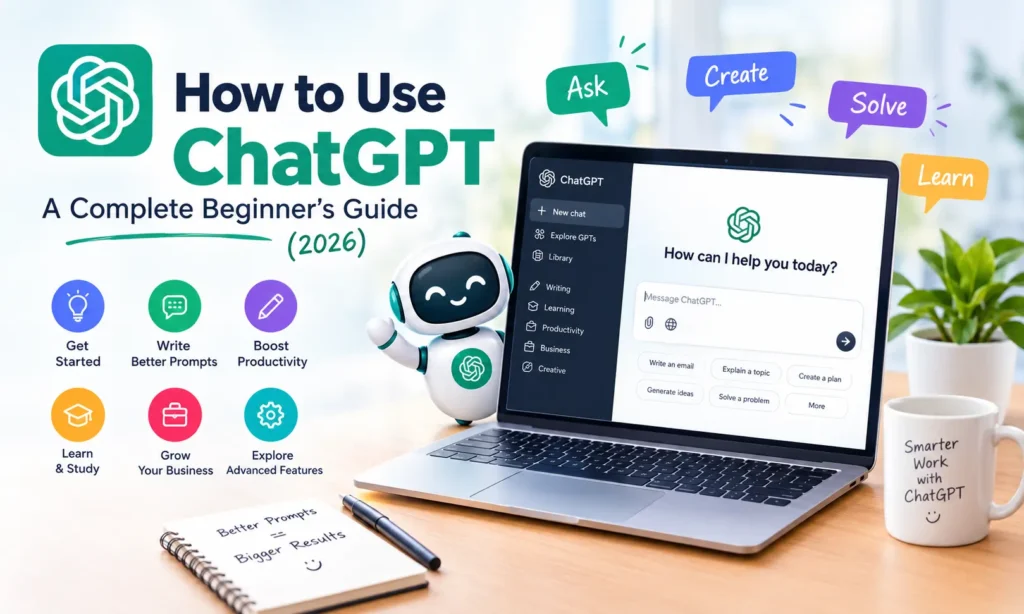
Introduction:
Welcome to ZeexasTech.com, your online resource for AI tools, Microsoft Excel tutorials, technology guides, productivity tips, and digital solutions.
I’m Vishal Kumar, the founder of ZeexasTech.com. I share informative articles designed to help readers discover useful AI tools, understand Excel formulas, improve their digital skills, and find smarter ways to complete everyday tasks.
What Is ChatGPT and How Can You Use It?
Our mission is to provide clear, practical, and beginner-friendly technology content that helps students, professionals, content creators, and businesses make better use of modern digital tools.
Artificial intelligence is changing the way people learn, work, create content, and solve everyday problems. One of the most popular AI tools is ChatGPT, an AI assistant that can understand your questions and generate helpful responses in natural language.
Whether you are a student, teacher, blogger, business owner, freelancer, or office professional, learning how to use ChatGPT can help you save time and improve productivity.
You can use ChatGPT to write articles, explain difficult concepts, brainstorm ideas, summarize documents, generate computer code, create study plans, prepare emails, and perform many other tasks. Depending on the features available to your account, you may also be able to upload files, analyze data, search the web, or work with images and voice.
The best part is that you do not need advanced technical knowledge to get started. You can communicate with ChatGPT by typing ordinary questions and explaining what you want to accomplish.
In this comprehensive guide, you will learn how to use ChatGPT step by step, how to write better prompts, which features are useful, and how to avoid common mistakes. By the end, you will understand how to make ChatGPT a practical part of your daily routine.
1. What Is ChatGPT?
ChatGPT is an AI assistant developed by OpenAI. It is designed to understand natural-language instructions and produce responses based on patterns learned during training and the information available to it in a conversation or through enabled tools.
Think of ChatGPT as an interactive assistant. Instead of searching through multiple pages yourself or starting every task from scratch, you can explain what you need and ask for help.
For example, you might type:
“Explain Excel VLOOKUP in simple language and give me three practical examples.”
ChatGPT can provide an explanation, demonstrate formulas, and help you understand when to use them.
You can continue the conversation by asking follow-up questions, requesting simpler explanations, or asking for additional examples.
What Can ChatGPT Do?
ChatGPT can assist with a wide variety of activities, including:
- Writing: Create articles, blog posts, emails, reports, and social media captions.
- Learning: Explain difficult topics, answer questions, and generate practice quizzes.
- Research: Help explore subjects, organize information, and summarize sources.
- Programming: Explain code, suggest solutions, and help debug errors.
- Business: Brainstorm marketing ideas, draft proposals, and organize projects.
- Productivity: Create schedules, checklists, meeting agendas, and task plans.
- Data analysis: Help interpret spreadsheets, calculate figures, and identify trends.
- Creative work: Generate story ideas, outlines, slogans, and content concepts.
The available capabilities depend on your ChatGPT plan, model, settings, and enabled tools.
It is important to remember that ChatGPT is an assistant, not an infallible source of information. Its responses can contain mistakes, so you should verify important facts before relying on them.
2. How to Get Started With ChatGPT
Getting started with ChatGPT is straightforward. You can access it through its website or an official mobile application.
Step 1: Visit the Official ChatGPT Website
Open your web browser and visit:
Make sure you are using the official website rather than an unrelated service claiming to provide ChatGPT.
Step 2: Sign In or Create an Account
Follow the available sign-in instructions. Depending on the options displayed, you may be able to register using an email address or a supported sign-in provider.
Some features may require an account, while access and usage limits can vary by plan.
Step 3: Open a New Chat
Once you are in ChatGPT, locate the message box where you can enter a question or instruction.
This is where you communicate with the AI assistant.
Step 4: Type Your First Question
Start with something simple, such as:
“Explain artificial intelligence in simple English.”
ChatGPT will generate a response based on your request.
You can also try:
- “Write a professional email requesting a meeting.”
- “Give me 10 blog post ideas about Microsoft Excel.”
- “Explain photosynthesis to a 12-year-old student.”
- “Create a beginner-friendly weekly study plan.”
Step 5: Ask Follow-Up Questions
You do not need to create a new conversation every time you want to improve an answer.
For example, after receiving a basic explanation, you can say:
“Make this explanation shorter.”
Then ask:
“Give me five practical examples.”
You can continue refining the response until it meets your needs.
Beginner tip: Start with one clear task. Once you understand how ChatGPT responds, experiment with more detailed instructions.
3. How to Write Effective ChatGPT Prompts
A prompt is the question, instruction, or information you provide to ChatGPT.
The quality of your prompt often makes a significant difference in the usefulness of the response.
A vague prompt may produce a general answer, while a specific prompt gives ChatGPT a clearer understanding of your expectations.
Example of a Weak Prompt
“Write an article about technology.”
This prompt does not explain the intended audience, article length, tone, or purpose.
Example of a Better Prompt
“Write a 1,500-word beginner-friendly blog article about artificial intelligence. Use clear headings, practical examples, an introduction, a conclusion, and five frequently asked questions. Keep the tone professional and easy to understand.”
The second prompt provides more direction.
Use the Five-Part Prompt Formula
A useful prompt can include five elements:
- Role: Tell ChatGPT what perspective or expertise to adopt.
- Task: Explain exactly what you want it to do.
- Context: Provide relevant background information.
- Format: Specify how the answer should be organized.
- Constraints: Mention length, tone, audience, or limitations.
For example:
“Act as an experienced Excel tutor. Explain how to use XLOOKUP in Microsoft Excel for a beginner who knows basic formulas. Include the formula syntax, a sample dataset, three examples, and common errors. Use clear headings and simple English. Keep the explanation practical and avoid unnecessary technical language.”
This prompt gives the assistant a clear objective.
Ask ChatGPT to Improve Its Own Response
You can also request revisions instead of accepting the first answer.
Try prompts such as:
- “Explain this in simpler language.”
- “Add more practical examples.”
- “Organize the answer into a numbered list.”
- “Point out any assumptions in your explanation.”
- “Rewrite this in a professional tone.”
- “Give me a shorter version without losing important details.”
- “Identify the weak points and improve the response.”
Prompt writing is a skill that improves with practice. The more clearly you communicate your goal, the easier it becomes to get useful results.
4. How to Use ChatGPT for Writing Blog Posts
ChatGPT can help bloggers plan, draft, edit, and improve articles. However, publishing a useful article requires more than generating a large amount of text.
The strongest approach is to combine AI assistance with human research, experience, editing, and fact-checking.
Step 1: Find Blog Topic Ideas
Start by asking ChatGPT to suggest relevant topics.
Example prompt:
“Give me 20 blog post ideas about Microsoft Excel for beginners. Focus on practical tutorials, formulas, charts, and productivity tips. For each idea, include the target reader and the main problem it solves.”
Review the ideas and choose a topic that fits your website and audience.
Step 2: Create an SEO-Friendly Outline
Before writing the full article, request an outline.
Example prompt:
“Create a detailed outline for a beginner-friendly article titled ‘How to Use ChatGPT.’ Include an introduction, H2 and H3 headings, practical examples, common mistakes, FAQs, and a conclusion.”
An outline helps you identify gaps and avoid unnecessary repetition.
Step 3: Write the Article in Sections
Instead of asking for everything at once, work through the outline section by section.
For example:
“Write the introduction in approximately 150 words. Explain why beginners should learn to use ChatGPT. Use a friendly, informative tone.”
Then continue with the next section.
This approach makes it easier to review the material, correct errors, and maintain consistency.
Step 4: Improve Readability
Ask ChatGPT to review your draft for:
- Long or confusing sentences.
- Repeated information.
- Missing explanations.
- Poor transitions.
- Grammar and spelling errors.
- Headings that do not match their sections.
Example prompt:
“Edit this article for clarity and readability. Preserve the original meaning, remove unnecessary repetition, and identify any statements that need fact-checking. Do not invent sources or statistics.”
Step 5: Optimize the Article for Search Engines
ChatGPT can help brainstorm SEO titles, meta descriptions, related topics, and internal-link opportunities.
For example:
“Suggest five accurate SEO title options for an article about using ChatGPT. Include the main keyword naturally and keep each title clear and appealing.”
You can also request a suggested meta description, URL slug, and FAQ section.
However, SEO success does not come from keyword repetition alone. Search intent, original value, accurate information, usability, website quality, and relevant experience all matter.
Step 6: Add Original Value Before Publishing
Before publishing an AI-assisted article:
- Verify factual claims.
- Test any instructions or examples.
- Add original observations and useful examples.
- Include trustworthy sources where appropriate.
- Remove generic or repetitive paragraphs.
- Check that the article actually answers the reader’s question.
ChatGPT should support your editorial process rather than replace it.
5. How to Use ChatGPT for Students and Learning
ChatGPT can be a useful study assistant when you use it to understand concepts rather than simply copy answers.
Explain Difficult Topics
If a subject feels complicated, ask for an explanation at your current level.
Example:
“Explain Newton’s three laws of motion in simple English. Give one everyday example for each law and finish with a short summary.”
You can ask follow-up questions whenever something remains unclear.
Create Study Notes
You can use ChatGPT to organize material into concise notes.
Example:
“Turn these class notes into organized revision notes. Use headings, bullet points, definitions, and a final summary. Preserve important details and flag anything that appears unclear.”
For the best results, provide the actual material you want summarized.
Generate Practice Questions
Practice questions can help you check your understanding.
Example:
“Create 15 multiple-choice questions about basic computer networking. Provide four options for each question, but put the answer key at the end.”
After completing the questions, ask ChatGPT to explain the answers you got wrong.
Learn Languages
ChatGPT can help you practice vocabulary, grammar, writing, and conversational situations.
Example:
“Help me practice conversational English. Ask me one question at a time, wait for my response, and gently correct my grammar with a short explanation.”
This interactive method can make practice more engaging.
Understand Mathematics and Science
You can request step-by-step explanations of calculations and scientific principles.
Example:
“Explain how to calculate the percentage increase from 80 to 100. Show the formula, each calculation step, and a similar practice question.”
Always check important calculations, particularly when they affect grades, professional work, or real-world decisions.
Use ChatGPT Responsibly for Education
Follow your school’s or university’s rules regarding AI assistance. Use ChatGPT to develop your understanding, brainstorm, and improve your writing rather than submitting work you are required to complete independently.
6. How to Use ChatGPT for Office Work and Productivity
Many everyday office tasks involve writing, planning, summarizing, and organizing information. ChatGPT can help with these activities.
Write Professional Emails
Provide the purpose, recipient, and desired tone.
Example:
“Write a polite professional email to my manager requesting a meeting to discuss project progress. Keep it under 150 words and include a suitable subject line.”
Review the message before sending it, especially if it contains commitments, dates, or sensitive information.
Summarize Long Documents
Depending on your available features, you may be able to upload a document or paste its text into a conversation.
Example:
“Summarize this report in 10 bullet points. Identify the main findings, important dates, decisions, and recommended next steps. Do not add information that is not in the document.”
For important documents, compare the summary against the original to ensure that critical details have not been omitted.
Prepare Meeting Agendas
Example:
“Create a 30-minute meeting agenda for a team discussing a website redesign. Include discussion topics, suggested time allocations, decisions needed, and action items.”
You can adjust the agenda to match your team’s needs.
Organize Daily Tasks
Example:
“Help me organize these tasks into urgent, important, and low-priority categories. Suggest a realistic order of completion and identify tasks that may depend on one another.”
ChatGPT can suggest an order, but you should apply your own judgment about deadlines and responsibilities.
Improve Reports and Presentations
You can ask ChatGPT to improve a report’s structure, turn notes into presentation outlines, or suggest ways to explain complex information.
Example:
“Turn these project notes into a 10-slide presentation outline for a nontechnical audience. Give each slide a clear title and no more than five key points.”
Verify any factual claims, calculations, and recommendations before presenting them to colleagues or clients.
7. How to Use ChatGPT for Business and Marketing
Business owners and marketers can use ChatGPT to brainstorm, organize campaigns, develop customer communications, and explore new ideas.
Generate Business Ideas
Example:
“Suggest 15 online business ideas for a beginner. For each idea, explain the target audience, the problem it solves, the basic startup requirements, and the main risks.”
Use the results as a starting point for research rather than as proof that a business will succeed.
Create Social Media Content
Example:
“Create seven social media post ideas for a website that publishes Excel tutorials. For each post, provide a short caption, an educational tip, and a relevant call to action.”
You can adapt the same concept for different platforms, audiences, and content formats.
Draft Marketing Emails
Example:
“Write a friendly email introducing a free beginner’s guide to Microsoft Excel. Explain its benefits, include a clear call to action, and avoid exaggerated promises.”
Review the final email to ensure that all claims are accurate and comply with applicable marketing and privacy rules.
Develop Customer Support Responses
Example:
“Draft a polite customer support response explaining how a customer can reset a password. Use simple language and include numbered steps. Do not ask the customer to share their password.”
Human review remains important for complaints, account problems, refunds, and other sensitive matters.
Analyze Customer Feedback
If you provide customer feedback in an appropriate format, ChatGPT may help group comments into themes and identify recurring concerns.
Example:
“Group these anonymized customer comments into major themes. Provide the number of comments in each theme, representative paraphrases, and possible improvements. Distinguish clear evidence from your interpretations.”
For reliable counts, verify the results against the original dataset, particularly when the data is large.
8. How to Use ChatGPT With Microsoft Excel
ChatGPT can be particularly helpful for people who work with spreadsheets but do not know every Excel formula.
You can ask it to explain formulas, troubleshoot errors, generate sample data, and suggest chart types.
Learn Excel Formulas
For example:
“Explain the Excel IF function using simple language. Show the syntax and three practical examples for tracking student marks.”
ChatGPT can also help with SUM, COUNTIF, SUMIFS, XLOOKUP, INDEX and MATCH, and other common functions.
Troubleshoot Formula Errors
If a formula returns an error, share the formula and a small example of your data.
Example:
“My XLOOKUP formula returns #N/A. Explain the most likely causes and show how to check whether the lookup value exists in the source range.”
Include the expected result and the actual result when possible. This gives ChatGPT more context for diagnosing the issue.
Create Charts
You can ask ChatGPT which chart is suitable for a particular dataset.
Example:
“I have monthly sales data for 12 months. Explain whether a line chart or column chart would be more appropriate for showing changes over time, and give me step-by-step instructions to create it in Excel.”
The best chart depends on the question you want the data to answer.
Analyze Spreadsheet Data
Where file uploads and data-analysis capabilities are available, you may be able to provide an Excel or CSV file and ask for a summary.
Example:
“Analyze this sales spreadsheet. Identify total sales by region, the best-performing month, missing values, and any unusual figures. Explain the calculation methods and flag anything that needs verification.”
Before using the results for financial or business decisions, independently check important formulas and totals.
9. How to Use ChatGPT for Programming and Coding
ChatGPT can assist both beginners and experienced developers with code explanations, debugging, documentation, and prototyping.
Learn a Programming Language
Example:
“Teach me Python variables using simple examples. Explain strings, integers, floating-point numbers, and Boolean values. Include a short exercise with the answer.”
Debug Code
When troubleshooting a program, provide the relevant code, the error message, and what you expected to happen.
Example:
“Review this Python function. Explain why it produces the error shown below, identify the likely cause, and suggest the smallest practical correction.”
Avoid sharing API keys, passwords, private repositories, or confidential production data.
Generate Code
You can ask ChatGPT to create a starting point for a script or application.
Example:
“Write a Python script that reads a CSV file, calculates the average value in a selected numeric column, and reports missing values. Explain how to run it and list the assumptions.”
Always test generated code in an appropriate environment. AI-generated code can contain bugs, security problems, outdated approaches, or incorrect assumptions.
Understand Existing Code
Example:
“Explain this JavaScript function line by line. Describe its inputs, outputs, dependencies, and potential edge cases.”
This can help you understand unfamiliar projects and improve your debugging skills.
10. How to Use ChatGPT for Research and Information
ChatGPT can help you explore a topic, identify questions worth investigating, organize findings, and summarize information.
However, you should distinguish between general explanations and claims that require current, verifiable evidence.
Start With a Research Question
A clear research question helps narrow the scope.
For example:
“What are the main differences between electric vehicles and petrol-powered vehicles in operating costs, maintenance, and environmental impact?”
You can then ask for a comparison table or a list of factors to investigate.
Ask for Current Information When Necessary
Some ChatGPT experiences include web search. When available, this can help retrieve more recent information.
Example:
“Research recent developments in electric vehicle battery technology. Prioritize authoritative sources, include publication dates and links, and distinguish established findings from emerging research.”
Open and review the cited sources yourself. A link or citation should not be treated as proof until you confirm that it supports the claim.
Request a Balanced Comparison
Example:
“Compare the advantages, limitations, and trade-offs of three project management methods. Explain which situations may suit each method and identify assumptions that could affect the comparison.”
This helps you understand not only the benefits but also the limitations of different approaches.
Verify Important Claims
For research involving law, medicine, finance, public policy, or other high-impact subjects, consult authoritative sources and qualified professionals as appropriate.
Never assume that a confident-sounding answer is necessarily correct.
11. How to Use ChatGPT Images, Files, and Voice
ChatGPT may offer capabilities beyond ordinary text conversations. The exact tools available depend on your account, model, interface, and settings.
Upload and Discuss Files
Where file uploads are supported, you can ask questions about documents, spreadsheets, or other supported formats.
Useful examples include:
- “Summarize this document and list its main conclusions.”
- “Explain the data in this spreadsheet.”
- “Compare these two drafts and identify the important differences.”
- “Extract the main action items from these meeting notes.”
Check the output against the source, especially when precision matters.
Work With Images
If image input is available, you may be able to upload an image and ask questions about its visible content.
For example:
“Explain this Excel screenshot and show me where to find the chart formatting options.”
Image interpretation is not always perfect. Small text, low-quality screenshots, complex diagrams, and ambiguous visual details may lead to mistakes.
Use Voice Conversations
Where voice features are available, you can communicate with ChatGPT by speaking rather than typing.
Voice can be useful for language practice, brainstorming, hands-free conversations, or talking through an idea.
For example:
“Help me practice a job interview. Ask one question at a time and give constructive feedback after each answer.”
Generate Images
Some ChatGPT experiences support AI image generation. You may be able to describe a scene, illustration, or design and request a generated image.
For example:
“Create a clean educational illustration explaining the basic parts of a computer, with clear labels and a simple layout.”
Review generated images carefully. Text inside images, technical diagrams, and detailed visual instructions may not always be rendered accurately.
12. Best ChatGPT Prompts for Everyday Use
You can save time by keeping a collection of prompts for tasks you perform regularly.
Here are 15 practical examples.
1. For writing
“Rewrite the following text to make it clearer and more professional while preserving its meaning.”
2. For learning
“Explain this topic in simple language, give three examples, and finish with five practice questions.”
3. For blogging
“Create an informative blog outline about [topic] for [audience]. Include search intent, practical examples, FAQs, and a conclusion.”
4. For email
“Draft a polite email about [purpose]. Use a [formal/friendly] tone and keep it under [word count] words.”
5. For Excel
“Explain how to solve this Excel problem step by step. Show the formula, an example, and common mistakes.”
6. For coding
“Review this code for errors, explain the likely causes, and suggest a tested approach where possible.”
7. For brainstorming
“Generate 20 ideas for [goal]. Group them into categories and explain the advantages of the strongest options.”
8. For planning
“Create a realistic weekly plan for achieving [goal]. Include daily actions, milestones, and time for review.”
9. For summarizing
“Summarize the following text into key points, important facts, and recommended next steps. Do not introduce unsupported information.”
10. For interviews
“Conduct a mock interview for a [job title] position. Ask one question at a time and explain how I can improve my answers.”
11. For social media
“Create five social media posts about [topic]. Make each post useful, engaging, and appropriate for [audience].”
12. For presentations
“Create a presentation outline about [topic] for [audience]. Include a logical sequence, examples, and a closing summary.”
13. For decision-making
“Compare these options using cost, benefits, risks, and practical considerations. State the assumptions behind your recommendation.”
14. For language practice
“Help me practice [language]. Start with an easy conversation and correct my mistakes with brief explanations.”
15. For editing
“Review this draft for clarity, accuracy, grammar, and repetition. Explain any significant changes you recommend.”
Replace the information in brackets with details about your task. Add examples or supporting material whenever they would improve the result.
13. Common Mistakes to Avoid When Using ChatGPT
Learning what not to do is just as important as learning how to write good prompts.
Mistake 1: Asking Vague Questions
A request such as “Help me with my website” leaves many details unclear.
Instead, explain the specific problem, the website’s purpose, and the result you want.
For example:
“Suggest five ways to improve the readability of my technology blog’s tutorial pages. Focus on headings, paragraph length, examples, and navigation.”
Mistake 2: Trusting Every Answer
ChatGPT can generate incorrect facts, invented references, or flawed calculations.
Check claims that matter, especially dates, statistics, citations, technical instructions, and financial information.
Mistake 3: Providing Too Little Context
If you ask for help with a formula without sharing the formula or describing your data, the answer may be too general.
Give the assistant enough relevant information to understand the situation.
Mistake 4: Expecting the First Draft to Be Perfect
A first response is often a starting point. Request changes, ask follow-up questions, and review the output.
Mistake 5: Sharing Sensitive Information
Avoid entering passwords, authentication codes, payment details, confidential business documents, or unnecessary personal information.
Review the privacy controls available in your account and follow your organization’s policies before using ChatGPT for work.
Mistake 6: Publishing AI Content Without Reviewing It
Generated content may be repetitive, generic, inaccurate, or unsuitable for your audience.
Edit the material, add original value, and verify important claims before publishing.
Mistake 7: Using ChatGPT Instead of Professional Advice
ChatGPT can explain general concepts, but it should not replace qualified medical, legal, financial, or other professional advice when a decision has significant consequences.
Mistake 8: Ignoring the Intended Audience
An explanation for a child should differ from one written for an experienced engineer.
Tell ChatGPT who will read the content and what they already know.
14. Is ChatGPT Free to Use?
ChatGPT has offered free access, as well as paid plans with different features and usage limits. The exact plans, prices, and benefits can change over time and may vary by region.
You can visit the official pricing page to check the latest information:
For beginners, free access may be enough to explore basic conversations, learn prompt writing, and complete everyday tasks.
A paid plan may be worth considering if you regularly need higher usage limits or specific additional capabilities.
Before paying for a subscription, compare the current features with your actual needs. You do not need to purchase a plan simply to begin learning how ChatGPT works.
15. Is ChatGPT Safe to Use?
ChatGPT can be useful, but safe use requires common sense and an understanding of its limitations.
Protect Your Privacy
Do not share information that you would not want processed by an online service. Be particularly careful with personal identifiers, passwords, financial records, medical details, and confidential company information.
Review the current privacy and data-control settings in your account.
Verify Important Information
Use reliable primary sources whenever possible. For example, official government websites, product documentation, and published research may be more appropriate than an unsupported AI-generated explanation.
Check Generated Code and Files
Review generated code before running it. Avoid executing unknown commands or scripts without understanding their purpose, permissions, and potential consequences.
Use Human Judgment
ChatGPT can help you think through a problem, but you remain responsible for deciding whether a response is appropriate for your situation.
The safest approach is to treat ChatGPT as a helpful assistant whose work should be reviewed, not as a system that is always correct.
16. ChatGPT Tips and Tricks for Better Results
Once you understand the basics, a few habits can make your conversations much more effective.
Give Examples of the Desired Output
If you have a particular writing style or format in mind, provide a short example.
For instance:
“Format the answer like this: problem, explanation, example, solution, and summary.”
Set Clear Limits
Tell ChatGPT how long the response should be, how many examples to include, and which topics to avoid.
Example:
“Explain the concept in 300 words, include two examples, and avoid advanced terminology.”
Work in Small Steps
Break complicated tasks into manageable stages.
For a blog post, you might first develop the outline, then draft the sections, then check the facts, and finally edit the article.
Ask for Assumptions
When a task involves incomplete information, try:
“List the assumptions you made and explain which missing information could change your answer.”
Request Alternatives
If you are choosing between different approaches, ask for several options with their strengths and weaknesses.
Use Follow-Up Questions
If something is unclear, say exactly what you want explained.
For example:
“I understand the formula, but I do not understand why the lookup range must match the return range. Explain that part with a small table.”
Save Useful Prompts
Keep a personal document containing your most effective prompts. You can reuse them for similar tasks and update them as your needs change.
17. A Simple Seven-Day Plan to Learn ChatGPT
If you are new to ChatGPT, you can learn the fundamentals by practicing for a short period each day.
Day 1: Learn the basics
Create a conversation and ask five simple questions. Practice asking follow-up questions and requesting clearer explanations.
Day 2: Practice prompt writing
Take five vague prompts and rewrite them with a specific task, context, audience, and desired format.
Day 3: Improve your writing
Use ChatGPT to edit an email, organize notes, and create a short article outline. Compare the original and revised versions.
Day 4: Learn something new
Choose a subject you want to understand. Ask for a beginner explanation, examples, and a practice quiz.
Day 5: Explore productivity
Create a weekly schedule, a meeting agenda, or a project checklist. Adjust the result to fit your real needs.
Day 6: Try a practical project
Choose a task related to your work or interests. For example, create a blog outline, troubleshoot an Excel formula, or draft a presentation.
Day 7: Review and improve
Identify the prompts that produced the most useful results. Save them and note which instructions need improvement.
By the end of the week, you should have a better understanding of how to communicate with ChatGPT and use it for practical tasks.
18. Frequently Asked Questions About How to Use ChatGPT
Beginners can visit ChatGPT, sign in if needed, type a question, and review the response. Start with simple requests such as explaining a concept, drafting an email, or creating a list. Then practice adding more details to improve the results.
ChatGPT offers free access, although available features and usage limits may vary. Check the official website for the current options and restrictions.
No. You can use ChatGPT by typing ordinary questions in natural language. Programming knowledge is only necessary for particular technical tasks, not for basic use.
Yes. ChatGPT can help generate topics, outlines, drafts, titles, introductions, and FAQs. You should still verify facts, edit the content, add original value, and make sure the article satisfies your readers’ needs.
Provide a clear objective, relevant context, a target audience, and a preferred output format. Include examples when useful and ask follow-up questions to refine the response.
Yes. It can explain formulas, demonstrate examples, help troubleshoot errors, suggest charts, and assist with spreadsheet analysis where the necessary features are available. Always verify important calculations.
No. ChatGPT can produce inaccurate information, outdated details, or incorrect reasoning. Verify important claims using reliable sources and test technical instructions before relying on them.
Some ChatGPT experiences include web search, while other conversations or configurations may not have it available. When search is enabled, ChatGPT can help retrieve current information and provide sources. You should still check the original sources.
File uploads are available in supported ChatGPT experiences, with limits depending on the plan, tool, and file type. You may be able to summarize documents, analyze spreadsheets, or ask questions about uploaded material.
Yes. Businesses can use ChatGPT for brainstorming, drafting communications, organizing information, planning marketing content, and assisting with data analysis. Important business decisions should be reviewed by people with appropriate knowledge and authority.
11. Can ChatGPT replace Google Search?
ChatGPT can answer many questions and may offer web search, but it does not replace every search workflow. Search engines remain useful for discovering websites, comparing original sources, finding local services, and checking information directly.
12. How can I use ChatGPT on my mobile phone?
You can access ChatGPT through a mobile browser or an official ChatGPT app where available. Sign in if required, enter a prompt, and use the features supported by your device and account.
13. Is it safe to use ChatGPT for personal tasks?
It can be useful for everyday personal tasks, but avoid sharing unnecessary sensitive information. Review your privacy settings and independently verify any advice that could affect important decisions.
14. What is the best way to learn ChatGPT?
The best approach is regular practice. Start with simple tasks, learn to write specific prompts, experiment with follow-up questions, and review the quality of the results. Gradually explore additional features when they are available.
15. Can ChatGPT help with SEO?
ChatGPT can help brainstorm keywords and topics, create outlines, suggest titles and meta descriptions, and improve readability. It cannot guarantee rankings, and SEO recommendations should be checked against actual search intent, reliable keyword data, and your website’s goals.
Conclusion: Start Using ChatGPT Today
Learning how to use ChatGPT is a practical way to improve your productivity, explore new ideas, and approach everyday tasks more efficiently.
You can use it to write articles, understand difficult subjects, prepare professional emails, learn Excel, practice programming, organize projects, and brainstorm business ideas. You do not need to master every feature at once.
Start with a clear question, provide enough context, and explain what a useful answer should look like. If the first response is not quite right, ask follow-up questions and refine it.
Most importantly, use your judgment. Check important facts, protect sensitive information, review generated content, and make sure the final result meets your needs.
The best way to learn ChatGPT is to use it for a real task today. Choose something you want to accomplish, write a specific prompt, evaluate the response, and improve it through conversation. With consistent practice, you can develop the skills needed to use AI more effectively in your studies, work, and personal projects.
Thank you so much for visiting ZeexasTech.com and taking the time to read my articles. Your support and interest mean a lot to me. I hope you find the information useful and enjoy exploring the website!
Best regards,
Vishal Kumar
Writer of ZeexasTech.com


2 comments