Welcome to ZeexasTech.com, your online resource for AI tools, Microsoft Excel tutorials, technology guides, productivity tips, and digital solutions.
I’m Vishal Kumar, the founder of ZeexasTech.com. I share informative articles designed to help readers discover useful AI tools, understand Excel formulas, improve their digital skills, and find smarter ways to complete everyday tasks.
Our mission is to provide clear, practical, and beginner-friendly technology content that helps students, professionals, content creators, and businesses make better use of modern digital tools.
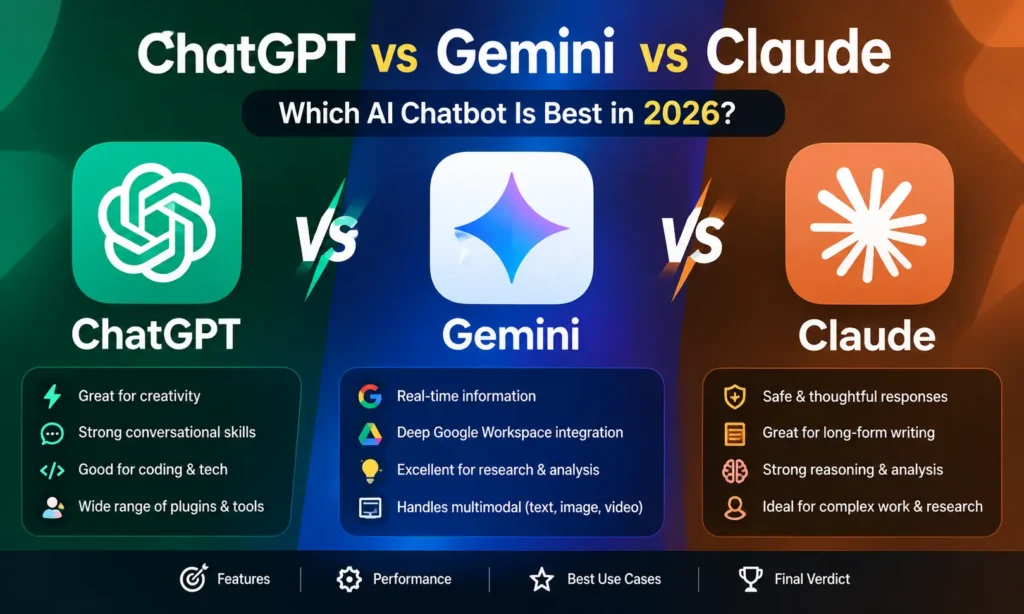
Artificial intelligence has changed the way people work, learn, create content, write code, and solve everyday problems. Among the most popular AI assistants today are ChatGPT by OpenAI, Gemini by Google, and Claude by Anthropic. All three can answer questions, summarize documents, generate ideas, assist with programming, and help users become more productive. However, each tool has its own strengths, features, limitations, and ideal use cases.
If you are trying to decide between ChatGPT vs Gemini vs Claude, choosing the right AI assistant can be confusing. One may be better for creative writing, another may fit naturally into your Google Workspace, while a third may be particularly useful for working with code or long documents.
The best choice depends on what you want to accomplish. Students may prioritize explanations and research, bloggers may want SEO-friendly content, developers may need coding support, and businesses may look for automation and document analysis.
In this comprehensive guide, we will compare ChatGPT, Google Gemini, and Claude across their features, writing quality, coding abilities, research capabilities, productivity tools, pricing considerations, advantages, disadvantages, and real-world applications.
By the end of this article, you will understand how these three AI assistants differ and how to choose the one that best fits your needs.
Quick Comparison: ChatGPT vs Gemini vs Claude
Before exploring each platform in detail, here is a quick overview of their main strengths.
| Feature | ChatGPT | Google Gemini | Claude |
|---|---|---|---|
| Developed by | OpenAI | Anthropic | |
| Best known for | Versatile AI assistance | Google ecosystem integration | Writing and coding workflows |
| Content creation | Excellent all-rounder | Strong | Strong, especially for natural prose |
| Coding | Strong | Strong | Strong |
| Research | Web search and research tools | Google Search integration and research features | Web search and research features |
| Document analysis | Supported | Supported | Supported |
| Image generation | Available | Available | Depends on current tools and plan |
| Voice interaction | Available | Available | Availability depends on the experience |
| Productivity | Projects, custom GPTs, data analysis, and more | Google apps and connected services | Projects, artifacts, and coding tools |
| Free access | Yes, with limits | Yes, with limits | Yes, with limits |
| Ideal user | People who want an all-purpose assistant | People who use Google’s services | Writers, developers, and document-heavy workers |
Important: Features, model names, usage limits, and subscription prices can change. Availability may also vary by country, account, and plan. Check the official product pages before making a purchasing decision.
1. What Is ChatGPT?
ChatGPT is an AI assistant developed by OpenAI. It is designed to help people complete a wide variety of tasks through natural-language conversations. Instead of learning complicated software commands, users can describe what they need and receive an answer, draft, explanation, analysis, or other supported output.
ChatGPT can assist with writing, brainstorming, learning, coding, mathematical problems, data analysis, document summarization, image generation, and research. Depending on the plan and available features, it can also work with uploaded files, voice interactions, images, and connected tools.
Main Features of ChatGPT
1. Content writing and editing
ChatGPT can help create blog posts, website copy, product descriptions, email campaigns, social media captions, scripts, outlines, and other written content.
For example, a blogger can ask it to create a 3,000-word article about Excel formulas, generate an SEO title and meta description, suggest related keywords, and organize the content into search-friendly headings.
It can also rewrite existing paragraphs, simplify technical explanations, adjust tone, and produce different versions for different audiences.
2. Coding assistance
ChatGPT can explain programming concepts, generate code, identify errors, suggest improvements, and help developers understand unfamiliar codebases. Depending on the tools and plan, coding workflows can extend to working with repositories and completing longer tasks.
It supports common programming languages such as Python, JavaScript, SQL, Java, and C++, although the quality of any answer depends on the task, model, and context.
3. Data analysis
Users can upload supported spreadsheets and other files to analyze information, summarize findings, identify patterns, and perform calculations.
For example, an Excel user could upload sales data and ask ChatGPT to calculate monthly revenue, identify the best-performing products, or explain how to build a chart.
These features can be useful for students, analysts, business owners, and office workers who regularly work with data.
4. Image generation and visual assistance
ChatGPT offers image-related capabilities that can help users create illustrations, concepts, promotional visuals, and other creative assets. It can also interpret supported uploaded images and answer questions about their contents.
A content creator could request a featured image concept for a blog post, a social media graphic, or a visual explanation of a complicated subject.
5. Customization and productivity tools
Depending on availability, ChatGPT offers features such as custom GPTs, projects, memory, voice interactions, web search, and deep research.
These tools can help users organize recurring tasks, maintain context across projects, and build repeatable workflows rather than starting every task from scratch.
Advantages of ChatGPT
- Versatile enough for many everyday tasks.
- Useful for drafting, rewriting, and brainstorming.
- Can assist with programming and technical explanations.
- Offers data analysis and file-based workflows.
- Supports image-related and voice capabilities.
- Provides web search and research tools in supported experiences.
- Can be adapted to different writing styles and workflows.
Disadvantages of ChatGPT
- May produce incorrect facts or fabricated details.
- Some advanced capabilities have usage limits or require a paid plan.
- Generated text may sound generic without detailed instructions.
- Complex calculations and technical answers still require verification.
- Features and model access can change between plans and over time.
Who Should Use ChatGPT?
ChatGPT is a strong starting point for users who want one assistant for multiple activities. Bloggers, students, marketers, business owners, programmers, and office professionals can all benefit from its broad range of capabilities.
If you need help with several different types of tasks rather than one specialized workflow, ChatGPT is worth testing first.
2. What Is Google Gemini?
Google Gemini is Google’s family of AI models and its associated AI assistant experience. It is designed to answer questions, generate content, analyze information, interpret supported images and files, and assist with tasks across different types of media.
One of Gemini’s important advantages is its connection to Google’s ecosystem. Depending on your account, region, and subscription, Gemini can work alongside supported Google services and productivity applications.
Main Features of Google Gemini
1. Integration with Google’s ecosystem
Gemini’s integration with Google services can be particularly valuable for people who already use Gmail, Google Docs, Google Drive, Google Sheets, and other Google products.
Depending on the available features and permissions, users may be able to get assistance with documents, email-related tasks, and information stored in connected services.
For example, a professional who works in Google Docs throughout the day may find Gemini convenient for drafting, summarizing, and improving documents without frequently switching between separate applications.
Integration availability varies, so users should confirm which services are supported for their particular account.
2. Research and information discovery
Gemini can assist with explaining concepts, comparing alternatives, summarizing information, and researching questions. Its connection to Google’s search ecosystem is useful for many information-discovery workflows.
For example, a student researching renewable energy could ask Gemini to explain the main types of renewable power, identify important comparison points, and organize the findings into a study outline.
However, search integration does not guarantee accuracy. Important claims should still be checked against reliable sources.
3. Multimodal capabilities
Gemini supports multimodal tasks, meaning it can work with more than plain text in supported experiences. Depending on the model and interface, users can work with images, documents, and other supported inputs.
A user might upload a chart and ask for an explanation, submit a document for summarization, or request help interpreting information presented in a visual format.
4. Long-context work
Some Gemini models and plans support large amounts of input, which can be helpful when working with lengthy documents, substantial collections of notes, or complicated research material.
For example, a researcher might use Gemini to organize a large set of reports into themes, extract recurring findings, or compare the conclusions of different documents.
The maximum input size and the quality of long-document analysis depend on the specific model and product configuration.
5. Creative and productivity features
Gemini’s capabilities extend into writing, planning, brainstorming, image-related tasks, and other supported creative workflows. Google’s AI offerings may also include specialized tools for video and other forms of media.
These capabilities can be attractive to marketers, educators, creators, and professionals who need assistance with different kinds of content.
Advantages of Google Gemini
- Fits naturally into many Google-centered workflows.
- Useful for research and information discovery.
- Supports multimodal interactions.
- Can help analyze and summarize documents.
- Offers creative assistance across supported media types.
- May reduce the need to switch between productivity applications.
- Provides free access with additional capabilities available through eligible paid plans.
Disadvantages of Google Gemini
- Some integrations and advanced features depend on location, account, or subscription.
- Google integration may be less useful for people who rely on other ecosystems.
- Search-based answers can still misinterpret sources or provide incorrect conclusions.
- Advanced capabilities may have changing usage limits.
- Users should review permissions carefully before connecting personal accounts or files.
Who Should Use Google Gemini?
Gemini is particularly worth considering if you use Google services every day. Students who work in Google Docs, professionals who rely on Gmail, and teams that organize their work in Google Workspace may appreciate its ecosystem connections.
It is also a useful option for people who want an AI assistant that can help with research, writing, and supported multimodal tasks.
3. What Is Claude?
Claude is an AI assistant developed by Anthropic. It is designed to help users write, analyze documents, solve problems, work with code, and complete other knowledge-based tasks.
Claude is often considered by people who value clear writing, detailed reasoning, careful explanations, and structured work with large amounts of information. It also offers tools such as Projects and Artifacts, alongside coding-related capabilities in supported plans.
Main Features of Claude
1. Natural writing and editing
Claude can produce articles, reports, emails, summaries, explanations, and other written material. Many users evaluate it for its ability to maintain a consistent tone and produce readable, well-organized prose.
For example, a content writer could ask Claude to turn research notes into a detailed article, improve transitions between sections, remove unnecessary repetition, and make a technical topic easier to understand.
As with other AI tools, the result depends on the quality of the instructions and the subject matter.
2. Coding assistance
Claude is a significant option for software developers. It can explain code, help debug errors, suggest refactoring strategies, generate tests, and assist with larger programming tasks.
Anthropic also offers Claude Code, a coding tool designed for working with codebases and development workflows in supported environments.
A developer could ask Claude to inspect a function, explain its purpose, identify possible edge cases, or suggest a more maintainable implementation.
AI-generated code must still be reviewed, tested, and checked for security problems before being used in production.
3. Document analysis
Claude supports document-oriented workflows, including working with uploaded material and organizing related conversations through Projects.
Projects can provide a dedicated workspace with relevant instructions and knowledge, making it easier to keep related tasks organized.
For example, a consultant working with several reports could use a project to establish context, summarize each report, compare findings, and prepare a final document.
4. Artifacts and structured outputs
Claude’s Artifacts feature can provide a separate workspace for supported outputs such as code, documents, and interactive content.
This can be helpful when users want to work on a specific deliverable instead of receiving only a conversational answer.
For example, a user might create a draft document, refine a code snippet, or develop a simple interactive prototype through an appropriate Claude workflow.
5. Extended context and complex tasks
Certain Claude models offer large context windows, which can be valuable when a task involves substantial documentation or lengthy discussions.
A developer could provide relevant project documentation and ask Claude to identify inconsistencies. A researcher could submit multiple reports and request a structured synthesis.
A larger context window is not a guarantee that every detail will be interpreted correctly, so important information should still be checked.
Advantages of Claude
- Strong option for writing, editing, and document-heavy work.
- Useful for code generation and software development.
- Supports organized workflows through Projects.
- Offers Artifacts for supported structured outputs.
- Can handle substantial inputs with eligible models.
- Often useful for turning complicated information into readable explanations.
- Provides a free tier and paid plans with expanded capabilities.
Disadvantages of Claude
- Some advanced features require a paid subscription.
- Usage limits can affect long or intensive sessions.
- It can still make factual errors or misunderstand requirements.
- Image generation capabilities differ from those offered by competing assistants.
- Some users may prefer ChatGPT’s broader collection of tools or Gemini’s Google integration.
Who Should Use Claude?
Claude is worth considering for writers, developers, researchers, consultants, and professionals who regularly work with long documents or complex written material.
If your main priorities are drafting polished content, analyzing information, and collaborating on code, Claude deserves a place on your shortlist.
4. ChatGPT vs Gemini vs Claude: Which Is Best for Writing?
Writing is one of the most common uses of AI assistants. All three can generate blog posts, articles, emails, product descriptions, landing pages, and social media content. The important differences emerge when you examine tone, structure, editing, and workflow.
ChatGPT for Writing
ChatGPT is a flexible choice for writing projects that involve multiple formats. It can help develop an outline, generate a first draft, rewrite paragraphs, suggest headlines, and adapt content to different audiences.
For SEO content, you could use ChatGPT to:
- Research a topic and develop a content outline.
- Suggest a search-friendly title.
- Write an informative introduction.
- Organize sections using logical headings.
- Generate a meta description.
- Create FAQs based on genuine search intent.
- Rewrite content for clarity and readability.
Its main advantage is flexibility. You can use it for the article itself as well as supporting tasks such as creating a social media post or drafting an email newsletter.
Gemini for Writing
Gemini can be especially convenient when your writing workflow is already based on Google applications.
For example, you may draft an article in Google Docs, use an eligible Gemini integration to refine a paragraph, and continue editing within the same productivity environment.
Gemini can also help generate ideas, summarize research, create outlines, and improve the clarity of existing material.
Its practical advantage may be less about a universal writing-quality ranking and more about how easily it fits into your existing workflow.
Claude for Writing
Claude is a compelling option for people who prioritize readable prose, editing, and document development.
It can help improve transitions, preserve a consistent voice, restructure complicated explanations, and reduce unnecessary repetition. It is also useful for reviewing lengthy drafts and identifying places where the argument is unclear.
Writers may find it particularly helpful when refining an article after the initial draft has been created.
Writing Comparison
| Writing task | ChatGPT | Gemini | Claude |
|---|---|---|---|
| Blog outlines | Excellent option | Strong option | Strong option |
| SEO titles and descriptions | Strong | Strong | Strong |
| Long-form articles | Strong | Strong | Strong |
| Editing and rewriting | Strong | Strong | Strong |
| Google Docs workflow | Depends on integrations | Particularly convenient | Depends on integrations |
| Maintaining a natural tone | Prompt-dependent | Prompt-dependent | Prompt-dependent |
| Brainstorming ideas | Strong | Strong | Strong |
Writing winner: There is no universal winner. ChatGPT is a flexible all-rounder, Gemini is attractive for Google-based workflows, and Claude is a strong candidate for detailed writing and editing.
For professional publishing, do not judge the tools only by how polished the first draft sounds. Check factual accuracy, originality, search intent, usefulness, and the amount of editing required.
5. ChatGPT vs Gemini vs Claude for SEO and Blogging
For bloggers and website owners, an AI assistant can help speed up content production. However, creating a large volume of AI-generated text does not automatically improve search rankings.
Search performance depends on factors such as helpfulness, accuracy, originality, satisfying search intent, website quality, and the overall user experience.
ChatGPT for SEO
ChatGPT can support many stages of a content workflow.
Keyword and topic planning: Ask it to brainstorm related topics, identify likely search intents, and group keywords into useful content categories. Validate keyword demand and competition using appropriate SEO research tools.
Article structure: Generate a detailed outline with an introduction, descriptive headings, examples, and FAQs.
On-page optimization: Ask it to improve the title, meta description, heading clarity, internal-link suggestions, and readability without awkward keyword repetition.
Content refreshes: Provide an existing article and ask it to identify outdated information, missing explanations, unclear passages, and opportunities to add useful examples.
Supporting content: Generate social media captions, email summaries, and alternative introductions for testing.
Gemini for SEO
Gemini can help summarize research, develop topic ideas, organize information, and create content drafts. Users working in Google’s productivity ecosystem may find it convenient for managing outlines and documents.
It can also help explain search-related concepts and structure a content plan. However, AI-generated keyword suggestions should not be treated as verified search-volume data.
Claude for SEO
Claude can help improve article flow, organize long-form content, analyze existing drafts, and make technical information more accessible.
For example, you could provide a draft about Excel formulas and ask Claude to identify confusing explanations, repetitive sections, weak transitions, and places where a worked example would improve the article.
It can also help turn a collection of research notes into a coherent guide.
Recommended SEO Workflow
For a strong blog article, use whichever assistant produces the best results for your needs and follow a repeatable process:
- Understand the audience: Identify the reader’s problem and the reason they are searching.
- Research the topic: Use reliable sources and appropriate keyword research tools.
- Create an outline: Organize the content around the questions readers need answered.
- Draft the article: Include practical examples, explanations, and useful details.
- Verify facts: Check statistics, quotations, dates, product features, and other claims.
- Improve readability: Remove filler, repetition, and generic statements.
- Optimize on-page elements: Write a descriptive title, meta description, and logical headings.
- Add original value: Include demonstrations, firsthand experience, screenshots, calculations, or insights where appropriate.
- Publish and measure: Review search impressions, clicks, engagement, and conversions, then update the content based on evidence.
SEO winner: ChatGPT is a practical starting point for a broad content workflow, while Gemini and Claude can be equally useful for specific research, drafting, and editing tasks. None of the three guarantees higher rankings.
6. ChatGPT vs Gemini vs Claude for Coding
AI coding assistants can help developers write software faster, understand unfamiliar code, troubleshoot bugs, and improve documentation. Nevertheless, generated code should never be assumed correct simply because it looks convincing.
ChatGPT for Coding
ChatGPT can generate functions, explain errors, write tests, review algorithms, and help developers reason through software design.
It can be useful for beginners who need explanations and experienced programmers who want a second perspective on a technical problem.
Depending on the available tools, it can also assist with more involved coding workflows.
Gemini for Coding
Gemini can assist with code generation, debugging, explanations, and software-related research. Its ability to work with substantial inputs can be useful when reviewing documentation or reasoning about larger projects.
Developers who already rely on Google’s developer tools may also appreciate relevant integrations available to them.
Claude for Coding
Claude is a strong option for developers working on code quality, debugging, refactoring, and multi-file tasks. Claude Code extends these capabilities into supported coding environments and repository workflows.
It can help developers understand how different parts of a codebase relate to one another and suggest changes across a project.
Coding Comparison
| Coding task | ChatGPT | Gemini | Claude |
|---|---|---|---|
| Explaining code | Strong | Strong | Strong |
| Generating functions | Strong | Strong | Strong |
| Debugging | Strong | Strong | Strong |
| Refactoring | Strong | Strong | Strong |
| Working with larger projects | Tool-dependent | Model- and tool-dependent | Tool-dependent, including Claude Code |
| Beginner tutorials | Strong | Strong | Strong |
| Code review | Strong | Strong | Strong |
Coding winner: The result depends on the programming language, project complexity, model selected, and tools available. Claude is worth testing for codebase-oriented workflows; ChatGPT is a flexible coding assistant; and Gemini is another capable option.
A useful evaluation is to give all three the same real bug, the same relevant code, and the same requirements. Run the suggested fixes through your test suite and compare correctness, maintainability, and the time required to reach a working solution.
7. ChatGPT vs Gemini vs Claude for Research
Research requires more than producing a convincing explanation. A useful assistant should help users find relevant information, organize evidence, identify uncertainty, and distinguish supported claims from assumptions.
ChatGPT Research Capabilities
ChatGPT offers web search and research features in supported experiences. These can help users investigate a topic, compare sources, summarize findings, and build a structured report.
It is useful for preparing research questions, creating comparison tables, and turning complex information into understandable explanations.
Gemini Research Capabilities
Gemini is closely associated with Google’s information-discovery ecosystem. It can help users explore subjects, organize findings, summarize information, and develop questions for further investigation.
This can be useful for students, professionals, and researchers who need a starting point for a broader investigation.
Claude Research Capabilities
Claude can assist with research synthesis, document review, and structured analysis. When supplied with reports, notes, or other source material, it can help identify themes, compare arguments, and draft summaries.
Its value may be especially noticeable when a research project involves substantial written material.
Which AI Is Best for Research?
The best choice depends on the source material and the kind of research required.
- Choose ChatGPT if you want a flexible assistant with research, analysis, and other productivity tools.
- Consider Gemini if your workflow benefits from Google’s information-discovery ecosystem.
- Consider Claude if you spend substantial time analyzing documents and synthesizing written information.
For academic, legal, medical, financial, or other high-stakes research, verify important conclusions against authoritative primary sources. Check the actual source rather than relying only on an AI-generated summary.
8. Which AI Is Best for Students?
Students use AI assistants for explanations, revision, practice questions, writing feedback, coding exercises, and study planning.
ChatGPT for Students
ChatGPT can explain concepts at different levels, create practice questions, provide step-by-step examples, and help students identify gaps in their understanding.
For example, a student learning Excel could ask for a beginner-friendly explanation of VLOOKUP, followed by a sample dataset and practice exercises.
Gemini for Students
Gemini can be useful for research, summarization, brainstorming, and study workflows that involve Google Docs and other supported Google services.
Students can use it to organize notes, prepare revision outlines, and generate questions for self-testing.
Claude for Students
Claude can help summarize long reading materials, explain complex arguments, review essay structure, and provide feedback on clarity.
It can also assist with understanding code and working through difficult technical concepts.
Best Choice for Students
All three can be valuable learning tools. The most important consideration is how you use them.
Instead of asking an AI assistant to complete every assignment, ask it to explain the underlying concept, provide hints, create practice exercises, and evaluate your reasoning. Follow your institution’s rules about AI use and citations.
9. Which AI Is Best for Businesses?
Businesses can use AI assistants for communication, planning, research, customer support drafts, data analysis, documentation, and internal productivity.
ChatGPT for Business
ChatGPT can support a broad range of business activities, including marketing content, spreadsheet analysis, brainstorming, document creation, and coding assistance.
Eligible business offerings may provide team collaboration, administration, connected data sources, and additional privacy controls.
Gemini for Business
Gemini can be particularly appealing to organizations that already use Google Workspace. Depending on the plan, supported integrations may help employees work with documents, email, and other business information.
Organizations should verify which features are included in their Workspace edition or AI subscription.
Claude for Business
Claude can support professional writing, document analysis, coding, and knowledge-intensive tasks. Business and enterprise offerings may provide collaboration capabilities and administrative controls.
It can be especially useful for teams that regularly review long reports, technical documents, or written proposals.
Business Comparison
| Business requirement | ChatGPT | Gemini | Claude |
|---|---|---|---|
| Marketing content | Strong | Strong | Strong |
| Internal documentation | Strong | Strong | Strong |
| Spreadsheet analysis | Supported | Supported through eligible features | Supported through eligible features |
| Google Workspace workflows | Depends on integrations | Strong fit | Depends on integrations |
| Software development | Strong | Strong | Strong |
| Administration and security | Plan-dependent | Plan-dependent | Plan-dependent |
Businesses should evaluate privacy, access permissions, retention settings, compliance requirements, and integration capabilities before uploading confidential data or deploying AI tools at scale.
10. ChatGPT vs Gemini vs Claude: Pricing Comparison
Pricing is an important factor, particularly for users who want to use AI every day. All three services offer free access, while paid subscriptions generally provide higher usage limits or additional capabilities.
The exact cost can change and may differ by country, billing period, taxes, and promotional offers.
ChatGPT Pricing
ChatGPT offers a free plan and paid subscriptions. Higher-tier plans can provide expanded access to models, research tools, file analysis, image generation, coding capabilities, and other features.
Gemini Pricing
Gemini is available through free access and eligible Google AI subscription plans. Paid offerings can provide higher usage limits and additional AI capabilities, with benefits varying by plan and region.
Claude Pricing
Claude provides a free plan and paid subscriptions. Its Pro plan offers expanded usage and additional capabilities, while higher tiers are available for users with more intensive needs.
How to Choose Based on Budget
| User type | Recommended approach |
|---|---|
| Occasional user | Start with the free plans |
| Student | Test free access before subscribing |
| Blogger | Compare output quality and daily usage limits |
| Programmer | Compare coding features and practical usage limits |
| Business team | Evaluate team plans, administration, and privacy |
| Heavy daily user | Compare higher tiers against actual workload |
Pricing recommendation: Do not pay for multiple subscriptions immediately. Test each free version on your regular tasks first. Upgrade only when the additional features or usage limits provide enough value to justify the cost.
Thank you so much for visiting ZeexasTech.com and taking the time to read my articles. Your support and interest mean a lot to me. I hope you find the information useful and enjoy exploring the website!
Best regards,
Vishal Kumar
Writer of ZeexasTech.com

1 comment