Hello! I’m Vishal Kumar, the creator of ZeexasTech.com.
Welcome to your destination for AI tools, Excel tips, technology tutorials, and smart digital solutions. My aim is to simplify complex topics and share practical knowledge that helps you learn faster, boost productivity, and stay ahead in the digital world.
ZeexasTech.com — Learn Technology. Work Smarter. Grow Faster.
Introduction
Blogging has become one of the most effective ways to share knowledge, build an online audience, promote products, and generate income through the internet. However, writing a high-quality blog post takes time, effort, research, and creativity. Bloggers must find interesting topics, research keywords, organize their ideas, write engaging content, optimize articles for search engines, and edit everything before publishing.
Artificial intelligence (AI) has made this process easier and faster. Today, AI writing tools can help bloggers brainstorm topics, create outlines, draft articles, improve grammar, generate titles, and optimize content for search engines.
If you are a beginner, you may wonder how to write a blog post with AI without spending hours staring at a blank screen. The good news is that you do not need advanced writing skills or technical knowledge to get started. With the right workflow and instructions, you can use AI to turn a simple idea into a well-structured blog article.
However, using AI does not mean you should publish everything it generates without checking it. Successful blogging still requires original ideas, accurate information, useful examples, a clear writing style, and a genuine understanding of your audience.
In this comprehensive guide, you will learn how to write a blog post with AI step by step, choose the right AI writing tools, create effective prompts, optimize articles for SEO, avoid common mistakes, and publish content that provides real value to readers.
Whether you are a beginner blogger, freelance writer, affiliate marketer, business owner, or content creator, this guide will help you build a practical AI-assisted blogging workflow.
Table of Contents
- What Is AI Blog Writing?
- Why Should You Use AI to Write Blog Posts?
- Best AI Tools for Writing Blog Posts
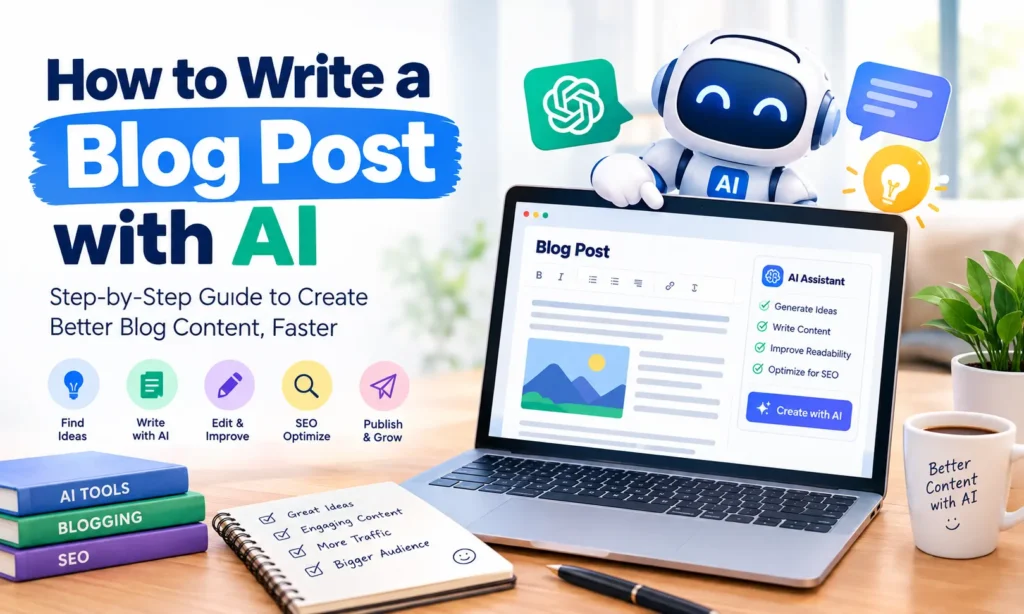
- How to Write a Blog Post with AI Step by Step
- How to Write Effective AI Prompts for Blogging
- How to Optimize AI Blog Posts for SEO
- How to Make AI Content More Human and Engaging
- Common Mistakes to Avoid When Using AI for Blogging
- How to Publish and Promote Your AI-Assisted Blog Post
- How to Measure Blog Performance
- Best Practices for Responsible AI Blog Writing
- Frequently Asked Questions
- Conclusion
1. What Is AI Blog Writing?
AI blog writing is the process of using artificial intelligence tools to help create, improve, and organize blog content. These tools use language models and other AI technologies to understand instructions, generate text, summarize information, suggest ideas, and assist with editing.
For example, suppose you want to write an article about digital marketing. Instead of starting from scratch, you can ask an AI tool to suggest blog topics, identify questions your readers may have, prepare an outline, and draft individual sections.
You can then review the draft, add your own experience, verify facts, improve the examples, and optimize the article for search engines.
AI can support several parts of the blogging process, including:
- Topic research: Generate potential blog topics based on your niche.
- Keyword planning: Brainstorm relevant search terms and related questions.
- Blog outlining: Organize headings and subheadings into a logical structure.
- Content drafting: Produce an initial version of paragraphs and sections.
- Editing: Improve grammar, clarity, readability, and sentence structure.
- SEO optimization: Suggest titles, meta descriptions, headings, and related keywords.
- Content repurposing: Turn articles into social media posts, newsletters, and summaries.
- Content updates: Help identify sections that may need revision or expansion.
The most effective approach is to treat AI as a writing assistant rather than a complete replacement for human judgment.
AI can help you work more efficiently, but you remain responsible for the article’s accuracy, usefulness, originality, and final quality.
2. Why Should You Use AI to Write Blog Posts?
There are several reasons why bloggers are incorporating AI into their content creation workflows.
2.1 Save Time During Content Creation
Writing a detailed blog post involves multiple tasks. You need to select a topic, plan the structure, draft the article, edit the text, and prepare SEO elements.
AI can speed up some of these activities by generating a first draft, proposing headings, and helping you organize your thoughts.
For example, you can request ten article ideas in a few seconds rather than spending an entire afternoon brainstorming. You can also generate an initial outline and revise it according to your readers’ needs.
The time saved depends on the complexity of the topic and how much research and editing the article requires.
2.2 Overcome Writer’s Block
Writer’s block is a common problem for bloggers. Sometimes you know your topic but struggle to decide how to begin.
AI can suggest introductions, explain difficult concepts in simpler language, and offer different ways to organize an article.
For instance, if you want to write about email marketing, you could ask AI to suggest five possible introductions: a question-based opening, a problem-focused introduction, a short story, a surprising fact that you can verify, and a practical example.
These suggestions give you a starting point. You can choose the best idea and rewrite it in your own voice.
2.3 Generate More Content Ideas
Maintaining a blog requires a consistent supply of relevant topics.
AI can help you brainstorm article ideas for different stages of the reader’s journey. For a website about blogging, these topics might include beginner guides, tool comparisons, tutorials, troubleshooting articles, and advanced SEO strategies.
You can also ask AI to group topics into content clusters.
For example, a website about Excel could create a content cluster around formulas, including articles about VLOOKUP, XLOOKUP, INDEX and MATCH, IF statements, and common formula errors.
This approach helps you plan related articles instead of publishing disconnected topics.
2.4 Improve Readability
AI can identify sentences that are too long, suggest simpler alternatives, and reorganize paragraphs for better flow.
This is especially helpful when writing technical articles or explaining unfamiliar concepts to beginners.
However, readability improvements should not remove important technical details. Always check that the revised explanation preserves the original meaning.
2.5 Support SEO Content Planning
AI can help you develop SEO titles, meta descriptions, heading structures, FAQs, and related keyword ideas.
It can also help you map search intent to article sections.
For example, a person searching for “how to write a blog post with AI” probably wants a practical tutorial. An article that explains the process step by step is therefore more appropriate than a page that only lists AI writing tools.
Remember that AI-generated keyword suggestions are not verified search-volume data. Use a keyword research tool or search engine results to assess demand and competition when necessary.
2.6 Make Blogging More Accessible
You do not need to be a professional writer to start a blog. AI can help beginners express ideas, structure information, and improve their writing.
Business owners can use it to draft educational articles, while freelancers can use it to organize client content. Students and subject-matter experts can also use AI to clarify explanations and create outlines.
The key is to contribute knowledge and judgment that make the finished article useful to its intended audience.
3. Best AI Tools for Writing Blog Posts
You do not need dozens of tools to create a good blog post. Start with one general-purpose AI assistant and add other tools only when they solve a specific problem.
3.1 ChatGPT
ChatGPT can help with topic brainstorming, article outlines, first drafts, editing, SEO planning, FAQs, and content repurposing.
You can provide detailed instructions about your audience, writing style, article length, keyword, and objective.
For example, you might ask ChatGPT to create a beginner-friendly outline for an article about starting a WordPress blog. You can then refine the outline before generating individual sections.
ChatGPT is particularly useful when you want to work through the article in stages rather than generate the entire post in one request.
3.2 Google Gemini
Google Gemini can assist with brainstorming, drafting, summarizing information, and organizing content.
It may be useful when your workflow involves other Google services or when you want help developing explanations and content ideas.
Check current product capabilities and availability before selecting a paid plan.
3.3 Microsoft Copilot
Microsoft Copilot can assist with drafting, rewriting, summarizing, and organizing ideas. Depending on the version and your subscription, it may also integrate with Microsoft applications.
It can be useful for writers who already work extensively with Word and other Microsoft tools.
3.4 Grammarly
Grammarly focuses on writing assistance, including grammar, spelling, clarity, and tone. Depending on the features available to your account, it can also provide AI-assisted writing support.
Use it during editing to identify awkward wording, repeated phrases, and potential grammatical errors.
3.5 SEO and Keyword Research Tools
Keyword research tools help you investigate search terms, estimate search demand, analyze competition, and understand related queries.
Examples include Google Search Console, Google Trends, Ahrefs, Semrush, and Google Keyword Planner.
These tools serve different purposes. Search Console is useful for understanding your site’s existing search performance, while dedicated SEO platforms offer keyword research and competitive analysis features.
Do not assume that an AI-generated keyword has high search volume or low competition without checking reliable data.
3.6 Which AI Tool Should Beginners Choose?
A simple starting setup is enough for most beginners:
- Use ChatGPT or another general-purpose AI assistant to plan and draft.
- Use a keyword research tool to investigate search intent.
- Use a grammar checker to help edit.
- Use your website’s analytics and search performance tools to measure results.
Start with free features when possible. Upgrade only when a tool consistently saves time or provides capabilities you actually need.
4. How to Write a Blog Post with AI Step by Step
Now let’s look at a practical process you can follow to create a blog post from beginning to end.
Step 1: Choose a Specific Blog Topic
The first step is selecting a topic that matches your audience’s interests.
A broad topic can be difficult to cover in one article. For example, “technology” is too general for a focused blog post. A more specific topic such as “how to use AI to write blog posts” gives you a clearer direction.
Start by answering three questions:
- Who is the target reader?
- What problem does the reader want to solve?
- What should the reader learn or accomplish after reading?
Suppose your audience consists of beginner bloggers who want to publish articles more efficiently. Your topic could be “How to Write a Blog Post with AI: A Step-by-Step Guide.”
This topic clearly communicates the purpose of the article.
You can use the following prompt to brainstorm ideas.
AI prompt example:
“Act as an experienced blog content strategist. My website focuses on blogging and content marketing. My target audience is beginner bloggers who want to create useful content with AI. Suggest 20 specific blog post topics based on common reader problems. For each topic, explain the reader’s intent and the practical value of the article. Avoid vague topics and unsupported claims.”
Review the suggestions rather than accepting them automatically. Choose a topic that fits your website, expertise, and audience.
Step 2: Research Keywords and Search Intent
Keyword research helps you understand how people search for information.
For this article, the primary keyword is “how to write a blog post with AI.”
Related keywords might include:
- AI blog writing
- AI blog post generator
- how to use ChatGPT for blogging
- AI tools for bloggers
- write SEO-friendly blog posts
- AI content writing tips
- blog writing workflow
Use these terms as research clues, not as a checklist requiring every phrase to appear a certain number of times.
Next, investigate search intent.
Search intent is the underlying reason behind a search query. A user searching for “how to write a blog post with AI” likely wants instructions, examples, and practical tools.
A useful article should therefore explain the process in a logical sequence.
Review relevant search results to identify the questions they answer, the information they omit, and the areas where you can provide a better explanation. Do not simply copy competitors’ headings or wording.
AI prompt example:
“Analyze the search intent for the keyword ‘how to write a blog post with AI.’ Suggest related long-tail keyword ideas, common reader questions, and useful subtopics for a beginner tutorial. Separate your ideas from verified search-volume data, and do not invent search metrics.”
After generating suggestions, use an SEO research tool to validate the keywords that matter most.
Step 3: Define the Article’s Main Goal
Before drafting, decide what the article should accomplish.
A blog post might aim to teach a skill, answer a question, compare products, solve a technical problem, or help readers make a decision.
For this article, the main goal is to teach beginners how to plan, write, edit, optimize, and publish a blog post using AI.
A clear goal prevents the article from becoming a collection of loosely connected tips.
You should also define the expected reader outcome. For example, after reading the article, a beginner should be able to create a topic brief, generate an outline, draft sections, edit the content, and prepare the article for publication.
Step 4: Create a Detailed Blog Outline
An outline gives the article structure before you begin writing.
Without an outline, AI may repeat the same advice across multiple sections or include headings that do not support the main topic.
A useful outline usually contains:
- An introduction that identifies the reader’s problem.
- Main sections that answer the central question.
- Subsections that explain individual steps.
- Practical examples and recommendations.
- A troubleshooting or mistakes section.
- FAQs that address additional reader questions.
- A conclusion that summarizes the process.
For a comprehensive guide, use descriptive headings and arrange them in a logical order.
AI prompt example:
“Create a detailed outline for a 3,000-word blog post titled ‘How to Write a Blog Post with AI.’ The target audience is beginner bloggers. Include an introduction, logically ordered H2 and H3 headings, practical examples, a step-by-step tutorial, SEO guidance, common mistakes, FAQs, and a conclusion. Avoid repetitive headings. Explain the purpose of each main section.”
Review the outline carefully before moving forward.
Ask yourself whether each section contributes something new. Remove unnecessary sections, combine overlapping topics, and add anything important that is missing.
Step 5: Write an Engaging Introduction
The introduction determines whether readers understand the value of your article.
A strong introduction typically identifies a problem, explains why the topic matters, and tells readers what they will learn.
For an article about AI blogging, you could begin by describing the difficulty of researching and writing a complete article, then introduce AI as a tool that can simplify parts of the process.
Avoid exaggerated claims such as “AI will make you a successful blogger overnight.” Such promises are unrealistic and weaken trust.
AI prompt example:
“Write an introduction of approximately 150 words for a blog post about how to write a blog post with AI. The audience is beginner bloggers. Start with a relatable challenge, explain how AI can help, acknowledge that human editing is still important, and preview the guide. Use clear, natural English and avoid exaggerated promises.”
Use the draft as a starting point. Add your own perspective or a relevant example to make the introduction more distinctive.
Step 6: Draft the Article One Section at a Time
One of the most useful techniques for AI blog writing is generating content section by section.
Requesting an entire long article in a single prompt can lead to repetition, shallow explanations, inconsistent tone, and missing details.
Instead, work through your approved outline.
For example, ask AI to explain the benefits of AI blogging first. Then draft the tool comparison, the step-by-step process, and the SEO section separately.
For every section, specify:
- The heading and its purpose.
- The target reader.
- The information that must be covered.
- The desired length, if relevant.
- The tone and reading level.
- Whether examples or step-by-step instructions are needed.
AI prompt example:
“Write the section ‘Why Should You Use AI to Write Blog Posts?’ for a comprehensive beginner’s guide. Explain time savings, brainstorming, outlining, editing, and SEO planning. Include realistic examples and explain the limitations of AI. Use short paragraphs, descriptive subheadings, and natural English. Avoid repeating the introduction or making unsupported claims.”
Once the section is generated, review it before proceeding.
Check whether it answers the heading, contains useful details, and introduces ideas that are not already covered elsewhere.
Step 7: Add Examples, Experience, and Original Insights
AI-generated content becomes more valuable when you enrich it with information that readers cannot get from a generic explanation alone.
Consider including:
- Examples from your own work.
- Original screenshots or demonstrations.
- Lessons learned from testing a tool.
- Expert commentary that you have permission to use.
- Real case studies with verifiable details.
- Common mistakes you have personally observed.
- Original templates, checklists, or workflows.
For example, an article about AI blogging could demonstrate how a vague prompt produces a generic paragraph and how a more detailed prompt produces a more relevant draft.
You could also show a real editing example with the original wording, revised wording, and an explanation of why the revision is clearer.
Never invent personal experiences, client results, quotations, statistics, or case studies to make an article appear authoritative.
If you do not have first-hand experience with a topic, focus on careful research, transparent explanations, and practical examples that you can verify.
Step 8: Edit the AI-Generated Draft
Editing is essential because AI-generated text may contain repeated points, vague statements, incorrect details, or wording that sounds unnatural.
Read the entire draft and check the following areas.
Accuracy: Verify dates, statistics, technical claims, product features, and references against reliable sources.
Clarity: Replace unnecessarily complicated language with straightforward explanations.
Relevance: Remove paragraphs that do not help the reader solve the problem.
Originality: Add original analysis and examples instead of repeating generic information.
Consistency: Ensure that headings, terminology, tone, and recommendations remain consistent.
Readability: Break up long paragraphs and use lists where they improve comprehension.
Completeness: Confirm that the article answers the questions promised by its title and introduction.
You can also use AI as an editing assistant.
AI prompt example:
“Review the following blog draft for repetition, unclear explanations, weak transitions, unsupported claims, and unnecessary wording. Provide suggested improvements while preserving the original meaning. Do not invent facts or sources. Identify statements that require verification instead of silently treating them as true.”
Review the proposed edits rather than accepting all of them. An AI editor can misunderstand technical meaning or remove details that are important to the reader.
Step 9: Optimize the Article for SEO
After editing the content, prepare its search optimization elements.
These usually include the page title, meta description, URL, headings, internal links, image descriptions, and relevant structured data when appropriate.
For this article, you might use:
SEO title: How to Write a Blog Post with AI: Step-by-Step Guide
Meta description: Learn how to write a blog post with AI using practical prompts, writing tools, SEO techniques, and editing tips for beginners.
URL: /how-to-write-a-blog-post-with-ai/
Use the primary keyword naturally in prominent locations, such as the title, introduction, and a relevant heading where it makes sense.
Do not force it into every paragraph. Repeated keyword stuffing can make the content unpleasant to read and does not guarantee better rankings.
Also add internal links to related articles on your website. For example, a guide about AI blogging could link to articles about keyword research, content planning, WordPress publishing, and on-page SEO.
Use descriptive anchor text so readers understand what they will find when they follow a link.
Step 10: Create a Relevant Featured Image
A good featured image helps communicate the topic and can make a blog page more visually appealing.
For an article about AI blog writing, an appropriate image might show a laptop with a content outline, a writing workspace, or a visual representation of an AI-assisted publishing workflow.
You can use a design tool or an image-generation tool to create an original image, provided that you review the output and have the rights needed for your intended use.
Follow these image SEO practices:
- Use a descriptive file name, such as
how-to-write-blog-post-with-ai.webp. - Add meaningful alternative text that describes the image.
- Compress the image to reduce unnecessary file size.
- Choose dimensions appropriate for your theme and layout.
- Avoid adding large amounts of text that become unreadable on mobile devices.
- Make sure the image is relevant to the article.
Example alt text: “Laptop displaying an AI-assisted blog writing workflow.”
Write alt text to describe the actual image, not to insert a list of keywords.
Step 11: Add Internal and External Links
Links help readers explore related information and give context to your claims.
Internal links connect your article to other relevant pages on your website. External links can support factual statements by pointing to trustworthy sources.
For example, an article about AI blogging might link to official documentation about search quality guidance, AI writing tool documentation, or a reliable source for a technical claim.
Use links when they add value. Avoid linking to unrelated pages merely to increase the number of links.
Before publishing, test the links to ensure they work and lead to the intended pages.
Step 12: Publish and Review the Article
When the article is ready, upload it to your content management system, such as WordPress or another blogging platform.
Before publishing, check the formatting, title, meta description, images, links, and mobile layout.
Preview the page to make sure that headings display correctly and that paragraphs are easy to read.
After publication, review the page as a normal visitor would. Correct any formatting errors, broken links, or missing elements.
Publishing is not the final step. Monitor how the article performs and update it when the information becomes outdated or when readers need additional explanations.
5. How to Write Effective AI Prompts for Blogging
The quality of AI-generated content depends partly on the instructions you provide.
A vague prompt such as “Write a blog about marketing” leaves many decisions undefined. The AI must guess the audience, purpose, scope, tone, and level of detail.
A more useful prompt provides enough context to guide the output.
5.1 Include the Target Audience
Tell AI who will read the article.
For example, “Write for beginner bloggers who have never used an AI writing tool” provides a clearer direction than “Write for everyone.”
The audience determines which terms need explanation, which examples will be useful, and how much background information is necessary.
5.2 Explain the Main Goal
Tell AI what the reader should accomplish.
A tutorial should provide clear steps. A comparison article should explain the differences between options. A troubleshooting guide should identify problems and provide solutions.
The clearer the goal, the easier it is to evaluate whether the draft is successful.
5.3 Specify the Structure
List the required sections or ask for an outline first.
You can specify an introduction, main headings, practical examples, FAQs, and a conclusion. However, do not add headings solely to reach a predetermined count.
Every section should serve the reader.
5.4 Set the Tone and Style
Describe how the article should sound.
Examples include professional but friendly, simple and educational, conversational, technical, or concise.
For most beginner tutorials, clear language, active voice, descriptive headings, and practical examples work well.
5.5 Request Examples and Verification
Tell AI to distinguish facts from assumptions and to flag claims that need verification.
You can request examples, but you should check them before publication. If the article needs current statistics, recent product details, or regulatory information, consult current reliable sources.
5.6 Reusable AI Blog Writing Prompt
Use this prompt as a starting template for future articles.
Copy and customize the following prompt:
“Act as an experienced blog writer and SEO content strategist.
Write a useful, original blog post about [TOPIC].
Target audience: [AUDIENCE].
Primary keyword: [PRIMARY KEYWORD].
Related keywords: [RELATED KEYWORDS].
Main purpose: [WHAT THE READER SHOULD LEARN OR ACCOMPLISH].
Target length: [WORD COUNT].
Writing style: Clear, natural, helpful, and beginner-friendly.
Requirements:
- Create a compelling, relevant title.
- Write an introduction that explains the reader’s problem and the value of the article.
- Organize the content using descriptive H2 and H3 headings.
- Explain the topic in a logical sequence.
- Include practical examples, instructions, and actionable advice.
- Use keywords naturally without keyword stuffing.
- Avoid repetitive paragraphs, generic filler, and exaggerated claims.
- Identify factual claims that require verification.
- Do not invent statistics, sources, quotations, or personal experiences.
- Include a conclusion that summarizes the main lessons.
- Suggest an SEO title, meta description, URL slug, and relevant internal link opportunities.
First, provide the outline for review. After the outline is approved, draft the article section by section.”
This prompt gives you a repeatable workflow. Customize it for each topic instead of using exactly the same instructions for every article.
6. How to Optimize AI Blog Posts for SEO
Creating content with AI does not automatically make it search-engine friendly. SEO requires an understanding of readers, search intent, content quality, website structure, and technical performance.
6.1 Focus on Search Intent
Search intent should guide the content.
If readers want a tutorial, provide steps and examples. If they want to compare products, explain meaningful differences and limitations. If they are looking for a quick answer, answer the question directly before expanding on the topic.
Do not write a long article simply because you believe search engines always prefer longer content. Use the length necessary to satisfy the reader’s needs.
6.2 Use a Clear Heading Structure
Organize content with descriptive headings.
Use one clear main page heading, followed by H2 headings for major sections and H3 headings for subsections where appropriate.
Headings should help readers navigate the article. They should not exist merely to repeat keywords.
6.3 Write a Useful SEO Title
Your title should communicate the topic and give readers a reason to click.
Examples include:
- How to Write a Blog Post with AI: Step-by-Step Guide
- AI Blog Writing for Beginners: Tools, Prompts, and SEO Tips
- How to Use AI to Create Better Blog Posts
Choose the title that most accurately reflects the article. Avoid promises that the content cannot deliver.
6.4 Create a Helpful Meta Description
A meta description summarizes the page and can help searchers understand its value.
Keep it concise, relevant, and specific. Search engines may generate a different snippet based on the search query, so the description is not guaranteed to appear exactly as written.
A good example is:
“Learn how to write a blog post with AI using practical prompts, content planning, SEO optimization, and editing techniques.”
6.5 Add Relevant Internal Links
Link to useful related articles on your own website.
If your blog covers content marketing, you could link to guides about keyword research, blog post outlines, WordPress, and content promotion.
Internal links help readers discover related content and help search engines understand relationships between pages.
6.6 Optimize Images
Use descriptive image names, relevant alt text, appropriate file formats, and reasonable file sizes.
Large images can slow down page loading, especially on mobile devices. Compress them without reducing visual quality unnecessarily.
6.7 Demonstrate Experience and Trustworthiness
Readers need reasons to trust your content.
Where appropriate, include author information, original examples, transparent methodology, accurate references, and practical demonstrations.
For subjects involving money, health, legal issues, or other high-impact decisions, use stronger verification practices and appropriate expert review.
Do not fabricate credentials, author biographies, reviews, or first-hand experience.
6.8 Avoid Keyword Stuffing
Keyword stuffing means repeating keywords unnaturally in an attempt to influence search rankings.
Instead, use the primary keyword where it naturally fits and explain the topic with relevant terminology.
For example, an article about AI blogging can discuss content outlines, writing prompts, editing, search intent, and publishing workflows without repeating the exact primary keyword in every paragraph.
6.9 Review Search Performance After Publishing
Use Google Search Console to review impressions, clicks, click-through rate, and average search position for your website’s pages.
These metrics can help you identify opportunities to improve titles, clarify content, or address questions that readers appear to be searching for.
Use the data in context. Rankings and traffic can fluctuate for many reasons, and a single metric does not explain the entire performance of an article.
7. How to Make AI Content More Human and Engaging
One common weakness of poorly edited AI content is that it can sound generic. It may explain familiar concepts without offering distinctive examples or meaningful insights.
You can improve the finished article through several practical techniques.
7.1 Add Your Own Perspective
Think about what you know that a generic draft does not communicate.
You might have tested several workflows, discovered a common problem, or learned that a particular technique is more useful for beginners than for experienced writers.
Include those insights when you can support them honestly.
7.2 Use Concrete Examples
Readers often understand an idea more easily when they can see how it works.
Instead of saying “Use detailed AI prompts,” show a vague prompt and a more specific alternative.
Then explain how the second prompt provides a clearer audience, purpose, and structure.
7.3 Vary Sentence Structure Naturally
An article made entirely of short, identical sentences can sound mechanical. An article filled with long sentences can be difficult to read.
Mix concise statements with more detailed explanations when appropriate.
Do not use artificial errors, random slang, or awkward wording merely to make the text seem human. Aim for clarity and a consistent voice.
7.4 Remove Repetition
AI sometimes explains the same benefit in several different sections.
During editing, look for repeated statements about time savings, productivity, or SEO. Keep the strongest explanation and use the remaining space for new information.
7.5 Include Original Resources
Useful resources can distinguish your article from generic content.
Depending on your topic, these might include downloadable checklists, comparison tables, worksheets, original diagrams, calculators, or worked examples.
Make sure each resource functions correctly and provides genuine value.
7.6 Verify Facts and References
Do not assume a confident-sounding statement is correct simply because AI generated it.
Check important facts against primary sources or other reliable references. Verify links and make sure cited pages support the statements associated with them.
For time-sensitive subjects, check publication dates and current documentation.
7.7 Write for Readers First
The goal is not to fool AI detectors or hide the use of AI. The goal is to create content that answers real questions and demonstrates care, accuracy, and usefulness.
There is no reliable universal formula that guarantees a piece of AI-assisted writing will be classified as human-written by automated detectors.
Spend your effort improving the article itself rather than trying to manipulate detection scores.
8. Common Mistakes to Avoid When Using AI for Blogging
AI can improve a content workflow, but careless use can create problems.
Mistake 1: Publishing Without Editing
A generated draft may contain inaccuracies, repetitive language, or incomplete explanations.
Solution: Review every section, verify important facts, and revise the content before publishing.
Mistake 2: Using Vague Prompts
Broad instructions often produce generic content.
Solution: Specify the audience, objective, structure, tone, and required examples.
Mistake 3: Ignoring Search Intent
An article can be well written but still fail to answer the question readers came to solve.
Solution: Research the query and make sure the content matches the reader’s expectations.
Mistake 4: Focusing Only on Word Count
A 3,000-word article is not automatically better than a 1,500-word article.
Solution: Use enough detail to answer the question thoroughly, but remove filler and repetition.
Mistake 5: Stuffing Keywords into Every Paragraph
Unnatural keyword repetition reduces readability.
Solution: Use keywords strategically and focus on explaining the topic clearly.
Mistake 6: Inventing Statistics or Sources
AI-generated statistics, quotations, references, and case studies may be incorrect or fabricated.
Solution: Verify claims against reliable sources and remove anything you cannot substantiate.
Mistake 7: Creating Too Many Similar Articles
Publishing multiple articles that target essentially the same question can make your site harder to navigate and may create overlapping search intent.
Solution: Build a content plan around distinct reader needs. Combine overlapping topics when appropriate and give each page a clear purpose.
Mistake 8: Neglecting Website Quality
Even a useful article can provide a poor experience if the page is slow, difficult to navigate, or unreadable on mobile devices.
Solution: Test the page on different screen sizes, compress images, check links, and maintain a clear layout.
Mistake 9: Expecting Instant Rankings
Publishing a blog post does not guarantee immediate traffic or high rankings.
Solution: Continue creating useful content, improve the website, review performance data, and update articles when necessary.
Mistake 10: Losing Your Brand Voice
If every article follows the same generic pattern, your blog may become indistinguishable from countless others.
Solution: Establish a recognizable tone, use relevant examples, share genuine expertise, and edit each article to reflect your brand’s identity.
9. How to Publish and Promote Your AI-Assisted Blog Post
After completing the article, the next step is making it accessible to readers.
9.1 Format the Article Properly
Before publishing, check:
- The main heading and subheadings.
- Paragraph spacing and readability.
- Lists and tables.
- Featured images and alt text.
- Internal and external links.
- SEO title and meta description.
- Mobile layout and page loading.
A well-formatted article is easier to scan and navigate.
9.2 Publish on Your Blogging Platform
WordPress is a popular option, but you can use any platform that suits your needs.
Add the final article, configure its URL, select an appropriate category, set the featured image, and preview the page.
Avoid publishing an unfinished draft simply to maintain a schedule.
9.3 Share the Article on Social Media
Repurpose the article into smaller pieces of content.
For example, a guide about AI blogging could become:
- A LinkedIn post summarizing five writing tips.
- An Instagram carousel showing the AI blog writing workflow.
- A short video demonstrating how to improve an AI prompt.
- An email newsletter linking to the full guide.
- A discussion post answering one question from the article.
Each format should provide useful information on its own and direct interested readers to the full article where appropriate.
9.4 Build a Content Cluster
Create related articles that help readers explore the topic more deeply.
For example, a website about AI blogging might publish guides on:
- How to find blog topics.
- How to conduct keyword research.
- How to write SEO titles.
- How to create blog post outlines.
- How to edit AI-generated content.
- How to promote blog articles.
Link the articles together where the connections are useful.
9.5 Update Older Content
Review published articles periodically to identify outdated examples, broken links, changing product features, and questions that need better answers.
Update the content when there is a meaningful improvement to make. Do not change dates or rewrite pages without a genuine reason.
10. How to Measure Blog Performance
Measuring performance helps you understand whether your content is achieving its purpose.
Organic Search Traffic
Organic search traffic refers to visitors who reach your website through unpaid search results.
Review trends over time rather than judging an article only a few days after publication.
Impressions and Clicks
Google Search Console reports how often your pages appear in search results and how often users click them.
If a page receives impressions but relatively few clicks, review whether the title and description clearly communicate its value. Consider the search queries involved and the context of your results before making changes.
Engagement and Reader Behavior
Depending on your analytics setup, you may be able to examine engaged sessions, scroll behavior, conversions, or other indicators of how readers interact with a page.
Use these metrics to identify possible improvements, but do not assume that one engagement metric alone proves whether an article is helpful.
Conversions
If your blog supports a business goal, track meaningful actions such as newsletter subscriptions, product inquiries, downloads, or purchases.
A smaller amount of highly relevant traffic may be more valuable than a large amount of traffic from readers who have no interest in your offering.
Content Quality
Performance metrics should be combined with editorial review.
Ask whether the article answers the main question, explains important concepts accurately, provides useful examples, and offers a better experience than a generic overview.
The best content strategy combines measurable results with a commitment to reader value.
11. Best Practices for Responsible AI Blog Writing
A responsible AI writing workflow protects the quality and credibility of your website.
Verify factual claims. Review statistics, quotations, product details, technical information, and other claims that could mislead readers.
Respect copyright and permissions. Do not assume that AI-generated text or images automatically grant you unrestricted rights to reproduce third-party material. Review applicable tool terms and relevant legal requirements.
Protect confidential information. Avoid entering private customer data, confidential business information, passwords, or sensitive personal information into AI tools unless you have appropriate authorization and understand the service’s data practices.
Disclose AI assistance when appropriate. Follow applicable platform rules, client agreements, professional standards, and legal requirements. Transparency is particularly important when disclosure affects the reader’s understanding of how content was produced.
Keep human oversight. Review the final article, especially when the topic involves important decisions, safety, health, finances, or legal matters.
Prioritize originality and usefulness. Use AI to support your ideas and research rather than to mass-produce pages with little meaningful value.
Maintain editorial standards. Establish a consistent process for checking sources, editing drafts, reviewing links, and updating published content.
Responsible AI use is not just about avoiding errors. It is about producing work that readers can understand, trust, and use.
12. Frequently Asked Questions (FAQs)
Yes. You can use AI to brainstorm topics, create outlines, draft sections, edit text, and develop SEO elements. You should still review the article for accuracy, originality, relevance, and quality before publishing.
The best tool depends on your needs, budget, and workflow. General-purpose assistants such as ChatGPT and Google Gemini can help with planning and drafting, while tools such as Grammarly can assist with editing. Keyword research platforms can help validate SEO opportunities.
Beginners can start with one general-purpose AI assistant and add specialized tools as needed.
Yes, ChatGPT can help draft a long-form article of approximately 3,000 words. For better organization and quality, it is often useful to approve the outline first and develop the article section by section.
Always review the completed draft before publishing.
AI-assisted content can be useful for SEO when it provides original value, satisfies search intent, and meets appropriate quality standards.
Using AI does not automatically improve rankings. Content that is inaccurate, repetitive, misleading, or created primarily to manipulate search results can be ineffective and may violate search engine spam policies.
Potentially, yes. Monetization options include advertising, affiliate marketing, digital products, services, and sponsored content.
Your ability to earn money depends on factors such as audience demand, content quality, website traffic, trust, business strategy, and compliance with relevant platform rules.
Using AI alone does not guarantee income.
Edit the draft for clarity, remove repetitive statements, include concrete examples, and use a consistent brand voice. Add original insights or genuine first-hand experience when available.
Focus on helping readers rather than trying to manipulate AI detection tools.
The answer depends on your context. Follow applicable laws, platform requirements, editorial policies, and client agreements. Consider whether disclosure would help readers understand the content’s origin or limitations.
Whatever your disclosure approach, do not fabricate credentials, experiences, or research.
The ideal length depends on the topic, the search intent, and the reader’s needs.
A focused question may need only 800–1,200 words, while a detailed tutorial or comprehensive guide may require 2,000–3,500 words or more.
These are illustrative ranges, not SEO requirements. Cover the topic thoroughly without adding unnecessary filler.
Yes. AI can brainstorm primary keywords, related phrases, long-tail queries, and potential reader questions.
However, use a keyword research tool or reliable search data to validate demand and competition. AI-generated suggestions should not be treated as verified search-volume statistics.
Choose a publishing schedule that allows you to maintain quality.
Some websites publish weekly, while others publish less frequently. Consistency can help with planning, but there is no universal posting frequency that guarantees better rankings.
A smaller number of useful, well-maintained articles can be more valuable than a large number of repetitive posts.
Q11. Do I need coding skills to write a blog post with AI?
No. You can use AI writing tools through a standard web interface without writing code.
You will still need to learn basic blogging tasks, such as formatting headings, uploading images, adding links, and publishing pages on your chosen platform.
Q12. What is the easiest AI blog writing workflow for beginners?
A simple workflow is to choose a topic, research the keyword, define the reader’s goal, generate an outline, draft each section with AI, edit and fact-check the content, optimize the page for SEO, and publish it.
After publication, review performance and improve the article when useful.
13. Conclusion
Learning how to write a blog post with AI can make blogging more organized and efficient. AI tools can help you brainstorm ideas, research topics, create outlines, draft sections, improve readability, and prepare SEO elements.
However, the quality of the final article depends on much more than the tool you use.
Successful AI-assisted blogging requires clear objectives, useful information, accurate research, original insights, thoughtful editing, and a strong understanding of your audience.
If you are a beginner, start with a simple process. Choose one relevant topic, identify the reader’s main question, create an outline, and use AI to draft the article section by section. Then review every section, add practical examples, verify important claims, and optimize the page for readers and search engines.
Avoid publishing unedited drafts or filling your website with repetitive content simply to increase the number of articles.
Instead, focus on creating resources that solve problems and provide genuine value.
The most effective way to write a blog post with AI is to combine AI’s assistance with human knowledge, judgment, creativity, and editorial responsibility.
Start with one useful article, follow the workflow in this guide, and improve your process with each new post. Over time, you can develop a sustainable blogging strategy that supports your audience, your website, and your long-term content goals.
Thank you so much for visiting ZeexasTech.com and taking the time to read my articles. Your support and interest mean a lot to me. I hope you find the information useful and enjoy exploring the website!
Best regards,
Vishal Kumar
Writer of ZeexasTech.com



4 comments