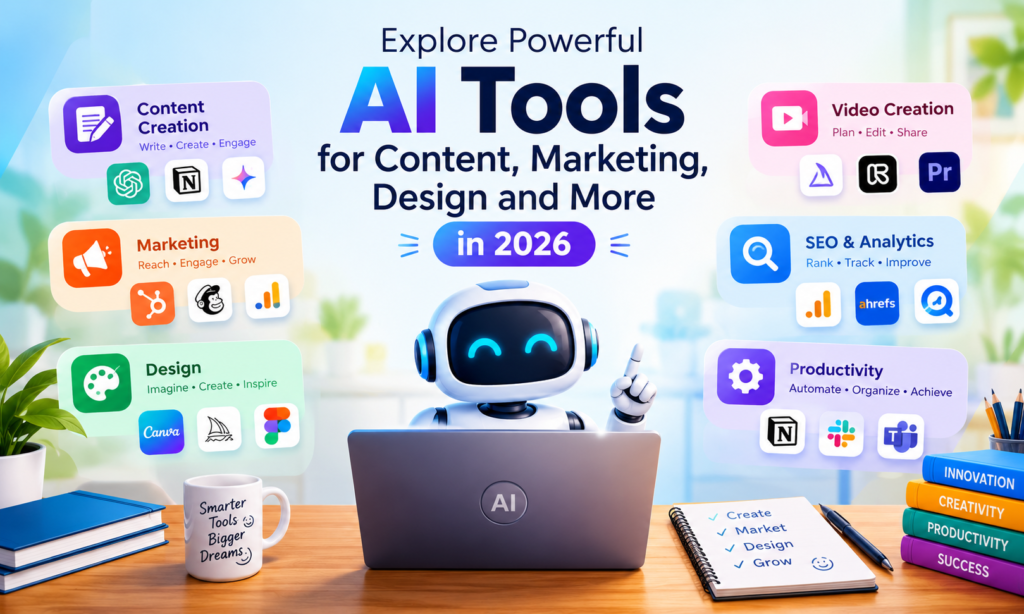
Welcome to ZeexasTech.com, your trusted destination for technology, AI tools, Microsoft Excel tutorials, digital productivity, and the latest tech insights.
I’m Vishal Kumar, the creator of ZeexasTech.com. My goal is to make technology simple, practical, and accessible for everyone. Through helpful guides, step-by-step tutorials, and informative articles, I aim to help students, professionals, bloggers, and business owners learn new skills and work smarter.
At ZeexasTech.com, we believe that the right knowledge and tools can make a real difference in your digital journey.
Discover the best AI tools for content creation, digital marketing, graphic design, video editing, SEO, productivity, and business automation in 2026. Learn how these powerful artificial intelligence tools can help bloggers, marketers, designers, freelancers, entrepreneurs, and businesses save time, improve creativity, and achieve better results.
Artificial intelligence is transforming the way people work, create content, promote businesses, and solve everyday problems. Tasks that once required hours of research, writing, editing, designing, and data analysis can now be completed more efficiently with the help of AI-powered applications.
Whether you want to write SEO-friendly blog posts, generate professional images, create engaging videos, manage social media accounts, or automate repetitive business tasks, there is an AI tool that can help you work smarter.
However, with hundreds of AI platforms available, choosing the right tools can be challenging. Some applications specialize in writing, while others focus on graphic design, marketing automation, video production, coding, or research.
In this comprehensive guide, we will explore powerful AI tools for content, marketing, design, productivity, and more in 2026. You will discover their main features, practical applications, benefits, limitations, and tips for choosing the right solutions for your needs.
Table of Contents
- What Are AI Tools?
- Why Are AI Tools Important in 2026?
- Best AI Tools for Content Creation
- Best AI Tools for Digital Marketing
- Best AI Tools for Graphic Design
- Best AI Tools for Video Creation and Editing
- Best AI Tools for SEO and Website Growth
- Best AI Tools for Productivity and Automation
- Best AI Tools for Research and Learning
- Best AI Tools for Business and Customer Support
- How to Choose the Right AI Tools
- How to Use AI Tools Effectively
- Advantages and Disadvantages of AI Tools
- The Future of AI Tools
- Frequently Asked Questions
- Conclusion
1. What Are AI Tools?
AI tools are software applications that use artificial intelligence to perform tasks that traditionally require human intelligence. Depending on their purpose, these applications can understand language, generate content, analyze information, recognize images, produce videos, answer questions, and automate workflows.
Modern AI tools often use technologies such as machine learning, natural language processing, computer vision, and generative AI.
For example, a writer can use an AI assistant to develop blog topics and prepare an outline. A designer can generate visual concepts from a text description. A marketer can analyze campaign performance, while a business owner can automate repetitive administrative tasks.
AI tools are not limited to technical professionals. Many platforms are designed for beginners and provide simple interfaces that allow users to describe what they want in everyday language.
Common Types of AI Tools
AI applications serve many different purposes, including:
- AI writing tools: Help create articles, emails, product descriptions, scripts, and social media captions.
- AI marketing tools: Assist with advertising, campaign planning, personalization, and customer engagement.
- AI design tools: Generate images, presentations, graphics, illustrations, and branding concepts.
- AI video tools: Support video generation, editing, subtitles, and short-form content production.
- AI SEO tools: Help with keyword research, content optimization, website analysis, and search visibility.
- AI productivity tools: Summarize documents, organize information, and automate repetitive work.
- AI research tools: Help users explore topics, compare sources, and understand complex information.
- AI business tools: Support customer service, sales, reporting, and workflow management.
The most suitable tool depends on the problem you want to solve, the features you need, and your available budget.
2. Why Are AI Tools Important in 2026?
AI tools have become increasingly useful because individuals and organizations need to produce more work while maintaining quality and controlling costs.
According to HubSpot’s 2026 research on generative AI in marketing, content creation and media production are among the leading uses of AI among marketers. The findings reflect the growing role of AI in everyday marketing workflows. Source:
Here are some of the main reasons people use AI tools in 2026.
Save Time on Repetitive Tasks
Many professional tasks involve repeated activities, such as drafting emails, summarizing documents, formatting reports, preparing social media captions, and organizing information.
AI tools can reduce the time spent on these activities, allowing users to concentrate on planning, decision-making, and creative work.
Improve Content Production
Bloggers and content creators can use AI to brainstorm ideas, create outlines, rewrite sentences, develop video scripts, and adapt existing content for different platforms.
AI can help increase production speed, but the final material should still include accurate information, original insights, and a recognizable brand voice.
Support Creative Work
Designers can explore multiple concepts without creating every variation manually. AI image generators, presentation makers, and video editors can help turn ideas into visual content more quickly.
Make Marketing More Efficient
Marketing teams can use AI to research audiences, generate campaign variations, summarize customer feedback, and analyze performance data.
Some platforms also integrate AI with customer relationship management systems, helping teams connect content creation with customer information.
Make Advanced Capabilities More Accessible
Many AI applications offer free plans, introductory credits, or affordable subscriptions. This gives students, freelancers, small businesses, and independent creators access to capabilities that previously required specialized software or larger teams.
Nevertheless, free plans may include usage limits, restricted features, watermarks, or other conditions.
3. Best AI Tools for Content Creation
Content creation is one of the most popular applications of artificial intelligence. AI writing assistants can help with research, planning, drafting, editing, and repurposing content.
The following tools are useful for different writing needs.
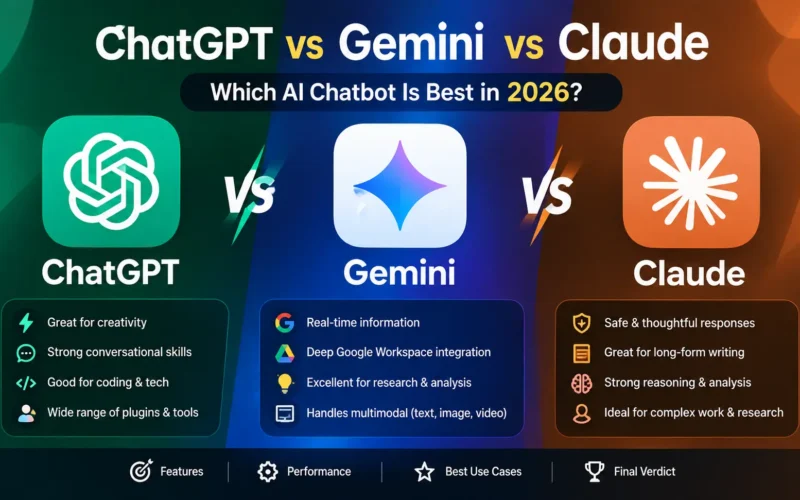
3.1 ChatGPT
Best for: Blog writing, brainstorming, content planning, editing, and general-purpose assistance.
ChatGPT is a versatile AI assistant that can help users develop ideas, organize information, write drafts, explain concepts, and improve existing content.
Bloggers can use it to create article outlines, generate headline ideas, prepare introductions, develop frequently asked questions, and rewrite complicated explanations in simpler language.
Digital marketers can use it to brainstorm campaign ideas, prepare email sequences, create social media calendars, and adapt a long article into shorter posts.
For example, a blogger writing about Excel formulas could ask ChatGPT to develop an outline covering syntax, examples, common errors, and practical use cases.
Key benefits:
- Supports many writing and research tasks.
- Helps organize complex information.
- Can adapt content to different audiences and tones.
- Supports iterative editing and brainstorming.
- Can assist with coding, data analysis, and other workflows.
Important limitation: AI-generated information can contain mistakes or unsupported claims. Verify important facts, particularly technical details, statistics, and current information.
3.2 Claude
Best for: Long-form writing, document analysis, editing, and structured reasoning.
Claude is an AI assistant that can help writers work with lengthy documents, develop detailed outlines, improve drafts, and analyze information.
It can be useful when preparing comprehensive guides, educational resources, reports, and editorial documents that require consistent structure.
For example, a content team could provide a draft article and request suggestions to improve transitions, remove unnecessary repetition, and make the explanations easier to follow.
Claude can also help compare sections of a document and identify areas that need additional context.
3.3 Google Gemini
Best for: General-purpose assistance and workflows connected to Google’s ecosystem.
Google Gemini can help users brainstorm, summarize information, draft content, and work through questions. Depending on the available plan and integrations, it can also support workflows involving Google products.
Students may use it to understand difficult topics, while professionals can use it to organize ideas, draft communications, and summarize documents.
For businesses already using Google Workspace, compatible Gemini features may help connect AI assistance with existing productivity workflows.
3.4 Jasper
Best for: Brand-focused marketing content.
Jasper is designed for marketing teams and content professionals who need to produce consistent messaging across different channels.
It can support campaign planning, advertising copy, brand-aligned content, and marketing workflows.
For example, a business could develop several variations of a product announcement for its website, email newsletter, and social media channels while maintaining consistent messaging.
Jasper may be particularly useful for teams that need structured content production and brand guidelines rather than a general-purpose chatbot alone.
3.5 Grammarly
Best for: Grammar correction, clarity, tone, and writing improvement.
Grammarly helps users improve written communication by identifying grammatical problems, suggesting clearer wording, and supporting tone adjustments.
It can be useful for blog posts, business emails, reports, landing pages, and professional documents.
For example, after drafting an article, a writer can use Grammarly to identify awkward sentences, punctuation mistakes, and unclear phrasing.
Grammar tools should complement careful editing rather than replace it. A grammatically correct sentence can still contain inaccurate information or weak reasoning.
3.6 Notion AI
Best for: Notes, documentation, project organization, and knowledge management.
Notion combines documentation, databases, and project organization. Its AI capabilities can help users summarize notes, improve written content, extract action items, and organize information.
Content teams can use it to maintain editorial calendars, store research, document publishing procedures, and track the progress of articles.
For example, a team could turn meeting notes into a list of tasks with responsibilities and deadlines.
4. Best AI Tools for Digital Marketing
Digital marketing includes content promotion, advertising, email campaigns, audience research, social media management, and performance measurement.
AI can help marketers develop campaign ideas, personalize communications, analyze data, and reduce repetitive work.
4.1 HubSpot AI
Best for: CRM-connected marketing, customer engagement, and campaign workflows.
HubSpot provides marketing, sales, and customer service tools with AI capabilities integrated into its platform.
Depending on the products and subscriptions selected, users can access assistance for content creation, email writing, campaign planning, customer data, and marketing automation.
A business that already uses HubSpot can benefit from working with customer information and marketing activities in a connected environment.
For example, a marketing team might use AI-assisted content creation to draft campaign materials and then manage related customer interactions through its existing CRM.
4.2 Mailchimp
Best for: Email marketing and audience communication.
Mailchimp helps businesses manage email campaigns, mailing lists, and marketing communications. Available AI-assisted capabilities can support content creation and campaign workflows.
A small online store could use an email marketing platform to prepare product announcements, welcome messages, and promotional newsletters.
However, effective email marketing requires more than generating attractive subject lines. Businesses must also consider audience consent, segmentation, deliverability, and message relevance.
4.3 Buffer
Best for: Social media scheduling and content management.
Buffer helps creators and businesses plan, organize, and publish social media content across supported platforms.
It also provides AI-assisted writing capabilities that can help generate post ideas, adapt captions, and explore alternative wording.
For example, a blogger could turn a detailed article into several short posts, schedule them for different days, and track engagement.
The best results come from adapting each post to its platform rather than copying identical text everywhere.
4.4 Semrush
Best for: SEO research, competitive analysis, and search visibility.
Semrush provides tools for keyword research, website audits, competitor analysis, content optimization, and digital marketing measurement.
Its broader toolset can help marketers understand search demand, identify content opportunities, and evaluate website performance. Its AI-related offerings also address visibility in AI-powered search experiences.
For example, a website owner could investigate search terms related to AI tools, compare competing pages, and identify useful subtopics for an article.
Semrush is particularly useful for marketers who need research and measurement capabilities beyond basic AI-generated writing.
4.5 Zapier
Best for: Connecting applications and automating workflows.
Zapier helps connect supported applications so that an event in one service can trigger an action in another.
Depending on the workflow and available integrations, a business might automatically send form submissions to a CRM, notify a team about a new lead, or route approved content into a publishing process.
AI capabilities can also assist with certain workflow steps, such as summarizing incoming information or classifying requests.
Automation should be tested carefully. Incorrect triggers, duplicated records, and poorly defined rules can create operational problems.
5. Best AI Tools for Graphic Design
Graphic design is another area where AI can support creativity and improve production speed.
AI-powered design applications can help users generate images, create layouts, prepare presentations, remove backgrounds, and explore visual concepts.
5.1 Canva AI
Best for: Social media graphics, presentations, posters, and marketing materials.
Canva provides accessible design tools for people who may not have professional graphic design experience.
Its AI features can assist with visual creation, editing, layout development, and other design tasks, depending on the available tools and plan.
Users can create social media posts, blog thumbnails, promotional banners, presentations, and business documents.
For example, a blogger could prepare a featured image for an article about AI tools, using a consistent color palette and typography across the website.
Canva is especially helpful when users want editable designs rather than a single finished image.
5.2 Adobe Firefly
Best for: AI-assisted image generation and creative editing.
Adobe Firefly offers generative AI capabilities for visual creation and editing. Depending on the product and integration, users can explore concepts, generate image variations, and modify creative assets.
Designers may use it to produce campaign concepts, background variations, or supporting visuals for advertising projects.
Its integration with Adobe’s creative ecosystem can be useful for professionals who already work with applications such as Photoshop and Illustrator.
Before using generated assets commercially, review the applicable terms, licensing conditions, and any requirements relevant to the project.
5.3 Midjourney
Best for: Artistic images, visual exploration, and creative concepts.
Midjourney is known for AI-generated imagery and its ability to produce distinctive visual styles from text prompts.
It can help artists, designers, and content creators explore concepts for illustrations, imaginative scenes, editorial visuals, and campaign artwork.
For example, a designer could generate several visual directions for a technology blog before developing the final brand artwork.
Generated images may require additional editing to fit a specific layout, maintain consistency, or correct visual details.
5.4 Figma AI
Best for: Interface design and collaborative product development.
Figma is widely used for interface design, prototyping, and collaboration. Its AI-related capabilities can assist with selected design and workflow tasks, depending on current availability and plan.
Product teams can use Figma to explore website layouts, mobile app interfaces, and interactive prototypes.
AI assistance can help accelerate early design work, but usability testing and thoughtful interaction design remain essential.
5.5 Remove.bg
Best for: Removing image backgrounds.
Remove.bg specializes in separating foreground subjects from image backgrounds.
It can help online sellers, marketers, and content creators prepare product images, profile photos, and promotional graphics.
For instance, an ecommerce seller could remove the background from a product photograph before placing the product in a promotional design.
Complex edges, transparent objects, and fine details may still require manual review.
6. Best AI Tools for Video Creation and Editing
Video content is important for social media, online education, advertising, product demonstrations, and entertainment.
AI-powered video tools can assist with editing, subtitles, voiceovers, script development, and the generation of video clips.
6.1 Runway
Best for: AI-assisted video generation and visual effects.
Runway offers AI tools for creating and manipulating video content.
Depending on the available models and subscription, creators can use text or images as inputs for video generation and experiment with different visual approaches.
It can be useful for concept videos, creative experiments, short promotional sequences, and visual storytelling.
However, generated clips may require careful review for continuity, movement, realism, and consistency.
6.2 Synthesia
Best for: Training videos, presentations, and avatar-based business videos.
Synthesia enables users to create videos using AI-generated presenters and scripted narration.
Businesses can use this approach for onboarding, internal training, product explanations, and educational materials.
For example, a company could prepare a short training video explaining a new internal process without organizing a traditional filming session.
Review pronunciation, visual presentation, and factual accuracy before publishing.
6.3 HeyGen
Best for: Presenter-led videos and multilingual video workflows.
HeyGen offers AI video creation capabilities, including avatar-based presentations and selected translation or localization workflows.
Businesses and educators can use these features to prepare product explainers, training resources, and promotional content.
When creating videos that resemble real people, use appropriate permissions and follow applicable disclosure requirements.
6.4 Descript
Best for: Editing podcasts, interviews, and spoken-word videos.
Descript combines media editing with transcription and text-based editing features.
Instead of relying entirely on a traditional editing timeline, users can work with a transcript to make selected edits to recorded speech.
This can be particularly helpful for podcasts, tutorials, interviews, and educational videos.
Creators should review transcripts and automated edits because transcription errors can change the intended meaning.
6.5 CapCut
Best for: Short-form videos and social media editing.
CapCut offers video editing tools and AI-assisted features for supported workflows.
Creators can use it to prepare short videos, add captions, improve pacing, and produce content for platforms such as YouTube Shorts, Instagram Reels, and TikTok.
Its suitability depends on the creator’s editing requirements, device, available features, and licensing needs.
7. Best AI Tools for SEO and Website Growth
Search engine optimization remains important for websites that depend on organic traffic.
AI can help with topic research, keyword clustering, content planning, editing, and the organization of information. It should not be treated as a shortcut to guaranteed rankings.
7.1 Surfer SEO
Best for: Content optimization and search-focused writing workflows.
Surfer SEO helps content teams analyze search results and optimize pages using its content research and optimization features.
A writer can use such a platform to review related topics, identify possible content gaps, and improve the organization of an article.
For example, an article targeting the keyword “AI tools for content creation” might need useful comparisons, practical examples, and sections that answer common reader questions.
Optimization suggestions should be treated as guidance rather than mandatory rules. Adding keywords repeatedly or expanding an article with irrelevant information can reduce its quality.
7.2 Ahrefs
Best for: Keyword research, backlink analysis, and competitor research.
Ahrefs offers SEO tools that help website owners study keywords, backlinks, competing pages, and organic search performance.
It can help answer questions such as:
- Which topics are relevant to my audience?
- Which pages attract organic traffic?
- What content gaps exist between my website and competitors?
- Which pages may benefit from updated information?
- Which websites link to competing resources?
These insights help content creators make informed decisions about their publishing strategy.
7.3 Frase
Best for: Research-driven content briefs and SEO content workflows.
Frase helps users research topics and organize content around search intent.
It can support the creation of outlines, content briefs, and optimization plans.
For example, a website owner preparing a guide to AI writing tools could use research findings to identify important questions, compare competing articles, and organize the page around reader needs.
The finished article should still contain original explanations, real examples, and verified facts.
7.4 Google Search Console
Best for: Monitoring website search performance.
Google Search Console is not primarily an AI writing application, but it is an essential tool for understanding how a website performs in Google Search.
Website owners can use it to review impressions, clicks, click-through rates, indexing issues, and search queries.
These insights can guide content improvements. If a page receives impressions for relevant searches but attracts few clicks, its title and description may need review.
Google Search Console helps evaluate actual search performance rather than relying only on an AI tool’s predictions.
7.5 Google Analytics
Best for: Website traffic and audience behavior analysis.
Google Analytics helps website owners measure traffic, engagement, conversions, and other available metrics.
When combined with Search Console and appropriate reporting workflows, it can help identify which pages contribute to business goals.
For example, a publisher could evaluate whether an article about AI tools attracts visitors who explore additional resources or subscribe to a newsletter.
SEO Best Practices When Using AI
To improve the quality and usefulness of AI-assisted content:
- Research the audience before writing.
- Identify the main search intent.
- Use the primary keyword naturally in the title, introduction, and relevant sections.
- Include related terms where they help explain the topic.
- Verify claims, statistics, and product information.
- Add original examples, experience, analysis, and practical recommendations.
- Improve readability with descriptive headings and short paragraphs.
- Add relevant internal and external links.
- Use descriptive image alt text.
- Review the page after publication and update it when necessary.
AI-generated content does not automatically perform well in search results. Quality, usefulness, accuracy, and relevance matter more than simply producing a large volume of pages.
8. Best AI Tools for Productivity and Automation
Productivity tools help individuals and teams manage their time, documents, communication, and repetitive processes.
8.1 Microsoft Copilot
Best for: Productivity within compatible Microsoft applications.
Microsoft Copilot provides AI assistance across supported Microsoft products and services.
Depending on the subscription and application, it can help users draft documents, summarize information, analyze data, prepare presentations, and organize communications.
For example, an Excel user might use compatible Copilot capabilities to explore data, understand formulas, or generate insights from a spreadsheet.
Available features differ by product, subscription, organizational settings, and region.
8.2 ClickUp AI
Best for: Project management and task organization.
ClickUp combines task management, project planning, documentation, and team collaboration.
Its AI capabilities can help summarize work, draft project documentation, and support selected task-related workflows.
A marketing team could organize a campaign with tasks for research, writing, design, editing, and publication.
8.3 Zapier AI
Best for: Reducing repetitive work across applications.
Zapier can connect supported applications and automate actions between them.
For example, when someone submits a contact form, an automation could create a CRM record, notify the appropriate team, and prepare a follow-up task.
AI can add useful classification or summarization steps to some workflows.
Begin with simple automations, test edge cases, and monitor failures before relying on them for important operations.
8.4 Otter.ai
Best for: Meeting transcription and summaries.
Otter.ai provides transcription and meeting-related features that can help users organize spoken discussions.
Teams can use meeting notes to review decisions, identify action items, and maintain a record of important conversations.
Always obtain appropriate consent before recording meetings and review automated transcripts for errors.
8.5 Perplexity
Best for: Research assistance and source discovery.
Perplexity is an AI-powered search and answer platform designed to help users investigate questions and explore supporting sources.
It can be useful for preliminary research, discovering relevant articles, and identifying sources to examine in more detail.
For a blog post about AI tools, a researcher might use it to find product documentation, announcements, and comparisons.
Do not assume that a cited source supports every statement in an AI-generated answer. Open the original source and verify the relevant information.
9. Best AI Tools for Research and Learning
AI tools can make learning more interactive by explaining concepts, generating examples, summarizing material, and helping users organize study sessions.
9.1 Khan Academy’s Khanmigo
Best for: Guided learning and educational support.
Khanmigo is an AI-powered learning assistant associated with Khan Academy.
Its educational approach is designed to support learning through guidance and explanation rather than simply providing answers to every question.
Students can benefit from step-by-step explanations, practice, and help understanding difficult concepts, depending on the available features and access arrangements.
9.2 NotebookLM
Best for: Studying and summarizing supplied sources.
Google’s NotebookLM is designed to help users work with provided reference materials.
It can help summarize documents, identify themes, and explore questions based on supported source formats.
A student researching a subject could collect lecture notes, reports, and reference documents, then use the tool to organize key points.
The quality of the results depends partly on the quality and completeness of the supplied sources.
9.3 Wolfram|Alpha
Best for: Mathematical and computational questions.
Wolfram|Alpha is a computational knowledge engine that can help users solve mathematical problems, explore equations, and investigate structured questions.
It can complement AI assistants when a task requires calculations or mathematical representations.
For important results, understand the underlying method rather than copying an answer without checking its assumptions.
10. Best AI Tools for Business and Customer Support
Businesses can use AI to improve customer communication, streamline internal processes, and organize information.
10.1 Intercom
Best for: Customer messaging and AI-assisted support.
Intercom provides customer communication and support software with AI capabilities.
Depending on the configuration, businesses can use it to help answer common questions, guide customers toward relevant resources, and support customer service teams.
Organizations should establish clear escalation procedures for complex, sensitive, or unresolved issues.
10.2 Salesforce Einstein
Best for: CRM-related AI workflows and customer insights.
Salesforce offers AI capabilities within its customer relationship management ecosystem.
Depending on the products and configuration, businesses can use AI to support sales activities, customer service, workflow automation, and data-driven decisions.
Its value is particularly relevant for organizations that already manage customer relationships through Salesforce.
10.3 Tidio
Best for: Website messaging and customer support.
Tidio offers customer communication tools, including live chat and AI-assisted customer service features.
Small businesses may use it to help visitors find information, answer common product questions, and connect customers with a human representative when necessary.
AI support should provide clear answers, avoid inventing policies, and offer a reliable way to reach a person.
11. Comparison of Popular AI Tools in 2026
The following table summarizes which tools may be useful for common tasks.
| AI Tool | Main Category | Best Use Case |
|---|---|---|
| ChatGPT | General AI | Writing, brainstorming, analysis |
| Claude | General AI | Long documents and writing |
| Google Gemini | General AI | Research and Google-related workflows |
| Jasper | Marketing content | Brand-focused campaigns |
| Grammarly | Writing assistance | Grammar, clarity, and tone |
| Canva AI | Design | Social posts and presentations |
| Adobe Firefly | Creative AI | Image generation and editing |
| Midjourney | Image generation | Artistic visuals and concepts |
| Runway | Video AI | Generative video workflows |
| Synthesia | Video AI | Training and presenter-led videos |
| Descript | Video and audio | Transcript-based editing |
| Semrush | SEO | Keyword and competitor research |
| Ahrefs | SEO | Backlinks and organic search research |
| HubSpot AI | Marketing and CRM | Customer-connected marketing |
| Zapier | Automation | Connecting applications |
| Notion AI | Productivity | Notes and documentation |
| Microsoft Copilot | Productivity | Compatible Microsoft workflows |
| Perplexity | Research | Finding information and sources |
| NotebookLM | Research | Working with supplied documents |
| Google Search Console | SEO analytics | Monitoring Google Search performance |
This comparison is a starting point rather than a universal ranking. Some products offer overlapping features, and their capabilities, plans, usage limits, and integrations can change.
12. How to Choose the Right AI Tools
Selecting an AI tool becomes easier when you start with a specific goal instead of choosing an application simply because it is popular.
Step 1: Identify Your Main Objective
Decide what you want to accomplish.
If you write articles, prioritize writing and research tools. If you design marketing graphics, consider design applications. If you manage a website, focus on analytics and SEO research.
A clearly defined objective prevents you from paying for features you rarely use.
Step 2: Check the Features You Actually Need
Create a short list of essential features.
For a blogger, this might include brainstorming, editing, research support, image creation, and content organization.
For a marketing agency, useful requirements might include brand management, collaboration, campaign reporting, integrations, and workflow automation.
Compare actual product capabilities rather than relying entirely on promotional descriptions.
Step 3: Evaluate Free Plans and Pricing
Many tools offer free access or trials, but the available features vary.
Before subscribing, investigate:
- Usage and generation limits.
- Subscription renewal conditions.
- Commercial usage rights.
- Export options and file formats.
- Collaboration and team permissions.
- Data retention and privacy settings.
- Costs for additional usage or credits.
A free plan may be sufficient for occasional tasks, while a paid subscription may be worthwhile for frequent professional use.
Step 4: Test the Tools With Real Tasks
Do not judge an application only by a polished demonstration.
Test it with a realistic task from your daily workflow. For instance, ask an AI writing assistant to help prepare a detailed article outline, then evaluate the accuracy, relevance, editing required, and time saved.
For a design application, create a sample graphic and check whether it meets your branding and publishing requirements.
Step 5: Consider Integration
Tools that work with your existing applications may be more convenient than standalone services.
A content team might benefit from connecting research, document management, design, and publishing workflows.
However, integration is only valuable when it solves a genuine problem. Adding more tools can create complexity if they duplicate existing capabilities.
Step 6: Review Privacy and Security
Avoid uploading confidential business information, customer records, financial documents, or personal information unless the service and your organization’s policies permit it.
Check data handling practices, access controls, retention settings, and the terms governing the use of submitted information.
Businesses handling sensitive data should evaluate security and compliance requirements before adopting AI applications.
13. How to Use AI Tools Effectively
Using AI effectively requires more than entering a short prompt and accepting the first result.
The quality of your instructions, the information you provide, and the review process all influence the outcome.
Write Clear Prompts
A good prompt explains the task, audience, purpose, format, and important restrictions.
For example, instead of writing:
“Write an article about AI tools.”
Try this:
“Create a comprehensive blog article for beginners about AI tools for content creation, marketing, and graphic design in 2026. Explain the purpose of each tool, provide practical examples, discuss limitations, and use descriptive headings and a helpful comparison table. Avoid unsupported statistics and verify current product information.”
The second prompt gives the AI a much clearer understanding of what you need.
Provide Relevant Context
Tell the AI who the content is for and what the reader wants to achieve.
An article for beginners should explain unfamiliar terminology. A professional guide may need more detailed comparisons, implementation considerations, and technical information.
Context helps make the output more useful and specific.
Use AI as a Collaborator
A productive workflow involves several stages:
- Research the subject.
- Generate ideas and create an outline.
- Draft the content.
- Verify important claims.
- Edit for clarity and originality.
- Add examples and useful visuals.
- Optimize the final page for the intended audience.
- Review performance and update the material when necessary.
AI can assist at each stage, but human judgment remains important.
Avoid Publishing Unedited AI Content
AI-generated drafts may contain repeated ideas, vague explanations, inaccurate facts, generic examples, or outdated product information.
Before publishing, make sure the article answers the reader’s questions and offers genuine value.
Add your own experience, demonstrations, comparisons, and insights wherever possible.
Measure the Results
Evaluate whether an AI tool improves your actual workflow.
Depending on your goals, useful measures may include time saved, error rates, editing effort, content quality, customer satisfaction, conversion rates, or website engagement.
The best tool is not necessarily the one that generates the most material. It is the one that helps you achieve a meaningful result efficiently and responsibly.
14. Advantages and Disadvantages of AI Tools
AI offers substantial benefits, but it also introduces limitations that users should understand.
Advantages of AI Tools
1. Faster task completion
AI can accelerate drafting, summarization, research assistance, editing, and other repetitive activities.
2. Increased productivity
Individuals and teams can spend less time on routine work and more time on strategy, communication, and creative decisions.
3. Support for creativity
AI can generate alternative ideas, visual concepts, headlines, and approaches that users can refine.
4. Accessibility
Many AI applications are designed for nontechnical users and provide intuitive interfaces.
5. Content adaptation
AI can help transform one piece of content into different formats, such as turning a blog post into an email, video script, or social media caption.
6. Workflow automation
Connected applications can reduce manual data entry and help standardize repeated processes.
7. Assistance with analysis
AI can help organize information and explain patterns, although results must be checked when accuracy is important.
Disadvantages of AI Tools
1. Potential inaccuracies
AI systems can produce convincing but incorrect statements. Research and fact-checking remain necessary.
2. Generic content
Without specific context and meaningful editing, generated material may sound repetitive or fail to address the audience’s real needs.
3. Subscription costs
Using many premium tools can become expensive. Overlapping subscriptions may provide little additional value.
4. Privacy concerns
Uploading sensitive information to an unsuitable service can create confidentiality and security risks.
5. Limited human judgment
AI does not replace accountability, professional expertise, empathy, or careful decision-making.
6. Copyright and licensing questions
The legal treatment of AI-generated material can vary by jurisdiction and situation. Users should review the relevant product terms and applicable laws.
7. Dependence on automation
Relying on automated outputs without review can lead to errors, poor customer experiences, and avoidable reputational damage.
The best approach is to combine AI’s speed with human judgment, expertise, and responsibility.
15. The Future of AI Tools
AI tools are evolving beyond simple text generation. Several developments are shaping how individuals and organizations use these applications.
More Connected Workflows
AI features are increasingly being integrated into writing applications, design software, customer platforms, and productivity tools.
This can reduce the need to move information manually between separate applications.
Multimodal Content Creation
Modern AI systems can work with different combinations of text, images, audio, and video.
For example, a content creator may develop a script, generate supporting images, create a video, and prepare captions through a connected collection of tools.
The exact capabilities vary by platform.
More Task-Oriented AI Assistants
Some AI applications are moving toward workflows in which the system can help carry out several connected steps instead of responding to a single instruction.
These capabilities may help with research, document preparation, reporting, and business processes. Important actions should still be monitored and approved where appropriate.
Greater Emphasis on Brand and Business Context
Businesses increasingly need AI tools that understand their products, customers, terminology, and communication guidelines.
Tools connected to approved business information can produce more relevant outputs than systems given only a vague instruction.
AI Search and Content Discovery
People increasingly use AI-powered search and answer systems to discover information.
Website owners should continue creating helpful, trustworthy, well-structured content and monitoring their performance across relevant discovery channels.
There is no guaranteed method for appearing in every AI-generated answer. Clear explanations, accurate information, credible sources, and a useful website experience remain important.
Human Expertise Will Remain Valuable
As AI-generated material becomes more common, original research, real-world experience, subject expertise, creative judgment, and trustworthy communication can help content stand out.
The future is not simply about producing more content. It is about producing better work and using technology responsibly.
16. Frequently Asked Questions About AI Tools
The best tools depend on your needs. ChatGPT, Claude, and Google Gemini are useful general-purpose assistants. Canva AI and Adobe Firefly support design work, while Runway and Descript can help with video workflows. Semrush and Ahrefs support SEO research, and Zapier helps automate workflows between applications.
No single application is ideal for every task.
ChatGPT and Claude can help with brainstorming, outlines, drafting, and editing. Jasper is worth evaluating for brand-focused marketing content, while Grammarly can help improve grammar and clarity.
For better results, combine AI assistance with reliable research, original insights, and human editing.
Yes. Many providers offer free plans, limited access, trials, or free tools.
Availability and usage restrictions vary. Check the provider’s current pricing page before choosing a tool for regular professional work.
Yes. AI can assist with topic research, keyword organization, outlines, content editing, and analysis.
SEO platforms such as Semrush and Ahrefs offer specialized research capabilities, while Google Search Console helps monitor search performance.
However, AI does not guarantee rankings. Content should satisfy user intent, provide accurate information, and offer genuine value.
Yes. Many applications accept natural-language instructions and require little technical knowledge.
Beginners can start with one general-purpose AI assistant and one tool for their main activity, such as writing, design, or video editing.
Learning how to give clear instructions and verify results is more valuable than subscribing to numerous applications immediately.
AI can help prepare useful blog drafts, but quality depends on how the tool is used.
A strong article should include accurate facts, original explanations, helpful examples, clear organization, and relevant information that satisfies the reader’s needs.
Publishing large amounts of unedited, low-value content is not a reliable SEO strategy.
Canva AI is a practical option for social media graphics, presentations, and marketing materials. Adobe Firefly is useful for generative creative workflows, while Midjourney is popular for artistic image generation.
Choose based on the style, editing control, licensing requirements, and output formats you need.
Runway supports generative video workflows, Synthesia focuses on avatar-based presentations, HeyGen offers presenter-led and localization workflows, Descript supports transcript-based editing, and CapCut helps create social media videos.
The best choice depends on whether you need generated footage, a virtual presenter, subtitles, or traditional editing.
AI can automate or accelerate parts of writing and design, but it does not eliminate the need for human judgment.
Professionals still contribute research, creativity, subject expertise, strategic decisions, quality control, and accountability.
AI is most useful when it strengthens human work rather than being treated as an unquestioned replacement.
Start with one or two tools that solve your most important problems.
For example, a blogger could begin with an AI writing assistant and a design platform. After understanding the workflow, they can add SEO research, analytics, or automation tools when a clear need arises.
This approach helps reduce costs and unnecessary complexity.
11. Are AI tools safe for business use?
AI tools can be used responsibly, but businesses should evaluate privacy, security, permissions, accuracy, licensing, and regulatory requirements.
Avoid sharing confidential information with services that have not been approved for that purpose. Review automated outputs before using them in important customer or business decisions.
12. Will AI tools remain important in the future?
AI tools are likely to remain important as they become more integrated into everyday software and professional workflows.
Their value will depend on whether they solve real problems, improve quality, protect information, and provide measurable benefits.
Users who develop strong research, writing, analytical, and critical-thinking skills alongside AI proficiency will be better prepared to adapt to changing tools.
Conclusion
AI tools are transforming content creation, digital marketing, graphic design, video production, SEO, productivity, research, and business operations in 2026.
Applications such as ChatGPT, Claude, Google Gemini, Jasper, Canva AI, Adobe Firefly, Runway, Semrush, and Zapier provide different capabilities for people who want to work more efficiently.
The most effective strategy is not to use every available AI application. Instead, identify your main goals, choose tools that address those goals, test them with realistic tasks, and evaluate the results.
For bloggers, AI can support research and content planning. For marketers, it can help develop campaigns and organize workflows. For designers, it can accelerate visual exploration. For businesses, it can assist with repetitive tasks and customer communication.
However, successful AI adoption requires more than automation. Accuracy, creativity, privacy, originality, and human oversight remain essential.
Start with a small collection of useful tools, learn their strengths and limitations, and gradually build a workflow that fits your needs.
Thank you so much for visiting ZeexasTech.com and taking the time to read my articles. Your support and interest mean a lot to me. I hope you find the information useful and enjoy exploring the website!
Best regards,
Vishal Kumar
Writer of ZeexasTech.com


4 comments