Introduction:
Welcome to ZeexasTech.com, your online resource for AI tools, Microsoft Excel tutorials, technology guides, productivity tips, and digital solutions.
I’m Vishal Kumar, the founder of ZeexasTech.com. I share informative articles designed to help readers discover useful AI tools, understand Excel formulas, improve their digital skills, and find smarter ways to complete everyday tasks.
Why Students Need Free AI Tools in 2026
Our mission is to provide clear, practical, and beginner-friendly technology content that helps students, professionals, content creators, and businesses make better use of modern digital tools.
Technology is changing the way students learn, complete assignments, prepare for examinations, and manage their daily academic responsibilities. Traditional study methods remain important, but artificial intelligence (AI) now gives students additional ways to understand difficult subjects, organize information, practice questions, and improve their productivity.
The good news is that you do not need an expensive subscription to benefit from AI. Many popular platforms provide free versions that can help students with everyday academic tasks.
The best free AI tools for students can explain complicated concepts in simple language, summarize lengthy study materials, help with mathematics, check grammar, generate practice questions, and assist with coding projects. Some tools can even turn your personal notes and documents into interactive study guides.
Whether you are a school student, college student, university researcher, or competitive examination candidate, there is an AI tool that can support your learning goals.
However, choosing the right tool is important. Some AI applications are excellent for research, while others are better for writing, programming, designing presentations, or revising for examinations. Understanding their strengths and limitations helps you get better results without wasting time or money.
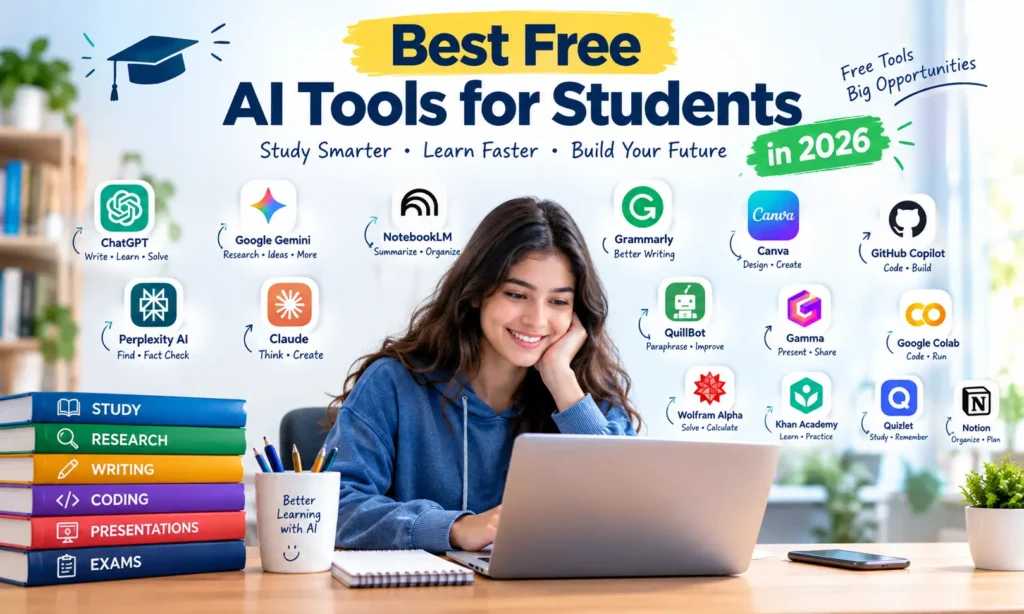
In this comprehensive guide, we will explore 15 of the best free AI tools for students in 2026, explain their features, discuss their advantages and disadvantages, and share practical tips for using them effectively.
Important: Most tools in this article offer free plans rather than unlimited access to every feature. Usage limits, eligibility requirements, and premium features can change, so check the official website before relying on a particular feature.
Quick Comparison: Best Free AI Tools for Students
Here is a quick overview of the most useful AI tools for different student needs.
AI Tool
Best For
Free Access
ChatGPT
General studying and explanations
Yes, with limits
Google Gemini
Research and everyday learning
Yes, with limits
NotebookLM
Studying notes and PDFs
Yes, with limits
Perplexity AI
Research with citations
Yes, with limits
Claude
Writing and understanding long documents
Yes, with limits
Grammarly
Grammar and writing improvement
Yes, with limits
QuillBot
Paraphrasing and summarization
Yes, with limits
Canva
Presentations and visual projects
Yes, with limits
Gamma
Creating presentations
Yes, with limits
GitHub Copilot
Programming and coding assistance
Yes, with limits
Google Colab
Python programming and data science
Yes, with limits
Wolfram Alpha
Mathematics and scientific calculations
Free features available
Khan Academy
Learning and subject practice
Free educational content
Quizlet
Flashcards and revision
Free features available
Notion
Notes and study organization
Free plan available
The best option depends on what you want to accomplish. You do not need to use all 15 tools. In most cases, choosing three or four tools that complement one another is enough to create an effective study system.
- ChatGPT — Best Free AI Tool for Overall Studying
ChatGPT is one of the most versatile AI tools available to students. It can help explain difficult topics, generate practice questions, organize study schedules, brainstorm essay ideas, and provide step-by-step guidance for solving problems.
Its biggest advantage is flexibility. Instead of searching through multiple websites for an explanation, students can ask questions in natural language and request an answer suited to their level of understanding.
For example, a school student can ask for a simple explanation of photosynthesis, while a university student can request a more detailed discussion of the underlying biological processes.
Key Features
Explains complicated concepts in simple language.
Generates quizzes, flashcards, and revision questions.
Helps students understand mathematics and science problems.
Provides feedback on writing and grammar.
Assists with programming, debugging, and technical concepts.
Helps create study schedules and revision plans.
Supports additional capabilities such as file analysis where available on the current plan.
How Students Can Use ChatGPT
Suppose you are preparing for an economics examination and find supply and demand difficult to understand.
You can ask:
“Explain the law of supply and demand in simple language. Give three real-life examples, create five multiple-choice questions, and explain the answers after I attempt them.”
ChatGPT can help you move from understanding the concept to practicing it.
You can also use it to prepare for competitive examinations by generating topic-wise revision questions. For exams such as JEE, NEET, CAT, and UPSC, always verify factual information and numerical answers against your textbooks, official syllabuses, and reliable learning resources.
Advantages
Useful for almost every subject.
Easy to interact with using ordinary language.
Can adapt explanations to different learning levels.
Helps students practice rather than only read.
Provides a broad range of academic assistance.
Disadvantages
May generate incorrect information or calculations.
Some features have usage limits on the free plan.
Generated references and quotations must be checked.
Depending on it for complete assignments can reduce independent learning.
Best for: Students who want one general-purpose AI assistant for explanations, revision, brainstorming, and everyday homework support.
- Google Gemini — Best for Research and Everyday Learning
Google Gemini is another useful AI assistant for students. It can answer questions, explain academic concepts, help brainstorm projects, summarize information, and assist with writing.
Students who regularly use Google services may also find its integration with supported Google applications helpful. Depending on the account, region, and current plan, certain features may work with services such as Google Docs and Gmail.
Gemini can be particularly useful when you need a starting point for understanding an unfamiliar topic or organizing ideas for a school project.
Key Features
Answers questions about a wide range of subjects.
Explains technical topics using examples.
Helps develop essay outlines and project ideas.
Supports image and document-related tasks where available.
Assists with planning and organizing information.
Offers features that can complement Google’s productivity tools.
How Students Can Use Gemini
Imagine you need to prepare a presentation about climate change.
You could ask:
“Explain the causes and effects of climate change for a high-school audience. Organize the information into eight presentation slides and suggest one suitable visual for each slide.”
Gemini can provide a useful outline, which you can then improve using reliable sources and your own research.
You can also ask it to compare two historical events, explain a scientific theory, or suggest questions to help you revise a chapter.
Advantages
Useful for research planning and brainstorming.
Can simplify complex information.
Works well for many everyday academic tasks.
May fit naturally into an existing Google-based workflow.
Disadvantages
Answers can contain factual errors.
Some advanced capabilities require a paid plan or have regional restrictions.
The free version may impose usage limits.
Information from AI-generated responses still needs independent verification.
Best for: Students who want a flexible AI assistant for research, explanations, project planning, and productivity.
- NotebookLM — Best for Studying PDFs and Personal Notes
NotebookLM is an AI-powered research and study tool from Google. It is especially useful when you already have study materials and want to understand them more efficiently.
Instead of relying only on general information, you can provide supported source materials, such as documents, PDFs, and other available source types. The tool can then help you summarize those materials and answer questions based on their contents.
This makes it valuable for students dealing with lengthy textbooks, research papers, lecture notes, and academic readings.
Key Features
Summarizes supported documents and study materials.
Answers questions based on supplied sources.
Helps identify important concepts and themes.
Supports the creation of study guides and revision materials.
Offers features such as Audio Overviews and other learning aids, subject to current availability and limits.
Helps students revisit information without repeatedly searching through entire documents.
How Students Can Use NotebookLM
Suppose your teacher provides a 60-page PDF about environmental science. Reading every page repeatedly may take considerable time.
You can add the PDF to NotebookLM and ask:
“Summarize this document into ten important topics. For each topic, provide a short explanation, three key facts, and two possible examination questions. Use the document as the main source.”
You can then ask follow-up questions about difficult sections.
A particularly useful technique is to request citations or source references within the notebook so you can return to the relevant passage and check the answer.
Advantages
Particularly useful for document-based learning.
Helps organize large amounts of study material.
Can make revision more efficient.
Keeps the supplied materials central to the learning process.
Useful for research projects and literature reviews.
Disadvantages
Its usefulness depends on the quality of your source materials.
Some source types and features may have limits.
It may misunderstand or overlook details in a document.
It is not a substitute for reading important primary sources.
Best for: College students, university researchers, and anyone who studies using PDFs, lecture notes, and lengthy documents.
- Perplexity AI — Best Free AI Tool for Research
Perplexity AI is a search-oriented AI assistant that helps users investigate questions and discover information from online sources.
Unlike a traditional search engine that primarily displays a list of links, Perplexity generates a summarized response and typically includes citations that point to relevant sources.
This approach can make preliminary research faster. Students can use it to explore unfamiliar subjects, discover relevant articles, and identify sources worth reading in greater detail.
Key Features
Answers questions using web-based research.
Provides source links for checking claims.
Helps explore unfamiliar academic subjects.
Supports follow-up questions.
Can assist with gathering background information for assignments.
Helps identify different perspectives on a topic.
How Students Can Use Perplexity
Imagine you are researching renewable energy for a college assignment.
You could ask:
“Explain the latest developments in solar energy. Include reliable sources, prioritize scientific institutions and government publications, and distinguish established facts from emerging research.”
Perplexity can provide a useful starting point and direct you to relevant material.
However, a citation does not automatically make an answer accurate. Open the cited pages, confirm that they support the claims, and check the publication dates. For academic work, prioritize peer-reviewed papers, official reports, and original research whenever appropriate.
Advantages
Convenient for discovering sources.
Useful for researching current topics.
Makes it easier to investigate claims.
Can reduce the time needed for preliminary research.
Disadvantages
Some advanced search features are restricted by plan.
Search summaries may misrepresent a source.
A cited page may not support every detail in the answer.
Academic references still require manual verification.
Best for: Students preparing research assignments, presentations, essays, and projects that require current information and source checking.
- Claude — Best for Writing Feedback and Long Documents
Claude is an AI assistant developed by Anthropic. It can help students analyze text, understand complicated readings, organize arguments, brainstorm ideas, and improve drafts.
It is particularly useful when you want detailed feedback on a piece of writing or need help understanding a lengthy passage.
Students can use it to explore the structure of an argument, identify gaps in an explanation, or compare different interpretations of a subject.
Key Features
Explains complicated passages.
Helps organize essays and research outlines.
Reviews writing for clarity and logical flow.
Assists with programming and technical questions.
Can analyze supported documents and files.
Helps identify weaknesses in an argument.
How Students Can Use Claude
Suppose you have written an essay about the advantages and disadvantages of online education.
You can ask:
“Review my essay for clarity, organization, and logical consistency. Identify weak arguments and explain how I could strengthen them. Do not rewrite the entire essay; give me actionable feedback.”
This encourages you to improve your own writing instead of simply accepting an AI-generated replacement.
Claude can also help explain difficult academic passages by breaking them into smaller sections and identifying the main argument.
Advantages
Useful for detailed writing feedback.
Helps organize complex ideas.
Can explain lengthy passages.
Supports brainstorming and technical learning.
Disadvantages
Free usage is limited and may vary.
It can misunderstand context or produce inaccurate statements.
It may not always preserve the intended meaning during revisions.
Important academic claims must be independently checked.
Best for: Students who need writing feedback, reading assistance, and help organizing complex arguments.
- Grammarly — Best Free AI Tool for Grammar and Writing
Grammarly is a writing assistant that helps users improve grammar, spelling, punctuation, and clarity.
Writing well is important for school assignments, college applications, research reports, emails, and professional communication. Grammarly can help students identify common mistakes and make their writing easier to understand.
Its core writing assistance is available through a free plan, although some advanced rewriting and AI features may require payment.
Key Features
Checks spelling and grammar.
Identifies punctuation mistakes.
Suggests improvements to sentence clarity.
Helps improve readability.
Provides writing suggestions in supported applications.
Offers additional AI writing features depending on the plan.
How Students Can Use Grammarly
After writing an assignment, paste or enter your draft into a supported Grammarly editor.
Review suggestions carefully rather than accepting every change automatically. A grammatically correct sentence can still be inaccurate, unclear, or unsuitable for your assignment.
For example, Grammarly may help identify an unnecessarily complicated sentence and suggest a clearer version. You should decide whether that revision accurately communicates your intended meaning.
Advantages
Useful for proofreading academic work.
Helps students recognize repeated grammar mistakes.
Can improve clarity and readability.
Supports professional writing habits.
Disadvantages
Some useful features require a paid subscription.
Automated suggestions can occasionally change your meaning.
It does not verify the factual accuracy of your work.
It cannot replace careful proofreading.
Best for: Students who want to improve grammar, spelling, punctuation, and the overall clarity of their writing.
- QuillBot — Best for Paraphrasing and Summarizing
QuillBot is a writing tool that offers paraphrasing, summarization, and other language-related features.
It can help students understand how to express an idea more clearly, condense lengthy passages, and revise awkward sentences.
The free version provides access to selected features, while usage limits and more advanced capabilities vary by plan.
Key Features
Paraphrases selected text.
Summarizes longer passages.
Helps improve sentence structure.
Supports proofreading through available tools.
Provides different rewriting approaches depending on the feature.
How Students Can Use QuillBot
Suppose you have written a paragraph explaining the water cycle, but your sentences are repetitive.
You can use a paraphrasing tool to explore alternative wording and then edit the result in your own voice.
For revision, you might summarize a long passage into a few key points and compare the summary with the original material.
Important academic rule: Paraphrasing does not remove the need to cite the original source. Students should not use QuillBot to disguise copied text or bypass plagiarism policies.
Advantages
Helpful for improving sentence clarity.
Useful for summarizing reading material.
Can provide alternative ways to express ideas.
Supports language-learning and editing activities.
Disadvantages
Free features have restrictions.
Paraphrased text may lose important meaning.
Rewriting alone does not guarantee originality.
Citations may still be required.
Best for: Students who want help with paraphrasing, summarizing, and revising their own writing.
- Canva — Best for Presentations and Educational Designs
Canva is a visual design platform that students can use to create presentations, posters, infographics, study charts, and educational materials.
Its AI-assisted features can help with content creation and design, depending on the current plan and available credits.
Canva is especially useful for students who need to present information visually instead of submitting a conventional written report.
Key Features
Presentation and poster templates.
Infographic and diagram creation.
Visual design tools.
AI-assisted content and design features where available.
Collaboration tools for group projects.
Export options for supported formats.
How Students Can Use Canva
Imagine you need to prepare a presentation on the human digestive system.
You can organize the material into sections, select an educational presentation template, and create diagrams and visual summaries.
You can also use available AI features to brainstorm slide headings or develop a design concept. Review every scientific label and fact before submitting the presentation.
Advantages
Makes presentations more visually appealing.
Useful for group assignments.
Offers many ready-made templates.
Helps students communicate complex information visually.
Disadvantages
Some design assets and AI features are paid.
A visually attractive presentation may still contain weak information.
Students can spend too much time on design instead of learning.
AI-generated content and visuals need review.
Best for: Students who create presentations, posters, infographics, project reports, and classroom materials.
- Gamma — Best for Creating Presentations Quickly
Gamma is an AI-powered platform for creating presentations and other visual documents.
It can help students turn a topic or an outline into an organized presentation. This is useful when you have limited time to prepare a first draft of a project or classroom presentation.
Gamma’s free access is subject to its current credit system and plan limitations.
Key Features
Creates presentation drafts from prompts.
Organizes information into sections.
Provides presentation layouts and design themes.
Helps develop visual storytelling.
Supports export options according to the plan.
How Students Can Use Gamma
Suppose your assignment is to present the benefits and challenges of electric vehicles.
Enter a prompt describing the audience, number of slides, and main topics. Gamma can help create an initial structure.
You should then verify the facts, improve the explanations, replace generic visuals where necessary, and add references required by your teacher.
Advantages
Speeds up the initial presentation process.
Helps organize information into a logical sequence.
Useful for students who struggle with slide design.
Provides a starting point for project presentations.
Disadvantages
Free credits may be limited.
Some export and customization options may require payment.
AI-generated slides can be generic.
Automatically generated statistics and claims must be checked.
Best for: Students who want to create a presentation draft quickly and refine it before submission.
- GitHub Copilot — Best Free AI Tool for Coding Students
GitHub Copilot is an AI-powered programming assistant that helps developers write, understand, and improve code.
It can be useful for computer science students, software engineering learners, and anyone working on programming assignments.
Copilot can suggest code, explain programming concepts, and help identify possible errors. A free plan is available, and eligible students may qualify for additional access through GitHub Education. Check the current eligibility rules and limits.
Key Features
Suggests code while you type.
Explains unfamiliar programming syntax.
Helps identify and troubleshoot bugs.
Assists with repetitive coding tasks.
Supports learning across several programming languages.
Integrates with supported development environments.
How Students Can Use GitHub Copilot
Suppose you are learning Python and need to create a program that calculates the average of several numbers.
Instead of asking Copilot to complete your entire assignment, ask it to explain how loops, lists, and arithmetic operations work together.
Then write the program yourself, test it with different inputs, and ask for explanations of any errors.
This approach develops your problem-solving skills while helping you learn faster.
Advantages
Useful for practical programming exercises.
Helps explain unfamiliar code.
Can reduce time spent on repetitive tasks.
Supports experimentation and debugging.
Disadvantages
Suggestions may contain bugs or security problems.
Students can become dependent on code completion.
Usage limits apply to free access.
Eligibility for student benefits must be confirmed.
Best for: Computer science students, programming beginners, and learners building software projects.
- Google Colab — Best for Python and Data Science
Google Colab is a cloud-based environment for writing and running Python code in a browser.
It is particularly useful for students studying programming, statistics, data analysis, machine learning, and scientific computing.
Colab is not simply a chatbot. It provides a practical workspace where you can execute code, inspect results, and experiment with datasets without setting up a complete local programming environment.
Key Features
Runs Python notebooks in a browser.
Supports data analysis and visualization.
Makes it easier to share coding notebooks.
Offers access to computing resources, with availability and limits depending on the current service.
Supports many popular Python libraries.
How Students Can Use Google Colab
A statistics student can upload a permitted dataset, use Python to calculate averages and standard deviations, and create graphs.
A machine learning student can experiment with a small model and observe how changes to the code affect the results.
Students can also use an AI assistant alongside Colab to understand errors or learn unfamiliar Python functions.
Advantages
Useful for practical coding exercises.
Reduces the need for local software installation.
Supports data analysis and visualization.
Helps students learn by running real code.
Disadvantages
Some computing resources have usage limits.
Sessions may disconnect.
Beginners may need time to understand Python notebooks.
Code and statistical conclusions still need verification.
Best for: Students learning Python, statistics, machine learning, data science, and computational research.
- Wolfram Alpha — Best for Mathematics and Scientific Calculations
Wolfram Alpha is a computational knowledge engine that can solve many mathematical and scientific problems.
It is particularly valuable when students need numerical calculations, symbolic mathematics, graphs, or answers to structured technical questions.
Some computational features and step-by-step solutions may require a paid subscription, so check what is available for free before using it for a particular assignment.
Key Features
Evaluates mathematical expressions.
Solves many types of equations.
Supports graphing and mathematical analysis.
Performs selected scientific calculations.
Provides information across several technical subjects.
Offers additional step-by-step capabilities depending on access.
How Students Can Use Wolfram Alpha
Suppose you are learning quadratic equations.
You can enter an equation such as:
x^2 – 5x + 6 = 0
The tool can help calculate the solutions. You should then work through the factorization yourself to understand why the answers are correct.
For science students, it can also assist with unit conversions and other supported calculations.
Advantages
Useful for mathematics and technical subjects.
Can check numerical results.
Supports a wide range of computational tasks.
Helps students explore equations and graphs.
Disadvantages
Some step-by-step explanations require payment.
A final answer alone may not teach the underlying concept.
It is not designed for every type of open-ended assignment.
Students must understand the methods used to solve problems.
Best for: Students studying algebra, calculus, physics, chemistry, statistics, and related subjects.
- Khan Academy — Best for Structured Learning and Practice
Khan Academy is a nonprofit educational platform that provides free lessons and practice exercises across subjects such as mathematics, science, economics, and computing.
Its primary strength is structured learning. Rather than asking a general AI assistant to explain everything from scratch, students can follow lessons in a planned sequence and practice what they learn.
AI-supported tutoring features, including Khanmigo, may have separate eligibility and access requirements. Do not assume every AI tutoring feature is free in every country or account type.
Key Features
Free educational lessons.
Practice questions and exercises.
Structured learning paths for many subjects.
Progress tracking in supported courses.
Selected AI-powered educational features, depending on availability.
How Students Can Use Khan Academy
If you struggle with fractions, algebra, or introductory calculus, begin with the relevant lesson and complete the practice exercises.
When you get a question wrong, revisit the explanation and attempt similar problems.
This approach is useful because learning requires practice, feedback, and repetition—not simply reading a generated answer.
Advantages
Provides structured educational content.
Useful for strengthening foundational skills.
Includes practice activities.
Helps students learn at their own pace.
Disadvantages
Course availability and curriculum alignment can vary.
It may not cover every local syllabus in detail.
Specialized AI tutoring features may have restrictions.
Students still need to practice independently.
Best for: School students, independent learners, and anyone who wants a structured foundation in academic subjects.
- Quizlet — Best for Flashcards and Exam Revision
Quizlet is a learning platform known for digital flashcards and study activities.
It can help students memorize definitions, vocabulary, formulas, historical dates, scientific terminology, and other information that benefits from repeated review.
Some AI-assisted study features are available, but access depends on the current plan and feature limits.
Key Features
Digital flashcards.
Study sets organized by subject.
Vocabulary and definition practice.
Learning activities for revision.
Selected AI-assisted study features where available.
How Students Can Use Quizlet
Suppose you are preparing for a biology examination on cell structures.
Create flashcards with a question on one side and the explanation on the other.
For example:
Question: What is the primary function of mitochondria?
Answer: Mitochondria are responsible for most ATP production through cellular respiration in typical eukaryotic cells.
Review the cards repeatedly and pay particular attention to questions you answer incorrectly.
Advantages
Useful for memorizing key information.
Makes short revision sessions practical.
Helps organize study material by subject.
Encourages active recall.
Disadvantages
Some features require a subscription.
Incorrect user-created cards can reinforce mistakes.
Flashcards alone are insufficient for complex problem-solving.
Repeated memorization does not guarantee deep understanding.
Best for: Students preparing for vocabulary tests, definitions, formulas, and examinations that require remembering key facts.
- Notion — Best for Organizing Notes and Study Schedules
Notion is a workspace for organizing notes, tasks, documents, and projects. Students can use it to manage their academic responsibilities and keep study materials in one place.
Although Notion is not exclusively an AI tool, it offers AI-related capabilities depending on the current plan. Its free workspace can still be useful for study organization without requiring paid AI access.
Key Features
Digital note-taking.
Task lists and assignment tracking.
Study calendars and databases.
Project planning.
Shared workspaces for group assignments.
AI-assisted features where available.
How Students Can Use Notion
Create a study dashboard with separate sections for each subject.
For example, your dashboard could include:
Upcoming examination dates.
Assignment deadlines.
Notes from classroom lectures.
A list of topics that need revision.
A weekly study timetable.
Links to useful educational resources.
You can also build a revision tracker to record which topics you have completed and which need more practice.
Advantages
Helps organize academic responsibilities.
Keeps notes and tasks in one workspace.
Supports individual and group projects.
Makes long-term study planning easier.
Disadvantages
Complex dashboards can take time to build.
Some AI features require payment.
Too much customization can become a distraction.
Students still need a consistent review routine.
Best for: Students who want to organize notes, assignments, study schedules, and academic projects.
How to Choose the Best Free AI Tools for Your Needs
The right combination depends on your subject, learning style, and academic goals.
Use this guide to choose an appropriate starting point.
Your Main Goal
Recommended Tool
Understand a difficult topic
ChatGPT or Gemini
Summarize personal notes and PDFs
NotebookLM
Research current information
Perplexity AI
Improve an essay
Claude or Grammarly
Paraphrase and summarize text
QuillBot
Create a presentation
Canva or Gamma
Learn programming
GitHub Copilot
Practice Python and data analysis
Google Colab
Solve mathematical problems
Wolfram Alpha
Follow structured lessons
Khan Academy
Memorize definitions and formulas
Quizlet
Organize assignments and revision
Notion
For School Students
Start with a general AI assistant, a structured learning platform, and a flashcard tool.
This combination helps you understand concepts, practice questions, and revise important facts.
For College Students
Use an AI assistant for explanations, a research tool for finding sources, and a writing checker for proofreading.
Students working with lengthy reading materials may also benefit from NotebookLM.
For Engineering and Computer Science Students
Consider GitHub Copilot, Google Colab, and a general AI assistant.
Use them to understand programming concepts, test code, analyze data, and build practical projects.
For Competitive Examination Candidates
Students preparing for examinations such as JEE, NEET, UPSC, CAT, or banking exams can use AI to create topic-wise practice questions, explain difficult concepts, and organize revision.
However, use the official syllabus, trusted textbooks, past examination papers, and verified answer keys as the foundation of your preparation.
How to Use Free AI Tools to Study More Effectively
Simply opening an AI application does not guarantee better learning. The way you use the tool matters.
Here are practical strategies for getting more value from AI.
- Ask Specific Questions
Vague prompts usually produce general answers.
Instead of asking, “Explain chemistry,” ask:
“Explain chemical bonding for a Class 11 student. Cover ionic and covalent bonds, give two examples of each, and finish with five practice questions.”
Specific prompts help the AI understand your objective.
- Ask for Step-by-Step Explanations
When solving a difficult problem, request an explanation of the method rather than only the final answer.
For example:
“Explain how to solve this equation step by step. Show the reasoning behind each step, then give me a similar problem to solve independently.”
This helps you understand the process.
- Use AI to Generate Practice Questions
Practice is one of the most valuable uses of AI in education.
Ask the tool to create multiple-choice questions, short-answer questions, or problems at different difficulty levels.
Attempt the questions before asking for the solutions. Review your mistakes and repeat the process until you can solve similar problems independently.
- Turn Notes into Revision Materials
Upload or provide appropriate study notes to a supported tool and ask it to identify key concepts, definitions, and possible examination questions.
Check the generated material against your original notes. This is especially important when the source contains technical definitions or detailed formulas.
- Combine AI with Reliable Sources
Use an AI tool to identify important concepts, then confirm the information through textbooks, academic publications, official documentation, or trusted educational websites.
For research assignments, save the actual source links and record the information you use.
- Build a Realistic Study Schedule
AI can help organize your workload into manageable sessions.
Provide your examination date, subjects, available study hours, and topics that need attention. Ask for a realistic plan with time for practice, breaks, and revision.
Review the schedule regularly instead of following an unrealistic timetable that you cannot maintain.
- Review Your Mistakes
When you get a question wrong, ask the AI to identify the underlying misconception.
For example:
“I selected option C because I thought acceleration always means increasing speed. Explain why this reasoning may be incorrect and give me two examples to test my understanding.”
This turns mistakes into opportunities to learn.
Are Free AI Tools Safe for Students?
Many established AI tools are useful, but students should still protect their personal information and use these services carefully.
Before uploading a document, consider whether it contains private information. Avoid sharing passwords, financial details, personal identification documents, private messages, or confidential academic records.
If you are using AI for school or university work, follow your institution’s rules about permitted tools, data protection, collaboration, and academic integrity.
Students should also remember that AI systems can produce convincing but incorrect answers. Always verify important facts, calculations, quotations, and references.
For younger students, parental guidance and age requirements may also apply.
Ethical Ways to Use AI for School and College Assignments
AI can support learning without replacing your own work.
The following practices help you use these tools responsibly.
Use AI to understand concepts. Ask for explanations, examples, and practice exercises when a topic is difficult.
Write in your own words. Use suggestions to improve your understanding and writing, but develop your own arguments and conclusions.
Verify information. Check facts against trusted sources before including them in assignments.
Cite sources properly. Follow your institution’s citation rules and acknowledge sources or AI assistance when required.
Follow your institution’s policy. Some assignments allow AI for brainstorming but prohibit generated text in the final submission.
Do not fabricate references. Confirm that every source exists and supports the statement for which you cite it.
The purpose of AI in education should be to improve your skills and understanding—not simply to finish assignments without learning the material.
Frequently Asked Questions About the Best Free AI Tools for Students
Some of the most useful options include ChatGPT, Google Gemini, NotebookLM, Perplexity AI, Claude, Grammarly, Canva, and Google Colab. Each serves a different purpose, so the best choice depends on whether you need help with studying, research, writing, presentations, or programming.
ChatGPT and Google Gemini are useful starting points for general homework help. They can explain concepts, demonstrate problem-solving methods, and create practice questions.
Students should verify the answers and ensure their use of AI complies with their school’s academic rules.
NotebookLM is a strong option for working with supported PDFs and personal study materials.
It can help summarize documents, answer questions about their contents, and create revision resources.
Always check important answers against the original document.
Perplexity AI is useful for discovering web sources and obtaining citation-linked summaries.
NotebookLM can complement it by helping analyze the documents you collect.
For academic research, read the original sources and use appropriate scholarly references.
Yes. Many AI platforms offer free plans, including ChatGPT, Gemini, Claude, Perplexity, and several writing and study applications.
However, free access usually comes with limits on usage, features, storage, or computing resources.
Grammarly can help with grammar, spelling, and clarity. Claude can provide feedback on structure and argument quality, while QuillBot offers paraphrasing and summarization features.
Use these tools to develop your writing skills rather than relying on automatic rewriting for every assignment.
GitHub Copilot is useful for code suggestions and programming assistance. Google Colab is valuable for running Python code and experimenting with data.
Students should understand, test, and debug the code they use instead of copying suggestions without reviewing them.
Yes. Students can use AI to explain difficult topics, generate practice questions, summarize revision notes, and organize study schedules.
For JEE, NEET, UPSC, CAT, and similar examinations, always align your preparation with the official syllabus and verify practice questions and answers.
Not always. AI systems can produce incorrect facts, misleading explanations, and inaccurate calculations.
Check important information against trusted sources, especially for scientific, mathematical, historical, and medical topics.
No. AI tools can supplement education by providing additional explanations and practice opportunities, but teachers and textbooks remain important for structured learning, accurate subject knowledge, feedback, and academic development.
Conclusion: Which Free AI Tool Should You Start Using?
The best free AI tools for students in 2026 can make learning more organized, interactive, and efficient. From ChatGPT and Gemini to NotebookLM, Perplexity, Grammarly, Canva, and Google Colab, students have many options for improving their academic workflow without immediately paying for a subscription.
The most important step is to choose tools based on your actual needs.
If you want general academic assistance, start with ChatGPT or Gemini. If you study from lengthy documents, try NotebookLM. If you need research sources, explore Perplexity. For writing improvement, consider Grammarly, while coding students may benefit from GitHub Copilot and Google Colab.
You do not need every tool on this list. Start with two or three, learn how to use them effectively, and expand your toolkit only when you have a clear reason.
Most importantly, use AI as a learning partner rather than a replacement for independent thinking. Ask questions, solve problems, verify information, and practice what you learn.
The smartest way to use AI is not to study less, but to make your study time more effective.
If you build the right habits, free AI tools can become valuable companions throughout your academic journey.
Thank you so much for visiting ZeexasTech.com and taking the time to read my articles. Your support and interest mean a lot to me. I hope you find the information useful and enjoy exploring the website!
Best regards,
Vishal Kumar
Writer of ZeexasTech.com
2 comments