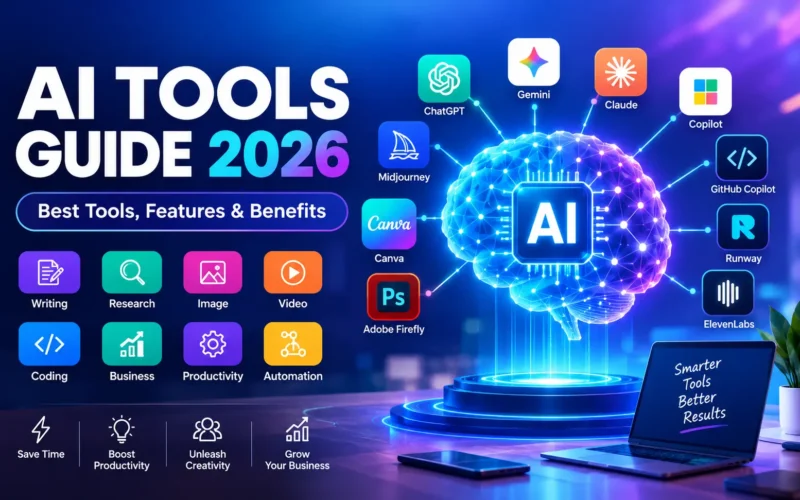
Ai Tools
AI Tools Guide 2026: Best Artificial Intelligence Tools, Features, Uses & Benefits
Hello! I’m Vishal Kumar, the creator of ZeexasTech.com. Welcome to your destination for AI tools, Excel tips, technology tutorials, and smart digital…
Artificial intelligence has become one of the most important technologies in the modern digital world. From writing articles and creating images to analyzing data, developing websites, and automating business operations, AI tools are changing how individuals and organizations complete everyday tasks.
In the past, many activities required specialized knowledge, expensive software, and hours of manual work. Today, AI-powered applications can help people complete similar tasks more efficiently. For example, a business owner can use AI to draft marketing content, a student can organize study notes, a developer can identify programming errors, and a digital marketer can analyze keywords or prepare campaign ideas.
AI tools are software applications that use artificial intelligence technologies to perform tasks, generate content, analyze information, understand language, recognize images, or support decision-making. Some tools focus on a single activity, while others combine multiple capabilities in one platform.
However, choosing the right tool can be challenging because thousands of AI applications are available. Some offer free plans, some require subscriptions, and others are designed for specific professional industries.
This comprehensive guide explains what AI tools are, how they work, the major categories of artificial intelligence software, the best-known tools for different purposes, and how to select the right applications for your needs.
Whether you are a beginner, student, content creator, entrepreneur, developer, or digital marketing professional, understanding AI tools can help you make better decisions and improve your productivity.
AI tools are applications, platforms, and software systems that use artificial intelligence to assist with tasks that typically require human intelligence. These tasks may include understanding language, generating text, recognizing objects in images, summarizing documents, translating languages, writing computer code, and analyzing large amounts of information.
Traditional software generally follows instructions written by developers. AI-powered software can also use trained models to identify patterns, generate predictions, interpret inputs, or create new outputs.
For example, a traditional calculator follows mathematical operations. An AI assistant can interpret a question written in natural language, explain the calculation, and provide additional context.
Similarly, traditional photo-editing software provides tools for manually changing an image. An AI image generator can create a new image from a written description, while an AI editing application can remove unwanted objects or modify selected areas.
AI tools are not limited to chatbots. They include writing assistants, search and research platforms, video generators, voice tools, programming assistants, spreadsheet applications, customer support systems, and automation platforms.
The most suitable tool depends on the problem you want to solve. A person creating YouTube videos may need a different combination of AI applications than someone managing an online store or developing software.
Most modern AI tools rely on machine learning, natural language processing, computer vision, generative AI, or combinations of these technologies.
Machine learning allows computer systems to identify patterns in data and use those patterns to make predictions or perform tasks.
For example, an AI application may analyze previous sales information to estimate future demand. An email system may identify patterns associated with spam messages and automatically filter suspicious emails.
Machine learning is widely used in recommendations, forecasting, fraud detection, and data analysis.
Natural language processing, often called NLP, helps computers process and interpret human language.
NLP capabilities allow applications to summarize documents, translate text, classify customer feedback, extract information from messages, and answer questions.
Many writing assistants, conversational AI applications, and customer support chatbots use language-processing technologies.
Generative AI creates new content based on patterns learned during training and the instructions provided by users.
Depending on the model, it can generate articles, images, computer code, music, speech, presentations, and video content.
For example, a user can describe a product advertisement and ask an image generator to create a visual concept. A writing assistant can prepare an initial article draft from a topic and a set of instructions.
Generated content should still be reviewed because AI systems can produce inaccurate information, repetitive language, or outputs that do not match the intended requirements.
Computer vision allows AI systems to interpret visual information, including photographs, screenshots, scanned documents, and video frames.
Applications include image classification, object detection, document processing, visual search, and assistance with image editing.
Businesses can use computer vision to inspect products, process documents, and organize visual assets.
Large language models, or LLMs, are AI models trained to process and generate language. Some can also work with images, audio, documents, and other types of information.
These models support tasks such as brainstorming, explanation, writing, summarization, research assistance, and coding.
Their responses are not automatically correct simply because they sound convincing. Important claims should be checked against reliable sources, especially when accuracy matters.
Different AI tools solve different problems. Instead of searching for one application that does everything, identify your primary task and select software that performs it well.
ChatGPT, Google Gemini, Claude, and Microsoft Copilot are examples of general-purpose AI assistants. They can support a broad range of everyday and professional activities.
These applications can help users generate ideas, draft documents, summarize information, explain difficult concepts, create outlines, write code, and organize projects.
Common uses include:
The best choice depends on the quality of the responses you need, available features, supported file types, privacy requirements, and subscription costs.
Beginners can start by describing their task clearly and asking the assistant to provide a structured result. For more reliable output, include the intended audience, desired tone, background information, restrictions, and output format.
AI writing tools help users prepare, improve, and organize written content. They are useful for bloggers, marketers, business owners, students, and professional writers.
These tools can generate outlines, suggest headlines, improve grammar, rewrite sentences, summarize information, and adapt content to different audiences.
Examples include ChatGPT, Claude, Grammarly, and specialized writing platforms.
AI writing applications are particularly useful when a person needs to produce multiple content formats. A single product announcement, for example, can be adapted into an email, a social media caption, a short advertisement, and a blog introduction.
However, AI-generated writing often requires human editing. Writers should verify facts, remove unnecessary repetition, include original insights, and make sure the finished content answers the reader’s actual question.
For SEO articles, focus on usefulness and accuracy instead of publishing large volumes of automatically generated text without meaningful review.
SEO professionals use AI tools to support keyword research, content planning, competitor analysis, technical troubleshooting, and content optimization.
Examples include Semrush, Ahrefs, Surfer, Clearscope, and general-purpose assistants such as ChatGPT.
Depending on the platform, SEO tools can help identify keyword opportunities, analyze competing pages, discover content gaps, organize keyword clusters, and evaluate on-page optimization.
AI can also help build a content strategy by grouping related search terms into topic clusters. For example, a website covering AI software might create separate supporting articles about AI writing tools, AI image generators, AI coding assistants, and AI automation.
These articles can link to a central pillar page, creating a clear site structure.
AI can help explain technical SEO concepts, generate draft title tags, review heading structure, and identify potential internal-link opportunities. Nevertheless, generated recommendations should be checked against actual website data and search intent.
No AI tool can guarantee first-page rankings. Search performance also depends on competition, content quality, website accessibility, site reputation, relevance, and many other factors.
AI image generators create visual content from written prompts, reference images, or other supported inputs.
Examples include OpenAI image-generation tools, Midjourney, Adobe Firefly, and Canva’s AI-powered design features.
These applications can help create illustrations, advertising concepts, social media graphics, product mockups, presentation visuals, and website artwork.
A useful prompt explains the subject, environment, composition, lighting, visual style, intended audience, and image dimensions.
For example, a business might request a clean promotional visual showing a modern workspace, a laptop displaying analytics, natural lighting, and a professional color palette.
AI-generated visuals can accelerate creative experimentation, but businesses should check commercial-use terms, intellectual property considerations, brand consistency, and the accuracy of any text appearing inside images.
Images intended for website publishing should also be compressed appropriately and given descriptive alternative text when relevant.
AI video tools assist with producing, editing, and repurposing video content.
Examples include Runway, Synthesia, Descript, CapCut’s AI features, and other video-generation platforms.
Depending on the product, users may be able to generate short clips, create virtual presenters, remove pauses, generate captions, improve audio, translate speech, or convert written scripts into video presentations.
These features are useful for social media managers, educators, businesses, YouTube creators, and marketing agencies.
A practical workflow starts with identifying the audience and objective, writing a script, preparing visuals, recording or generating narration, editing the video, and checking the final result.
AI can speed up production, but good videos still require a clear message, appropriate pacing, accurate information, and a strong opening.
Creators should also respect copyright, platform policies, disclosure requirements, and the rights of people whose voices or likenesses may be used.
AI coding assistants help developers understand code, generate examples, find errors, write tests, and improve development workflows.
Popular examples include GitHub Copilot, Cursor, ChatGPT, Claude, and other code-focused assistants.
These tools can support languages such as HTML, CSS, JavaScript, Python, PHP, and many others, depending on the model and development environment.
A website developer might use AI to create a responsive navigation menu, explain a programming error, generate a database query, or prepare a draft component.
AI can also help beginners understand programming concepts by explaining code step by step.
However, generated code may contain security weaknesses, compatibility issues, performance problems, or incorrect assumptions about a project.
Developers should test the output, review dependencies, validate user inputs, protect credentials, and understand any code they deploy to production.
AI coding tools are assistants rather than replacements for software testing, security reviews, and sound engineering decisions.
AI-powered educational tools can help students organize study materials, understand difficult concepts, practice languages, and prepare revision notes.
Examples include Khan Academy’s Khanmigo, Quizlet’s AI-powered learning features, and general-purpose assistants such as Gemini and ChatGPT.
Depending on the platform, students may use these tools to generate practice questions, explain scientific concepts, create flashcards, or organize a study schedule.
For example, a student studying computer science can ask an AI assistant to explain a programming concept using simple examples and then generate practice exercises.
AI can also support language learning by helping learners understand vocabulary, grammar, sentence structure, and conversational patterns.
The most effective approach is to use AI as a learning partner rather than a shortcut around learning. Students should verify important facts, follow their institution’s academic-integrity rules, and complete assessments honestly.
Research-focused AI applications help users locate information, explore topics, summarize documents, and identify relevant sources.
Examples include Perplexity, Google Gemini, ChatGPT with supported search features, and specialized research platforms.
Some tools provide links to sources alongside generated answers. This can make it easier to investigate claims and discover useful publications.
Researchers, marketers, entrepreneurs, and students can use these tools to prepare preliminary research summaries, compare viewpoints, and identify questions that require further investigation.
A reliable research process should distinguish between original evidence, secondary reporting, and AI-generated summaries.
Always open the cited sources, check publication dates, confirm that the sources actually support the claims, and look for independent confirmation of important information.
AI-generated citations should never be accepted without verification.
AI presentation tools can help transform ideas, documents, or outlines into structured slide decks.
Examples include Gamma, Canva, Microsoft PowerPoint’s Copilot features, and presentation-focused AI applications.
These tools can suggest slide titles, organize key points, generate layouts, and help maintain a consistent visual style.
Business professionals can use them for sales presentations, project updates, marketing proposals, training sessions, and internal reports.
A good presentation should have a clear purpose, a logical sequence, readable text, and visuals that support the message.
AI-generated slides should be reviewed for factual accuracy, design consistency, and unnecessary information. Important business figures should be checked against the original data before a presentation is shared.
AI audio tools can convert text into speech, transcribe recordings, clean background noise, translate spoken content, and support voice production.
Examples include ElevenLabs, Descript, and speech-related features available in other AI platforms.
These tools can help businesses create narration for training videos, educational material, product demonstrations, and marketing content.
Transcription features are useful for turning interviews, meetings, and recorded discussions into searchable text.
Before using synthetic voices or cloning a voice, obtain appropriate permission and comply with applicable laws and platform rules. Generated speech should not be used to impersonate someone deceptively.
Choosing software based on the job to be completed is often more effective than selecting tools based only on popularity.
Digital marketers manage several activities, including content creation, SEO, social media, paid advertising, analytics, and customer communication.
AI can assist with brainstorming campaigns, creating draft advertisements, generating content calendars, summarizing performance data, and preparing reports.
A marketing team might use ChatGPT or Claude for planning and drafting, Canva for graphics, Semrush or Ahrefs for SEO research, and platform-native advertising analytics for campaign evaluation.
The important principle is to assign a clear role to every tool.
For example, a language model may suggest advertising headlines, but actual campaign performance must be measured using real conversion and cost data.
AI should help marketers test better ideas and work more efficiently, not replace measurement or strategic judgment.
Small businesses often have limited time and resources. AI can support customer communication, content planning, document preparation, lead management, and basic reporting.
A local service business could use an AI assistant to draft frequently asked questions, prepare follow-up email templates, create promotional messages, and organize customer inquiries.
A business that receives a large volume of repetitive questions may benefit from an appropriately configured chatbot.
Before implementing automation, identify the task, estimate the time currently spent on it, and determine how success will be measured.
Businesses should also decide which activities require human approval, especially when a response concerns pricing, refunds, contracts, or sensitive customer information.
Online stores can use AI for product-description drafts, customer-support assistance, review categorization, content personalization, and inventory analysis.
For example, an AI system can help categorize customer feedback into common themes such as delivery delays, product quality, sizing, or packaging.
Store owners can then use this information to identify areas that need improvement.
AI-generated product descriptions must accurately represent the product. Never invent specifications, guarantees, materials, compatibility details, or customer experiences.
For inventory and sales forecasting, use reliable historical data and consider seasonal patterns, stock limitations, and unexpected changes in demand.
Freelancers can use AI to support proposals, client communication, project planning, research, and the delivery of routine work.
A writer might use AI to prepare an outline. A developer might use it to review code. A designer might use it to explore creative directions. A marketing consultant might use it to prepare a reporting template.
Freelancers should protect confidential client information and review contractual requirements before entering project materials into third-party AI services.
The strongest professional advantage comes from combining AI-assisted productivity with specialized knowledge, communication, reliability, and measurable results.
Content creators often need to produce videos, articles, graphics, newsletters, and social media posts consistently.
AI can help them brainstorm topics, create scripts, summarize research, prepare captions, and adapt one idea into multiple formats.
For example, a detailed article can become a short video script, a newsletter summary, several social media posts, and a set of discussion questions.
Each version should be adapted to its platform instead of simply copying the same content everywhere.
Creators should preserve their original perspective, check factual claims, and avoid publishing material that misleads audiences or infringes on others’ rights.
Many AI applications offer a free tier, a limited trial, or a paid subscription. The best option depends on how frequently you use the software and which features you need.
Free plans can be suitable for beginners, students, hobbyists, and small businesses testing an idea.
Potential benefits include:
However, free plans may impose usage limits, restrict advanced features, offer limited storage, or change their availability over time.
Paid plans may provide higher usage limits, access to more capable models, advanced integrations, team features, or additional administrative controls.
For professionals who use AI daily, these features may save enough time to justify the subscription.
Before paying, check whether the plan includes the features you actually need. Consider usage caps, renewal terms, export options, integration support, and the treatment of uploaded data.
Start with a specific task rather than buying multiple subscriptions immediately.
For example, if your main requirement is article research, test a small number of suitable tools using the same research questions. Compare the accuracy, usefulness, time required, and limitations of the results.
Upgrade only when a paid feature solves a real problem.
Prices and free-plan limits change regularly, so check the provider’s official pricing page before making a purchase.
Selecting an AI application requires more than comparing feature lists. A tool that works well for one user may be unsuitable for another.
Write down the task you want to improve.
Examples include writing website content, generating images, summarizing meetings, analyzing spreadsheets, creating videos, or automating customer follow-ups.
A clearly defined objective makes it easier to compare relevant tools.
Confirm that the application supports the formats, languages, integrations, and workflows you require.
A video editor may offer automatic captions but lack the export options needed for your project. An AI assistant may support document analysis but impose limits on file size or usage.
Review the actual features before committing.
Test the tool using realistic tasks.
Check whether the output is relevant, complete, factually sound, and easy to revise. For technical or research tasks, verify claims using authoritative sources.
A polished response is not necessarily a correct response.
Consider the total cost rather than only the advertised monthly price.
Some services charge based on usage, credits, processing time, or API consumption. Other expenses may include integrations, hosting, storage, and maintenance.
Understand what happens to the information you upload.
Review data-retention policies, model-training settings, access controls, and available contractual protections. Avoid entering passwords, financial account details, sensitive customer records, or confidential business information into tools that have not been approved for such use.
The best tool is one that your team can use consistently.
Consider the learning curve, documentation, customer support, integration options, and ability to export your work.
Compare the tool’s performance with your existing process.
Track time saved, error rates, output quality, cost per completed task, or customer satisfaction, depending on the application.
Use the results to decide whether the tool should become part of your regular workflow.
AI tools generally produce more useful results when instructions are specific and relevant context is provided.
A prompt is the instruction or question supplied to an AI system.
Instead of writing, “Write an article about AI,” provide a more precise request:
“Create a beginner-friendly article about AI tools for small businesses. Explain common use cases, selection criteria, benefits, limitations, and privacy considerations. Use clear headings and practical examples.”
The second prompt defines the audience, topic, scope, and structure.
Explain the project, audience, objective, and limitations.
For a marketing task, useful context might include the target customer, product category, brand voice, campaign goal, and available budget.
Avoid providing unnecessary personal or confidential information.
Tell the AI whether you need a checklist, table, outline, email, report, script, or step-by-step explanation.
This reduces the amount of editing required after generation.
Treat the first result as a draft.
Ask follow-up questions to clarify weak sections, identify missing information, improve readability, or adapt the output to a different audience.
For factual content, verify important claims independently.
When a task occurs regularly, develop a consistent process.
For example, a weekly reporting workflow could collect performance data, summarize changes, identify unusual results, draft recommendations, and require human approval before sending the report.
Repeatable workflows are easier to evaluate and improve than isolated experiments.
AI automation combines artificial intelligence with software integrations and workflow rules to reduce repetitive manual work.
Automation platforms can connect applications, move data between systems, trigger notifications, and execute predefined actions. AI can be added to tasks that require classification, summarization, content generation, or interpretation.
Examples of workflow automation platforms include n8n, Zapier, and Make. Their features, pricing, and deployment options differ.
Lead qualification: An incoming inquiry can be categorized according to its service requirements, budget information, and urgency. A team member can review the classification before deciding how to respond.
Customer support: A chatbot can answer approved frequently asked questions and direct complicated cases to a human representative.
Content workflows: A system can collect topic ideas, create draft outlines, and notify an editor when content is ready for review.
Reporting: Automated workflows can collect supported metrics and prepare draft summaries for management.
Review management: AI can classify customer reviews and draft suggested responses for approval before publication.
Appointment reminders: Connected systems can prepare reminders or send them under clearly defined rules and customer-consent requirements.
Start by documenting the existing process. Identify the trigger, required information, actions, possible errors, and final outcome.
Next, connect the necessary applications and configure the workflow rules. Add AI only where language understanding or content generation provides a clear advantage.
Test the system using ordinary cases and unusual inputs. Include safeguards for duplicate records, failed connections, incorrect classifications, and unexpected AI responses.
Finally, monitor the workflow and establish a process for correcting errors.
Automation should improve reliability and reduce unnecessary effort. It should not simply make an unreliable process run faster.
AI tools offer several potential advantages when they are selected and implemented appropriately.
AI can accelerate drafting, summarization, research preparation, and other repetitive activities. This allows people to spend more time on complex decisions and high-value work.
AI can suggest alternative headlines, visual concepts, campaign themes, and approaches to a problem.
These suggestions can help users explore possibilities, although the final creative direction should reflect the intended audience and objectives.
Speech-to-text, text-to-speech, translation, summarization, and language-assistance features can make information easier to access for different users.
AI can help organize large amounts of text, classify feedback, and identify patterns that deserve further investigation.
The accuracy of the analysis depends on the quality of the input, the suitability of the model, and the validation process.
Small organizations can use AI to assist with activities that might otherwise require additional time or specialist support.
However, the software still requires configuration, review, maintenance, and appropriate oversight.
AI can reduce the time required to create an initial prototype, test a content idea, or explore different approaches.
This makes it easier to evaluate concepts before committing significant resources.
AI technology can be valuable, but it has limitations that users should understand.
AI systems can produce incorrect statements, outdated details, invented references, or misleading summaries.
Verify important information against reliable primary sources, especially for technical, legal, financial, and medical topics.
Uploading personal, customer, or confidential information can create risks if the platform’s data-handling practices are unsuitable.
Review the provider’s policies and use approved business arrangements where necessary.
AI models can reproduce biases present in their training data or in the information supplied to them.
For important decisions affecting people, use appropriate evaluation, human oversight, and established fairness procedures.
The legal treatment of AI-generated content varies by jurisdiction and circumstances. Training data, input material, output similarity, and commercial-use terms may all matter.
Review the relevant provider terms and applicable laws before using AI-generated material commercially.
Relying entirely on AI can reduce the opportunity for people to identify errors, challenge assumptions, and apply professional judgment.
Keep human review in workflows where mistakes could have significant consequences.
AI applications frequently update their capabilities, usage limits, and prices.
Review your tools periodically and maintain alternative workflows for important business operations.
AI is increasingly used in SEO workflows, but successful optimization still requires understanding users and producing useful content.
AI can help brainstorm related queries, identify potential search intents, and organize keywords into topic clusters.
Use established keyword research tools and actual search data to validate search demand and competition.
An AI assistant can help develop pillar-page outlines, supporting article ideas, frequently asked questions, and internal-link suggestions.
Editors should make sure each page has a distinct purpose and provides meaningful information.
AI can suggest title tags, meta descriptions, heading structures, image alt text, and content improvements.
These suggestions should be checked for accuracy, relevance, readability, and consistency with the actual page.
AI can help explain crawl errors, review code snippets, suggest redirects, and interpret technical documentation.
However, technical changes should be tested carefully. Incorrect redirects, robots.txt rules, canonical tags, or structured data can create problems if deployed without review.
AI can identify relevant relationships between articles and suggest contextual links.
For example, an AI Tools pillar page can link to dedicated pages about AI writing tools, AI image generators, AI coding assistants, and AI automation platforms.
Internal links should help readers navigate naturally and understand the relationship between topics.
AI-generated content is not automatically successful or unsuccessful in search results simply because AI was used.
The important considerations include the content’s usefulness, originality, reliability, relevance, and compliance with applicable search policies.
Publishing large volumes of unhelpful pages with the primary aim of manipulating rankings can create search-quality risks regardless of the method used to produce them.
For long-term SEO growth, use AI to support research and drafting while ensuring that the finished page contains accurate information, meaningful examples, appropriate expertise, and genuine value for readers.
You do not need to learn every AI application at once. A focused learning plan is usually more practical.
Begin with an accessible AI assistant. Practice asking questions, summarizing text, generating outlines, and improving drafts.
Learn how to provide context and how to verify answers.
Select an application that supports your main objective.
For example, a blogger could learn an SEO research tool, a designer could experiment with an image generator, and a developer could explore an AI coding assistant.
Use the tool to finish a meaningful task, such as preparing a content calendar, producing a draft presentation, or analyzing a spreadsheet.
Real projects reveal limitations that are not obvious from demonstrations.
Measure the output against your previous workflow. Evaluate accuracy, editing time, ease of use, and cost.
After becoming comfortable with individual tools, explore integrations and workflow automation.
Start with a low-risk task before connecting AI to customer-facing or business-critical systems.
AI capabilities change frequently. Follow official product documentation, release notes, and credible technical publications.
Prioritize skills that solve real problems instead of chasing every new tool.
Several common mistakes prevent users from getting the full benefit of AI.
Using vague prompts: Broad instructions often produce generic results. Include the objective, audience, context, and required format.
Trusting every answer: Fluent language does not guarantee factual accuracy. Verify important claims.
Buying too many subscriptions: Test tools against actual requirements before paying for multiple overlapping services.
Publishing unedited content: Review generated articles, images, and marketing materials for accuracy, originality, tone, and relevance.
Ignoring privacy: Never assume that every AI service is appropriate for confidential information.
Automating without testing: Check workflows for unexpected inputs, failures, duplicate actions, and incorrect outputs.
Ignoring the audience: AI-generated content should answer the reader’s needs rather than simply repeat keywords.
Failing to measure results: Track meaningful outcomes so you can identify which tools actually improve productivity or performance.
AI tools are continuing to develop across writing, software development, design, business operations, education, and research.
One important direction is multimodal AI, which allows systems to work with combinations of text, images, audio, and video.
Another is the growth of AI agents and workflow systems that can carry out sequences of tasks with varying levels of autonomy. Their practical usefulness depends on the tools they can access, the permissions they receive, and the reliability of their decisions.
Businesses are also exploring more specialized AI applications designed around industry-specific information and workflows.
At the same time, data protection, security, accountability, copyright, and output reliability remain important considerations.
The most useful developments will not necessarily be the applications with the largest number of features. Tools that integrate well with existing workflows, provide dependable results, and solve clear problems can deliver more practical value.
For individuals and organizations, the best approach is to build a strong understanding of AI fundamentals, evaluate tools carefully, and keep human judgment involved where it matters.
AI tools are software applications that use artificial intelligence to assist with tasks such as writing, research, image generation, coding, data analysis, translation, and automation.
A general-purpose assistant such as ChatGPT, Google Gemini, or Claude can be a practical starting point. The best option depends on your preferred features, budget, and intended use.
Yes. Many AI services offer free tiers or limited access. Features, usage limits, and availability vary, so check the official provider’s terms.
General-purpose assistants and specialized writing applications can help with outlines, drafts, rewriting, grammar, and summaries. Choose a tool based on your writing needs and review the final content carefully.
SEO platforms such as Semrush, Ahrefs, Surfer, and Clearscope can support different aspects of keyword research, competitor analysis, and content optimization. General-purpose assistants can complement them with planning and drafting.
Yes. AI image-generation applications can create images from prompts and, where supported, edit existing visuals. Always review commercial-use terms and verify the final image.
Some AI tools can generate video clips, create presenter-led content, transcribe speech, add captions, and automate editing tasks. Capabilities and output quality vary by platform.
AI tools can help students understand concepts, practice skills, organize notes, and prepare revision materials. Students should verify information and follow their institution’s academic-integrity policies.
Yes. Businesses can use AI for drafting content, organizing inquiries, preparing reports, supporting customer service, and automating repetitive workflows.
AI can automate or assist with particular tasks, but its suitability varies by job and context. Human judgment, accountability, domain knowledge, communication, and oversight remain important.
AI can support content creation, but the finished content should be helpful, accurate, relevant, and original in its contribution. Automatically generating large quantities of low-value pages can create quality and policy risks.
Safety depends on the application, its permissions, the information provided, and how its outputs are used. Review privacy policies, protect sensitive data, and verify important results.
Many AI tools work through simple text prompts or graphical interfaces. Programming knowledge is helpful for advanced integrations, API usage, custom applications, and complex automation.
An AI tool helps perform a task, while AI automation connects tools and systems into a workflow that can execute multiple actions with reduced manual involvement.
Identify your primary task, compare relevant features, test output quality, review privacy and pricing, and measure the results. Select the tool that best fits your real requirements.
Paid tools may offer advanced capabilities, higher limits, or additional controls. However, a free tool may be sufficient for occasional tasks. Evaluate actual performance instead of assuming that a paid plan is always necessary.
Yes. AI coding assistants can help draft HTML, CSS, JavaScript, and other code, explain errors, and suggest improvements. Generated code should be tested and reviewed for security and compatibility.
AI agents are systems designed to pursue goals by performing sequences of actions, often using external tools or integrations. Their autonomy, permissions, and reliability differ across implementations.
Review your tools whenever your requirements change and periodically check pricing, features, privacy terms, and output quality. Regular evaluation helps prevent unnecessary spending and outdated workflows.
Start with official product documentation, practical tutorials, technical guides, and trustworthy research publications. On ZeexasTech, readers can explore related guides about AI applications, SEO tools, coding assistants, productivity software, and business automation.
AI tools are becoming useful resources for individuals, professionals, students, creators, and businesses. They can help with writing, research, design, programming, search engine optimization, video production, data analysis, and workflow automation.
However, the value of AI depends on selecting the right application and using it responsibly. Free and paid tools have different capabilities, and no single platform is ideal for every task.
Start with a clearly defined problem, test a suitable tool, verify the results, and measure the improvement. Add automation only when the underlying process is reliable and appropriate safeguards are in place.
For SEO professionals and website owners, AI can support research, content planning, internal linking, and technical problem-solving. Long-term success still requires useful content, reliable information, a well-organized website, and a focus on the needs of real users.
Continue exploring AI tools and practical technology guides on ZeexasTech to discover new ways to improve productivity, learn technical skills, and make informed decisions about artificial intelligence.
Hello! I’m Vishal Kumar, the creator of ZeexasTech.com. Welcome to your destination for AI tools, Excel tips, technology tutorials, and smart digital…
I’m Vishal Kumar, the founder of ZeexasTech.com, a platform built around my passion for technology, learning, and digital innovation. I believe technology…
Welcome to ZeexasTech.com, your trusted destination for technology, AI tools, Microsoft Excel tutorials, digital productivity, and the latest tech insights. I’m Vishal…
Welcome to ZeexasTech.com, your trusted destination for technology, AI tools, Microsoft Excel tutorials, digital productivity, and the latest tech insights. I’m Vishal…
Hi, I’m Vishal Kumar, and welcome to ZeexasTech.com! I’m passionate about technology, artificial intelligence, Microsoft Excel, and digital innovation. I created this…
Welcome to ZeexasTech.com, your online resource for AI tools, Microsoft Excel tutorials, technology guides, productivity tips, and digital solutions. I’m Vishal Kumar,…
Hello! I’m Vishal Kumar, the creator of ZeexasTech.com. Welcome to your destination for AI tools, Excel tips, technology tutorials, and smart digital…
I’m Vishal Kumar, the founder of ZeexasTech.com, a platform built around my passion for technology, learning, and digital innovation. I believe technology…
Welcome to ZeexasTech.com, your trusted destination for technology, AI tools, Microsoft Excel tutorials, digital productivity, and the latest tech insights. I’m Vishal…
Hi, I’m Vishal Kumar, and welcome to ZeexasTech.com! I’m passionate about technology, artificial intelligence, Microsoft Excel, and digital innovation. I created this…