Hello! I’m Vishal Kumar, the creator of ZeexasTech.com.
Welcome to your destination for AI tools, Excel tips, technology tutorials, and smart digital solutions. My aim is to simplify complex topics and share practical knowledge that helps you learn faster, boost productivity, and stay ahead in the digital world.
ZeexasTech.com — Learn Technology. Work Smarter. Grow Faster.
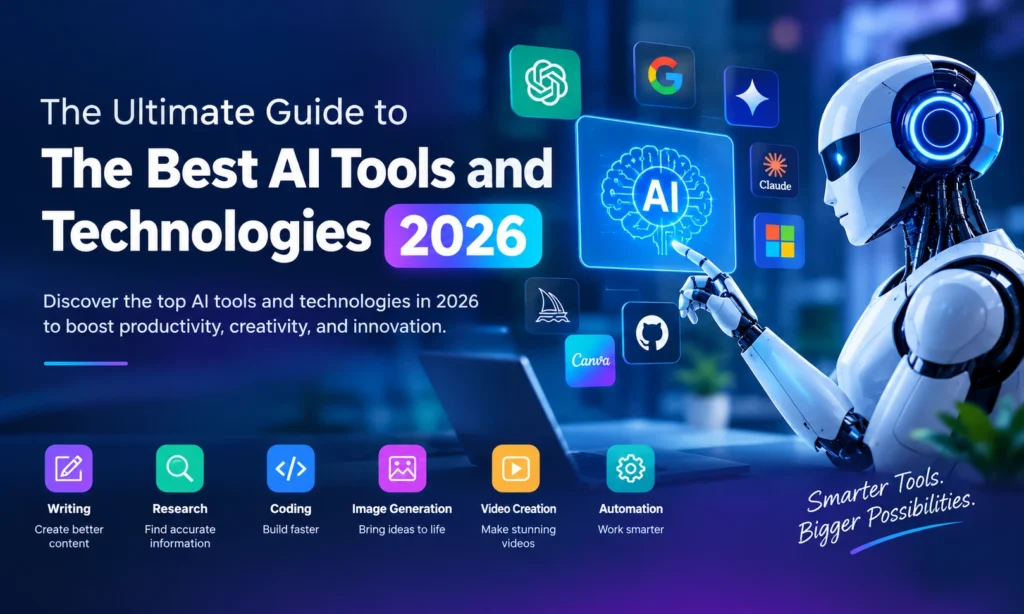
Artificial intelligence (AI) is transforming the way people work, learn, create content, build businesses, analyze data, and solve everyday problems. In 2026, AI technologies have become an increasingly important part of modern digital life, helping individuals and organizations automate repetitive tasks, improve productivity, generate creative ideas, and make better-informed decisions.
From AI writing assistants and image generators to coding copilots, research platforms, and business automation systems, there are more AI tools available than ever before. However, choosing the right tool can be challenging because every platform offers different features, pricing plans, integrations, and capabilities.
Whether you are a student, blogger, freelancer, developer, marketer, entrepreneur, or business owner, understanding the best AI tools and technologies can help you save time and achieve better results.
In this ultimate guide, we will explore the most useful AI tools in 2026, explain how they work, compare their applications, discuss emerging AI technologies, and show you how to choose the right solutions for your needs.
What Are AI Tools and Technologies?
AI tools are software applications that use artificial intelligence to perform tasks that traditionally require human intelligence. These tasks can include understanding language, generating text and images, recognizing patterns, analyzing information, writing code, processing audio, and supporting decision-making.
AI technologies are the underlying methods and systems that make these applications possible. They include machine learning, deep learning, natural language processing, computer vision, generative AI, and autonomous AI agents.
For example, an AI writing assistant can help draft a blog post, while the machine learning models and language-processing technologies behind it help interpret instructions and generate relevant text.
AI tools are useful because they can accelerate workflows, support creative thinking, and reduce the amount of manual effort required for many digital tasks. However, their results still need human review, especially when accuracy, originality, privacy, or professional judgment matters.
Why AI Tools Are Important in 2026
AI is no longer limited to research laboratories or large technology companies. It is increasingly accessible to individuals, startups, educational institutions, and organizations of different sizes.
Here are some important reasons to explore AI tools in 2026.
1. Improved Productivity
AI assistants can summarize documents, organize information, draft emails, generate reports, and help users complete routine tasks more efficiently.
Instead of starting every task from scratch, users can provide instructions and context to produce an initial draft or suggested solution.
2. Faster Content Creation
Bloggers, marketers, and content creators can use AI to brainstorm topics, create outlines, edit articles, develop social media captions, and generate visual concepts.
Human editing remains important for factual accuracy, originality, brand voice, and audience trust.
3. Better Data Analysis
AI-powered analytics tools can help users identify patterns, explain trends, summarize datasets, and develop ideas for further investigation.
These capabilities can be valuable for businesses, researchers, students, and professionals working with large amounts of information.
4. Support for Software Development
AI coding assistants can explain unfamiliar code, suggest functions, identify potential errors, generate tests, and help developers understand programming concepts.
They can accelerate development, but their output must be tested and reviewed for security, reliability, and correctness.
5. More Accessible Learning
AI tutors and conversational assistants can explain complicated topics, provide practice questions, create study plans, and adapt explanations to different levels of understanding.
They can supplement education, although they should not replace reliable learning materials or qualified instructors where those are necessary.
6. Business Automation
AI automation platforms can connect applications, process incoming information, generate summaries, and trigger workflows based on defined conditions.
When implemented carefully, these systems can reduce repetitive work and allow employees to focus on tasks that require human judgment.
Best AI Tools in 2026
The best AI tool depends on your goals, budget, preferred workflow, and the type of work you perform. Some platforms are designed for general assistance, while others specialize in writing, design, programming, research, or automation.
The following tools are worth considering for different use cases.
1. ChatGPT — Best for General AI Assistance
ChatGPT is a versatile AI assistant that can help with writing, brainstorming, learning, coding, research support, planning, and data-related tasks.
It is useful for people who want one platform that can support a wide range of everyday activities.
Key features and uses:
- Drafting and editing articles, emails, and reports.
- Explaining concepts in simple language.
- Brainstorming ideas and creating structured outlines.
- Assisting with programming and debugging.
- Analyzing supported documents and data.
- Helping organize projects and workflows.
Best for: Students, bloggers, professionals, developers, and small businesses.
Example: A blogger can use ChatGPT to generate article ideas, prepare an outline, draft sections, create frequently asked questions, and develop a list of relevant keywords for further research.
The final article should still be fact-checked, edited, and improved with original insights.
2. Google Gemini — Best for Google Ecosystem Workflows
Google Gemini is an AI assistant designed to support writing, reasoning, information processing, and a range of productivity tasks. Its usefulness can be especially strong for people who work within Google’s ecosystem, depending on the features available in their account and plan.
Key features and uses:
- Drafting and rewriting content.
- Summarizing supported information.
- Assisting with research and idea development.
- Helping with coding and problem-solving.
- Supporting selected Google Workspace workflows where available.
Best for: Students, professionals, researchers, and teams using Google services.
Example: A professional preparing a presentation can use Gemini to develop an initial outline, summarize source material, and improve explanations before building the final slides.
Always verify factual claims and check which integrations are included in your plan.
3. Claude — Best for Long Documents and Writing Support
Claude is an AI assistant from Anthropic that can help with writing, document analysis, coding, reasoning, and summarization.
It is worth evaluating when your work involves substantial amounts of text or requires careful organization of complex material.
Key features and uses:
- Summarizing lengthy documents.
- Improving the structure and clarity of writing.
- Comparing information across supplied materials.
- Assisting with programming tasks.
- Developing plans, explanations, and detailed drafts.
Best for: Writers, analysts, researchers, and software developers.
Example: A researcher can provide supported documents and ask Claude to summarize their central arguments, identify differences, and produce a structured set of questions for further investigation.
Important conclusions should be checked against the original sources rather than accepted solely because the response sounds convincing.
4. Microsoft Copilot — Best for Microsoft Productivity Workflows
Microsoft Copilot brings AI assistance into selected Microsoft products and workflows. Depending on the version and subscription, it can help users work with documents, spreadsheets, presentations, emails, and other business information.
Key features and uses:
- Drafting and rewriting documents.
- Summarizing supported email conversations.
- Helping analyze spreadsheet data.
- Developing presentation outlines.
- Supporting selected Microsoft 365 workflows.
Best for: Office users, business professionals, and organizations using Microsoft products.
Example: An Excel user might use an AI assistant to understand a formula, suggest ways to summarize a dataset, or explain a chart.
Availability varies by product, account type, subscription, and administrator settings.
5. Perplexity — Best for AI-Assisted Research
Perplexity is an AI-powered answer and research platform that emphasizes responses supported by linked sources.
It can be useful when you want to explore a topic, discover relevant webpages, or develop an initial understanding of a subject.
Key features and uses:
- Exploring questions through web-oriented research.
- Finding sources for further reading.
- Summarizing information from linked material.
- Comparing viewpoints and explanations.
- Supporting preliminary market or topic research.
Best for: Students, writers, researchers, and professionals who regularly investigate unfamiliar topics.
Example: A blogger researching AI productivity tools can use Perplexity to identify potentially relevant sources, compare product claims, and build a research checklist.
Citations are a starting point, not a guarantee of accuracy. Open the original pages, confirm that they support the claims, and prioritize authoritative and recent sources.
6. Grammarly — Best for Writing and Editing
Grammarly provides writing assistance for grammar, spelling, clarity, tone, and related communication tasks. Its available AI features depend on the product and plan.
Key features and uses:
- Correcting grammar and spelling.
- Improving sentence clarity.
- Adjusting tone for different audiences.
- Refining professional emails.
- Reviewing readability and word choice.
Best for: Students, professionals, marketers, and people who write frequently.
Example: After drafting an article, a writer can use Grammarly to identify awkward sentences and improve readability while preserving the original meaning.
AI editing should support your voice rather than make every piece of writing sound generic.
7. Jasper — Best for Marketing Content
Jasper is an AI platform focused on marketing and business content workflows.
It can help teams develop campaign ideas, create initial copy, and adapt messages for different channels.
Key features and uses:
- Creating marketing copy.
- Developing campaign concepts.
- Drafting product descriptions.
- Adapting content for different audiences.
- Supporting brand-oriented writing workflows.
Best for: Marketing teams, agencies, and businesses producing content at scale.
Example: A marketing team can develop a campaign brief and use an AI writing platform to generate several draft headlines, email concepts, and social media variations.
Before publishing, review every draft for brand accuracy, unsupported claims, originality, and audience relevance.
8. Canva AI — Best for Graphic Design and Visual Content
Canva offers accessible design tools alongside AI-assisted features for supported creative workflows. It is useful for people who want to create visual content without needing advanced graphic design skills.
Key features and uses:
- Designing social media graphics.
- Creating presentation layouts.
- Producing marketing materials.
- Developing visual concepts from prompts.
- Editing and adapting supported design elements.
Best for: Bloggers, educators, marketers, small businesses, and content creators.
Example: A blogger can design a featured image for an article about artificial intelligence, then create matching graphics for social media.
Review generated text, visual consistency, image rights, and branding before publishing commercial designs.
9. Midjourney — Best for AI Image Generation
Midjourney is an AI image-generation platform known for creating visual concepts from text prompts.
It can be valuable when a project requires imaginative illustrations, stylized artwork, concept images, or distinctive visual directions.
Key features and uses:
- Generating illustrations from prompts.
- Exploring artistic styles.
- Creating concept art.
- Developing visual references.
- Producing creative assets for selected projects.
Best for: Designers, artists, creative professionals, and visual content creators.
Example: A content creator writing about future technology can develop a futuristic illustration showing a digital workspace with AI-powered devices.
Generated images may require refinement, and users should review current licensing and commercial-use terms before using them in business projects.
10. Adobe Firefly — Best for AI-Assisted Creative Workflows
Adobe Firefly provides generative AI capabilities for creative work, including supported image-generation and editing tasks. Its integration with Adobe products makes it worth considering for users already working with Adobe’s creative software.
Key features and uses:
- Generating images from text prompts.
- Exploring visual concepts.
- Editing and extending supported images.
- Developing creative variations.
- Supporting selected design workflows.
Best for: Designers, photographers, marketing teams, and creative professionals.
Example: A designer can develop several background concepts for a promotional graphic, then refine the preferred result in a suitable design application.
Review output quality, licensing terms, and any applicable usage restrictions before publishing.
11. GitHub Copilot — Best for AI-Assisted Coding
GitHub Copilot helps developers write and understand code through AI-assisted suggestions and related programming features.
It can reduce repetitive coding work and help programmers explore possible solutions.
Key features and uses:
- Suggesting code as you type.
- Generating functions and code snippets.
- Explaining unfamiliar code.
- Assisting with test creation.
- Supporting selected development workflows.
Best for: Software developers, engineering teams, and programming learners.
Example: A developer creating a website can use a coding assistant to draft a form-validation function, generate test cases, and investigate possible errors.
Developers must review suggestions, test behavior, protect secrets, and check for security vulnerabilities. AI-generated code is not automatically safe or correct.
12. Cursor — Best for AI-Assisted Software Projects
Cursor is an AI-focused code editor designed to support development across codebases.
It can be useful when you want assistance that considers surrounding files and the broader structure of a software project, subject to the editor’s current capabilities and configuration.
Key features and uses:
- Navigating and understanding codebases.
- Generating or editing code.
- Investigating errors.
- Assisting with refactoring.
- Supporting multi-file development tasks.
Best for: Developers, startup teams, and software engineers.
Example: A developer maintaining an existing application can ask an AI coding tool to explain how several components interact before making a carefully reviewed change.
Use version control, automated tests, and code review to reduce the risk of unintended changes.
13. Notion AI — Best for Notes and Knowledge Management
Notion AI supports writing and information-management workflows within Notion, depending on the available plan and features.
It can help teams organize knowledge, summarize notes, and develop structured documentation.
Key features and uses:
- Summarizing meeting notes.
- Drafting documentation.
- Organizing project information.
- Rewriting and improving text.
- Supporting knowledge-management workflows.
Best for: Students, project managers, freelancers, and teams that use Notion.
Example: A project manager can turn rough meeting notes into a structured summary containing key decisions, unresolved questions, and proposed next steps.
Sensitive information should be handled according to your organization’s data policies.
14. Zapier — Best for No-Code AI Automation
Zapier connects supported applications and automates workflows using triggers, actions, and integrations. AI features can add classification, summarization, and content-processing steps to suitable workflows.
Key features and uses:
- Connecting business applications.
- Automating repetitive data entry.
- Routing incoming requests.
- Processing supported text-based information.
- Triggering actions when predefined conditions are met.
Best for: Small businesses, operations teams, freelancers, and nontechnical users.
Example: A business could create a workflow that receives a customer inquiry, categorizes the request, and routes it to the appropriate team for review.
Automation should include safeguards for errors, sensitive information, and actions that require human approval.
15. ElevenLabs — Best for AI Voice and Audio
ElevenLabs provides AI audio tools, including text-to-speech and other voice-related capabilities.
It can help creators develop narration and audio assets for suitable projects.
Key features and uses:
- Generating spoken narration from text.
- Producing audio for videos.
- Creating voiceovers for educational materials.
- Supporting selected multilingual audio workflows.
- Developing audio prototypes.
Best for: Video creators, educators, podcasters, and businesses producing audio content.
Example: A creator can prepare a script for a software tutorial and use synthetic narration to develop an initial audio track.
Use appropriate permissions when creating or cloning voices, and disclose synthetic media when required by applicable rules or audience expectations.
16. Runway — Best for AI Video Creation
Runway offers AI-assisted video and creative production tools. Its capabilities can help users experiment with generating, editing, and transforming video content.
Key features and uses:
- Exploring video concepts from prompts.
- Creating short visual sequences.
- Developing creative storyboards.
- Experimenting with video editing workflows.
- Producing assets for selected creative projects.
Best for: Video creators, designers, marketing teams, and filmmakers.
Example: A marketing team can prototype a short product-promotion sequence before investing in a full production.
Generated video may contain visual inconsistencies, so review movement, continuity, text, and factual details carefully.
17. NotebookLM — Best for Working With Your Sources
NotebookLM is a Google research and learning tool designed to help users work with supplied source materials, subject to supported source formats and current product capabilities.
It is particularly useful for exploring a defined collection of documents rather than relying exclusively on general-purpose responses.
Key features and uses:
- Summarizing supplied sources.
- Exploring questions about source material.
- Organizing information for research.
- Preparing study notes.
- Supporting source-grounded learning workflows.
Best for: Students, educators, researchers, and professionals working with collections of documents.
Example: A student can add supported course readings and use the tool to prepare a topic summary and a list of questions for revision.
Check important statements against the original material, especially when the source documents contain conflicting or incomplete information.
18. Make — Best for Visual Workflow Automation
Make is a visual automation platform that allows users to connect applications and design workflows. It can be useful for coordinating multi-step processes that combine data, applications, and AI services.
Key features and uses:
- Building visual automation scenarios.
- Moving information between supported services.
- Connecting AI APIs to business workflows.
- Processing and routing data.
- Coordinating multi-step tasks.
Best for: Small businesses, operations specialists, agencies, and automation builders.
Example: An agency could automate the initial processing of content requests, organize the supplied details, and notify a team member when a draft is ready for review.
Complex workflows should be tested for failures, duplicate actions, access permissions, and unexpected costs.
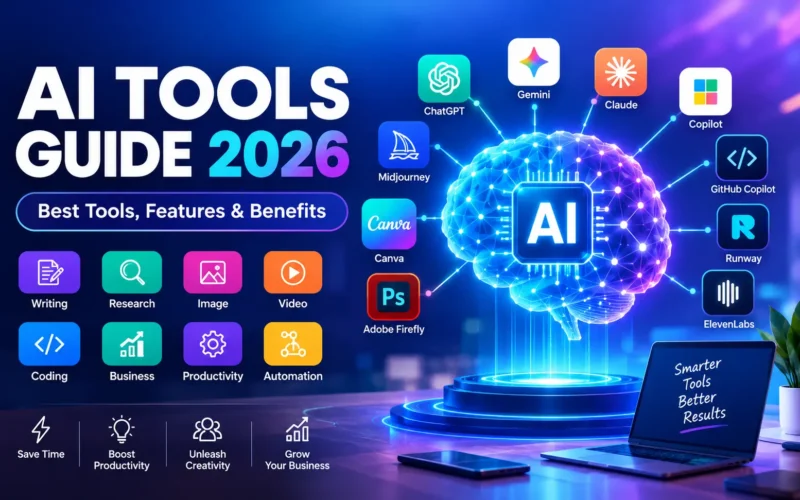
Best AI Tools Comparison Table
The following table summarizes the main strengths of the tools covered in this guide.
| AI Tool | Primary Use | Best For |
|---|---|---|
| ChatGPT | General assistance | Everyday productivity |
| Google Gemini | AI assistance and Google workflows | Google users |
| Claude | Writing and document analysis | Long-form work |
| Microsoft Copilot | Office productivity | Microsoft users |
| Perplexity | AI-assisted research | Research and discovery |
| Grammarly | Writing improvement | Editing and communication |
| Jasper | Marketing content | Marketing teams |
| Canva AI | Graphic design | Visual content creation |
| Midjourney | Image generation | Creative artwork |
| Adobe Firefly | Generative design | Creative professionals |
| GitHub Copilot | Coding assistance | Software developers |
| Cursor | AI-assisted coding | Codebase development |
| Notion AI | Notes and documentation | Knowledge management |
| Zapier | App automation | Business workflows |
| ElevenLabs | Voice and audio | Narration and audio |
| Runway | Video generation and editing | Video production |
| NotebookLM | Source-based research | Learning and documents |
| Make | Visual automation | Multi-step workflows |
Features, integrations, usage limits, and pricing can change. Always check official product information before choosing a paid subscription.
Emerging AI Technologies to Know in 2026
Understanding individual tools is only part of the picture. Several underlying technologies are influencing how AI systems are developed and used.
1. Generative AI
Generative AI produces new content based on patterns learned from training data and other information available to a model.
Depending on the system, it can generate text, images, audio, video, code, or other outputs.
Common applications include:
- Blog and marketing drafts.
- Digital illustrations.
- Software development.
- Educational content.
- Audio narration.
- Creative prototyping.
Generative AI is useful for producing initial drafts and exploring alternatives, but its output may contain errors, biases, or material that requires rights and originality checks.
2. AI Agents
AI agents are systems designed to pursue goals through a sequence of steps. Depending on their design, they may use tools, inspect results, maintain task context, and decide what action to take next.
For example, a research agent might collect information from permitted sources, organize findings, and prepare a summary for a person to review.
Agents can help with complex workflows, but their autonomy also introduces risks. Systems should have clearly defined permissions, spending limits, monitoring, and approval requirements for consequential actions.
3. Multimodal AI
Multimodal AI systems can process or generate more than one type of information, such as text, images, audio, or video.
This can make AI assistants more useful for tasks involving multiple formats.
For example, a user might ask a supported system to analyze a chart image, explain a spoken question, or summarize a video using its available visual and audio information.
The actual capabilities depend on the model and product.
4. Retrieval-Augmented Generation
Retrieval-augmented generation, commonly called RAG, combines a language model with a mechanism for retrieving relevant information from external or supplied knowledge sources.
Instead of relying only on information learned during training, a RAG system can use retrieved documents to help formulate a response.
Businesses may use this approach to build internal knowledge assistants that answer questions using approved documentation.
RAG can improve relevance and traceability, but it does not eliminate mistakes. Retrieval quality, document permissions, source freshness, and response validation remain important.
5. Small Language Models and On-Device AI
Small language models are designed to operate with fewer computational resources than many larger models.
Some AI tasks can also run locally on personal devices rather than relying entirely on remote servers.
Potential advantages include reduced latency, offline operation in supported environments, and more control over where certain data is processed.
However, local processing does not automatically guarantee privacy. Data handling depends on the particular application, operating system, model, and configuration.
6. AI in Robotics
AI is helping robotic systems interpret sensor data, recognize objects, plan movements, and respond to changing environments.
Applications include manufacturing, warehousing, inspection, agriculture, and selected healthcare settings.
Robotics combines AI with hardware, control systems, sensors, and safety engineering. Real-world environments are unpredictable, so extensive testing and human oversight are essential.
7. AI for Cybersecurity
AI can assist security teams with detecting suspicious patterns, prioritizing alerts, analyzing logs, and identifying potential threats.
At the same time, attackers can use AI to create more convincing phishing messages, automate reconnaissance, and develop deceptive content.
Organizations should treat AI as one part of a broader security strategy that includes access controls, monitoring, secure software development, incident response, and staff training.
8. Responsible and Explainable AI
Responsible AI focuses on developing and using systems with appropriate attention to fairness, privacy, transparency, reliability, and accountability.
Explainable AI seeks to make certain model decisions or outputs easier to understand.
These areas are especially important in high-impact settings such as hiring, finance, healthcare, and public services, where errors can have serious consequences.
No explanation method provides a universal guarantee that a model’s decision is correct or unbiased.
How to Choose the Best AI Tool for Your Needs
With so many options available, selecting the right tool starts with identifying the problem you want to solve.
Step 1: Define Your Main Goal
Determine what you need the AI tool to accomplish.
For example:
- Writing articles: consider ChatGPT, Claude, or Jasper.
- Researching topics: consider Perplexity or NotebookLM.
- Designing graphics: consider Canva AI or Adobe Firefly.
- Generating artistic images: consider Midjourney.
- Writing code: consider GitHub Copilot or Cursor.
- Automating tasks: consider Zapier or Make.
- Producing voiceovers: consider ElevenLabs.
- Exploring AI video: consider Runway.
These are starting points rather than universal rankings. The best choice depends on your workflow and requirements.
Step 2: Compare Free and Paid Plans
Many AI products offer free access with limitations, while paid plans may provide additional features, higher usage limits, or more advanced capabilities.
Before subscribing, compare the specific features you will use, not just the advertised number of features.
Review renewal terms, usage caps, and whether your expected workload fits the plan.
Step 3: Evaluate Output Quality
Test tools using realistic tasks from your everyday work.
For a writing assistant, check accuracy, readability, and editing effort. For an image generator, assess composition and visual consistency. For a coding tool, run tests and inspect the resulting code.
A tool that produces impressive demonstrations may not be the best option for your particular project.
Step 4: Check Integrations
An AI tool is often more useful when it fits naturally into the applications you already use.
Consider compatibility with your documents, spreadsheets, communication tools, development environment, content-management system, or automation platform.
Also check whether an integration requires an additional subscription or administrator approval.
Step 5: Review Privacy and Security
Before uploading information, determine how the provider handles submitted data.
Review data retention, model-training settings, access permissions, enterprise controls, and applicable contractual commitments.
Avoid submitting confidential business information, credentials, personal records, or sensitive documents unless the tool and your organization’s policies explicitly permit that use.
Step 6: Consider Reliability and Human Oversight
AI tools can produce incorrect answers, fabricated references, inconsistent outputs, and unexpected actions.
Choose a workflow that allows important results to be reviewed and corrected.
For high-impact decisions, involve qualified people and use appropriate independent verification.
Best AI Tools by Profession
Different professions benefit from different combinations of AI tools.
AI Tools for Bloggers and Content Writers
Bloggers can use AI to streamline research, writing, editing, and visual production.
Useful options include:
- ChatGPT for outlining and drafting.
- Claude for long-form writing and document analysis.
- Perplexity for discovering research sources.
- Grammarly for editing.
- Canva AI for featured images and social graphics.
A practical workflow is to identify the audience, research reliable sources, create an outline, draft the article, fact-check every important claim, and then edit the writing for originality and clarity.
For SEO, AI should support useful content rather than produce large quantities of repetitive pages. Search visibility depends on many factors, including relevance, quality, usability, and how well the content meets readers’ needs.
AI Tools for Students
Students can use AI to improve their understanding and organize study materials.
Useful options include:
- ChatGPT for explanations and practice questions.
- Gemini for selected learning and productivity tasks.
- NotebookLM for working with supplied course materials.
- Grammarly for writing feedback.
Use AI as a learning partner rather than a substitute for understanding. Verify important facts, follow academic integrity policies, and avoid submitting AI-generated work where it is prohibited.
AI Tools for Small Businesses
Small businesses may use AI to improve customer communication, marketing, documentation, and routine operations.
Useful options include:
- ChatGPT for planning and drafting.
- Microsoft Copilot for supported Office workflows.
- Canva AI for marketing visuals.
- Zapier or Make for automation.
- Jasper for selected marketing workflows.
Begin with a small, measurable use case. Compare the time saved and quality improvements against subscription costs, implementation effort, and review requirements.
AI Tools for Developers
Developers can use AI to understand code, create tests, generate documentation, and investigate potential errors.
Useful options include GitHub Copilot, Cursor, ChatGPT, and Claude.
AI assistance works best when combined with version control, automated tests, code review, secure development practices, and clear project requirements.
AI Tools for Video Creators
Video creators may combine tools for scripting, visual generation, editing, and narration.
For example, ChatGPT can assist with a script, Canva AI can help with supporting graphics, Runway can support selected video-generation tasks, and ElevenLabs can produce synthetic narration.
Always review the final video for continuity, factual accuracy, sound quality, permissions, and disclosure requirements.
Benefits of Using AI Tools
AI tools offer several potential advantages when selected and implemented carefully.
Time savings: AI can accelerate repetitive tasks such as drafting, summarizing, classifying, and formatting information.
Creative assistance: Users can explore more ideas and alternatives before selecting a final direction.
Accessibility: Conversational interfaces can make some complex tasks easier for beginners.
Scalability: Businesses can use AI-assisted workflows to handle growing workloads without increasing every manual task at the same rate.
Learning support: AI can explain concepts, generate practice exercises, and offer different approaches to solving a problem.
Workflow consistency: Carefully designed systems can standardize certain routine processes.
The actual benefit depends on the task, the tool, the user’s skills, and the amount of review required.
Limitations and Risks of AI Tools
Despite their benefits, AI tools have important limitations.
Inaccurate Information
AI systems can generate incorrect answers that sound confident. Check important claims against trustworthy sources.
Privacy Concerns
Uploading confidential material to an unsuitable service can expose information. Understand the provider’s data practices before using it.
Bias and Fairness
AI systems may reproduce biases present in their training data or surrounding workflows. Review outcomes for unfair or inappropriate treatment.
Copyright and Ownership Questions
The legal treatment of AI-generated content can vary by jurisdiction and context. Review relevant licenses, contracts, and current laws before commercial use.
Overdependence on Automation
Relying on AI without developing relevant skills can weaken independent judgment and make errors harder to recognize.
Hidden Costs
Paid plans, usage-based API fees, integration charges, and the time required for review can increase the total cost of an AI workflow.
Security Risks
AI-generated code, automated actions, and connected applications can introduce security vulnerabilities if they are not properly controlled.
The most effective approach is to use AI where it provides a clear advantage while retaining appropriate human oversight.
Future Trends in AI Technology
AI development is continuing to evolve, and several trends are likely to remain important.
More Personalized AI Assistants
AI assistants are increasingly designed to adapt to user preferences and context where supported. Future development may make them more useful for recurring tasks and individualized workflows.
Greater Integration Into Everyday Software
AI capabilities are becoming part of productivity applications, design tools, customer-support systems, and development environments.
More Capable AI Agents
Systems that can coordinate multiple steps and interact with tools may become more useful for business operations, research, and software development. Reliability and permission management will remain central challenges.
Growth of Local AI
Efficient models and better hardware may expand the range of AI tasks that can be performed on personal devices.
More Attention to AI Governance
Organizations will continue to face questions about accountability, privacy, evaluation, intellectual property, and the safe deployment of AI.
Human-AI Collaboration
For many professions, the most useful approach will not be complete automation. It will be a combination of AI speed, human expertise, domain knowledge, and careful review.
These are ongoing areas of development, not guarantees about what every product will deliver by the end of 2026.
Frequently Asked Questions About the Best AI Tools in 2026
The best AI tools depend on your needs. ChatGPT, Gemini, and Claude are useful general-purpose assistants; Perplexity and NotebookLM support research workflows; Canva AI and Midjourney support visual creation; GitHub Copilot and Cursor help with coding; and Zapier and Make support automation.
A general-purpose conversational assistant such as ChatGPT or Gemini can be a useful starting point because you can describe a task in ordinary language. Beginners should start with simple tasks, verify important information, and learn the tool’s privacy and usage limitations.
Yes. Many AI services offer free plans or limited free access. The available features, usage limits, and eligibility conditions vary, so check each provider’s current pricing page.
ChatGPT, Claude, and Jasper are options for drafting and organizing blog content. Grammarly can help refine the writing, while Perplexity can assist with research discovery.
A strong blog post still needs reliable research, original insights, careful editing, and a clear understanding of the audience.
Midjourney and Adobe Firefly are worth considering for image generation and creative work. Canva AI is useful for designs that combine visuals, text, and layouts. Compare output style, editing controls, and licensing terms before choosing.
GitHub Copilot and Cursor are useful options for AI-assisted development. General-purpose assistants such as ChatGPT and Claude can also help explain code and explore solutions. Always test generated code and review it for security and correctness.
AI can automate or accelerate certain tasks, but its impact varies by profession. Many roles also require judgment, communication, creativity, accountability, and practical expertise. AI is often most useful when it supports people rather than being treated as an unquestioned replacement.
AI-generated content can be useful when it helps produce accurate, original, relevant, and genuinely helpful material. Using AI does not automatically guarantee better rankings. Thin, repetitive, misleading, or mass-produced content can fail to meet readers’ needs regardless of how it was created.
Start with the free version if it supports your intended tasks. Upgrade only when a specific paid feature, higher usage limit, integration, or administrative control provides enough value to justify the cost.
They can be used responsibly, but safety depends on the service, configuration, data involved, and workflow. Evaluate privacy policies, access controls, contractual terms, security features, and human approval requirements before using AI with business information.
Conclusion
The best AI tools and technologies in 2026 can help people write more efficiently, conduct research, design visuals, develop software, analyze information, and automate repetitive tasks.
For general assistance, consider ChatGPT, Gemini, or Claude. For research, explore Perplexity and NotebookLM. For design, evaluate Canva AI, Midjourney, and Adobe Firefly. For programming, consider GitHub Copilot or Cursor. For automation, explore Zapier and Make.
There is no single AI tool that is best for every person or business. The right choice depends on your goals, workflow, budget, privacy requirements, and expectations for quality.
Start by identifying one task that consumes too much time, test a suitable tool with realistic examples, and measure whether it improves your results. Keep human review in the process, verify important information, and protect sensitive data.
AI is most valuable when it helps people work more effectively while preserving the judgment, creativity, and accountability that high-quality work requires.
As AI technologies continue to develop, learning how to select, evaluate, and use them responsibly will be an important skill for students, professionals, creators, and businesses alike.
Thank you so much for visiting ZeexasTech.com and taking the time to read my articles. Your support and interest mean a lot to me. I hope you find the information useful and enjoy exploring the website!
Best regards,
Vishal Kumar
Writer of ZeexasTech.com
4 comments