Introduction:
Welcome to ZeexasTech.com, your trusted destination for technology, AI tools, Microsoft Excel tutorials, digital productivity, and the latest tech insights.
I’m Vishal Kumar, the creator of ZeexasTech.com. My goal is to make technology simple, practical, and accessible for everyone. Through helpful guides, step-by-step tutorials, and informative articles, I aim to help students, professionals, bloggers, and business owners learn new skills and work smarter.
What Is an AI Resume Builder?
At ZeexasTech.com, we believe that the right knowledge and tools can make a real difference in your digital journey.
Finding a job in today’s competitive employment market can be challenging. Whether you are a recent graduate, an experienced professional, or someone planning a career change, your resume plays an important role in helping you get noticed by recruiters. A well-written resume highlights your skills, qualifications, achievements, and professional experience in a way that encourages employers to consider you for an interview.
However, creating a resume from scratch is not always easy. You need to choose the right format, write a compelling professional summary, describe your experience effectively, identify relevant skills, and ensure that your document meets the requirements of modern applicant tracking systems. Many job seekers struggle to complete these tasks, especially when applying for multiple positions.
This is where an AI resume builder can help.
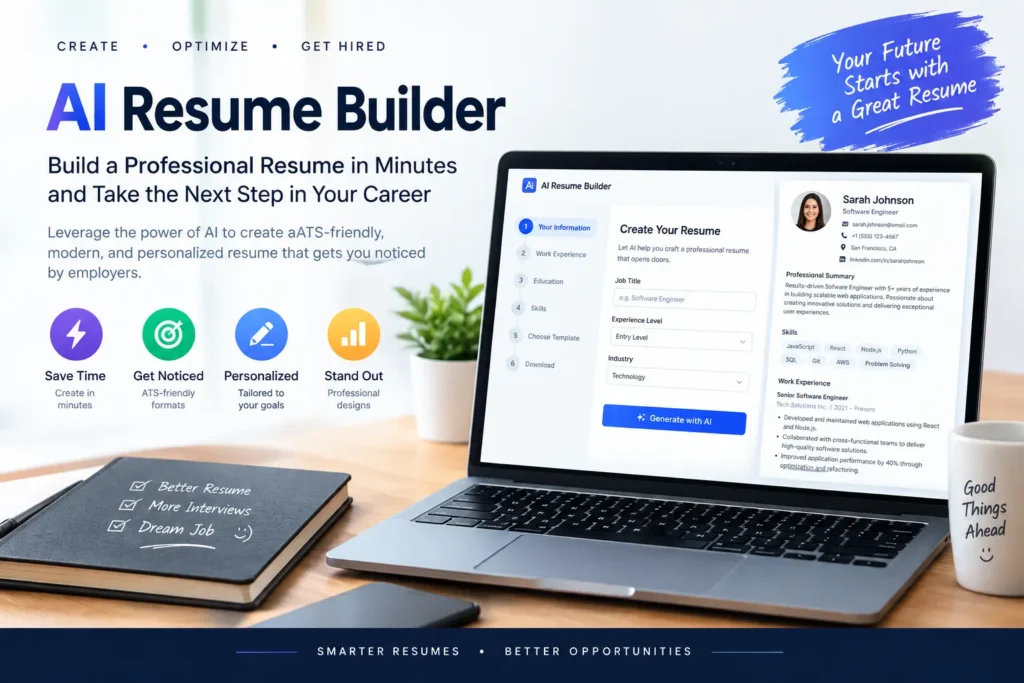
An AI resume builder is an online tool that uses artificial intelligence to help users create, edit, improve, and customize professional resumes. Depending on the platform, it can suggest resume content, improve grammar, recommend relevant skills, organize work experience, optimize keywords, and generate professional resume layouts.
Instead of spending hours trying to find the perfect words, job seekers can use an AI resume builder to create a strong first draft and refine it according to their career goals.
AI-powered resume tools are useful for students, freshers, experienced professionals, freelancers, and career changers. They can also help users tailor their resumes to specific job descriptions and prepare documents that are easier for recruiters to review.
In this comprehensive guide, you will learn what an AI resume builder is, how it works, its benefits and limitations, how to create an effective resume using AI, and which features to look for when choosing a resume-building tool.
Whether you are preparing your first resume or updating an existing one, this guide will help you understand how to use artificial intelligence effectively in your job search.
What Is an AI Resume Builder?
An AI resume builder is a digital application that uses artificial intelligence, natural language processing, and sometimes machine learning to assist with resume creation and improvement.
Traditional resume builders generally provide templates, formatting tools, and blank sections where users enter their information. AI resume builders may offer additional capabilities that help users write, personalize, and optimize their resumes.
For example, an AI resume builder might help you:
- Write a professional summary based on your background.
- Turn basic job responsibilities into clearer achievement statements.
- Identify relevant skills for a particular position.
- Improve grammar, spelling, and sentence structure.
- Recommend keywords based on a job description.
- Create different resume versions for different applications.
- Suggest an appropriate resume format.
- Organize your education, certifications, and work experience.
- Improve readability and consistency.
- Prepare a resume draft that you can review and edit.
Imagine that you worked as a customer service representative and want to apply for a senior customer support position.
Instead of writing a basic statement such as “Answered customer questions,” an AI tool might suggest:
“Resolved customer inquiries, documented recurring issues, and supported consistent service delivery across customer communication channels.”
This version communicates the work more clearly. However, you should only use it if it accurately describes your actual responsibilities.
The main purpose of an AI resume builder is to make resume writing faster, more structured, and more accessible without replacing your judgment or professional experience.
How Does an AI Resume Builder Work?
AI resume builders typically follow a series of steps to turn your information into a structured professional document.
1. Collecting Your Professional Information
The process usually begins when you enter your personal details, educational background, work history, technical skills, certifications, and career goals.
Some platforms also allow you to upload an existing resume or provide a job description.
The quality of the final resume depends heavily on the quality of the information you provide. If your work history is incomplete or your achievements are unclear, the AI may produce generic suggestions.
For better results, provide accurate information about your previous positions, responsibilities, projects, and accomplishments.
2. Analyzing Your Background
The AI system processes the information you provide and identifies relevant details about your professional profile.
For example, if you mention Excel, data cleaning, reporting, and dashboard creation, the tool may recognize that these skills are relevant to certain data analyst positions.
It may then suggest emphasizing your analytical abilities, reporting experience, and familiarity with spreadsheet tools.
These recommendations should still be reviewed because an AI system may misunderstand your experience or recommend skills that are not appropriate for your target position.
3. Generating Resume Content
Many AI resume builders can generate draft content for different resume sections.
These sections may include:
- Professional headline
- Resume summary or objective
- Employment history
- Key accomplishments
- Technical skills
- Soft skills
- Education
- Projects
- Certifications
For instance, if you are a recent graduate with no formal employment experience, an AI tool can help you organize academic projects, internships, volunteer activities, and relevant coursework into a professional format.
The tool can suggest wording, but it should not invent qualifications, employment history, or achievements.
4. Matching the Resume to a Job Description
Some AI resume builders allow you to paste a job description into the application.
The tool can analyze the requirements and identify relevant terms, qualifications, and skills that appear in the listing.
Suppose a data analyst job description mentions SQL, Excel, Power BI, data visualization, and stakeholder communication.
If you genuinely possess these skills, the resume builder may recommend including them in the appropriate sections.
This process can improve the relevance of your resume. However, adding keywords without having the corresponding skills can create problems during interviews and technical assessments.
5. Formatting the Resume
After generating the content, the tool places it into a resume template.
Depending on the platform, you may be able to select different layouts, fonts, colors, section arrangements, and page lengths.
A professional resume should be visually clear and easy to scan. Decorative elements should not interfere with readability.
For many online applications, a simple, single-column layout with clear headings is a sensible starting point because it is generally easier for both people and resume-parsing software to process.
6. Reviewing and Exporting the Final Document
The final step is reviewing your resume before downloading or submitting it.
Check the document for:
- Incorrect information
- Grammar and spelling mistakes
- Unsupported claims
- Repeated phrases
- Missing dates
- Inconsistent formatting
- Irrelevant keywords
- Unclear achievement statements
Many tools support PDF downloads, while some also offer Word documents or other formats. Choose the format requested by the employer.
An AI-generated resume should always be treated as a draft that requires human review.
Benefits of Using an AI Resume Builder
AI resume builders offer several practical benefits for people at different stages of their careers.
1. Saves Time
Writing a resume from scratch can take several hours, particularly if you need to research suitable formats and rewrite multiple sections.
An AI resume builder can speed up the initial drafting process by generating suggested content from the information you provide.
Instead of struggling to write every sentence, you can focus on reviewing suggestions, correcting inaccuracies, and highlighting your strongest achievements.
This can be especially useful when you need to prepare multiple versions of your resume for different positions.
2. Helps Improve Professional Writing
Not every job seeker feels confident writing professional English.
AI tools can help improve sentence structure, grammar, clarity, and tone. They can also suggest alternatives to vague or repetitive descriptions.
For example:
Basic version: “I was responsible for making reports and checking data.”
Improved version: “Prepared regular reports, validated data accuracy, and organized information to support business reporting activities.”
The improved version is clearer and more professional, provided it reflects the actual work performed.
3. Supports Applicant Tracking System Optimization
Many employers use applicant tracking systems, commonly known as ATS software, to manage applications and extract information from resumes.
An ATS may help recruiters organize candidates, search for qualifications, or apply screening rules. The specific process varies by employer and software.
An AI resume builder can help make a resume more relevant by identifying appropriate terminology from a job description and incorporating it naturally into the document.
For example, if a job requires experience with project management, budgeting, and stakeholder communication, you should mention those skills where they accurately reflect your experience.
However, no AI resume builder can guarantee that your resume will pass every ATS or secure an interview. Hiring decisions depend on many factors, including qualifications, competition, employer requirements, and screening practices.
4. Helps Beginners Create Their First Resume
Students and fresh graduates often face a common problem: they need a resume to get a job, but they have limited professional experience.
An AI resume builder can help them identify relevant material from their education, academic projects, internships, extracurricular activities, and volunteer work.
For example, a computer science graduate might highlight a college project involving website development, database management, or data analysis.
A business graduate might emphasize a marketing project, financial analysis assignment, or internship.
This allows beginners to present genuine experience in a structured way without pretending to have held a full-time professional position.
5. Makes Resume Customization Easier
Sending the same resume to every employer is not always the most effective strategy.
Different positions may prioritize different qualifications, even within the same industry.
An AI resume builder can help you identify which parts of your experience are most relevant to each position.
For example, a marketing professional applying for a content marketing role might emphasize writing, SEO, and content analytics. The same professional applying for a marketing operations role might focus more on reporting, campaign coordination, and marketing technology.
The underlying experience remains the same, but the presentation changes to emphasize relevant qualifications.
6. Improves Readability and Structure
A strong resume should communicate important information quickly.
AI resume builders can help organize sections, remove unnecessary wording, and improve the flow of information.
They may also suggest clearer headings and more concise bullet points.
These improvements make it easier for recruiters to understand your background without searching through long paragraphs.
7. Provides Useful Starting Points
Sometimes the hardest part of resume writing is getting started.
An AI tool can provide an initial structure or draft that you can modify.
Even when the first version is not perfect, it can help you identify missing information, organize your achievements, and understand how to present your experience more effectively.
8. Supports Career Changes
People changing careers may struggle to explain how their previous experience relates to a new industry.
An AI resume builder can help identify transferable skills such as communication, problem-solving, planning, customer service, research, and project coordination.
For example, a teacher applying for a corporate training role may highlight lesson planning, presentation skills, learning assessment, and group facilitation.
A retail manager applying for an operations position may emphasize team coordination, inventory management, customer experience, and performance reporting.
The key is to connect previous experience to the new role honestly and clearly.
Who Should Use an AI Resume Builder?
AI resume builders can benefit a wide range of job seekers.
Students and Freshers
Students can use AI tools to create entry-level resumes that highlight academic achievements, internships, projects, relevant coursework, and technical skills.
A simple, organized resume is often more useful than a visually elaborate document with little relevant information.
Experienced Professionals
Experienced employees can use AI to update outdated resumes, improve achievement statements, and reorganize long employment histories.
The tool may also help them emphasize leadership, project delivery, specialized expertise, and measurable results.
Job Seekers Changing Careers
Career changers can use AI to identify transferable skills and adapt their resumes to a new field.
They should ensure that the final document explains the connection between their previous responsibilities and the requirements of the target role.
Freelancers and Independent Professionals
Freelancers can use an AI resume builder to present client projects, specialized services, relevant achievements, and professional experience.
They may also create different versions for contract roles, consulting opportunities, and full-time employment.
Professionals Returning to Work
People returning to work after a career break may use AI to organize previous experience, highlight recently acquired skills, and present relevant projects or training.
They should not feel obligated to hide a career break. The most appropriate approach depends on the circumstances and the requirements of the position.
International Job Applicants
Applicants applying to jobs in different countries can use AI tools to adapt wording, organize qualifications, and improve language clarity.
However, resume conventions vary by country and employer. Users should check local expectations regarding length, personal information, photographs, and qualification descriptions.
How to Create a Resume Using an AI Resume Builder: Step-by-Step Guide
Creating a professional resume becomes easier when you follow a clear process.
Step 1: Define Your Career Goal
Before opening an AI resume builder, identify the type of position you want.
Ask yourself:
- Which job title am I targeting?
- Which industry interests me?
- What qualifications does the position require?
- Which of my skills are most relevant?
- What type of employer am I applying to?
For example, “I want a job in IT” is a broad objective.
“I am applying for entry-level data analyst positions requiring Excel, SQL, reporting, and data visualization” is much more specific.
A clear goal helps the AI generate more relevant suggestions.
Step 2: Gather Your Information
Prepare the information needed to build your resume.
This may include:
- Contact details
- Professional headline
- Employment history
- Education
- Technical skills
- Certifications
- Academic or personal projects
- Volunteer experience
- Relevant accomplishments
- Professional portfolio or LinkedIn profile
If you have previously worked on an important project, write down what you did, which tools you used, and what the outcome was.
You do not need to have every detail perfectly written before beginning. However, accurate source information will help the AI produce a better draft.
Step 3: Choose an AI Resume Builder
Look for a tool that offers the features you actually need.
Useful features may include:
- AI-generated resume summaries
- Resume templates
- Job description analysis
- Grammar and spelling suggestions
- ATS-friendly formatting
- Editable content
- PDF or Word exports
- Cover letter assistance
- Clear pricing and privacy information
If you only need a basic resume, a free tool or a document editor with AI writing assistance may be sufficient.
If you regularly customize applications, a specialized resume platform may provide additional convenience.
Step 4: Enter Your Professional Background
Fill in the requested information or upload your existing resume if the platform supports it.
Review any imported content carefully. Resume parsing may introduce errors in names, dates, job titles, or section order.
Provide enough detail for the AI to understand your responsibilities and accomplishments.
For example, instead of writing only “Worked in sales,” you might specify:
“Managed customer inquiries, maintained sales records, followed up on leads, and supported monthly sales reporting.”
Use only details that accurately describe your experience.
Step 5: Generate a Professional Summary
Your professional summary should quickly communicate your background and value.
An effective summary usually includes your professional identity, relevant skills, experience level, and career strengths.
For example:
“Detail-oriented accounting graduate with knowledge of financial reporting, Excel, reconciliation, and data organization. Experienced in academic financial analysis projects and seeking an entry-level accounting position.”
This example is suitable only for someone whose background genuinely matches those qualifications.
If you have several years of professional experience, emphasize relevant expertise and accomplishments rather than presenting yourself as a beginner.
Step 6: Improve Your Work Experience
Work experience should communicate what you accomplished, not simply list your responsibilities.
AI tools can help turn vague descriptions into more specific statements.
Consider the following example.
Original statement:
“Responsible for social media posts.”
Improved statement:
“Created and scheduled social media content, coordinated publishing activities, and reviewed engagement metrics to support campaign planning.”
The improved version explains the work more clearly without inventing numerical results.
If you have verified metrics, include them where relevant.
For example:
“Managed a monthly content calendar of 20 posts and tracked engagement trends across three social media platforms.”
Only use these numbers if they are accurate.
Step 7: Match Your Resume to the Job Description
Read the job description carefully and identify the most important requirements.
These might include:
- Required qualifications
- Technical tools
- Industry knowledge
- Relevant experience
- Communication skills
- Certifications
- Specific responsibilities
Use the AI resume builder to compare these requirements with your existing background.
Incorporate relevant terms naturally when they accurately describe your abilities.
Avoid copying entire sentences from the job description or adding skills you do not possess.
The goal is to make the relationship between your experience and the employer’s requirements easier to understand.
Step 8: Select a Professional Template
Choose a design that suits your experience and industry.
For many applicants, a clean layout with standard headings and readable text is a reliable option.
A useful resume template should include sufficient white space, consistent formatting, and a logical order of sections.
Avoid unnecessary graphics, decorative icons, and complicated columns if they interfere with readability or text extraction.
Creative industries may allow more visual flexibility, but the content should remain clear and accessible.
Step 9: Review the Resume Manually
Never assume that an AI-generated resume is automatically correct.
Check every section for accuracy, relevance, and consistency.
Make sure your contact details are correct and that employment dates match your records.
Review every skill, certification, job title, and achievement to confirm that it is truthful.
Read the document aloud if necessary. This can help you identify awkward phrasing and sentences that sound unnatural.
Step 10: Download and Prepare Your Application
Save the final resume in the format requested by the employer.
PDF is commonly suitable when the employer accepts it and you want to preserve formatting. Word documents may be preferable when an employer specifically requests an editable file.
Use a professional filename, such as:
FirstName_LastName_Resume.pdf
Before submitting the application, check that the file opens correctly and that its formatting remains intact.
If a cover letter is required, make sure it complements your resume rather than repeating the same information word for word.
Best Features to Look for in an AI Resume Builder
Not all resume builders provide the same features. Comparing the available options can help you select a tool that suits your needs.
AI Resume Writing Assistance
The tool should help you write and refine resume content based on your actual background.
Look for suggestions that are specific, readable, and easy to edit.
ATS-Friendly Templates
Choose templates with clear headings, readable fonts, and straightforward layouts.
A resume builder may describe its templates as ATS-friendly, but this does not guarantee compatibility with every employer’s system.
Job Description Matching
Some tools identify relevant skills and keywords from job advertisements.
This feature can be useful when you are applying for roles with different requirements.
Resume Scoring and Feedback
Certain platforms provide resume scores, keyword comparisons, or improvement recommendations.
Treat these results as guidance rather than definitive measures of your chances of getting an interview. Different employers use different evaluation criteria.
Cover Letter Generation
A cover letter feature can help you create an initial draft for a particular position.
You should personalize the result with specific information about the employer, role, and reasons for applying.
Multiple Resume Versions
The ability to save separate resume versions can be helpful when applying for jobs in different industries or at different experience levels.
For example, you might maintain separate versions for data analysis, business operations, and reporting roles.
Export Options
Check whether the tool supports the file formats you need.
Some platforms offer PDF exports, while others provide Word downloads or require a paid subscription for certain features.
Review these conditions before investing time in a particular platform.
Privacy and Data Security
Your resume may contain personal information, employment history, contact details, and other sensitive data.
Review the platform’s privacy policy to understand how it handles uploaded documents, whether information may be used to improve AI systems, how long data is retained, and how you can delete your information.
Avoid providing unnecessary personal details.
AI Resume Builder vs. Traditional Resume Builder
Both AI and traditional resume builders can help users create professional documents, but their capabilities differ.
| Feature | Traditional Resume Builder | AI Resume Builder |
|---|---|---|
| Resume templates | Usually available | Usually available |
| Manual content entry | Supported | Supported |
| AI writing suggestions | May not be available | Often available |
| Grammar improvement | May require another tool | May be integrated |
| Job description analysis | Varies by platform | Available in some tools |
| Keyword suggestions | May require manual research | Often supported by specialized tools |
| Customization | Usually manual | Can include AI-assisted customization |
| Human review | Recommended | Essential |
| Guaranteed interviews | No | No |
A traditional resume builder may be sufficient if you already know what to write and primarily need a professional layout.
An AI resume builder may be more helpful if you need writing assistance, keyword suggestions, or support adapting your experience to different positions.
The best choice depends on your needs, budget, and comfort with AI-generated content.
Best AI Resume Builder Tools to Consider
Several online platforms provide resume creation or AI-assisted job application features. Their pricing, available features, and free-plan restrictions can change, so review the current details before choosing one.
1. Resume.io
Resume.io is an online resume-building platform that offers resume templates and tools for organizing professional information.
It may be suitable for job seekers who want a structured way to prepare a resume without designing the document from scratch.
Before using it, check the current export options, pricing, and subscription terms.
2. Kickresume
Kickresume offers resume templates and AI-assisted writing features.
It may be useful for applicants who want help drafting resume sections and presenting their experience in a polished format.
Review the available features and confirm which options are included in the free or paid plans.
3. Teal
Teal provides career-management and job-application tools, including resume-related features.
It may be worth considering if you want to organize applications and customize your resume for different opportunities.
Check the current feature availability and pricing before relying on a particular function.
4. Rezi
Rezi focuses on resume creation and optimization, including tools intended to help users improve keyword relevance and resume structure.
It may appeal to job seekers who want to focus on clear formatting and alignment with job requirements.
Remember that no resume optimization score can guarantee that an employer will shortlist you.
5. Enhancv
Enhancv provides resume-building tools and design options for professional applications.
It may be suitable for applicants who want a polished layout and guidance when presenting their experience.
Choose a design that supports readability and the expectations of your target industry.
6. Canva
Canva is a design platform that offers resume templates and document creation tools. AI-related features may be available depending on the current plan and product offering.
It can be useful for people who want more control over visual presentation.
However, a highly decorative template is not always the best option for online job applications. Check the exported document’s reading order and text extraction before submitting it.
7. Microsoft Word and AI Writing Assistants
Microsoft Word provides tools for creating and formatting resumes, while compatible AI writing assistants may help improve wording and organization.
This approach can be useful if you prefer editing your resume in a familiar document editor.
Feature availability may depend on your Microsoft account, subscription, and region.
How to Choose the Right Tool
When comparing these platforms, consider the following questions:
- Does the tool provide the features you need?
- Can you edit every AI-generated section?
- Are suitable templates available?
- What file formats can you export?
- Are there restrictions on free downloads?
- Is the pricing transparent?
- Does the platform explain its privacy practices?
- Can you use the tool without purchasing unnecessary extras?
Choose a platform based on practical value rather than promotional claims.
How to Write an ATS-Friendly Resume Using AI
Applicant tracking systems help employers manage recruitment workflows. Depending on the system and employer, software may extract resume information, organize applicants, or support searches and screening.
An ATS-friendly resume should make your qualifications easy to identify.
Use Standard Section Headings
Use familiar headings such as:
- Professional Summary
- Work Experience
- Education
- Skills
- Certifications
- Projects
Creative headings can be appropriate in some circumstances, but standard labels are a sensible choice when compatibility is important.
Include Relevant Keywords Naturally
Review the job description and identify the required qualifications, tools, and skills.
If the employer requests Excel, SQL, and Power BI, include those terms in your skills section or work experience when appropriate.
Do not repeat keywords excessively. Keyword stuffing makes the resume less readable and does not establish that you actually possess a skill.
Use Clear Formatting
Prefer a straightforward layout with consistent headings, readable fonts, and conventional bullet points.
Avoid placing essential information exclusively in images or complex graphic elements.
If you use tables, columns, or text boxes, check whether the exported file preserves the correct reading order.
Highlight Relevant Achievements
Recruiters need to understand the impact of your work.
Instead of writing:
“Worked on monthly reports.”
Consider:
“Prepared monthly performance reports and checked data for inconsistencies before distribution.”
If you have accurate measurements of your results, include them.
Follow Employer Instructions
Some employers request specific file types, application forms, or resume structures.
Always follow the instructions in the job advertisement. There is no single resume format that works perfectly for every application system.
AI Resume Builder for Freshers: How to Create a Resume Without Work Experience
Freshers often assume that they cannot create a strong resume without previous employment.
In reality, an entry-level resume can demonstrate potential through education, projects, internships, technical skills, and other relevant experience.
Start With a Clear Career Objective or Summary
An entry-level applicant may benefit from a concise objective that identifies the target role and relevant qualifications.
For example:
“Recent computer science graduate with foundational knowledge of Python, SQL, and web development. Seeking an entry-level software development opportunity to apply programming skills and contribute to practical projects.”
Use this example as a model, not as a claim to copy regardless of your background.
Highlight Academic Projects
Projects can demonstrate your ability to apply knowledge.
For each relevant project, explain:
- What you created or investigated
- Which tools or methods you used
- What your contribution was
- What the project achieved or demonstrated
For example:
“Developed a student attendance management prototype using Python and SQLite as part of an academic project.”
Include this statement only if you actually completed the project.
Include Relevant Skills
List skills that are appropriate to the position and that you can explain or demonstrate.
These may include programming languages, spreadsheet applications, presentation tools, research, communication, or project coordination.
Avoid adding skills simply because an AI tool recommends them.
Add Internships and Certifications
If you have completed an internship, online course, workshop, or relevant certification, include it where it supports your application.
Clearly distinguish between completed qualifications and courses that are still in progress.
Keep the Resume Focused
For many freshers, a concise one-page resume is a practical starting point.
Prioritize the most relevant information instead of filling the page with unrelated hobbies or generic statements.
How Experienced Professionals Can Use AI Resume Builders
Experienced professionals usually have more material to work with, but their resumes can become too long or difficult to navigate.
AI tools can help organize this information more effectively.
Focus on Accomplishments
Instead of listing every routine responsibility, highlight important contributions and results.
For example:
“Coordinated monthly reporting activities across multiple departments and improved consistency in reporting documentation.”
If you have verified data showing a specific improvement, include it.
Reduce Irrelevant Information
Older roles may be less relevant to your current career goals.
An AI tool can suggest which details to shorten, but you should decide which experiences are important to retain.
Emphasize Leadership and Specialized Skills
Senior applicants may need to highlight project ownership, mentoring, stakeholder management, strategic planning, technical expertise, or operational improvements.
Choose examples that demonstrate your suitability for the target position.
Adapt the Resume to the Role
A senior analyst applying for a technical position may emphasize tools, methods, and analytical projects.
The same person applying for a team leadership role may emphasize coordination, decision-making, and mentoring.
Both versions should remain consistent with the applicant’s real professional history.
Common Mistakes to Avoid When Using an AI Resume Builder
AI can make resume writing easier, but careless use can weaken your application.
1. Copying AI Content Without Reviewing It
AI-generated statements can sound professional while remaining vague or inaccurate.
Read every sentence and confirm that it describes your actual experience.
2. Inventing Achievements
Never allow an AI tool to create false employment history, qualifications, project results, or performance statistics.
False claims can damage your credibility and create serious problems during recruitment.
3. Using Generic Professional Summaries
Statements such as “hardworking individual seeking a challenging opportunity” provide little information about your specific value.
Replace generic language with relevant skills, experience, and career goals.
4. Adding Too Many Keywords
A resume filled with repeated keywords can sound unnatural.
Use the language of the job description where it accurately reflects your background, but prioritize clarity over repetition.
5. Choosing Design Over Readability
A visually attractive resume is not automatically effective.
Avoid designs that make dates, job titles, or skills difficult to locate.
6. Ignoring Grammar and Formatting
Even a well-generated resume can contain inconsistent punctuation, spacing, capitalization, or dates.
Review the entire document before sending it.
7. Using the Same Resume for Every Job
A single resume may not highlight the right skills for every role.
Create targeted versions when the positions differ substantially in responsibilities or qualifications.
8. Ignoring Privacy
Do not upload sensitive documents to unfamiliar platforms without reviewing their privacy practices.
Consider removing unnecessary personal information before using online services.
9. Trusting Resume Scores Too Much
A resume score is an estimate produced according to a particular tool’s criteria.
It does not represent an employer’s final judgment and cannot reliably predict every hiring decision.
10. Forgetting the Human Element
Recruiters want to understand what you have actually done and how you might contribute.
Your resume should reflect your real skills, achievements, and professional identity rather than generic AI-generated language.
Best Practices for Getting Better Results From an AI Resume Builder
You can improve the quality of your resume by using AI as a writing assistant rather than a substitute for your experience.
Provide specific information. Describe your actual responsibilities, tools, projects, and accomplishments instead of entering only a job title.
Use measurable achievements when available. If you know the number of projects completed, customers served, reports prepared, or processes improved, include accurate figures where they add value.
Customize your content. Adjust your summary, skills, and experience to reflect the requirements of each position.
Keep sentences concise. Clear bullet points are usually easier to scan than long paragraphs.
Use relevant terminology. Include industry-specific terms when they accurately describe your knowledge or experience.
Maintain a natural voice. Avoid excessive jargon and exaggerated claims.
Check the final file. Open the exported document and verify that its layout, spacing, and content remain correct.
Prepare for interviews. Be ready to explain every achievement, project, tool, and qualification mentioned in your resume.
Example of an AI-Improved Resume Section
Consider a hypothetical applicant who has worked in administrative support.
Before AI Assistance
Administrative Assistant
- Managed files.
- Answered emails.
- Prepared reports.
- Helped the team.
These points communicate basic duties but provide limited detail.
After AI Assistance
Administrative Assistant
- Maintained organized digital records and supported accurate document management.
- Responded to routine email inquiries and directed requests to the appropriate team members.
- Prepared regular administrative reports and reviewed documents for completeness.
- Coordinated day-to-day administrative tasks to support team operations.
The revised statements are more specific and professional.
However, they should be used only if they accurately describe the applicant’s work. The AI has improved the presentation, not established new accomplishments.
If the applicant also has verified results, such as reducing document-processing time or managing a particular volume of records, those details can make the resume more informative.
Is an AI Resume Builder Free?
Some AI resume builders offer free plans, while others charge for advanced features.
A free plan may include basic templates, manual editing, limited AI writing assistance, or a restricted number of downloads.
Paid plans may offer additional templates, job description matching, advanced feedback, multiple resume versions, or expanded export options.
The exact features vary by provider and can change over time.
Before choosing a tool, check:
- Whether PDF downloads are free
- Whether Word exports require payment
- Whether AI writing features have usage limits
- Whether a subscription renews automatically
- Whether there are additional charges
- Whether cancellation terms are clear
- Whether your resume can be edited or downloaded after a trial ends
You do not necessarily need an expensive subscription to create a good resume.
A word processor, a clear template, and careful writing may be sufficient for many job seekers. An AI resume builder becomes more valuable when its specific features solve a real problem in your application process.
Can an AI Resume Builder Guarantee a Job?
No. An AI resume builder cannot guarantee employment, an interview, or selection by an employer.
A resume is only one part of the recruitment process. Employers may also consider qualifications, experience, assessments, interviews, references, location, salary expectations, and other role-specific requirements.
AI tools can help you communicate your suitability more clearly, but they cannot control the hiring decision.
The best strategy is to combine a well-written resume with targeted applications, relevant skills development, interview preparation, and consistent follow-up where appropriate.
Use AI to improve your application, not as a replacement for the broader job search.
The Future of AI Resume Builders
Artificial intelligence is changing how people prepare job applications and manage their careers.
As these tools develop, resume-building platforms may offer more personalized writing assistance, improved job matching, skills analysis, and integration with broader career-management systems.
For example, future tools may make it easier to maintain a master resume and generate tailored versions for different positions.
They may also provide more detailed feedback about how clearly a resume communicates relevant experience.
However, the value of these developments will depend on accuracy, transparency, privacy, and the quality of the recommendations.
Employers will continue to need reliable information about candidates, and applicants will continue to benefit from presenting their skills honestly.
The most useful AI resume tools will be those that help people communicate their actual abilities more effectively rather than simply producing impressive-sounding text.
Frequently Asked Questions About AI Resume Builders
The best AI resume builder depends on your needs, budget, and preferred workflow. Platforms such as Resume.io, Kickresume, Teal, Rezi, and Enhancv offer different combinations of resume templates, writing assistance, and optimization features. Compare their current plans, export options, privacy policies, and editing capabilities before choosing one.
Yes. Many AI tools can generate an initial resume draft from information about your education, experience, skills, and career goals. You should provide accurate information and review the resulting document carefully before submitting it.
An AI-generated resume can be structured to support compatibility with many applicant tracking systems. Using standard headings, readable formatting, and relevant keywords can help. However, no resume format is guaranteed to work perfectly with every ATS or employer.
Yes. Freshers can use AI resume builders to organize academic projects, internships, certifications, relevant coursework, and skills. The tool can help them create a professional entry-level resume without inventing employment experience.
Yes, depending on the tools you choose. Some platforms offer free resume creation or limited AI features. You can also use a standard document editor and AI writing assistance to draft and improve your resume. Always check whether downloading the final document requires payment.
For many students and early-career applicants, one page is a useful starting point. Professionals with extensive relevant experience may need two pages. The appropriate length depends on your background, industry, and the employer’s expectations. Prioritize relevance and clarity rather than length alone.
Resume photo conventions vary by country, industry, and employer. In many applications, particularly in the United States and United Kingdom, a photo is generally unnecessary. In other markets, expectations may differ. Follow the employer’s instructions and local professional conventions.
Yes. AI can help rewrite bullet points, improve grammar, organize sections, identify relevant keywords, and shorten unnecessary content. Upload your resume only to a platform whose data practices you are comfortable with, and verify every suggested change.
Safety depends on the platform’s security measures and privacy practices. Review its policies regarding data retention, sharing, AI training, and deletion. Avoid uploading unnecessary sensitive information, and use reputable services.
There is no universal requirement to disclose AI assistance when preparing a resume, but employer instructions and application policies take priority. The information in your resume must be truthful regardless of which writing tools you use.
11. Can AI tailor my resume to a specific job?
Yes. Some tools compare your resume with a job description and recommend relevant skills, terminology, and experience to emphasize. Review these suggestions carefully and include only qualifications that genuinely apply to you.
12. Can an AI resume builder write a cover letter?
Many platforms offer AI-assisted cover letter generation. Provide information about the position, employer, relevant experience, and reasons for applying. Review the final letter to ensure it is accurate, personalized, and consistent with your resume.
13. Is an AI resume builder better than writing a resume manually?
Neither approach is automatically better for every person. AI can save time and suggest useful improvements, while manual writing provides direct control over every sentence. Combining AI assistance with careful human editing is a practical approach for many applicants.
14. What information should I provide to an AI resume builder?
Provide relevant contact details, education, work experience, skills, certifications, projects, achievements, and the target job description when supported. Do not provide information that is unnecessary for creating your application document.
15. Can AI help me change careers?
Yes. AI can help identify transferable skills, reorganize previous experience, and emphasize qualifications relevant to a new industry. The final resume should clearly connect your genuine experience to the requirements of the role you want.
Conclusion: Is an AI Resume Builder Worth Using?
An AI resume builder can be a valuable tool for anyone who wants to create a professional resume more efficiently.
It can help you write clearer descriptions, organize your experience, identify relevant skills, improve formatting, and customize your application for different job opportunities.
For freshers, it can provide a useful starting point. For experienced professionals, it can simplify resume updates and help emphasize important achievements. For career changers, it can help communicate transferable skills more effectively.
However, artificial intelligence is not a substitute for accuracy, professional judgment, or a genuine understanding of your own experience.
The strongest resume is not necessarily the one with the most sophisticated design or the highest automated score. It is the one that communicates your qualifications clearly, demonstrates your relevance to the position, and presents your professional history honestly.
To get the most from an AI resume builder, begin with accurate information, choose a simple and readable format, incorporate relevant job requirements naturally, and review every sentence before submitting your application.
Start with your experience, use AI to improve the presentation, and make sure the final resume represents you accurately. This balanced approach can help you prepare stronger job applications and approach your job search with greater confidence.
Thank you so much for visiting ZeexasTech.com and taking the time to read my articles. Your support and interest mean a lot to me. I hope you find the information useful and enjoy exploring the website!
Best regards,
Vishal Kumar
Writer of ZeexasTech.com
2 comments