Introduction
Welcome to ZeexasTech.com, your online resource for AI tools, Microsoft Excel tutorials, technology guides, productivity tips, and digital solutions.
I’m Vishal Kumar, the founder of ZeexasTech.com. I share informative articles designed to help readers discover useful AI tools, understand Excel formulas, improve their digital skills, and find smarter ways to complete everyday tasks.
Our mission is to provide clear, practical, and beginner-friendly technology content that helps students, professionals, content creators, and businesses make better use of modern digital tools.
Artificial intelligence has become one of the most important technologies for students, professionals, business owners, freelancers, and content creators. In 2026, AI tools can help people write articles, create images, analyze information, generate computer code, summarize documents, prepare presentations, edit videos, and automate everyday tasks.
What once required specialized technical knowledge can now often be accomplished through a simple conversation with an AI assistant. You can describe what you want in everyday language and receive suggestions, explanations, drafts, or generated content within seconds.
However, the growing number of AI applications creates a new challenge: choosing the right tools. Some platforms specialize in writing and research, while others focus on graphic design, programming, business productivity, education, or video production. Certain tools are suitable for beginners, whereas others provide advanced capabilities for experienced professionals and organizations.
The good news is that you do not need to learn every AI application available. The best approach is to identify your goals and select a small collection of tools that solve your most important problems.
In this comprehensive guide, we will explore the best artificial intelligence tools for beginners and professionals in 2026, explain their main features, compare their strengths, and provide practical advice for choosing the right AI software.
Whether you want to improve your productivity, start a blog, learn new skills, build applications, or grow your business, this guide will help you understand which AI tools deserve your attention.
What Are Artificial Intelligence Tools?
Artificial intelligence tools are software applications that use AI technologies to perform tasks that traditionally require human intelligence. These tasks may include understanding language, recognizing images, generating content, analyzing data, solving problems, translating text, and assisting with decision-making.
Many modern AI tools use large language models, machine learning, computer vision, speech recognition, or generative AI systems.
For example, an AI writing assistant can help you create an article outline, an AI image generator can turn a text description into a picture, and an AI coding assistant can suggest programming solutions or explain complicated code.
AI tools generally fall into several categories:
- AI chatbots: Answer questions, explain concepts, brainstorm ideas, and assist with everyday tasks.
- AI writing tools: Help create articles, emails, reports, product descriptions, and marketing content.
- AI research tools: Search for information, summarize sources, and organize research findings.
- AI image generators: Produce illustrations, thumbnails, product concepts, and other visual assets.
- AI coding assistants: Help programmers write, debug, explain, and improve software.
- AI productivity tools: Summarize meetings, organize information, and automate workflows.
- AI video and audio tools: Generate videos, voiceovers, music, subtitles, and sound effects.
- AI data analysis tools: Assist with spreadsheets, charts, calculations, and business reporting.
Understanding these categories makes it easier to choose an application that matches your needs.
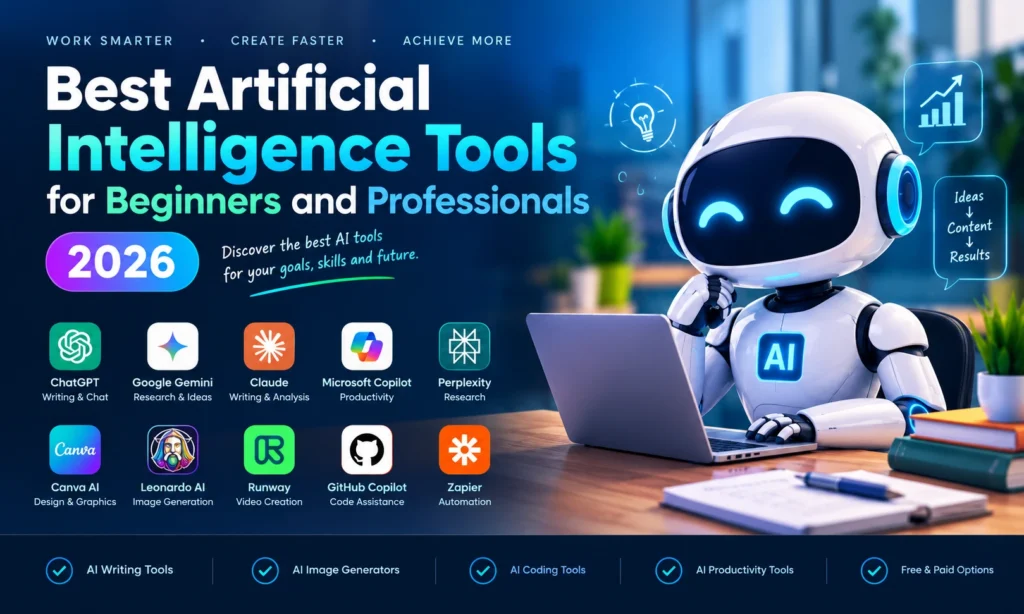
Best Artificial Intelligence Tools in 2026: Quick Overview
The following comparison highlights popular AI tools and the tasks for which they are particularly useful.
| AI Tool | Best For | Ideal Users |
|---|---|---|
| ChatGPT | General-purpose AI assistance | Beginners and professionals |
| Google Gemini | Multimodal tasks and Google-connected workflows | Students and professionals |
| Claude | Writing, document analysis, and coding assistance | Writers and developers |
| Microsoft Copilot | Microsoft productivity and workplace tasks | Office users and businesses |
| Perplexity AI | Research and source-backed answers | Students, researchers, and professionals |
| Canva AI | Graphic design and visual content | Creators and marketers |
| Adobe Firefly | AI-assisted creative production | Designers and content creators |
| Grammarly | Writing improvement and communication | Students and professionals |
| GitHub Copilot | Programming assistance | Developers and learners |
| Cursor | AI-assisted software development | Developers |
| Notion AI | Notes, knowledge management, and workflows | Teams and individuals |
| ElevenLabs | AI voice generation and audio production | Creators and businesses |
| Runway | AI-assisted video creation | Video creators and marketers |
| DeepL | Translation and language assistance | International teams and learners |
| Replit | Building and prototyping applications | Beginners and developers |
Features, usage limits, supported integrations, and prices can change throughout the year. Some capabilities are also restricted to particular subscriptions, regions, or accounts, so check each provider’s official website before purchasing.
1. ChatGPT: Best All-Purpose AI Tool
ChatGPT is one of the most versatile artificial intelligence tools for everyday work. It can help users write content, learn new subjects, brainstorm ideas, analyze information, solve problems, and develop plans.
Its conversational interface makes it approachable for people who have never used AI before. Instead of learning a complicated application, you can describe your task and refine the answer through follow-up questions.
Key Features
- Generate articles, emails, reports, and summaries.
- Explain difficult concepts in simple language.
- Brainstorm business ideas and marketing campaigns.
- Assist with coding, debugging, and technical explanations.
- Work with supported files, images, and data.
- Help prepare presentations, lesson plans, and study materials.
Who Should Use ChatGPT?
ChatGPT is useful for students, bloggers, teachers, freelancers, office workers, entrepreneurs, and software developers. Beginners can use it as a learning assistant, while professionals can incorporate it into more complex workflows.
For example, a blogger can ask ChatGPT to generate an article outline, suggest headings, develop frequently asked questions, and create social media captions based on a finished post.
A student might request a simple explanation of a scientific concept followed by practice questions. A business owner could use it to brainstorm promotional ideas or draft customer support responses.
Advantages
ChatGPT supports a wide range of tasks and can adapt its explanations to different levels of experience. It is especially useful when you want one application for multiple everyday activities.
Limitations
AI-generated information can be inaccurate, outdated, or incomplete. Important claims should be checked against reliable sources, particularly when they concern health, law, finance, or other high-stakes subjects.
Verdict: ChatGPT is an excellent starting point for anyone who wants to explore artificial intelligence without mastering several separate applications.
2. Google Gemini: Best for Google-Connected Workflows
Google Gemini is an AI assistant designed to support research, writing, reasoning, and multimodal tasks. It can work with different types of information, including text and supported visual or audio inputs, depending on the available features.
Gemini can be especially convenient for people who already use Google services. Depending on the account, subscription, and rollout, its integrations may support workflows involving products such as Gmail, Google Docs, and Google Drive.
Key Features
- Answer questions and explain complicated topics.
- Summarize documents and organize information.
- Help draft emails and other written content.
- Analyze supported images and files.
- Assist with brainstorming and planning.
- Support selected Google Workspace workflows.
Who Should Use Gemini?
Students can use Gemini to understand lessons, prepare revision notes, and explore research topics. Professionals may find it helpful when working with documents, emails, and other Google-connected tools.
For example, a student preparing for an examination could ask Gemini to explain a chapter, produce a revision checklist, and generate practice questions. A marketing professional might use it to brainstorm campaign ideas and refine a presentation.
Advantages
Gemini is worth considering if your everyday work already takes place in Google’s ecosystem. Its multimodal capabilities can also help with tasks involving more than plain text.
Limitations
Available integrations and features depend on the product version, account permissions, region, and subscription. As with other AI assistants, generated answers need verification.
Verdict: Choose Google Gemini if you want an AI assistant that complements your Google-based workflow.
3. Claude: Best for Long Documents and Detailed Writing
Claude, developed by Anthropic, is an AI assistant frequently used for writing, reasoning, document analysis, and software development.
It can help users work through long pieces of text, improve explanations, compare arguments, and structure complex information. Its usefulness depends on the model, task, available context, and quality of the instructions you provide.
Key Features
- Draft and revise long-form articles.
- Summarize reports and lengthy documents.
- Compare information across provided materials.
- Explain code and assist with debugging.
- Brainstorm ideas and improve written structure.
- Help organize complex projects into smaller steps.
Who Should Use Claude?
Claude can be useful for writers, editors, researchers, analysts, and developers. It is particularly worth testing if your work involves long documents or detailed written reasoning.
For example, a content writer could provide a draft article and ask Claude to identify repetitive paragraphs, improve transitions, and make the explanations easier to understand.
A software developer might ask it to explain the structure of a program or help investigate a difficult bug.
Advantages
Claude is a strong option for people who value detailed writing assistance and document-focused workflows.
Limitations
Its output still requires editorial review. Long context does not guarantee perfect recall or accuracy, and some features depend on the selected plan.
Verdict: Claude is a valuable option for professionals who regularly work with detailed documents, writing projects, and code.
4. Microsoft Copilot: Best for Office Productivity
Microsoft Copilot helps users complete everyday tasks involving writing, information organization, and productivity. Depending on the version and subscription, it can integrate with Microsoft products such as Word, Excel, PowerPoint, Outlook, and Teams.
For professionals who spend much of their day using Microsoft 365, Copilot can reduce the need to switch between separate applications.
Key Features
- Draft and revise documents.
- Summarize supported emails and conversations.
- Assist with presentations.
- Help explain spreadsheet formulas and data.
- Organize information into summaries and action items.
- Support selected business and collaboration workflows.
Who Should Use Microsoft Copilot?
Office workers, managers, consultants, educators, and business teams may find Copilot useful.
For example, an Excel user could ask for help understanding a formula, identifying an appropriate chart, or interpreting a dataset. A project manager could use supported meeting features to organize discussion points and identify follow-up tasks.
Advantages
Copilot can be particularly convenient when AI assistance is available inside applications you already use.
Limitations
Not every capability is included in every Microsoft account. Business data access, advanced integrations, and organizational controls depend on licensing and configuration.
Verdict: Microsoft Copilot is a practical choice for professionals whose work revolves around Microsoft Office and Microsoft 365.
5. Perplexity AI: Best for Research and Finding Sources
Perplexity is an AI-powered research assistant that helps users explore questions and find information from online sources. It can provide answers accompanied by citations, making it useful when you want to investigate a topic rather than simply generate text.
Citations are a useful starting point, but they should not be treated as automatic proof that every statement is correct.
Key Features
- Explore questions using web-based research.
- Summarize information from cited sources.
- Investigate unfamiliar subjects.
- Compare information from multiple pages.
- Discover sources for reports and articles.
- Support research workflows with available advanced features.
Who Should Use Perplexity?
Students, journalists, researchers, bloggers, and professionals who need to investigate information may benefit from Perplexity.
For instance, a blogger writing about spreadsheet software could use it to discover official documentation, product updates, and relevant explanations. The blogger should then open the original sources, verify the claims, and create an original article.
Advantages
Its research-oriented interface can make it easier to discover sources and follow up on specific claims.
Limitations
Citations can be incomplete or may not fully support the generated statement. Always inspect the original source, its publication date, and its credibility.
Verdict: Perplexity is a strong companion for research, fact-checking, and source discovery.
6. Canva AI: Best for Graphic Design and Social Media
Canva is a design platform that helps people create social media graphics, presentations, posters, thumbnails, marketing materials, and other visual content. Its AI-powered features can assist with generating design ideas and creating or editing visual assets.
You do not need to be a professional graphic designer to produce useful designs with Canva.
Key Features
- Create social media graphics and thumbnails.
- Design presentations and promotional materials.
- Generate and edit supported visual assets.
- Develop layouts for different content formats.
- Resize designs for multiple platforms.
- Collaborate on selected team projects.
Who Should Use Canva AI?
Canva is especially useful for bloggers, YouTubers, small businesses, teachers, social media managers, and beginner designers.
For example, a blogger could create a featured image for an article, design Pinterest graphics, and prepare promotional posts for several social media platforms using a consistent visual style.
A small business could develop product advertisements, event posters, and presentation slides without building every design from scratch.
Advantages
Canva combines design templates with accessible editing tools, making it a useful option for people who need attractive visuals quickly.
Limitations
AI-generated text and images may contain mistakes or require manual adjustment. Some advanced design features and assets may require a paid subscription.
Verdict: Canva AI is one of the most practical choices for beginners who want to create professional-looking visual content.
7. Adobe Firefly: Best for Creative Professionals
Adobe Firefly is a collection of generative AI capabilities for image creation, visual editing, video workflows, and audio production. It is designed to support creative work rather than replace the entire design process.
Adobe expanded Firefly’s creative capabilities in 2026, including tools for generating music, speech, and sound effects, alongside image and video workflows. Availability and usage rights depend on the specific feature, model, and terms. Adobe Firefly overview and Adobe’s August 2026 announcement.
Key Features
- Generate images from text descriptions.
- Edit or transform visual elements.
- Create and refine supported video content.
- Generate selected audio assets.
- Explore creative concepts and mood boards.
- Support workflows involving Adobe creative applications.
Who Should Use Adobe Firefly?
Graphic designers, photographers, marketing teams, video creators, and creative agencies may find Firefly useful.
For example, a designer could generate visual concepts for a product campaign, experiment with different backgrounds, and refine the selected image before incorporating it into a larger design project.
A video creator could explore AI-assisted visuals and audio assets for a promotional video.
Advantages
Firefly is useful when AI-generated assets need to fit into a broader creative workflow.
Limitations
Generated images, video, and audio may need substantial editing. Commercial usage should be checked against the terms for the exact tool and model being used.
Verdict: Adobe Firefly is worth exploring if visual content creation is a regular part of your professional work.
8. Grammarly: Best for Improving Writing Quality
Grammarly is a writing assistance platform that helps users improve grammar, clarity, tone, and readability. Its AI features can also support drafting and rewriting, depending on the product and subscription.
Although many general-purpose AI assistants can write text, Grammarly focuses on improving communication in the context where you write.
Key Features
- Identify grammar and spelling problems.
- Improve sentence clarity.
- Suggest changes to tone and wording.
- Reduce unnecessary repetition.
- Help revise emails and professional documents.
- Support writing consistency across compatible applications.
Who Should Use Grammarly?
Students, bloggers, business professionals, freelancers, and anyone who writes regularly can benefit from Grammarly.
For example, a freelancer could use it to polish a client proposal before sending it. A blogger could review an article for readability, awkward sentences, and unnecessary wording.
Advantages
Grammarly is useful for polishing existing writing and catching issues that may be overlooked during editing.
Limitations
Automated suggestions are not always appropriate. Accept changes selectively to preserve your meaning, voice, and intended tone.
Verdict: Grammarly is a helpful writing companion, especially when professional communication matters.
9. GitHub Copilot: Best for AI-Assisted Programming
GitHub Copilot is an AI coding assistant that helps developers write, understand, and improve software. It can suggest code, answer programming questions, assist with tests, and support more advanced development workflows.
Its integrations are designed to bring AI assistance into the software development environment rather than require every coding task to begin in a separate chatbot.
Key Features
- Suggest code while you work.
- Explain unfamiliar functions and programming concepts.
- Help identify and fix bugs.
- Generate test cases and documentation.
- Assist with code refactoring.
- Support selected repository and development workflows.
Who Should Use GitHub Copilot?
Software developers, computer science students, web developers, and technical teams may find GitHub Copilot valuable.
For example, a beginner learning Python could ask for an explanation of a function and use suggestions to understand how different approaches work. An experienced developer could use it to draft repetitive code or explore possible implementations.
Advantages
Copilot can integrate into established development workflows, helping programmers spend less time on repetitive tasks.
Limitations
AI-generated code may contain security vulnerabilities, logical errors, or inefficient solutions. Review the code, run tests, and check dependencies before using it in production.
Verdict: GitHub Copilot is a practical option for developers who want AI assistance within their existing coding workflow.
10. Cursor: Best for AI-First Software Development
Cursor is an AI-focused code editor built to help developers work with existing codebases and create new software. It offers AI-assisted editing and code understanding, with more advanced capabilities depending on the current product version and plan.
Unlike a basic code completion tool, an AI-focused editor can help developers reason about changes that affect multiple parts of a project.
Key Features
- Explain sections of a codebase.
- Suggest and edit code.
- Assist with multi-file changes.
- Help investigate errors and propose fixes.
- Support code refactoring.
- Assist with development tasks through AI-driven workflows.
Who Should Use Cursor?
Cursor is suitable for web developers, software engineers, independent developers, and programmers building larger applications.
For example, a developer creating a website could ask Cursor to explain how a component works, identify related files, and suggest a change to a user interface.
Advantages
Its code-editor-centered approach can be useful for projects where understanding relationships between files is important.
Limitations
Beginners still need to understand fundamental programming concepts. AI-assisted edits should be reviewed carefully, particularly when they affect authentication, payments, data storage, or security.
Verdict: Cursor is worth considering for developers who want an AI-first coding environment.
11. Notion AI: Best for Notes and Knowledge Management
Notion is a workspace for notes, documents, databases, project management, and team collaboration. Notion AI adds AI assistance to supported writing and information-management workflows.
It can help users organize information and turn scattered notes into more structured documents.
Key Features
- Summarize notes and documents.
- Draft and revise written content.
- Organize project information.
- Help extract action items from supported content.
- Improve the structure of internal documentation.
- Assist with knowledge-management workflows.
Who Should Use Notion AI?
Students, startup founders, freelancers, project managers, and remote teams may find Notion AI useful.
For example, a student could organize course notes into topic-based pages. A project manager could use a shared workspace to maintain project documentation, organize responsibilities, and prepare summaries for colleagues.
Advantages
Notion can bring notes, documentation, and project organization into a shared workspace.
Limitations
The usefulness of AI-generated summaries depends on the quality of the information provided. Teams should also consider access controls and the privacy settings of their workspace.
Verdict: Notion AI is a useful choice for people who want to combine information management with AI assistance.
12. ElevenLabs: Best for AI Voice Generation
ElevenLabs specializes in AI-generated speech and audio tools. Depending on the product and available features, users can create voiceovers, produce spoken versions of written content, and develop audio for digital media.
Key Features
- Convert written scripts into speech.
- Generate voiceovers for videos.
- Support multilingual audio workflows.
- Create audio content for educational material.
- Assist with narration and selected voice applications.
- Support audio production for creators and businesses.
Who Should Use ElevenLabs?
YouTubers, podcast creators, educators, audiobook producers, and marketing teams may benefit from AI voice generation.
For example, a video creator could turn an approved script into narration, then synchronize the audio with visuals and captions during editing.
Advantages
AI voice generation can reduce the time needed to record narration and produce multiple versions of audio content.
Limitations
Generated speech may require pronunciation and pacing adjustments. Use voice cloning only with appropriate authorization and consent, and check licensing conditions before commercial use.
Verdict: ElevenLabs is a useful option for creators who produce narration, tutorials, and other audio-based content.
13. Runway: Best for AI-Assisted Video Creation
Runway provides AI-powered tools for video and visual production. Its features can help creators experiment with generated footage, develop visual concepts, and incorporate AI-assisted material into editing workflows.
Key Features
- Generate supported video content.
- Explore visual concepts from prompts.
- Experiment with different creative styles.
- Support selected video editing workflows.
- Create assets for promotional and social media content.
- Assist with visual storytelling and concept development.
Who Should Use Runway?
Video creators, filmmakers, advertisers, and social media teams may find Runway useful.
For example, a marketing team could develop a short visual concept for a product campaign before producing a final advertisement. A creator could test several visual directions and then combine selected material with recorded footage.
Advantages
Runway can help creators explore ideas and produce visual material without filming every element from scratch.
Limitations
AI-generated video can contain inconsistent details, unexpected movements, or visual artifacts. Review each clip carefully before publication and check commercial licensing conditions.
Verdict: Runway is worth considering if AI-generated video is an important part of your content workflow.
14. DeepL: Best for Translation and Multilingual Communication
DeepL is a language technology platform known for machine translation and writing assistance. It can help people communicate across languages and improve translated text.
For businesses working with international customers, translation tools can make documents and communications easier to prepare.
Key Features
- Translate supported languages.
- Help localize written content.
- Support multilingual business communication.
- Assist with translating documents.
- Improve the readability of translated text through supported writing features.
Who Should Use DeepL?
Students, translators, researchers, international businesses, and content creators can benefit from translation assistance.
For example, a business could prepare an initial translation of product information for a new market, then ask a qualified reviewer to check the terminology, cultural context, and accuracy.
Advantages
DeepL is useful for improving the efficiency of multilingual workflows.
Limitations
Translation quality varies by language, subject, and context. Important legal, technical, medical, and marketing translations should receive appropriate human review.
Verdict: DeepL is a useful addition for anyone who regularly works with multiple languages.
15. Replit: Best for Building Applications with AI Assistance
Replit is an online development environment that supports writing, running, and deploying software. Its AI-assisted capabilities can help users turn ideas into prototypes and work on applications through a browser-based workflow.
It is particularly interesting for people who want to experiment with software development without setting up a traditional local development environment first.
Key Features
- Write and edit code in a browser.
- Build prototypes with AI assistance.
- Run applications in a hosted environment.
- Debug and improve code.
- Experiment with web applications.
- Support selected deployment workflows.
Who Should Use Replit?
Students, beginners, independent developers, and entrepreneurs may find Replit useful.
For example, a beginner could experiment with a basic expense tracker or task-management application. An entrepreneur could create a prototype to demonstrate a business idea before investing in a full development project.
Advantages
The browser-based environment can reduce setup friction and make experimentation more accessible.
Limitations
AI-generated applications still require testing, security review, and maintenance. Production applications may also require paid resources or additional infrastructure.
Verdict: Replit is a useful starting point for people who want to learn programming or rapidly prototype an application.
Best Free AI Tools for Beginners in 2026
If you are new to artificial intelligence, start with tools that have useful free access or trial options. You do not need to purchase several subscriptions before understanding how AI can help you.
Here are some good starting points:
1. ChatGPT
Use it to learn concepts, brainstorm ideas, draft content, and get help with everyday questions. Check the current free-plan limits before relying on a particular feature.
2. Google Gemini
Try Gemini for research assistance, explanations, and supported tasks involving text, images, or Google-connected workflows.
3. Canva
Use Canva’s available free features to create social media posts, simple presentations, blog graphics, and other designs.
4. Perplexity
Explore questions and discover source material for research. Verify the original references before citing them in published work.
5. Grammarly
Use its available writing suggestions to identify grammar mistakes and improve clarity.
6. Replit
Experiment with beginner programming projects and build simple prototypes with available development tools.
Important: Free access does not always mean unlimited usage. Some tools restrict the number of requests, generations, files, or advanced features. Pricing and plan conditions can change, so check the official website before making a decision.
Best AI Tools by Profession
The best artificial intelligence tool depends on what you do each day. Rather than choosing software based on popularity alone, match the tool to your specific workflow.
| Profession | Recommended AI Tools | Main Use |
|---|---|---|
| Students | ChatGPT, Gemini, Perplexity | Learning and research |
| Bloggers | ChatGPT, Claude, Grammarly | Drafting and editing |
| SEO professionals | ChatGPT, Perplexity, Canva | Research and content workflows |
| Graphic designers | Canva AI, Adobe Firefly | Visual creation |
| Software developers | GitHub Copilot, Cursor, Replit | Coding and prototyping |
| Office workers | Microsoft Copilot, ChatGPT | Documents and productivity |
| Researchers | Perplexity, Claude, ChatGPT | Source discovery and analysis |
| Video creators | Runway, Adobe Firefly, ElevenLabs | Video and audio production |
| Business owners | ChatGPT, Gemini, Microsoft Copilot | Planning and communication |
| Translators | DeepL, ChatGPT | Translation and language review |
| Project managers | Notion AI, Microsoft Copilot | Documentation and organization |
These are practical starting points rather than definitive rankings. You should test the tools using your own tasks before committing to a paid plan.
How to Choose the Best AI Tool for Your Needs
With so many AI applications available, making the right choice requires a little planning.
1. Identify Your Main Goal
Begin by deciding what you want to accomplish. Are you trying to write faster, learn a subject, produce images, build software, research a topic, or manage a team?
A clear objective prevents you from paying for features you rarely use.
For example, if your main goal is creating blog articles, a general AI assistant and a writing checker may be enough. If you mainly create promotional graphics, a design platform may provide more value.
2. Check the Learning Curve
Beginners should prioritize tools with straightforward interfaces, useful tutorials, and simple workflows.
A tool can offer powerful features but still be a poor choice if it takes too much time to learn.
Start with one application and practice using it for a specific task before adding more tools to your workflow.
3. Compare Free and Paid Plans
Many AI platforms offer some free access, while paid subscriptions may provide higher limits, advanced models, more integrations, or additional features.
Before upgrading, ask yourself:
- Do I regularly reach the free usage limit?
- Will the paid features save meaningful time?
- Do I need team collaboration or administrative controls?
- Is the subscription affordable for my workload?
- Can I complete the same task with a less expensive tool?
Choose a paid plan because it solves a real problem, not simply because it offers more features.
4. Evaluate Accuracy
AI tools can produce incorrect answers even when they sound confident. This matters especially when you are creating educational material, publishing research, writing technical instructions, or making business decisions.
Check important claims against original documents, official product pages, and reputable sources.
For programming, run tests. For calculations, verify the numbers. For research, read the cited sources.
5. Consider Privacy and Security
Never assume that every AI platform handles information in the same way.
Before uploading sensitive material, review the provider’s privacy policy, data retention practices, training settings, and enterprise controls. Follow your organization’s policies and avoid sharing passwords, confidential customer data, private financial records, or proprietary information without appropriate authorization.
6. Test the Tool on a Real Task
The most useful evaluation is a practical one.
Give two or three candidate tools the same task and compare the results. Consider accuracy, editing time, ease of use, cost, and how well the output fits your needs.
This is more informative than choosing a tool based solely on advertising or popularity.
How to Use AI Tools Effectively: Practical Tips
Getting useful results from artificial intelligence requires more than entering a short question. The quality of your instructions and the way you review the results can make a significant difference.
Write Clear Prompts
Explain the task, intended audience, desired format, and important constraints.
Instead of writing:
“Write an article about AI.”
Try:
“Create a beginner-friendly article about artificial intelligence tools in 2026. Include an introduction, practical examples, a comparison table, advantages, limitations, and frequently asked questions. Use clear language and avoid unsupported statistics.”
The second instruction gives the AI a much clearer target.
Provide Relevant Context
If you want help editing a document, include the draft. If you need a spreadsheet formula, provide the column names and a small example of the data. If you want a design concept, describe the audience, subject, dimensions, and intended platform.
Relevant context helps the AI produce more useful answers.
Break Large Tasks into Smaller Steps
Rather than asking an AI tool to complete an entire complex project in one prompt, divide the work into stages.
For a blog article, you might:
- Research the topic and identify authoritative sources.
- Develop an outline based on search intent.
- Draft each major section.
- Verify factual claims and links.
- Edit the article for clarity and originality.
- Prepare the title, meta description, and supporting graphics.
This approach makes the result easier to review and correct.
Review Every Important Result
AI should support your judgment rather than replace it.
Check facts, remove repetitive writing, verify quotations, test generated code, and confirm that images or other assets are appropriate for your intended use.
Combine Tools Only When Necessary
Using many AI tools at once can create unnecessary expenses and complexity. A small collection of complementary tools is often more effective.
For example, a content creator might use ChatGPT for brainstorming, Perplexity for source discovery, Canva for graphics, and Grammarly for final editing.
Each tool has a specific role, making the overall process easier to manage.
Benefits of Artificial Intelligence Tools
AI applications can provide several practical advantages when used appropriately.
1. Increased Productivity
AI can help automate repetitive work, draft documents, summarize information, and generate first versions of content. This gives users more time to focus on tasks that require judgment and creativity.
2. Easier Learning
Beginners can ask questions, request simpler explanations, and practice unfamiliar skills. AI can adapt explanations to a user’s experience level, although important educational claims still need verification.
3. Lower Barriers to Creativity
AI-assisted design, writing, audio, and video tools make it easier to experiment with ideas without mastering every technical skill first.
4. Better Organization
AI can help organize notes, summarize meetings, extract action items, and structure project documentation.
5. Support for Small Businesses
Small businesses can use AI to draft customer communications, develop marketing ideas, create promotional material, and streamline internal workflows.
6. Faster Prototyping
Developers and entrepreneurs can use AI-assisted coding tools to explore concepts, create initial prototypes, and investigate potential solutions.
These benefits are not automatic. Results depend on the task, tool, quality of instructions, and amount of human review.
Limitations and Risks of AI Tools
Although AI tools are useful, they have limitations that every user should understand.
Inaccurate Information
AI systems can produce plausible but incorrect answers. Verify important facts before relying on them or publishing them.
Privacy Concerns
Uploading confidential information may create risks if the service’s data practices or account settings do not meet your requirements.
Generic Content
AI-generated writing can sound repetitive or lack firsthand experience. Add original analysis, relevant examples, and genuine expertise.
Copyright and Licensing Questions
The rules for using AI-generated content vary according to the tool, asset type, contract, and applicable law. Review licensing terms before using generated material commercially.
Overdependence on Automation
Relying entirely on AI can weaken critical thinking and lead to mistakes. Continue learning the underlying skills, especially in education, programming, research, and professional communication.
Subscription Costs
Using multiple paid platforms can become expensive. Track which subscriptions deliver measurable value and cancel those you no longer need.
The best results usually come from combining AI efficiency with human judgment, subject knowledge, and careful quality control.
Frequently Asked Questions (FAQs)
Popular options include ChatGPT, Google Gemini, Claude, Microsoft Copilot, Perplexity, Canva AI, Adobe Firefly, Grammarly, GitHub Copilot, Cursor, Notion AI, ElevenLabs, Runway, DeepL, and Replit. The best choice depends on whether you need writing, research, design, coding, productivity, translation, or media creation.
ChatGPT and Google Gemini are useful starting points because they offer conversational interfaces and support a wide range of everyday tasks. Canva is a good starting point for visual design, while Replit can help beginners explore programming.
Yes. Several popular platforms offer free access or limited free plans. The available features, request limits, and usage conditions vary, so review each provider’s current terms.
ChatGPT and Claude can help with outlining, drafting, and revising articles. Grammarly can assist with grammar and clarity, while Perplexity can help discover sources for fact-checking. Human review remains essential for accuracy, originality, and useful analysis.
Students can explore ChatGPT, Google Gemini, and Perplexity for explanations, revision questions, and research assistance. They should follow their institution’s academic integrity rules and verify information rather than submit unreviewed AI-generated work.
GitHub Copilot, Cursor, and Replit are useful options for different development workflows. GitHub Copilot supports coding assistance within established development environments, Cursor emphasizes AI-assisted editing, and Replit provides a browser-based environment for building and testing applications.
AI tools can automate or accelerate certain tasks, but they do not reliably replace all the judgment, accountability, creativity, interpersonal skills, and specialized knowledge required in professional work. Their impact varies by role and industry.
AI can help with research, outlining, drafting, and editing, but simply generating large quantities of generic content is not a reliable SEO strategy. Search-focused articles should provide accurate information, original value, clear organization, and a satisfying experience for readers. Verify claims and follow current search engine guidance.
Canva AI and Adobe Firefly are useful options for creating and editing visual content. The best choice depends on your design needs, desired level of control, available features, and licensing requirements.
Start with one general-purpose AI assistant and, if necessary, one specialized application. Add more only when a clear need arises. This makes learning easier and helps control subscription costs.
11. Are AI tools safe for business use?
They can be appropriate for business use when selected and configured carefully. Review privacy terms, permissions, data handling, security features, and licensing requirements. Follow organizational policies before uploading sensitive information.
12. Will AI tools continue to improve?
AI capabilities and applications continue to evolve. However, improvements differ across products and tasks, and new features can introduce limitations of their own. Evaluate tools based on real performance rather than assuming that newer always means better.
Final Thoughts
The best artificial intelligence tools for beginners and professionals in 2026 are the ones that solve real problems, fit existing workflows, and provide dependable value.
ChatGPT and Google Gemini are useful general-purpose assistants. Claude can help with detailed writing and document analysis. Microsoft Copilot supports Microsoft-centered productivity. Perplexity helps with research and source discovery. Canva AI and Adobe Firefly support creative production, while GitHub Copilot, Cursor, and Replit assist with software development.
For audio, video, translation, and knowledge management, tools such as ElevenLabs, Runway, DeepL, and Notion AI offer specialized capabilities.
You do not need to master all these platforms to benefit from artificial intelligence. Begin with a single tool that matches your biggest need, learn how to give clear instructions, verify the results, and measure whether it improves your work.
As your requirements grow, add specialized tools that provide a clear benefit. Keep privacy, accuracy, licensing, and cost in mind, and treat AI as an assistant rather than an unquestionable authority.
The smartest AI strategy in 2026 is not to use the most tools. It is to use the right tools effectively.

1 comment