I’m Vishal Kumar, the founder of ZeexasTech.com, a platform built around my passion for technology, learning, and digital innovation.
I believe technology should be easy to understand and useful in everyday life. That’s why ZeexasTech.com focuses on sharing valuable insights about artificial intelligence, Microsoft Excel, emerging technologies, productivity tools, and practical digital skills.
My vision is to build a helpful online resource where beginners and experienced users alike can discover new tools, solve problems, develop their skills, and unlock new opportunities through technology.
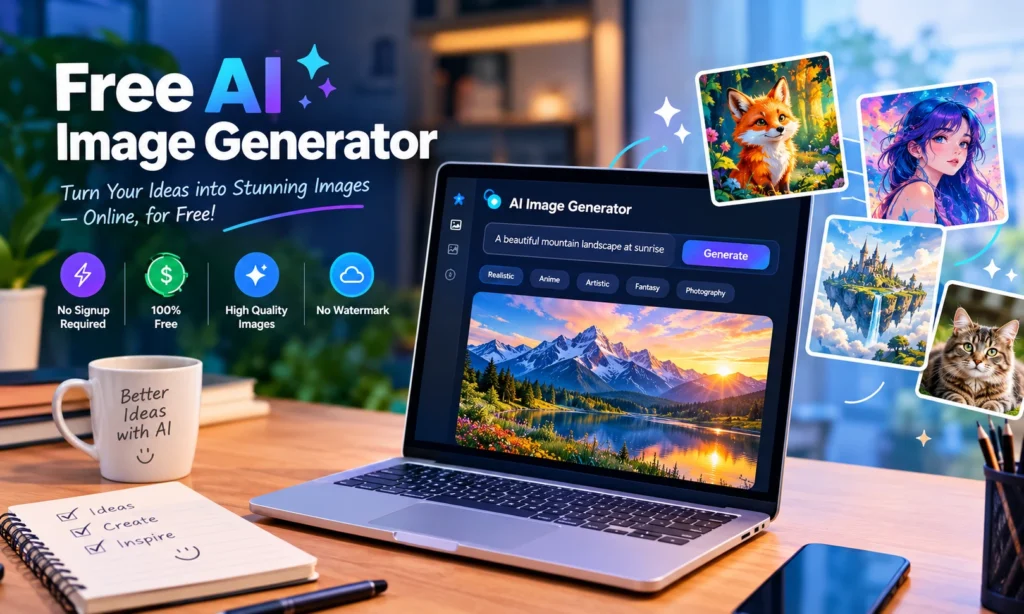
Artificial intelligence is changing the way people create digital content. In the past, creating professional images required photography equipment, graphic design skills, or expensive software. Today, anyone can use a free AI image generator to turn simple text descriptions into beautiful digital images in just a few seconds.
Whether you are a blogger, student, business owner, social media creator, digital marketer, or designer, AI image generation can help you create unique visuals for your projects. You can generate illustrations, realistic photographs, product concepts, wallpapers, logos, landscapes, fantasy artwork, and many other types of images using simple text prompts.
The best part is that many AI image generators offer free access, allowing beginners to experiment with artificial intelligence without immediately paying for a subscription. However, free plans often come with certain limitations, such as daily credits, generation limits, watermarks, slower processing, or restrictions on commercial use.
In this comprehensive guide, you will learn what a free AI image generator is, how it works, which tools you can explore, how to write effective prompts, and how to create high-quality images for blogs, websites, social media, and business projects.
If you want to create attractive images without advanced design skills, this guide will help you get started.
What Is a Free AI Image Generator?
A free AI image generator is an online tool or software application that uses artificial intelligence to create images from written descriptions, reference images, or other inputs.
For example, you could enter a prompt such as:
“Create a realistic photograph of a small wooden house beside a peaceful lake at sunrise, surrounded by green mountains, with soft golden light and a cinematic atmosphere.”
The AI system interprets your description and generates an image based on the instructions you provide.
Unlike traditional image editing software, which generally requires you to draw, arrange, or modify visual elements manually, an AI image generator can produce an entirely new image from a text prompt.
Some tools also support image-to-image generation, background replacement, object removal, image expansion, and editing existing pictures.
The term “free AI image generator” usually refers to a tool that provides a free plan, free credits, or limited image generation without requiring an immediate payment. It does not necessarily mean that every feature is available for free or that the generated images can always be used commercially.
How Does an AI Image Generator Work?
AI image generators use machine learning models trained on large collections of visual and associated data. These models learn patterns involving objects, colors, shapes, textures, artistic styles, and relationships between words and images.
When you submit a prompt, the system processes the text and generates a visual result that attempts to match your description.
A simplified version of the process includes the following steps:
- Enter a prompt: Describe the image you want to create.
- Interpret the description: The AI identifies the subject, setting, style, and other requested details.
- Generate the image: The model creates an image based on the prompt.
- Review the result: Examine the image and decide whether it meets your expectations.
- Refine the prompt: Add details or change the instructions to improve the result.
- Download or edit: Save the image or use available editing features.
The actual process varies by tool and model. Some generators also allow you to choose aspect ratios, visual styles, image quality, or reference images before generating the final result.
Best Free AI Image Generators to Explore
There are several AI image generators available online, and each offers different features, image styles, and access conditions.
The right option depends on what you want to create. Some tools are convenient for general-purpose image generation, while others are particularly useful for artistic images, visual design, or working within an existing creative platform.
Here are several popular tools worth exploring.
1. ChatGPT Image Generation
ChatGPT can help users create images from natural-language descriptions, depending on the features and usage limits available to their account.
You can describe the subject, background, colors, composition, and desired style using ordinary language. You can also request changes to an existing generated image through follow-up instructions when image editing is supported.
For example, you might ask for a colorful illustration of a futuristic city, a professional-looking blog banner, or a realistic nature scene.
Best for: Beginners, content creators, brainstorming, illustrations, and general-purpose image creation.
Why explore it: You can describe an idea conversationally instead of learning complicated design controls.
Free access: Availability and usage limits can vary by plan and current product policies.
2. Microsoft Designer and Image Creator
Microsoft offers AI-powered image creation experiences through its creative tools, with availability and features depending on the product and account.
These tools can help users turn text descriptions into images for personal projects, presentations, social media content, and other creative work.
A prompt might describe a minimalist office, a colorful educational illustration, or a fantasy landscape.
Best for: Everyday image creation, simple creative projects, and users who prefer a straightforward interface.
Why explore it: It provides a convenient way to experiment with AI-generated visuals without needing professional design experience.
Free access: Check the current product page for eligibility, usage limits, and any credit or speed restrictions.
3. Canva AI Image Generator
Canva is a popular visual design platform that combines templates, layouts, and editing tools with AI-powered features.
Depending on the current plan and region, its AI features can help generate images that you can incorporate into presentations, posters, social media graphics, and marketing materials.
For example, you could generate a background image and place it inside a YouTube thumbnail or a promotional design.
Best for: Bloggers, social media managers, students, and small businesses.
Why explore it: Image generation and layout editing can be handled within the same creative environment.
Free access: Some features may be available on free plans, while usage limits and advanced options can require payment.
4. Adobe Firefly
Adobe Firefly offers AI-powered creative tools for generating and editing visual content. Depending on the available features, you can use text prompts to create images and explore editing options such as generative filling.
It can be useful for creating visual concepts, advertising mockups, backgrounds, and design elements.
Best for: Designers, creative professionals, marketing teams, and users who work with Adobe products.
Why explore it: It combines image generation with creative editing workflows.
Free access: Availability may include limited credits or other restrictions, and paid plans can provide additional usage.
5. Leonardo AI
Leonardo AI is a creative platform known for AI-generated artwork, illustrations, game assets, and stylized visuals.
Users can explore different image-generation settings and artistic approaches, depending on the models and features currently available.
It may be useful for creating fantasy characters, fictional environments, concept art, and detailed digital illustrations.
Best for: Digital artists, game developers, fantasy creators, and concept designers.
Why explore it: It offers creative controls that can help users experiment with different visual directions.
Free access: Free usage may be limited by credits, model availability, or account-specific restrictions.
6. Ideogram
Ideogram is an AI image-generation platform that is particularly worth exploring when your designs need prominent text elements.
AI-generated text has historically been a common weakness in image generation, although results vary across models and prompts. Ideogram offers features intended to help with text-oriented visual designs.
Potential uses include posters, promotional concepts, greeting cards, and typography-focused artwork.
Best for: Poster concepts, text-based visuals, creative advertisements, and graphic design experiments.
Why explore it: It can be useful when words need to play an important role in the image.
Free access: Check the current plan for generation limits, privacy options, and commercial-use conditions.
7. Playground AI
Playground AI is another platform to investigate for AI-generated visuals and creative image editing.
Depending on the available product features, users may be able to experiment with different styles and refine visual concepts for personal or professional projects.
Best for: Creative experimentation, illustrations, and image design.
Why explore it: It can provide another option when comparing different generation styles and workflows.
Free access: Current availability and free-tier restrictions should be checked before relying on it for regular production.
8. FLUX-Powered Image Generation Tools
FLUX refers to a family of image-generation models associated with Black Forest Labs. These models are available through different interfaces and services, depending on the model and provider.
Some platforms provide limited free access to selected models, while others charge for generation or offer usage through developer APIs.
Best for: Users who want to compare image-generation models, create detailed visuals, or explore different levels of control.
Why explore it: Different models can produce noticeably different results from the same prompt.
Free access: There is no single universal free plan for every FLUX-powered service. Review the terms of the particular platform you use.
Which Free AI Image Generator Should You Choose?
The best tool depends on your creative goal rather than its popularity alone.
| Your goal | Tools worth exploring |
|---|---|
| General-purpose image creation | ChatGPT, Microsoft image creation tools |
| Social media graphics | Canva |
| Creative editing workflows | Adobe Firefly |
| Fantasy art and concept visuals | Leonardo AI |
| Typography-focused designs | Ideogram |
| Model experimentation | FLUX-powered platforms |
These are starting points, not a guarantee that every feature is free. Always check current pricing, usage allowances, and licensing conditions.
Key Benefits of Using a Free AI Image Generator
AI image generation offers several advantages for individuals and businesses. It can reduce the effort involved in producing visual content and make creative experimentation more accessible.
1. Create Images Without Advanced Design Skills
Traditional illustration and graphic design can require significant practice. You may need to understand drawing techniques, layers, typography, lighting, and image composition.
AI image generators reduce some of these barriers by allowing users to describe their ideas in plain language.
For instance, someone who cannot draw a detailed landscape can describe a mountain village at sunset and generate a visual concept.
You may still need to edit the result, but you do not have to create every element manually.
2. Save Time on Visual Content Creation
Creating a custom image manually can take hours, particularly when the design requires multiple elements.
AI generation can produce an initial visual concept much faster. You can then compare variations and select the result that best matches your needs.
This can be useful for:
- Blog featured images
- Social media posts
- Presentation backgrounds
- Product concept visuals
- Educational illustrations
- Website graphics
- Creative mood boards
The amount of time saved depends on the complexity of the task and how much refinement the result needs.
3. Reduce Initial Creative Costs
Professional photography, stock image subscriptions, and custom illustration services can become expensive for people producing content regularly.
A free AI image generator may provide an affordable starting point for creators who have limited budgets.
However, free tools do not eliminate every potential cost. Some projects require paid credits, professional editing, higher-resolution exports, or commercially licensed assets.
For business use, always evaluate the complete cost and licensing requirements rather than focusing only on the initial free offer.
4. Experiment With Different Artistic Styles
AI image generators can help users explore multiple visual directions from a single concept.
For example, a prompt describing a city street might produce variations in styles such as:
- Photorealistic photography
- Watercolor painting
- Digital illustration
- Cartoon artwork
- Retro poster design
- Minimalist vector-style graphics
- Science-fiction concept art
This flexibility is especially valuable during brainstorming, when you may not know exactly what kind of image you want.
5. Generate Images for Different Platforms
Different digital platforms require different image formats and compositions.
A blog featured image might use a landscape layout, while a social media story might need a vertical composition.
Many generators allow you to specify an aspect ratio or choose from preset sizes.
You can use these options to create images for websites, video thumbnails, advertisements, presentations, and social media.
Still, you should check the final dimensions and crop the image if necessary before publishing it.
6. Support Small Businesses and Independent Creators
Small businesses often need attractive visuals but may not have an in-house design team.
AI image generation can help with early-stage ideas for promotional campaigns, website backgrounds, seasonal content, and product presentation concepts.
For example, a small bakery might generate a decorative background for a holiday promotion.
A business selling physical products should be more careful when generating product imagery. AI-generated visuals can accidentally change the product’s shape, packaging, color, or features. Actual product photographs are generally more reliable when customers need to see exactly what they are buying.
How to Use a Free AI Image Generator Step by Step
Getting started is relatively simple. The exact interface varies by platform, but most tools follow a similar workflow.
Step 1: Choose an AI Image Generator
Start by selecting a platform that matches your goal.
If you need a simple illustration, a general-purpose generator may be sufficient. If you are designing a poster or social media graphic, a platform with built-in layout tools may be more convenient.
Before creating an account, check whether the service offers free access and whether you need to sign in.
Step 2: Open the Image Creation Interface
Visit the platform’s official website and find the image-generation feature.
You may see options such as “Create Image,” “Generate,” or “Text to Image.”
Some platforms also offer image editing, reference-image uploads, and style controls.
Avoid unofficial websites that request unnecessary personal information or browser permissions.
Step 3: Write a Clear Text Prompt
A prompt is the description you give the AI to explain the image you want.
A short prompt can work for simple ideas, but a more detailed description often gives you better control over the result.
For example, instead of writing:
“Beautiful mountain.”
Try:
“Create a realistic landscape photograph of snow-covered mountains surrounding a clear blue alpine lake, evergreen forests in the foreground, soft morning sunlight, natural colors, crisp details, and a peaceful atmosphere. Use a wide horizontal composition.”
The second prompt explains the subject, setting, lighting, style, and composition.
Step 4: Select the Image Style
If the tool provides style settings, choose the appearance you want.
Common options include realistic photography, illustration, anime-inspired artwork, painting, 3D rendering, and minimalist design.
The available choices depend on the model and platform.
If you do not see a style selector, include the desired style in your text prompt.
Step 5: Choose an Aspect Ratio
The aspect ratio describes the relationship between an image’s width and height.
Common choices include:
- 1:1: Square images for profile graphics and certain social posts.
- 4:5: Portrait-oriented social media content.
- 3:2: Traditional photographic compositions.
- 16:9: Wide images for blog banners, presentations, and video thumbnails.
- 9:16: Vertical visuals for stories and short-form video backgrounds.
For blog featured images, a wide landscape ratio is often convenient. However, your website’s actual image dimensions and theme settings should determine the final format.
Step 6: Generate the Image
Submit your prompt and wait for the system to process it.
Depending on the service, you may receive one image or several variations.
Review the results carefully. Check whether the subject is correct, the composition is balanced, and the image matches the intended style.
Step 7: Improve the Result
If the first attempt is not satisfactory, modify the prompt.
You might request brighter lighting, a simpler background, a different camera angle, fewer objects, or a more realistic appearance.
For example:
“Keep the same landscape concept, but use warmer sunset lighting, add more space in the sky, and simplify the foreground.”
Some tools allow conversational editing, while others require you to generate a new image.
Step 8: Download and Prepare the Image
When you are satisfied with the result, download it using the available export option.
Before publishing, consider:
- Checking the image resolution
- Cropping it to the correct dimensions
- Reviewing visual artifacts
- Compressing the file for web performance
- Converting it to an appropriate format
- Confirming licensing and usage rights
- Adding descriptive alternative text to your webpage
These final steps can make the image more useful and suitable for its intended purpose.
How to Write the Best AI Image Generation Prompts
Prompt writing is one of the most important skills for getting useful results from AI image generators.
A good prompt describes what should appear in the image and how it should look.
Use a Simple Prompt Structure
A helpful prompt formula is:
Subject + Setting + Style + Lighting + Composition + Details
Here is an example:
“Create a realistic photograph of a golden retriever sitting in a green garden, surrounded by colorful flowers, soft morning sunlight, natural colors, eye-level camera angle, sharp focus on the dog, and a peaceful atmosphere.”
This structure helps you communicate the essential visual elements without writing an unnecessarily complicated description.
Describe the Main Subject First
Begin by explaining what the image should show.
Examples include:
- A modern electric car
- A professional working at a laptop
- A tropical beach
- A futuristic city
- A bowl of fresh fruit
- A colorful educational illustration
A clearly defined subject gives the model a strong starting point.
Explain the Background
The background influences the entire composition.
Instead of requesting only “a coffee cup,” describe whether the cup should appear on a wooden table, inside a modern cafe, or against a plain studio background.
A useful background description can make the image more appropriate for its intended use.
Specify Lighting and Mood
Lighting can dramatically affect the appearance of an image.
You can request soft daylight, dramatic shadows, warm sunset lighting, studio illumination, or a moody nighttime atmosphere.
Similarly, describe the intended mood using words such as calm, cheerful, elegant, mysterious, energetic, or professional.
Include Composition Instructions
Composition describes how visual elements are arranged within an image.
Useful instructions include:
- Center the main subject.
- Leave empty space on the left for text.
- Use a wide landscape composition.
- Keep the background uncluttered.
- Place the subject in the foreground.
- Use a close-up view.
These instructions are especially useful when generating blog thumbnails, advertisements, or presentation backgrounds.
Avoid Contradictory Instructions
A prompt that asks for a dark nighttime scene with bright midday sunlight may produce inconsistent results.
Similarly, requesting a minimalist composition filled with dozens of decorative objects can create confusion.
Keep the instructions aligned with the visual goal.
Use Negative Instructions When Supported
Some generators support negative prompts or respond well to exclusions expressed in natural language.
For example, you could request a clean product scene without unnecessary objects or a landscape without buildings.
However, the interpretation of negative instructions varies by model. If the result does not improve, simplify the prompt or use available image-editing controls.
15 Free AI Image Generator Prompts You Can Try
The following examples can be adapted for blog content, websites, educational projects, social media, and personal creativity.
1. Nature Photography Prompt
“Create a realistic landscape photograph of a peaceful green valley surrounded by towering mountains, a crystal-clear river flowing through the center, soft morning mist, golden sunlight, natural colors, and detailed textures. Use a wide horizontal composition.”
2. Technology Blog Image Prompt
“Create a professional technology-themed illustration showing artificial intelligence, digital networks, and glowing data connections, with a modern blue-and-white color palette, clean composition, subtle lighting, and space for a headline. Wide landscape format.”
3. Business Office Prompt
“Create a realistic photograph of a modern workspace with a laptop, notebook, desk lamp, and a small green plant beside a large window. Use natural daylight, neutral colors, clean styling, and a professional editorial photography aesthetic.”
4. Travel Destination Prompt
“Create a cinematic travel photograph of a colorful coastal village overlooking the Mediterranean Sea, with traditional buildings, boats on calm blue water, warm afternoon sunlight, and an inviting summer atmosphere.”
5. Fantasy Art Prompt
“Create a fantasy illustration of an ancient castle floating above the clouds, surrounded by distant mountains, magical waterfalls, glowing particles, and dramatic golden light. Highly detailed environment, imaginative composition, and rich visual depth.”
6. Food Photography Prompt
“Create a realistic food photograph of a freshly baked chocolate cake on a ceramic plate, with a soft chocolate glaze, delicate crumbs, a warm cafe background, natural window lighting, and professional food photography styling.”
7. Educational Illustration Prompt
“Create a friendly educational illustration explaining the solar system, showing the Sun and planets arranged clearly against a dark space background. Use bright colors, simple shapes, clean spacing, and an age-appropriate classroom illustration style.”
8. E-Commerce Background Prompt
“Create a clean premium studio background for a skincare product, with a light beige surface, soft shadows, subtle botanical elements, diffused lighting, and generous empty space in the center. Do not include text or logos.”
9. Social Media Motivation Prompt
“Create an uplifting sunrise landscape with rolling green hills, a winding path, golden light breaking through soft clouds, and a peaceful atmosphere. Leave open space at the top for a motivational quote.”
10. Gaming Concept Art Prompt
“Create concept art of a futuristic science-fiction city with towering buildings, illuminated streets, flying vehicles, atmospheric fog, and dramatic neon lighting. Use a cinematic wide-angle composition with detailed environmental design.”
11. Minimalist Wallpaper Prompt
“Create a minimalist abstract wallpaper featuring smooth flowing shapes, subtle gradients, elegant curves, and a balanced neutral color palette. Keep the composition uncluttered and suitable for a desktop background.”
12. Cute Animal Illustration Prompt
“Create a charming illustration of a small orange kitten sitting inside a cardboard box, with expressive eyes, soft fur details, warm lighting, and a cheerful pastel background. Use a polished children’s book illustration style.”
13. Professional Portrait Concept Prompt
“Create a professional studio portrait concept of an adult wearing smart business clothing against a neutral background, with soft balanced lighting, natural skin texture, a relaxed expression, and a clean corporate photography style.”
For real people, use appropriate consent and respect the platform’s rules concerning identity and likeness.
14. Environmental Awareness Prompt
“Create a detailed environmental illustration showing a green city with rooftop gardens, bicycles, clean public transport, solar panels, and leafy streets. Use bright natural colors and an optimistic editorial illustration style.”
15. Blog Featured Image Prompt
“Create a modern digital illustration representing free AI image generation, featuring a laptop displaying colorful abstract artwork, floating creative elements, subtle artificial intelligence symbols, a clean background, professional lighting, and a wide 16:9 composition. Leave sufficient empty space for a blog headline.”
You can reuse these prompt structures for different subjects by changing the background, colors, style, and composition.
Best Uses of Free AI Image Generators
AI image generation can support a wide variety of creative tasks.
1. Blog Featured Images
Blog images help readers understand the subject of an article and make pages more visually appealing.
For example, an article about Excel formulas might use a custom illustration of a spreadsheet interface, while an article about travel could use an appropriate destination-inspired landscape.
For blog publishing, aim for visuals that accurately represent the content rather than images that are attractive but unrelated.
2. Social Media Content
Social media creators often need fresh visuals for regular posts.
AI-generated images can provide backgrounds, themed illustrations, seasonal concepts, and creative variations for campaigns.
You can also generate a set of images with a consistent color palette to help establish a recognizable visual identity.
3. YouTube Thumbnails
A compelling thumbnail can help communicate the subject of a video.
AI tools can generate backgrounds, objects, environments, and conceptual scenes for thumbnail designs.
For best results, leave sufficient space for readable text and use an image-editing tool to add the final title. Do not assume an image generator will reproduce long headlines or precise lettering perfectly.
4. Website Design
Website owners can use AI-generated illustrations, decorative backgrounds, and concept images to complement their pages.
For example, a technology website might use abstract digital imagery, while a cooking website could use food-related visuals.
Choose images that fit your site’s design and do not distract users from the main content.
5. Marketing and Advertising
Businesses can use generated images during the planning stages of promotional campaigns.
AI imagery can help communicate an advertising concept, test different visual directions, or create a mood board for a designer.
Before publishing commercial advertising, verify the platform’s licensing terms and review the image for misleading representations, trademark issues, or inaccurate product details.
6. Education and Learning
Teachers and students can create illustrations to support explanations of scientific concepts, historical settings, geography, and abstract ideas.
For example, an AI-generated diagram-style illustration might help introduce the water cycle.
Important educational diagrams should be checked for factual accuracy. AI models can generate visually convincing images that contain scientific errors, incorrect labels, or misleading details.
7. Product Concept Design
Entrepreneurs can use AI image generation to explore possible packaging styles, color schemes, and product concepts before investing in production.
These images are useful for brainstorming, but they should not automatically be treated as accurate photographs of a finished product.
If customers need to see a real item, use genuine product photography or clearly identify concept imagery.
Free AI Image Generator for Bloggers and SEO
If you publish articles regularly, AI-generated images can help you create a consistent visual style for your website.
However, using AI-generated images does not automatically improve search rankings. Their value depends on relevance, image quality, page usefulness, accessibility, and overall website performance.
Create Images Relevant to Your Content
Every image should support the article’s subject.
For example, an article about free AI image generators could include a featured image showing digital artwork being created on a computer.
An article about spreadsheet formulas could use a clear illustration of a spreadsheet, formula bar, or data table.
Relevant visuals improve the reader’s understanding and can make the page feel more complete.
Choose Descriptive Image File Names
Before uploading an image, give it a short, descriptive filename.
For example:
free-ai-image-generator.webpai-image-generation-guide.webptext-to-image-examples.webpai-image-generator-prompts.webp
Descriptive filenames help organize media files and provide useful context about the image.
Avoid stuffing filenames with repeated keywords or using excessively long descriptions.
Write Helpful Alt Text
Alternative text, commonly called alt text, describes an image for people who cannot see it and for assistive technologies.
For a relevant featured image, you might write:
“Illustration of a laptop generating colorful digital artwork with AI.”
Good alt text describes the actual image in context. It should not be treated as a place to insert every SEO keyword.
Decorative images that add no meaningful information can often use empty alt text, depending on the website implementation.
Optimize Image Size
Large image files can slow down a webpage, especially on mobile connections.
Consider using modern image formats such as WebP or AVIF when supported by your website and publishing workflow.
You should also resize images to appropriate dimensions instead of uploading unnecessarily large files.
Image compression should reduce file size without making important visual details noticeably blurry.
Use Appropriate Image Dimensions
A wide image is often suitable for a blog featured image, but the ideal dimensions depend on the website theme, content management system, and publishing platform.
For example, a 16:9 image can work well as a general-purpose banner, while other layouts may require a different ratio.
Check how the image appears on desktop and mobile devices before publishing.
Create an Original Visual Style
Consistent visuals can make a website more recognizable.
You might use similar colors, lighting, illustration styles, and composition across your articles.
For example, a technology blog could use a consistent palette of blue, white, and violet for its AI-related articles.
Consistency can support branding, but individual images should still accurately represent their specific topics.
Add Images Where They Improve the Article
Do not add images merely to increase the number of visuals on a page.
Use images when they explain a process, demonstrate an example, support a comparison, or improve the reader’s understanding.
A useful prompt example, before-and-after comparison, or annotated illustration may offer more value than several unrelated decorative pictures.
Common Mistakes to Avoid When Using AI Image Generators
AI tools are powerful, but they are not perfect. Understanding their limitations will help you produce better results.
1. Writing Extremely Vague Prompts
A prompt such as “make something beautiful” gives the model little information about the intended result.
Instead, identify the subject, environment, style, and purpose.
Specific prompts provide a clearer direction and make it easier to evaluate the output.
2. Expecting Every Image to Be Perfect
AI-generated images can contain distorted hands, unusual facial features, inconsistent shadows, malformed objects, or unrealistic textures.
Inspect the result carefully, particularly when the image contains people, product details, or text.
Regenerate the image or use editing tools when necessary.
3. Ignoring Copyright and Licensing
Free access does not automatically grant unrestricted commercial rights.
Some services impose conditions on commercial use, redistribution, privacy, or ownership. Legal rules concerning AI-generated content also differ across jurisdictions.
Read the relevant terms before using an image in advertisements, merchandise, client projects, or other commercial applications.
4. Using AI Images to Mislead Viewers
Photorealistic images can create false impressions when presented as genuine photographs of real events, people, or products.
Avoid using fabricated visuals in ways that misrepresent evidence, product performance, news events, or actual customer experiences.
When the distinction matters, label conceptual or AI-generated images appropriately.
5. Ignoring Privacy
Avoid uploading sensitive documents, confidential business information, or private photographs to an AI service without understanding its data-handling policies.
Review the platform’s privacy settings and terms, especially if you are working with client assets or proprietary material.
6. Publishing Images Without Reviewing Them
Generated images can contain strange details, incorrect objects, unintended text, or visual inconsistencies.
Review every image before publishing. This is particularly important for educational material, commercial campaigns, and content that makes factual claims.
7. Forgetting Website Performance
Even a visually attractive image can negatively affect user experience if its file size is excessive.
Compress files, use appropriate dimensions, and implement responsive image delivery where possible.
Are Free AI Image Generators Safe to Use?
Many established AI image-generation platforms provide legitimate creative tools, but safety depends on the service and how you use it.
Before choosing a platform, consider these points:
- Official website: Use the legitimate service rather than an imitation site.
- Account security: Avoid reusing weak passwords and enable available security protections.
- Privacy policy: Understand how prompts, uploads, and generated content may be stored or processed.
- Content rules: Review restrictions concerning people, copyrighted material, and prohibited content.
- Download security: Avoid suspicious download buttons, browser extensions, or unexpected software installations.
- Licensing: Check whether the generated images may be used for your intended purpose.
You generally do not need to install unknown software just to experiment with browser-based image generation.
A cautious approach helps you explore AI creativity while reducing unnecessary privacy and security risks.
Can You Use AI-Generated Images for Commercial Purposes?
In some cases, yes, but the answer depends on the service’s terms, the particular image, and applicable law.
A tool may allow commercial use on one plan but impose additional conditions on another. Some platforms also distinguish between content created with free access and content created under a paid subscription.
Before using an image commercially, check the following:
- Whether commercial use is permitted under your current plan.
- Whether attribution is required.
- Whether there are restrictions on merchandise or resale.
- Whether the image includes recognizable trademarks or protected characters.
- Whether identifiable people or real products are depicted in misleading ways.
- Whether any third-party rights could apply to the content.
Do not assume that an AI-generated image is automatically free of copyright or other legal concerns simply because it was generated rather than downloaded from a stock photography website.
If you are creating images for a major advertising campaign or a high-value commercial project, consider obtaining appropriate legal guidance.
Free AI Image Generator vs. Traditional Stock Photos
Both AI-generated images and stock photography can be useful, but they serve different needs.
| Feature | Free AI image generator | Stock photography |
|---|---|---|
| Customization | Generate visuals based on a prompt | Select from existing images |
| Speed | Often fast for initial concepts | Often fast when a suitable image exists |
| Unique concepts | Can create unusual or tailored scenes | Limited to available photographs and illustrations |
| Real-world accuracy | May contain invented or inaccurate details | Usually better for depicting actual photographed subjects |
| Cost | May offer free credits or limited access | May offer free and paid licensing options |
| Editing requirements | May need regeneration or correction | May need cropping, retouching, or layout adjustments |
| Licensing | Depends on the AI service and applicable rights | Depends on the stock site’s license |
For fictional environments, abstract concepts, and custom illustrations, AI generation can be especially useful.
For real people, actual locations, genuine products, and documentary subjects, a verified photograph may be the better choice.
The most effective approach depends on the purpose of the image.
Tips for Getting Better Results From Free AI Image Generators
You can improve your results by following a few practical guidelines.
Start with one clear idea. Focus on the main subject before adding numerous details.
Use visual language. Describe lighting, perspective, color, texture, and composition rather than relying only on broad adjectives.
Generate multiple variations. If the platform allows it, compare several results instead of assuming the first image will be best.
Refine one element at a time. Change the lighting, background, or framing separately when possible. This makes it easier to understand which instruction improves the result.
Keep a record of successful prompts. Save useful descriptions so you can adapt them for future projects.
Choose the right format. Decide whether you need a square image, portrait graphic, or landscape banner before generating.
Check important details. Examine text, faces, hands, logos, and product features closely.
Respect licensing and privacy. Review the platform’s policies before uploading reference images or publishing generated results.
Use editing tools when needed. Cropping, resizing, and correcting minor issues can improve the final image.
Prioritize usefulness over complexity. A simple, clear image that supports the content can be more effective than an elaborate image filled with distracting details.
The Future of Free AI Image Generation
AI image generation continues to develop, with improvements in visual quality, instruction following, editing, and integration with creative software.
Future tools may provide more precise control over composition, better consistency across multiple images, and more convenient workflows for creating complete visual campaigns.
For example, creators may increasingly use a combination of text prompts, reference images, editing instructions, and design templates to produce cohesive collections of graphics.
At the same time, issues involving copyright, privacy, misinformation, transparency, and responsible use will remain important.
Free access may also change as providers adjust their business models, computational costs, and subscription offerings.
For users, the best strategy is to develop transferable skills: writing clear prompts, evaluating visual quality, understanding image licensing, and preparing images for their intended platforms.
These skills remain useful even when specific AI tools change.
Frequently Asked Questions About Free AI Image Generators
There is no single best option for every user. ChatGPT image generation, Microsoft image creation tools, Canva, Adobe Firefly, Leonardo AI, and Ideogram are among the platforms worth exploring.
The right choice depends on your desired image style, editing requirements, available free usage, and licensing needs.
Yes, some platforms provide free credits, limited image generation, or free-plan access. However, the number of images you can create and the available features vary.
Check the current terms of the platform before planning a large project.
No advanced design skills are required to get started. Most tools allow you to describe an image using ordinary language.
Learning basic prompt writing, composition, and image editing can help you achieve more consistent results.
Yes. Text-to-image generation is one of the main capabilities of many AI image generators.
You enter a description of the desired subject, background, style, and other details, and the system creates an image based on your instructions.
Generally, this may be possible, subject to the tool’s terms and applicable law.
Choose images that are relevant to the article, review them for errors, and optimize their file size. Use descriptive filenames and helpful alt text where appropriate.
Not necessarily. Copyright protection and licensing depend on the jurisdiction, the circumstances of creation, and the rights associated with the underlying material.
A platform’s permission to use an image does not automatically eliminate every possible third-party rights issue.
Some platforms permit commercial use under specified conditions, while others impose restrictions.
Read the current license and terms for the specific service and plan before using an image in advertisements, products, or client work.
Yes. Many modern models can generate highly realistic-looking images.
However, realism does not guarantee factual accuracy. Examine details carefully before using a generated image to represent a real person, product, location, or event.
Write a clear prompt that identifies the subject, setting, style, lighting, and composition. Generate variations, refine the instructions, and inspect the final result.
The appropriate image size and editing process also depend on where you intend to publish it.
A beginner may prefer a tool with a straightforward interface, natural-language prompts, and easy download options.
ChatGPT and Microsoft image creation tools are reasonable starting points for general image generation, while Canva may be convenient for users who also need design templates.
11. Can I generate images without installing software?
Yes. Many AI image-generation services work directly in a web browser.
You may need an account, depending on the platform, but you generally do not need to install dedicated desktop software for basic browser-based generation.
12. Can AI image generators create images for social media?
Yes. They can help create backgrounds, illustrations, promotional concepts, and other social media visuals.
Choose the correct aspect ratio and review the result before publishing. For text-heavy graphics, adding the final text in a design editor can provide better control.
13. Why do AI-generated images sometimes contain errors?
Image-generation models do not interpret every visual detail exactly as a human designer would. They may produce inconsistent shapes, distorted objects, inaccurate text, or unexpected details.
More specific prompts, regeneration, and manual editing can help improve the output.
14. Are free AI image generators suitable for professional work?
They can be useful for professional brainstorming, draft illustrations, content creation, and design concepts.
However, professional use may require higher resolution, consistent visual branding, commercial permissions, privacy controls, and additional quality checks.
Evaluate these requirements before selecting a tool for an ongoing project.
15. Will AI-generated images improve my website’s SEO?
AI-generated images do not automatically improve search rankings.
Relevant images, helpful alt text, appropriate filenames, efficient image delivery, and a useful overall page experience can support good publishing practices. Your content should remain accurate, original, and valuable to readers.
Conclusion: Start Creating With a Free AI Image Generator
A free AI image generator can make digital creativity more accessible by allowing you to transform written ideas into visual content without needing advanced drawing or photography skills.
Whether you want to create blog featured images, social media graphics, website illustrations, fantasy artwork, educational visuals, or product concepts, AI image generation offers a flexible starting point.
The key is to choose a suitable tool, write clear prompts, experiment with different styles, and review every image before publishing it.
Remember that free plans may have usage restrictions, and commercial rights can vary between platforms. Pay attention to image quality, licensing, privacy, and website optimization when using AI-generated visuals in public or professional projects.
If you are just getting started, choose one image generator and experiment with a few simple prompts. Once you understand how different instructions affect the results, you can gradually develop your own creative workflow.
Start exploring free AI image generation today and turn your ideas into original visual concepts.
The best results come from combining the speed of AI with human creativity, careful editing, and a clear understanding of your audience’s needs.
2 comments