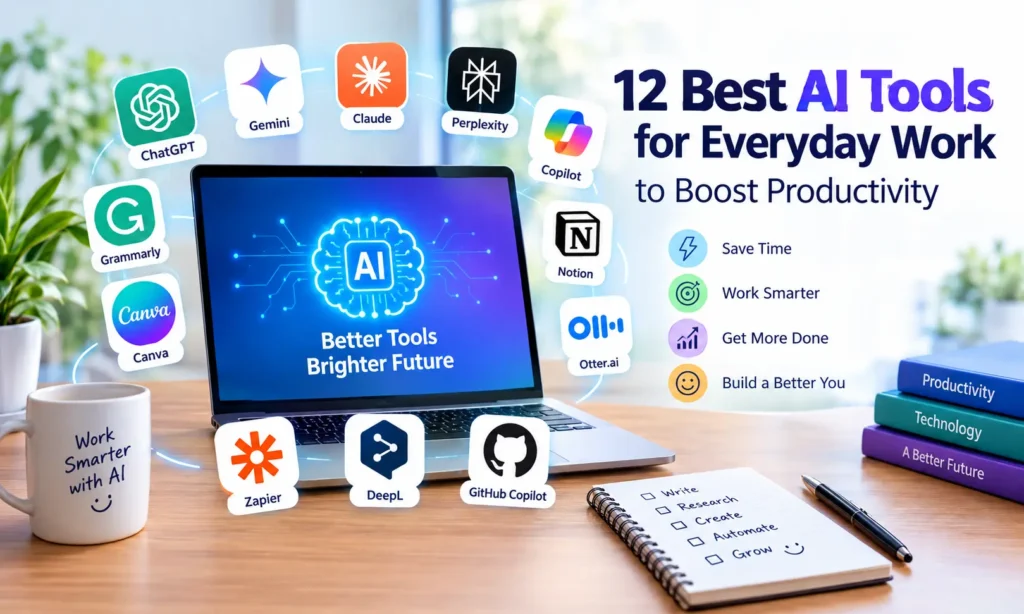
Hello! I’m Vishal Kumar, the creator of ZeexasTech.com.
Welcome to your destination for AI tools, Excel tips, technology tutorials, and smart digital solutions. My aim is to simplify complex topics and share practical knowledge that helps you learn faster, boost productivity, and stay ahead in the digital world.
ZeexasTech.com — Learn Technology. Work Smarter. Grow Faster.
Artificial intelligence is changing the way people work, learn, communicate, and manage their daily lives. Tasks that once required hours of effort can now be completed much faster with the help of AI-powered applications. From writing emails and creating presentations to researching information, designing graphics, analyzing data, and organizing schedules, AI tools are becoming valuable assistants for people in almost every profession.
The best part is that you do not need to be a programmer or technology expert to use them. Many modern AI tools are designed for beginners, students, freelancers, business owners, office employees, teachers, and content creators.
Whether you want to save time at work, improve your productivity, build an online business, or learn new skills, choosing the right artificial intelligence tools can make a meaningful difference.
In this guide, we will explore the best AI tools that can change your life, explain how they work, discuss their everyday applications, and show you how to build a practical AI-powered workflow.
What Are AI Tools?
AI tools are software applications that use artificial intelligence technologies to perform tasks, analyze information, generate content, recognize patterns, and assist people with decision-making.
Traditional software generally follows predefined instructions. AI-powered applications can often interpret natural language, identify patterns in information, and generate responses based on the context they receive.
For example, instead of manually writing an email from scratch, you can ask an AI assistant to draft a professional message. Rather than spending hours organizing research notes, you can use AI to summarize the main ideas. Similarly, AI design tools can help turn a simple description into a visual concept.
Common applications of AI tools include:
- Writing articles, emails, reports, and social media posts.
- Researching topics and summarizing information.
- Creating images, presentations, and marketing materials.
- Analyzing spreadsheets and organizing data.
- Transcribing meetings and summarizing conversations.
- Planning projects and managing everyday tasks.
- Learning new subjects and practicing skills.
- Automating repetitive business workflows.
AI does not eliminate the need for human judgment. Instead, it can help people complete routine work more efficiently and focus on tasks that require creativity, experience, and decision-making.
Why AI Tools Are Becoming Essential for Everyday Work
The growing popularity of artificial intelligence comes from its ability to support many different types of work through simple, accessible interfaces.
Here are some of the most important benefits.
1. Save Time on Repetitive Tasks
Many daily activities involve repeating the same actions, such as drafting emails, formatting documents, preparing summaries, or organizing information.
AI can help automate parts of these tasks, reducing the time required to complete them.
2. Improve Productivity
AI assistants can help you move from an idea to a workable draft, plan your day, organize a project, or break a complicated task into manageable steps.
This makes it easier to maintain momentum without getting stuck at the beginning of a task.
3. Support Creativity
Creative professionals can use AI to brainstorm article topics, generate design concepts, explore advertising ideas, and develop content outlines.
Rather than replacing creativity, these tools can provide inspiration and help users explore different approaches.
4. Make Learning Easier
Students and professionals can use AI to explain complicated subjects, generate practice questions, summarize notes, and create personalized learning plans.
The most effective approach is to use AI as a learning partner rather than relying on it to provide every answer without verification.
5. Make Advanced Capabilities More Accessible
Tasks such as image editing, spreadsheet analysis, coding assistance, and presentation creation are becoming easier for people without specialized technical backgrounds.
This accessibility allows individuals and small businesses to experiment with capabilities that previously required more time, experience, or expensive software.
The Best AI Tools That Can Change Your Life
The following tools cover different everyday needs, including writing, research, organization, design, communication, and automation. The best option depends on your goals, existing software, budget, and preferred workflow.
1. ChatGPT — Best AI Tool for Everyday Productivity
ChatGPT is a versatile AI assistant that can help with writing, brainstorming, research, learning, coding, planning, and data analysis.
It is a useful starting point for anyone who wants to explore artificial intelligence without learning multiple specialized applications.
Key Features
- Generates and edits written content.
- Explains difficult concepts in simple language.
- Helps analyze supported documents and spreadsheets.
- Assists with coding and troubleshooting.
- Creates structured plans, outlines, and checklists.
- Supports brainstorming and creative projects.
- Helps develop ideas into practical next steps.
How ChatGPT Can Change Your Daily Work
Imagine that you need to write a professional email, prepare a report, and plan a new project. Instead of approaching each task without assistance, you can ask ChatGPT to draft the email, create a report outline, and break the project into smaller tasks.
For example, you could enter this prompt:
“Create a practical daily work schedule for a freelancer who needs to write two articles, respond to emails, conduct research, and manage social media. Include realistic breaks and prioritize important tasks.”
The result can provide a starting schedule that you adjust according to your actual commitments.
ChatGPT is also useful for students, bloggers, marketers, business owners, and professionals who regularly work with information.
Best for: General productivity, writing, planning, learning, and problem-solving.
2. Google Gemini — Best for Google Workspace Users
Google Gemini is an AI assistant that can support research, writing, brainstorming, and other productivity tasks. Depending on the account, plan, and enabled features, it can also work with Google’s productivity ecosystem.
People who already use Gmail, Google Docs, Google Sheets, and Google Drive may find it particularly convenient to explore Gemini alongside their existing tools.
Key Features
- Assists with writing and rewriting.
- Summarizes information and explains concepts.
- Helps brainstorm ideas and plan projects.
- Supports data-related tasks and spreadsheet workflows.
- Integrates with supported Google services on eligible plans.
Everyday Uses
You can use Gemini to brainstorm blog titles, draft a professional email, outline a presentation, or explain a spreadsheet formula.
For example, a small business owner might ask it to generate a weekly marketing plan and suggest content topics for different customer groups.
Always verify generated figures, formulas, and business recommendations before using them in important decisions.
Best for: People who work regularly with Google’s apps.
3. Claude — Best for Long Documents and Detailed Writing
Claude is an AI assistant designed to help users with writing, analysis, coding, and other knowledge-intensive tasks.
It can be particularly useful when you need to work through lengthy documents, develop detailed reports, improve the structure of written content, or analyze a complicated subject.
Key Features
- Drafts and revises long-form content.
- Helps summarize supported documents.
- Assists with structured reasoning and analysis.
- Supports coding and technical explanations.
- Helps develop reports, proposals, and project plans.
How to Use Claude
Suppose you have a lengthy report and need a concise summary for your manager. You can provide the document and ask Claude to identify the central arguments, important findings, potential risks, and recommended next steps.
You can also use it to improve an article’s organization, simplify technical explanations, or turn rough notes into a more polished document.
As with other AI assistants, review important claims and confirm that the output accurately reflects the original material.
Best for: Long-form writing, document analysis, and detailed knowledge work.
4. Perplexity AI — Best for Online Research
Research can consume a significant portion of the working day. Perplexity is an AI-powered answer and research tool that searches the web and presents responses with linked sources.
Its source-oriented approach makes it useful when you want to explore a topic and investigate where particular claims come from.
Key Features
- Answers questions using web-based information.
- Provides links to sources for further reading.
- Helps explore unfamiliar topics.
- Summarizes information from multiple sources.
- Supports deeper research workflows.
Everyday Uses
Bloggers can use Perplexity to discover background information before writing an article. Students can explore a topic and follow the supplied references. Professionals can use it to investigate industry developments or prepare for meetings.
For example, you could ask:
“Research the main applications of artificial intelligence in education. Organize the findings by application, benefits, limitations, and sources that I can verify.”
The results can help you develop a research outline, but you should open the original sources and confirm important claims before publishing.
Best for: Research, source discovery, and information gathering.
5. Microsoft Copilot — Best for Microsoft Office Work
Microsoft Copilot provides AI assistance across supported Microsoft products and workflows. Depending on your subscription and account permissions, it can help with tasks involving Word, Excel, PowerPoint, Outlook, and Teams.
This makes it a useful option for professionals whose daily work already depends on Microsoft 365.
Key Features
- Assists with drafting and summarizing documents.
- Helps develop presentation outlines.
- Supports spreadsheet analysis and formula-related tasks.
- Assists with email drafting and summarization.
- Can help summarize meetings and organize information in supported environments.
How It Helps at Work
Imagine that you need to prepare a presentation for a weekly business meeting. Copilot may help you create an outline, organize key points, and develop draft slide content.
In Excel, supported Copilot features can help users explore data, understand patterns, and work with formulas.
Always check spreadsheet calculations, source data, and generated presentations before sharing them.
Best for: Office employees, corporate teams, and Microsoft 365 users.
6. Grammarly — Best for Writing and Communication
Clear communication is essential for professional success. Grammarly helps users improve spelling, grammar, clarity, tone, and sentence structure.
It can be especially useful for people who write emails, reports, proposals, website content, and business documents regularly.
Key Features
- Checks grammar and spelling.
- Suggests clearer wording.
- Helps adjust writing tone.
- Rewrites selected passages.
- Supports professional communication across compatible applications.
Everyday Uses
If you write an email that sounds too informal, Grammarly can suggest a more professional version. If a paragraph is difficult to understand, it can help simplify the wording.
For example, you can start with a sentence such as:
“I am sending this because I want to know if you checked the document.”
A more polished version might be:
“I’m following up to see whether you’ve had a chance to review the document.”
These improvements can make communication clearer and reduce unnecessary back-and-forth.
Best for: Professionals, students, bloggers, and anyone who writes frequently.
7. Canva AI — Best for Graphic Design and Visual Content
Canva makes graphic design accessible through templates and an intuitive editing interface. Its AI-powered features can assist with creating and adapting visual content, depending on the tools available in your account.
You do not need to be an experienced designer to produce attractive social media graphics, presentations, posters, or marketing materials.
Key Features
- Provides customizable design templates.
- Helps generate and edit supported visual content.
- Assists with presentations and social media graphics.
- Offers tools for adapting designs to different formats.
- Supports collaborative design workflows.
How Canva AI Can Help
A blogger can use Canva to create a featured image for an article. A small business can design promotional graphics. A student can prepare a presentation with consistent layouts and visual elements.
For example, you might begin with the concept “A modern, professional blog thumbnail about AI productivity tools, featuring a laptop, subtle technology elements, and a clean blue-and-white color scheme.”
You can then refine the design, check text readability, and adjust the dimensions for your website or social media platform.
Best for: Bloggers, marketers, creators, students, and small businesses.
8. Notion AI — Best for Notes, Projects, and Organization
Notion combines documents, databases, notes, and project organization. Its AI features can assist with working inside this information environment.
It can be useful for people who want to keep their tasks, project notes, reference materials, and planning documents together.
Key Features
- Helps summarize notes and documents.
- Supports drafting and rewriting.
- Assists with organizing project information.
- Helps users work with knowledge stored in supported workspaces.
- Supports task and project management workflows.
Everyday Uses
You can create a content calendar, maintain a project checklist, organize meeting notes, and document standard operating procedures.
For example, a blogger managing several websites might maintain a database containing article titles, keywords, publication dates, draft links, and content status.
Notion AI can help work with that information, while the underlying workspace provides a structured place to organize it.
Best for: Freelancers, students, content teams, and people managing multiple projects.
9. Otter.ai — Best for Meeting Transcription
Meetings often contain valuable information, but manually writing notes can distract participants from the conversation.
Otter.ai provides AI-powered meeting transcription and note-taking features that can help turn spoken discussions into searchable text and summaries.
Available functionality depends on the service plan and supported meeting setup.
Key Features
- Transcribes supported audio and meetings.
- Helps summarize conversations.
- Makes it easier to review discussion points.
- Supports searchable meeting records.
- Helps identify follow-up items from conversations.
How It Can Improve Productivity
After a meeting, you may need to remember what was discussed, which decisions were made, and who is responsible for each task.
A meeting transcription tool can provide a useful record to review and convert into an action list.
However, AI transcripts can misinterpret names, numbers, and technical terms. Review important details before distributing the notes, and obtain appropriate consent before recording conversations.
Best for: Teams, managers, students, consultants, and professionals who attend frequent meetings.
10. Zapier — Best for Workflow Automation
Zapier helps connect different applications so that actions in one service can trigger actions in another. Its automation capabilities can reduce repetitive manual work, and its AI-related features can support more advanced workflows.
It is particularly valuable when you repeatedly move information between tools.
Key Features
- Connects supported applications.
- Automates recurring tasks.
- Transfers information between workflows.
- Supports triggers and actions.
- Provides AI-assisted automation capabilities in supported setups.
Practical Example
Suppose you receive new customer inquiries through a website form. An automation could send the submitted information to a spreadsheet, notify the relevant team member, and create a follow-up task.
Once configured and tested, the workflow can reduce the need to perform each step manually.
Start with simple automations and check permissions, data handling, error notifications, and task limits before relying on them for important business processes.
Best for: Freelancers, business owners, marketers, and teams with repetitive digital workflows.
11. DeepL — Best for Translation and Multilingual Communication
DeepL provides AI-powered translation and writing assistance for supported languages.
It can help people communicate across language barriers, understand foreign-language material, and prepare multilingual content.
Key Features
- Translates supported languages.
- Helps improve translated wording.
- Supports document translation in eligible workflows.
- Assists with multilingual communication.
- Offers writing-related features in supported languages and plans.
Everyday Uses
A business owner can translate a product description for an international audience. A student can explore foreign-language reading material. A freelancer can prepare a draft response for a client who communicates in another language.
Machine translation may miss cultural context, idioms, and specialized terminology. For legal, medical, or other high-stakes documents, use a qualified human reviewer.
Best for: International communication, translation, and multilingual content.
12. GitHub Copilot — Best for Coding and Software Development
GitHub Copilot is an AI coding assistant that helps developers write, understand, and improve software.
It can suggest code, explain programming concepts, and assist with certain development tasks within supported environments.
Key Features
- Suggests code while you work.
- Helps explain unfamiliar code.
- Assists with writing functions and tests.
- Supports debugging workflows.
- Helps developers explore implementation ideas.
How It Can Help Beginners and Professionals
A beginner learning Python might ask for an explanation of a loop or a simple function. An experienced developer might use Copilot to generate a starting point for a repetitive coding task.
Generated code should always be reviewed, tested, and checked for security issues. Do not assume that code is correct simply because it runs or looks convincing.
Best for: Software developers, programmers, and people learning to code.
Comparison of the Best AI Tools for Everyday Work
The following table summarizes which tool you might try first for different needs.
| AI Tool | Best Use | Ideal Users |
|---|---|---|
| ChatGPT | General productivity and writing | Almost anyone |
| Google Gemini | Google ecosystem workflows | Students and professionals |
| Claude | Long documents and analysis | Writers and researchers |
| Perplexity AI | Web research | Bloggers and researchers |
| Microsoft Copilot | Microsoft Office tasks | Office employees |
| Grammarly | Grammar and writing improvement | Writers and professionals |
| Canva AI | Visual content and presentations | Creators and marketers |
| Notion AI | Notes and project organization | Freelancers and teams |
| Otter.ai | Meeting transcription | Teams and managers |
| Zapier | Workflow automation | Businesses and freelancers |
| DeepL | Translation | Multilingual users |
| GitHub Copilot | Coding assistance | Developers and learners |
These recommendations are based on the tools’ primary use cases, not on a controlled performance ranking. Features, usage limits, and subscription options can change, so review the providers’ current websites before choosing a paid plan.
How to Choose the Right AI Tool for Your Needs
With so many options available, selecting the right application can feel overwhelming. Instead of subscribing to every popular tool, begin with the tasks that take the most time in your daily routine.
1. Identify Your Biggest Challenge
Start by identifying the problem you want to solve.
- If writing takes too long, try ChatGPT or Grammarly.
- If research is difficult, explore Perplexity.
- If you create graphics frequently, try Canva.
- If you struggle to organize projects, consider Notion.
- If you repeat the same digital tasks, explore Zapier.
- If you work with code, consider GitHub Copilot.
The best tool is the one that addresses a real need rather than simply offering impressive features.
2. Check Free Plans Before Paying
Many AI services offer free access, trials, or limited usage. These options are useful for testing whether a tool fits your workflow.
However, free plans may have limits on usage, features, file uploads, or access to advanced capabilities.
Try a tool with a few realistic tasks before upgrading.
3. Consider Your Existing Software
An AI tool becomes more useful when it fits naturally into the applications you already use.
For example, a Microsoft 365 user may prefer Copilot for supported Office workflows, while someone who manages projects in Notion may benefit from its built-in AI features.
Reducing unnecessary switching between applications can be just as important as gaining new capabilities.
4. Evaluate Privacy and Security
Before uploading documents, customer records, business plans, or other sensitive information, understand how the service handles your data.
Check its privacy policy, retention settings, training policies, access controls, and organizational requirements.
Avoid entering passwords, confidential customer information, financial account details, or sensitive business data into tools that have not been approved for that purpose.
5. Measure the Time You Actually Save
Test each tool against a task you perform regularly.
For example, record how long it normally takes to prepare a weekly report. Then repeat the process with AI assistance and compare the time, accuracy, and editing required.
If a tool saves time consistently without reducing quality, it may be worth keeping.
Practical Ways to Use AI Tools in Everyday Life
AI can support more than office work. It can also help people organize personal projects, learn new skills, and manage routine responsibilities.
For Students
Students can use AI to:
- Explain difficult concepts.
- Generate revision questions.
- Create study schedules.
- Summarize notes.
- Practice language skills.
- Organize research topics.
The goal should be to improve understanding rather than simply submit AI-generated assignments. Follow your institution’s rules about AI use and verify factual information.
For Bloggers and Content Creators
Content creators can use several tools together to build a more efficient publishing process.
For example:
- Use ChatGPT to brainstorm article ideas and create an outline.
- Use Perplexity to investigate the topic and locate relevant sources.
- Draft and edit the article with an AI writing assistant.
- Use Canva to create a featured image and supporting graphics.
- Review the article for accuracy, originality, search intent, and readability.
- Publish the final version and track its performance.
This approach can reduce time spent on repetitive tasks while leaving editorial judgment in human hands.
For Freelancers
Freelancers can use AI to prepare proposals, draft client emails, outline projects, summarize feedback, and plan their workday.
For example, you can ask an AI assistant to turn a client’s project description into a checklist of deliverables, milestones, questions, and possible risks.
Review the results before sending a proposal or agreeing to a deadline.
For Small Business Owners
Small businesses can use AI to develop marketing ideas, draft product descriptions, prepare customer-service templates, and organize business processes.
Workflow automation can also help connect lead forms, spreadsheets, task managers, and notification systems.
Human oversight remains important for pricing, financial decisions, legal obligations, customer complaints, and other consequential matters.
For Personal Productivity
AI assistants can help you plan meals, structure a weekly schedule, organize travel research, create learning routines, and break large personal goals into smaller steps.
For instance, you can request a weekly plan that includes work commitments, exercise, household tasks, and time for learning a new skill.
Treat the generated plan as a starting point and adjust it to your actual needs.
How to Build a Simple AI Productivity System
You do not need twelve AI tools to benefit from artificial intelligence. In fact, a small collection of complementary applications is often easier to manage.
Here is a practical starting system.
Step 1: Choose One General-Purpose Assistant
Start with ChatGPT, Gemini, or Claude. Use it for everyday tasks such as brainstorming, drafting, summarizing, and planning.
Choose one first instead of trying to learn several assistants simultaneously.
Step 2: Add One Specialized Tool
Identify your most frequent secondary task.
If you create visual content, try Canva. If you frequently research unfamiliar subjects, explore Perplexity. If you spend considerable time improving emails, consider Grammarly.
Step 3: Create Repeatable Prompts
A good prompt can save time because you do not need to explain the same requirements repeatedly.
For example:
“Act as a productivity assistant. Organize the following tasks by priority, estimated effort, deadline, and dependencies. Identify the three most important tasks and suggest a realistic schedule. Ask for clarification if essential information is missing.”
Save prompts that consistently produce useful results and adapt them when your needs change.
Step 4: Automate Only Stable Processes
Once you understand a workflow, consider whether Zapier or another automation platform can connect the steps.
Begin with low-risk tasks, test the results, and add appropriate error handling before relying on automation.
Step 5: Review Results Regularly
At the end of each week, ask yourself three questions:
- Which AI tool saved me the most time?
- Which tasks still required too much correction?
- Which subscriptions or features did I actually use?
Keep what delivers value and remove unnecessary complexity.
Common Mistakes to Avoid When Using AI Tools
Although AI tools can be powerful, using them carelessly can create additional work and introduce errors.
Trusting Every AI Answer
AI systems can produce inaccurate facts, outdated information, incorrect calculations, and fabricated references.
Verify important claims using reliable sources, particularly when dealing with money, health, law, or business decisions.
Using AI Without Clear Instructions
Vague prompts often produce generic results.
Instead of asking for “a good article,” explain the intended audience, subject, tone, structure, length, and desired outcome.
Publishing Unedited AI Content
Automatically generated text may contain repetitive ideas, unsupported statements, unnatural phrasing, or information that does not match your audience’s needs.
Review every draft, add relevant experience and original insights, and ensure the finished content provides genuine value.
Paying for Too Many Tools
Several AI applications may offer overlapping capabilities. Multiple subscriptions can increase costs without improving your workflow.
Begin with free or already-included features, then upgrade only when you have a clear reason.
Ignoring Data Privacy
Never assume that every AI platform handles information in the same way.
Check the applicable terms and settings before sharing confidential documents or personal information.
The Future of AI Tools in Everyday Work
AI tools are moving beyond simple text generation toward more connected workflows that combine research, document processing, coding, design, and automation.
As these capabilities develop, people may increasingly use AI assistants to coordinate several steps of a task rather than request one response at a time.
For example, a content creator might use AI to research a topic, prepare a draft, develop a graphic concept, and organize a publishing checklist. A business team might use AI to summarize information and help move routine requests through an established process.
However, greater automation also increases the importance of human oversight, reliable information, privacy, and clear accountability.
The most useful approach is to learn how to work effectively with AI rather than assume that every new tool will automatically improve productivity.
Frequently Asked Questions (FAQs)
Some useful options include ChatGPT for general assistance, Gemini for Google-related workflows, Claude for long documents, Perplexity for web research, Grammarly for writing improvement, Canva for visual content, and Zapier for automation.
The best choice depends on the tasks you perform most frequently.
Yes. Several popular services offer free plans or limited free access, including ChatGPT, Gemini, Perplexity, Canva, Grammarly, and other tools.
The exact features and usage limits vary. Check the current plan details before relying on a specific feature.
ChatGPT and Gemini can help explain concepts, organize study schedules, and generate practice questions. Perplexity can assist with research, while Notion can help organize notes.
Students should verify information and follow their institution’s academic integrity policies.
A practical combination is ChatGPT for brainstorming and drafting, Perplexity for source discovery, Grammarly for editing, and Canva for visual content.
Bloggers should also add original insights, verify factual claims, and optimize articles for readers rather than relying on automated content production alone.
AI tools can automate or assist with certain tasks, but their effectiveness depends on the job, the quality of available information, and the level of human oversight.
Judgment, accountability, domain expertise, relationship-building, and complex decision-making remain important in many roles.
AI tools can be useful, but safety depends on the application, its settings, and how you use it.
Review privacy policies, avoid sharing unnecessary sensitive information, verify generated answers, and follow workplace security requirements.
Choose one general-purpose assistant and use it for simple tasks, such as rewriting an email, explaining a concept, or creating a daily schedule.
Once you become comfortable, add specialized tools only when they solve a specific problem.
They can improve productivity when they reduce repetitive effort, support better organization, or help people complete tasks more efficiently.
Results vary by task and user. Measuring time saved and checking output quality is the best way to determine whether a tool is useful.
Conclusion
AI tools are transforming everyday work by making writing, research, design, organization, learning, and automation more accessible.
From ChatGPT and Gemini to Perplexity, Canva, Grammarly, Notion AI, and Zapier, each application offers different ways to reduce routine effort and support more productive workflows.
You do not need to adopt every tool at once. Start with one application that solves a real problem, learn how to use it effectively, and expand your toolkit only when you identify a genuine need.
The real advantage comes from combining AI capabilities with human creativity, critical thinking, and experience.
The best AI tool is not necessarily the most advanced or popular one. It is the tool that helps you do meaningful work more efficiently, consistently, and confidently.
Start small, experiment with practical tasks, verify the results, and build an AI-powered workflow that works for your everyday life.
Thank you so much for visiting ZeexasTech.com and taking the time to read my articles. Your support and interest mean a lot to me. I hope you find the information useful and enjoy exploring the website!
Best regards,
Vishal Kumar
Writer of ZeexasTech.com


4 comments