I’m Vishal Kumar, the founder of ZeexasTech.com, a platform built around my passion for technology, learning, and digital innovation.
I believe technology should be easy to understand and useful in everyday life. That’s why ZeexasTech.com focuses on sharing valuable insights about artificial intelligence, Microsoft Excel, emerging technologies, productivity tools, and practical digital skills.
My vision is to build a helpful online resource where beginners and experienced users alike can discover new tools, solve problems, develop their skills, and unlock new opportunities through technology.
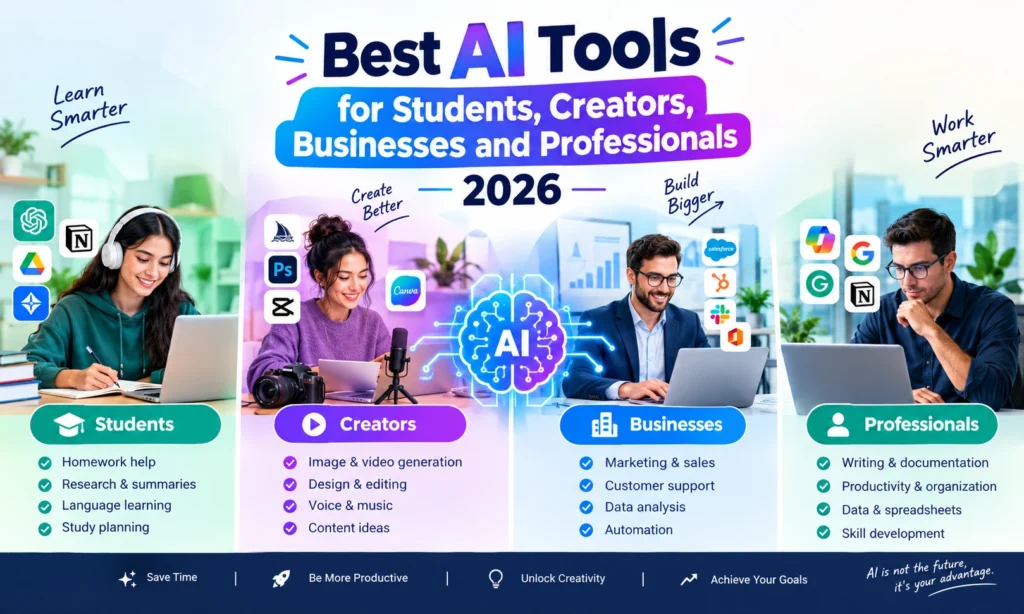
Artificial intelligence has transformed the way people learn, create content, manage businesses, and complete professional tasks. In 2026, AI tools are no longer limited to technology experts or large companies. Students use them to understand difficult subjects, content creators use them to produce engaging videos and graphics, businesses use them to automate repetitive work, and professionals use them to improve productivity.
From writing articles and generating images to analyzing data, building websites, researching information, and preparing presentations, the right AI tool can save hours of work. Many platforms also offer free versions, making artificial intelligence accessible to beginners, freelancers, students, and small business owners.
However, choosing the best AI tool can be challenging. There are hundreds of platforms available, and each one offers different features, pricing plans, and capabilities. Some tools specialize in writing, while others focus on research, design, video production, coding, or business automation.
In this comprehensive guide, we will explore the best AI tools for students, creators, businesses, and professionals in 2026, including their features, benefits, limitations, and practical use cases. Whether you are looking for free AI tools or advanced solutions for professional work, this article will help you find the right options for your needs.
Table of Contents
- What Are AI Tools?
- Why Are AI Tools Important in 2026?
- Best AI Tools for Students
- Best AI Tools for Content Creators
- Best AI Tools for Businesses
- Best AI Tools for Professionals
- Best AI Tools for Writing and SEO
- Best AI Tools for Images and Video
- Best AI Tools for Coding and Development
- Best Free AI Tools in 2026
- How to Choose the Right AI Tool
- Advantages and Disadvantages of AI Tools
- Tips for Using AI Tools Effectively
- Frequently Asked Questions
- Conclusion
What Are AI Tools?
AI tools are software applications that use artificial intelligence to help people perform tasks that traditionally require human thinking, creativity, analysis, or decision-making.
These applications may use technologies such as machine learning, natural language processing, computer vision, speech recognition, and generative AI. Depending on their purpose, they can understand questions, generate text, summarize documents, create images, analyze spreadsheets, transcribe audio, write code, and assist with complex workflows.
For example, an AI writing assistant can help you prepare a blog outline, while an AI image generator can create a visual concept from a written description. An AI research assistant can organize information from multiple sources, and an AI coding assistant can suggest improvements to a computer program.
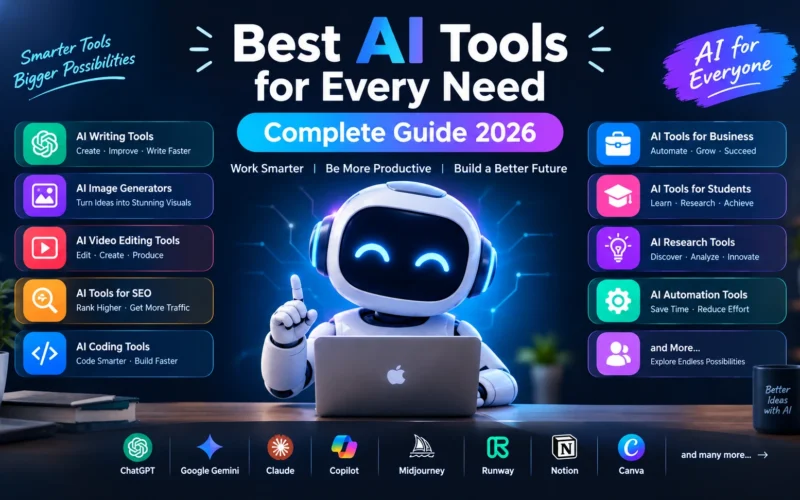
AI tools generally fall into several categories:
- AI writing tools: Help with articles, emails, reports, summaries, and marketing copy.
- AI research tools: Help users discover information and investigate topics.
- AI design tools: Generate or edit images, graphics, and presentations.
- AI video tools: Assist with video creation, editing, subtitles, and repurposing.
- AI productivity tools: Organize notes, meetings, tasks, and documents.
- AI coding tools: Help developers write, understand, debug, and improve code.
- AI business tools: Support customer service, marketing, data analysis, and workflow automation.
The most useful tool depends on your objective. A student preparing for an examination may need a study assistant, while a digital marketer may benefit more from an SEO research platform and a graphic design tool.
Why Are AI Tools Important in 2026?
AI tools have become important because they can help people complete everyday tasks more efficiently. Instead of beginning every project from scratch, users can work with AI to generate ideas, organize information, develop first drafts, and identify possible improvements.
Here are some of the biggest benefits.
1. Save Time and Improve Productivity
Many routine activities take considerable time, including writing emails, summarizing documents, formatting reports, and preparing presentations. AI tools can speed up these tasks by creating an initial draft or suggesting a more efficient approach.
For example, a professional can use an AI assistant to summarize a long report before reviewing the original document in detail.
2. Make Learning More Accessible
Students can ask AI tools to explain difficult concepts in simpler language, generate practice questions, create revision notes, and identify areas that need further study.
Instead of receiving only one explanation, students can request examples, analogies, step-by-step solutions, and practice exercises.
3. Support Creativity
Content creators often need a continuous supply of fresh ideas. AI tools can help brainstorm video topics, develop scripts, generate design concepts, prepare social media captions, and explore different creative directions.
The final result still benefits from human judgment, originality, and personal experience.
4. Reduce Repetitive Business Work
Businesses can use AI to draft customer responses, categorize feedback, prepare marketing materials, analyze information, and connect different applications through automation.
These capabilities are particularly valuable for small businesses that cannot afford to hire a specialist for every task.
5. Make Professional Work More Efficient
Professionals can use AI to improve writing, analyze information, prepare meeting summaries, organize projects, and assist with coding.
AI does not replace the need for expertise. Instead, it can help people spend less time on repetitive work and more time on tasks that require judgment, communication, and decision-making.
Best AI Tools for Students in 2026
Students need tools that support learning, research, writing, revision, and project preparation. The best solutions should make information easier to understand without encouraging students to skip the learning process.
1. ChatGPT — Best All-Round AI Assistant
ChatGPT is a versatile AI assistant for answering questions, explaining concepts, brainstorming ideas, summarizing information, and helping with study plans.
Students can use it to break complicated topics into manageable sections, create practice quizzes, compare concepts, and prepare revision schedules.
Best features:
- Explanations of difficult subjects in simple language.
- Study plans and revision schedules.
- Practice questions and flashcard content.
- Writing feedback and grammar improvements.
- Coding explanations and debugging assistance.
- Help organizing research and project ideas.
Example: A student studying economics can ask ChatGPT to explain inflation using everyday examples, create ten multiple-choice questions, and explain why each answer is correct.
Limitations: AI-generated answers can contain factual mistakes or misleading explanations. Students should verify important information using textbooks, course materials, and reliable sources.
2. Google Gemini — Best for Google Workspace Users
Google Gemini is an AI assistant useful for research, brainstorming, explanations, and working with information. Its integration with Google’s ecosystem can be helpful for students who already use Google Docs, Gmail, Drive, and other Google services, depending on the plan and available features.
Best features:
- Explaining academic concepts.
- Brainstorming essay and project topics.
- Summarizing and organizing information.
- Assisting with document-based workflows.
- Helping prepare outlines and presentations.
- Supporting multilingual questions and explanations.
Example: A student preparing a presentation on climate change can use Gemini to brainstorm the main sections, identify questions to research, and develop a presentation outline.
Limitations: Available capabilities vary by account, region, and subscription. Always verify facts and consult original sources before including information in academic work.
3. NotebookLM — Best for Studying Your Own Materials
NotebookLM is designed to help users work with information from supplied sources, such as documents, notes, and other supported reference materials.
It is particularly useful when students need to understand a specific textbook chapter, set of lecture notes, or collection of research documents rather than receive a general answer from an AI chatbot.
Best features:
- Summarizing uploaded study materials.
- Answering questions about supplied sources.
- Organizing key concepts and themes.
- Creating study guides from source material.
- Supporting revision and comprehension.
- Generating supported audio-style summaries where available.
Example: Upload your lecture notes and ask the tool to identify the five most important concepts, explain their relationships, and generate practice questions based on the material.
Limitations: Source-based AI can still misinterpret content or overlook details. Check important answers against the original documents, and review current usage limits before relying on specific features.
4. Perplexity — Best for Research and Fact-Finding
Perplexity is an AI-powered research and search tool that provides answers with links to sources. It can help students investigate unfamiliar subjects and discover references for further reading.
Best features:
- Researching current topics.
- Discovering relevant web sources.
- Exploring questions through follow-up searches.
- Summarizing information from multiple sources.
- Identifying references to investigate further.
Example: A student researching renewable energy can ask for an overview of solar power adoption and then open the cited reports to verify statistics, dates, and conclusions.
Limitations: Citations do not automatically guarantee accuracy. Check that the linked source actually supports the statement, and prioritize original research, government publications, academic papers, and other authoritative sources.
5. Grammarly — Best for Academic Writing Improvement
Grammarly helps users improve grammar, spelling, clarity, and tone. It can be useful when students want to make their own writing more readable and professional.
Best features:
- Grammar and spelling suggestions.
- Sentence clarity improvements.
- Tone and readability feedback.
- Assistance with proofreading.
- Suggestions for more concise wording.
Example: After writing an assignment, a student can review grammar suggestions and identify unnecessarily complicated sentences before submitting the work.
Limitations: Automated rewriting can change the meaning or voice of a sentence. Review every suggested edit, and follow your institution’s rules concerning AI-assisted writing.
Which AI Tools Should Students Use Together?
A practical student toolkit does not need dozens of applications. Start with one general AI assistant, one research or source-based study tool, and one writing checker.
For example:
- ChatGPT for explanations and brainstorming.
- NotebookLM for working with lecture notes and PDFs.
- Perplexity for discovering research sources.
- Grammarly for proofreading.
This combination covers many common study tasks without requiring a separate paid subscription for every activity.
Best AI Tools for Content Creators in 2026
Content creators need tools that support ideation, writing, graphic design, video production, audio editing, and audience engagement. AI can help speed up production while allowing creators to retain control over their style and message.
6. Canva AI — Best for Graphic Design and Social Media
Canva is a design platform that helps users create social media posts, presentations, posters, thumbnails, documents, and other visual assets. Its AI features can assist with generating content, developing design ideas, and editing creative materials.
Best features:
- Social media graphics and promotional designs.
- Presentation and thumbnail templates.
- AI-assisted writing and design workflows.
- Brand-related design assets.
- Image editing and creative experimentation.
- Templates for marketing campaigns.
Example: A YouTube creator can develop a thumbnail concept, create a matching channel banner, and prepare promotional graphics for Instagram using a consistent visual style.
Limitations: Some premium templates, assets, and AI features require a paid plan or have usage limits. Review the licensing terms for assets used in commercial projects.
7. Adobe Firefly — Best for Professional Creative Workflows
Adobe Firefly provides generative AI capabilities for creating and editing visual content. It can help designers explore concepts, produce variations, and integrate AI-assisted work into broader creative workflows.
Best features:
- Generative image creation.
- Image editing and visual variations.
- Concept development for creative projects.
- Background and visual modifications.
- Integration with supported Adobe applications.
Example: A designer developing a campaign for a travel brand can generate initial visual concepts, experiment with backgrounds, and refine the selected direction using professional editing tools.
Limitations: Features, usage allowances, and commercial-use terms depend on the product and plan. Review the current licensing conditions before publishing client work.
8. Midjourney — Best for Artistic AI Images
Midjourney is known for generating visually distinctive images from text prompts. It can be useful for concept art, mood boards, illustrations, visual storytelling, and creative experimentation.
Best features:
- Text-to-image generation.
- Exploration of artistic styles.
- Concept development and mood boards.
- Variations on visual ideas.
- Creative references for design projects.
Example: A fantasy illustrator can generate a range of visual concepts for a fictional city before creating a final illustration using their preferred artistic process.
Limitations: AI-generated images may contain visual inconsistencies, and exact control over text, fine details, or complex compositions can require repeated refinement. Check the current plan and image-use terms before starting a commercial project.
9. CapCut — Best for Short-Form Video Creation
CapCut is a video editing platform used for social media clips, tutorials, promotional videos, and other digital content. Its available AI-assisted features can help simplify editing and subtitle creation.
Best features:
- Video trimming and editing.
- Automatic captions in supported languages.
- Templates and visual effects.
- Audio and text editing.
- Tools for creating social media clips.
- AI-assisted editing features where available.
Example: A creator recording a five-minute tutorial can edit unnecessary pauses, add captions, highlight key steps, and prepare a shorter version for social media.
Limitations: Feature availability varies by platform and region, and some tools require a paid subscription. Check music, footage, and other asset licenses before publishing.
10. ElevenLabs — Best for AI Voice Generation
ElevenLabs provides AI-powered voice and audio tools. Depending on the product and plan, creators can use it for narration, voice generation, dubbing, and other audio-related workflows.
Best features:
- AI-generated narration.
- Voice options for creative projects.
- Audio production assistance.
- Multilingual voice workflows.
- Dubbing and speech-related tools.
Example: A creator preparing an educational video can produce a narration draft and synchronize it with a visual presentation.
Limitations: Voice quality, language availability, and usage limits vary. Obtain appropriate permission before cloning or imitating an identifiable person’s voice, and disclose synthetic audio when required.
11. Descript — Best for Editing Audio and Video by Text
Descript offers a workflow that lets creators edit supported audio and video content using a transcript. This can make interviews, podcasts, and talking-head videos easier to edit.
Best features:
- Transcript-based editing.
- Audio cleanup features.
- Subtitle and transcript workflows.
- Podcast editing assistance.
- Repurposing long recordings into shorter content.
Example: A podcaster can remove an unwanted section by editing the transcript, review the resulting audio, and prepare short clips for promotional use.
Limitations: Automated transcription may mishear names, technical terms, or accents. Review the transcript and final recording before publication.
Best AI Tools for Businesses in 2026
Businesses can use AI to improve customer communication, marketing, reporting, collaboration, and operational efficiency. The best tools are those that solve a clear business problem and fit existing workflows.
12. Microsoft Copilot — Best for Office Productivity
Microsoft Copilot can assist with drafting, summarizing, analyzing information, and other work-related tasks. Depending on the product and subscription, it can integrate with Microsoft 365 applications such as Word, Excel, PowerPoint, Outlook, and Teams.
Best features:
- Drafting and improving business documents.
- Summarizing email conversations.
- Assisting with spreadsheet analysis.
- Developing presentation outlines.
- Summarizing supported meeting content.
- Supporting workplace productivity.
Example: A sales manager can use an AI assistant to develop a report outline, summarize sales figures from a verified spreadsheet, and prepare presentation notes.
Limitations: Advanced integrations and organizational features may require eligible subscriptions. Verify calculations and check permissions before allowing AI to work with confidential business data.
13. Notion AI — Best for Knowledge Management
Notion combines notes, documents, databases, and project organization. Its AI capabilities can help teams summarize information, draft documents, organize ideas, and work with knowledge stored in supported workspaces.
Best features:
- Organizing project documentation.
- Summarizing meeting notes.
- Drafting internal documents.
- Managing knowledge and tasks.
- Improving information discovery.
- Supporting team collaboration.
Example: A small marketing team can maintain campaign briefs, meeting notes, content calendars, and project documentation in one workspace, using AI to summarize updates and identify action items.
Limitations: AI availability and usage depend on the current plan. Teams should review access permissions before storing sensitive information in shared workspaces.
14. HubSpot — Best for Marketing and Customer Relationships
HubSpot provides customer relationship management and marketing, sales, and service tools. Its AI-assisted capabilities can support content creation, customer communication, and other activities within supported products.
Best features:
- Customer relationship management.
- Marketing content assistance.
- Sales workflow support.
- Customer service organization.
- Lead and contact management.
- Reporting and campaign coordination.
Example: A small business can organize customer inquiries, maintain a record of sales conversations, and prepare follow-up email drafts for staff review.
Limitations: Advanced automation and CRM capabilities may require paid plans. AI-generated customer messages should be reviewed for accuracy, tone, and compliance with company policies.
15. Zapier — Best for Workflow Automation
Zapier connects supported applications and allows users to automate repetitive workflows. Its automation and AI capabilities can help businesses move information between systems and trigger actions based on defined conditions.
Best features:
- Connecting different business applications.
- Automating repetitive administrative tasks.
- Routing form submissions.
- Creating notification workflows.
- Supporting AI-assisted automation where available.
Example: A business can configure a workflow that receives a website inquiry, records the information in a supported CRM, and sends a notification to the appropriate team.
Limitations: Automation errors can affect multiple systems. Test workflows with sample data, add approval steps for consequential actions, and monitor failures.
16. ClickUp — Best for Project and Task Management
ClickUp provides tools for project management, task tracking, collaboration, and documentation. Its AI features can assist with writing, summarization, and organizing project information.
Best features:
- Task and deadline management.
- Project documentation.
- Team collaboration.
- Status summaries.
- AI-assisted writing and organization.
- Workflow visibility.
Example: A project manager can summarize task updates, draft a weekly progress report, and identify overdue items for follow-up.
Limitations: Teams may need time to configure their workspace. AI suggestions do not replace clear project ownership, realistic deadlines, and regular communication.
Best AI Tools for Professionals in 2026
Professionals often need AI tools that improve communication, research, analysis, programming, and daily organization. The most effective choice depends on the work they perform and the applications they already use.
17. Claude — Best for Long-Form Writing and Complex Documents
Claude is an AI assistant that can help with writing, summarization, analysis, coding, and other knowledge-intensive tasks.
Best features:
- Drafting and revising long documents.
- Summarizing complex material.
- Brainstorming and structured analysis.
- Reviewing code and explaining technical concepts.
- Organizing information into clear sections.
Example: A consultant can use Claude to develop a first draft of a project proposal from approved notes, then review the document for missing details, unsupported assumptions, and inconsistencies.
Limitations: The model can still produce inaccurate claims or overlook important context. Check its output against the original documents, especially when the work involves legal, financial, or technical decisions.
18. DeepL — Best for Translation and Multilingual Communication
DeepL offers machine translation and related language tools. It can help professionals prepare multilingual communications, understand foreign-language documents, and improve translated text.
Best features:
- Translating supported languages.
- Improving translation readability.
- Supporting multilingual communication.
- Assisting with document translation in eligible plans.
- Helping teams adapt content for different audiences.
Example: An international business can prepare a draft translation of a product description before having a qualified reviewer check terminology and cultural context.
Limitations: Translation quality varies by language and subject. Professional human review remains important for contracts, medical information, legal documents, and high-stakes communications.
19. Otter.ai — Best for Meeting Notes
Otter.ai provides AI-assisted meeting transcription and summarization features. It can help professionals review discussions and capture key points from supported meetings and recordings.
Best features:
- Meeting transcription.
- Summaries and action-item assistance.
- Searchable conversation records.
- Review of recorded discussions.
- Support for meeting documentation.
Example: After a project meeting, a team member can review a transcript, confirm the decisions made, and turn the agreed actions into assigned tasks.
Limitations: Transcription can contain mistakes, particularly with overlapping speakers or specialized terminology. Follow workplace consent rules and recording laws, and confirm action items with the relevant participants.
20. GitHub Copilot — Best for Software Developers
GitHub Copilot is an AI coding assistant designed to help developers work inside supported development environments.
Best features:
- Code completion suggestions.
- Code explanations.
- Assistance with repetitive programming tasks.
- Test and documentation drafts.
- Help exploring unfamiliar codebases.
- Support for debugging workflows.
Example: A developer can ask for an explanation of an unfamiliar function, generate a draft unit test, and then run the test to confirm the expected behavior.
Limitations: AI-generated code may contain bugs, security vulnerabilities, or unsuitable dependencies. Review suggestions, run tests, and apply the same security checks used for manually written code.
21. Cursor — Best for AI-Assisted Coding Workflows
Cursor is a code editor built around AI-assisted programming. It can help developers understand projects, edit code, and explore changes using conversational instructions.
Best features:
- AI-assisted code editing.
- Codebase exploration.
- Code generation and refactoring.
- Assistance with debugging.
- Support for iterative development.
Example: A developer building a website can ask the editor to explain a component, suggest a change, and help identify files that may need updating.
Limitations: Generated changes can introduce regressions. Review diffs, test affected functionality, and maintain backups or version control before applying broad modifications.
Best AI Tools for Writing and SEO in 2026
Writers, bloggers, publishers, and digital marketers can use AI to improve their content workflows. However, effective SEO requires more than producing large amounts of text. Helpful content, search intent, originality, accuracy, and a good user experience remain essential.
22. ChatGPT — Best for Content Planning and Drafting
ChatGPT can assist with blog outlines, title ideas, article drafts, frequently asked questions, meta descriptions, and content refreshes.
For example, a blogger writing about Excel can ask for an outline covering formulas, examples, common errors, and related questions readers may have.
Its greatest value is often in planning and editing rather than publishing an unreviewed article directly.
23. Grammarly — Best for Editing and Proofreading
Grammarly can help writers improve grammar, readability, and tone. It is useful for proofreading articles, business emails, landing pages, and professional communications.
Use its suggestions as recommendations rather than accepting every change automatically. Your writing should retain its intended meaning and distinctive voice.
24. Surfer — Best for SEO Content Optimization
Surfer provides SEO-oriented content tools designed to help writers evaluate and optimize pages in relation to search queries and competing content.
Depending on the available plan, features may support content briefs, on-page recommendations, and content optimization workflows.
For example, a writer preparing an article about Excel charts can use SEO research to identify relevant subtopics and ensure that the article answers common reader questions.
However, an optimization score is not a guarantee of higher rankings. Avoid unnecessary keyword repetition and prioritize useful explanations over arbitrary word counts.
25. Jasper — Best for Marketing Content Workflows
Jasper focuses on AI-assisted marketing content and brand-related workflows. It can help teams draft campaign copy, develop content variations, and maintain consistent messaging across supported workflows.
For example, a marketing team can prepare alternative headlines and promotional messages for a product launch, then evaluate them against the brand’s positioning and campaign goals.
The quality of the result depends on the information supplied, the clarity of the brief, and the amount of human editing.
Best AI Tools for Images and Video: Quick Comparison
The following comparison can help creators choose a starting point.
| Tool | Best use | Ideal user |
|---|---|---|
| Canva AI | Social graphics and presentations | Bloggers, students, marketers |
| Adobe Firefly | Generative creative workflows | Designers and creative teams |
| Midjourney | Artistic image generation | Illustrators and visual creators |
| CapCut | Short-form video editing | Social media creators |
| Descript | Transcript-based audio and video editing | Podcasters and educators |
| ElevenLabs | AI voice and audio workflows | Video creators and publishers |
Choose based on the actual task you need to complete, not simply the number of features a platform advertises. A beginner creating occasional thumbnails may need only a design platform, while a professional video producer may benefit from several specialized tools.
Best Free AI Tools in 2026
If your budget is limited, begin with free plans before paying for premium subscriptions. Free availability and usage limits can change, so check the official plan details before signing up.
| AI tool | Main purpose | Good starting use |
|---|---|---|
| ChatGPT | General assistance | Questions, outlines, explanations |
| Google Gemini | General assistance | Brainstorming and research support |
| NotebookLM | Source-based study | Notes and document summaries |
| Perplexity | Web research | Discovering sources |
| Grammarly | Writing improvement | Proofreading |
| Canva | Design | Graphics and presentations |
| GitHub Copilot | Coding | Code suggestions |
| Notion | Organization | Notes and project planning |
Some tools provide a free tier with usage restrictions, while others reserve advanced features for paid plans. A free account should not be assumed to include unlimited generations, every model, or all collaboration features.
How to Build a Free AI Toolkit
You can cover many everyday tasks with a small collection of free tools.
For students: Start with a general assistant, NotebookLM, and a writing checker.
For bloggers: Use a general assistant for outlining, a research tool for source discovery, and a design tool for featured images.
For freelancers: Start with an AI writing assistant, Canva, and a task-management application.
For developers: Explore a coding assistant, documentation tools, and your existing testing environment.
For small businesses: Begin with an AI assistant and the automation capabilities already included in your current software.
Before upgrading, identify the exact limitation you encounter. A paid plan is worthwhile when it reliably solves a problem that matters to your work.
How to Choose the Right AI Tool
Choosing the best AI tool requires more than comparing popularity or promotional claims. Evaluate each option against your real requirements.
1. Identify Your Main Goal
Start by defining the task you want to improve. Do you need help writing articles, understanding research, creating videos, managing customers, or writing code?
A clearly defined task makes it easier to compare tools.
2. Check the Free Plan
Test the free version if one is available. Determine whether its limits are sufficient for your typical workload and whether the features you need are included.
3. Compare Ease of Use
A powerful tool is not useful if it is too complicated for your workflow. Look for a clear interface, useful documentation, and integrations with applications you already use.
4. Evaluate Output Quality
Test each candidate with a realistic task. Compare factual accuracy, editing effort, consistency, and the quality of the final result.
For research, verify citations. For design, inspect image quality and licensing. For coding, run tests.
5. Review Privacy and Security
Before uploading information, read the provider’s privacy policy and applicable data controls. Businesses should consider access permissions, data retention, training settings, and contractual obligations.
Avoid entering passwords, confidential customer records, sensitive financial information, or proprietary material unless the tool and your organization’s policies explicitly permit that use.
6. Calculate the Total Cost
Consider the monthly subscription, usage limits, additional credits, team seats, and any required integrations. Multiple inexpensive subscriptions can become more costly than one carefully selected platform.
7. Test Before Committing
Run a small pilot project before adopting a tool across your workflow. Measure whether it saves time, improves quality, or reduces unnecessary work.
A tool that performs well on a real task is more valuable than one that simply has an impressive feature list.
Advantages and Disadvantages of AI Tools
AI tools provide substantial benefits, but they also introduce risks that users should understand.
Advantages of AI Tools
Time savings: AI can speed up drafting, summarization, research, and repetitive administrative work.
Accessibility: Many platforms offer beginner-friendly interfaces and free entry-level plans.
Creative support: AI can help users generate ideas, explore alternatives, and overcome the difficulty of starting from a blank page.
Learning assistance: Students can request explanations, examples, and practice exercises tailored to their questions.
Improved consistency: Businesses can use templates and structured workflows to standardize routine communications.
Scalability: Small teams can use automation and AI assistance to manage larger workloads without increasing every manual task proportionally.
Disadvantages of AI Tools
Incorrect information: AI systems may generate plausible but false claims, statistics, references, or explanations.
Privacy concerns: Uploading sensitive information to an unsuitable platform can expose confidential data.
Subscription costs: Advanced features, higher usage limits, and team functionality may require recurring payments.
Generic output: Without clear instructions and human editing, generated content may lack originality, detail, or a distinctive voice.
Copyright and licensing questions: Users must understand the terms governing generated outputs and any source material used in their work.
Overdependence: Relying on AI without developing independent skills can weaken critical thinking, writing, and problem-solving abilities.
The best approach is to treat AI as an assistant that supports human work, not as an unquestionable source of truth.
Tips for Using AI Tools Effectively
The quality of an AI response often depends on the clarity of the instructions. These practical tips can help you get better results.
1. Write Specific Prompts
Instead of asking, “Write an article about technology,” describe the subject, intended audience, structure, and desired outcome.
For example:
“Create a beginner-friendly outline for a blog article about Excel charts. Include chart types, step-by-step instructions, common mistakes, and five frequently asked questions.”
A specific prompt gives the tool a clearer target.
2. Provide Relevant Context
Explain what you are working on, who will use the result, and any constraints that matter.
For a business email, provide the purpose, recipient, desired tone, and essential facts. For coding, share the relevant error message and a small example of the problem.
Do not include confidential information unless you have permission and the platform is appropriate for it.
3. Ask for Structured Output
Request headings, numbered steps, tables, examples, or checklists when they will make the result easier to use.
Structured responses are often easier to review and turn into a practical deliverable.
4. Verify Important Claims
Check dates, statistics, quotations, formulas, legal requirements, and technical instructions against reliable sources.
If a tool supplies citations, open them and confirm that they support the claims being made.
5. Edit Before Publishing
AI-generated content should be reviewed for accuracy, originality, clarity, tone, and completeness. Add your own expertise, real examples, practical experience, and useful observations.
For SEO articles, avoid publishing repetitive text simply to reach a target word count.
6. Protect Your Data
Use appropriate account security, access controls, and privacy settings. Follow your organization’s rules and your institution’s academic-integrity policies.
7. Measure Results
Track whether AI saves time or improves quality. If a tool consistently requires extensive correction, try a different workflow or a more suitable alternative.
8. Keep Learning
AI tools change quickly. Review feature updates, test new capabilities carefully, and revisit your subscriptions when your needs change.
Frequently Asked Questions (FAQs)
Some strong starting options are ChatGPT for general assistance, Google Gemini for Google’s ecosystem, NotebookLM for source-based study, Perplexity for web research, Canva for design, Claude for long-form writing and analysis, Microsoft Copilot for workplace productivity, and GitHub Copilot for coding.
The best option depends on your specific task, budget, and preferred workflow.
ChatGPT, Gemini, NotebookLM, Perplexity, and Grammarly are useful options for different academic tasks. NotebookLM is especially useful for working with supplied study materials, while Perplexity can help discover research sources.
Students should follow their institution’s rules and verify information before using it in assignments.
Several platforms, including ChatGPT, Gemini, Perplexity, Canva, Grammarly, and NotebookLM, offer free access or entry-level plans. The exact features and usage limits vary by provider and can change.
Always check the official website before relying on a particular free feature.
Canva is a practical starting point for graphics and presentations. CapCut and Descript are useful for different video-editing workflows, while Midjourney and Adobe Firefly can support image creation.
Creators should choose according to their content format, editing skills, and licensing requirements.
Microsoft Copilot can suit organizations that work heavily with Microsoft applications. Notion AI can help with knowledge management, HubSpot supports customer relationship workflows, and Zapier can connect supported applications for automation.
The best choice depends on the business’s existing software and operational priorities.
Yes. AI tools can assist with keyword brainstorming, content outlines, title ideas, meta descriptions, content editing, and research planning.
However, AI does not guarantee search rankings. High-quality content must address search intent, provide reliable information, offer original value, and deliver a good user experience.
AI-generated articles can be useful when they provide accurate, original, and helpful information. The important consideration is the quality and purpose of the content, not simply whether AI was used to help produce it.
Review every article, remove unsupported claims, add meaningful expertise, and avoid producing large quantities of repetitive pages solely to manipulate search rankings.
AI can automate or accelerate some tasks, but many roles also require judgment, accountability, empathy, creativity, collaboration, and domain expertise.
In many situations, the most effective approach is to combine AI assistance with human review and decision-making.
Safety depends on the provider, account settings, contractual terms, and the type of information involved. Do not assume that every AI service treats uploaded data in the same way.
Review privacy documentation and follow organizational policies before sharing confidential or sensitive material.
Start with two or three tools that solve different problems. For example, a blogger might use ChatGPT for drafting, Perplexity for research, and Canva for graphics.
Add another tool only when it provides a clear benefit that your existing toolkit cannot deliver efficiently.
11. Which AI tools are best for coding?
GitHub Copilot and Cursor are useful starting points for AI-assisted programming. General AI assistants can also explain concepts, help debug code, and suggest tests.
Always review generated code, run appropriate tests, and check for security issues before deploying changes.
12. Will AI tools become more important in the future?
AI is likely to remain an important part of many digital workflows, although individual tools, capabilities, and business models will change. Developing skills in critical thinking, communication, data evaluation, and responsible AI use can help people adapt.
Conclusion
The best AI tools for students, creators, businesses, and professionals in 2026 are the ones that solve real problems and fit naturally into everyday work.
Students can use ChatGPT, Gemini, NotebookLM, and Perplexity to support learning and research. Content creators can explore Canva, Adobe Firefly, Midjourney, CapCut, Descript, and ElevenLabs for visual and audio production. Businesses can benefit from Microsoft Copilot, Notion AI, HubSpot, Zapier, and ClickUp. Professionals can consider Claude, DeepL, Otter.ai, GitHub Copilot, and Cursor for writing, communication, meetings, and development.
You do not need to subscribe to every platform to benefit from artificial intelligence. Begin with a small number of tools, test their free versions, and evaluate how well they perform on your actual tasks.
Most importantly, verify important information, protect confidential data, respect intellectual property, and review AI-generated work before using it.
The smartest way to use AI in 2026 is to combine its speed and flexibility with human judgment, creativity, and expertise. Choose tools that help you learn more effectively, create better work, serve customers, and make informed decisions.
As AI technology continues to evolve, the people who understand both its capabilities and its limitations will be better positioned to use it productively.


2 comments