Hello! I’m Vishal Kumar, the creator of ZeexasTech.com.
Welcome to your destination for AI tools, Excel tips, technology tutorials, and smart digital solutions. My aim is to simplify complex topics and share practical knowledge that helps you learn faster, boost productivity, and stay ahead in the digital world.
ZeexasTech.com — Learn Technology. Work Smarter. Grow Faster.
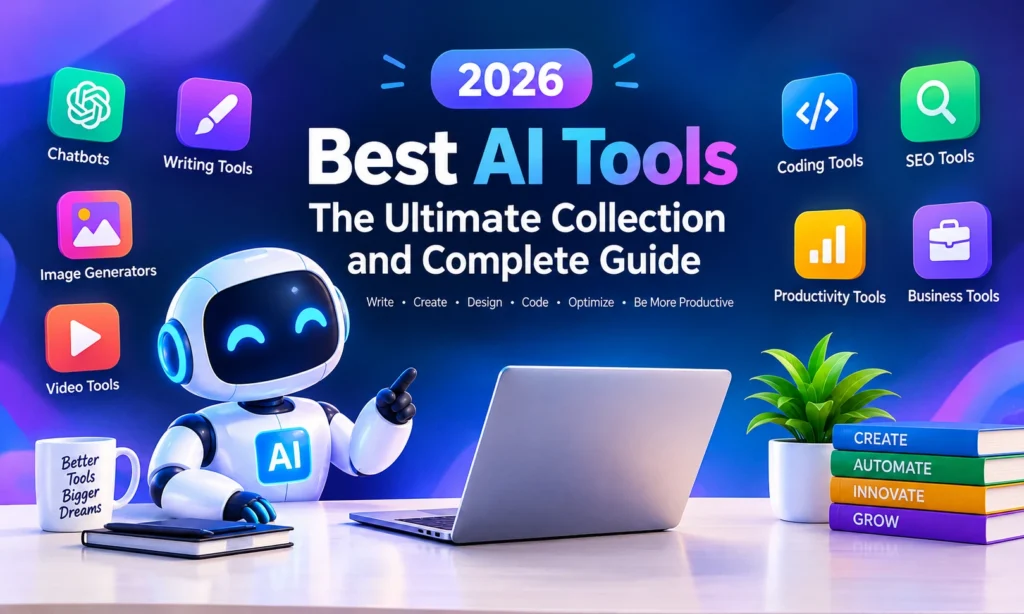
Artificial intelligence is transforming the way people work, learn, create content, manage businesses, and solve everyday problems. From writing articles and generating images to editing videos, building websites, analyzing data, and automating repetitive tasks, AI tools are becoming essential for individuals and organizations around the world.
In 2026, there are AI tools for almost every type of work. Bloggers can use AI writing assistants to develop articles, designers can generate creative visuals, students can organize their studies, developers can write and debug code, and business owners can automate customer support and marketing activities. The challenge is no longer finding an AI tool. It is finding the right tool for a specific purpose.
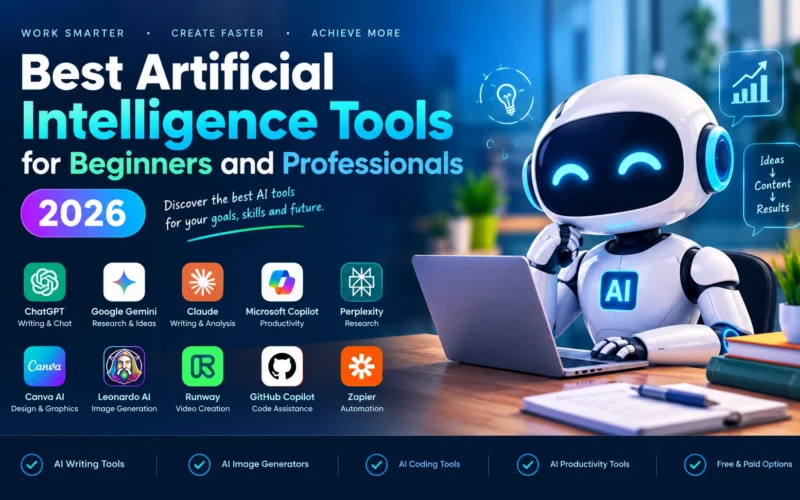
This comprehensive guide explores one of the best collections of AI tools available for different needs. Whether you are a beginner, content creator, student, freelancer, entrepreneur, marketer, or professional, this guide will help you understand the major categories of AI tools, how they work, their benefits, and how to choose the best solutions for your workflow.
You will also discover practical examples, useful tool recommendations, productivity tips, and important considerations for using AI responsibly.
What Are AI Tools?
AI tools are software applications that use artificial intelligence to perform tasks that traditionally require human intelligence. These tasks may include understanding language, generating text, recognizing images, creating videos, analyzing information, writing code, answering questions, and making predictions.
Many modern AI tools use machine learning, natural language processing, computer vision, and large language models to understand user instructions and produce relevant results.
For example, an AI writing assistant can help you create a blog outline from a simple topic. An AI image generator can transform a text description into an illustration. An AI coding assistant can suggest code, explain errors, and help developers solve programming problems.
AI tools are available in many forms, including websites, desktop applications, mobile apps, browser extensions, and integrations within existing software.
Some tools are designed for general purposes, while others specialize in a particular industry or task.
The most useful AI tool is not necessarily the most advanced or expensive one. It is the tool that helps you achieve your goal accurately, efficiently, and within your budget.
Why Are AI Tools Important in 2026?
AI tools have become increasingly useful because they help people complete many tasks faster, explore ideas, and improve their productivity.
Here are some of the main reasons to consider using AI tools in 2026.
1. Save Time on Repetitive Tasks
Many everyday tasks consume valuable time without requiring much creativity. These include summarizing documents, drafting emails, organizing information, generating reports, and creating initial content outlines.
AI tools can help automate or accelerate these activities, allowing users to spend more time on planning, decision-making, and creative work.
For example, a blogger can use AI to develop an article outline, generate headline ideas, and prepare a first draft before editing the article manually.
2. Improve Productivity
AI assistants can support multiple stages of a workflow.
A marketer might use AI to brainstorm campaign ideas, draft social media captions, analyze customer feedback, and prepare different versions of advertising copy.
Similarly, a student can use AI to explain difficult concepts, generate practice questions, and summarize learning materials.
These applications can improve productivity when users review the output and verify important information.
3. Support Creativity
AI tools can help users explore creative possibilities that might otherwise take hours to develop.
Image generators can produce visual concepts, writing assistants can suggest alternative headlines, and video tools can help transform scripts into engaging presentations.
AI does not replace the need for creativity. Instead, it can provide starting points, alternatives, and inspiration.
4. Make Advanced Technology More Accessible
In the past, creating digital artwork, building websites, editing videos, or analyzing large datasets often required specialized skills.
AI-powered applications have made some of these activities more accessible to beginners.
Although learning and practice remain important, users can now accomplish many tasks with natural-language instructions instead of mastering every technical detail first.
5. Reduce Certain Operational Costs
Small businesses and independent professionals can use AI tools to support activities such as content planning, customer communication, research, and administrative work.
Depending on the task, an affordable AI subscription may reduce the need for multiple separate applications or extensive manual work.
However, the actual savings depend on usage, subscription costs, output quality, and the amount of human review required.
One of the Best Collections of AI Tools by Category
The following collection organizes useful AI tools according to their primary functions. Availability, pricing, and feature sets may change, so check each provider’s official website before subscribing.
1. Best AI Chatbots and General-Purpose Assistants
AI chatbots are among the most versatile AI applications. They can answer questions, explain concepts, generate ideas, summarize information, assist with writing, and help users work through complex problems.
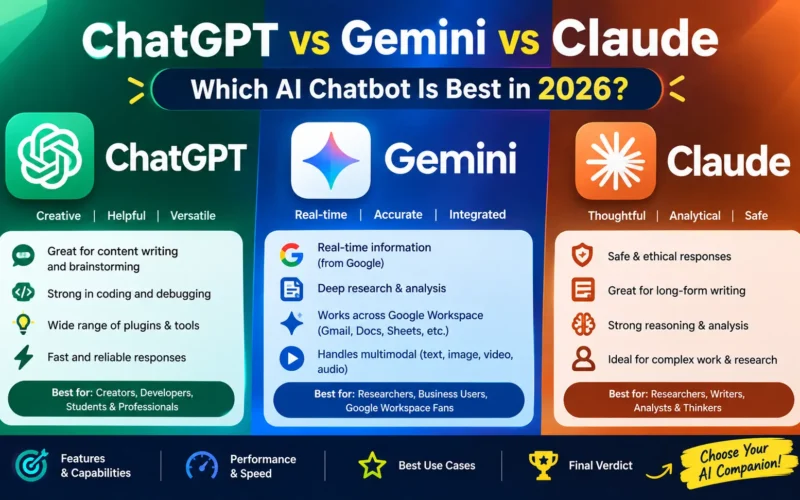
ChatGPT
ChatGPT is a general-purpose AI assistant that can help with writing, brainstorming, coding, learning, data analysis, and many other tasks.
Best for: General productivity, content creation, research assistance, learning, and problem-solving.
You can use ChatGPT to create blog outlines, rewrite paragraphs, generate spreadsheet formulas, explain technical concepts, analyze supported files, and develop project plans.
Its usefulness depends on how clearly you describe your objective and how carefully you review the response.
Website: https://chatgpt.com/
Google Gemini
Google Gemini is Google’s AI assistant. It can support writing, brainstorming, coding, learning, and other tasks, with additional capabilities depending on the product version and connected Google services.
Best for: General assistance and workflows that benefit from Google’s ecosystem.
It can help users draft content, summarize information, develop ideas, and work through questions.
Website: https://gemini.google.com/
Claude
Claude is an AI assistant developed by Anthropic. It is useful for writing, analyzing documents, reasoning through problems, and working with substantial amounts of text.
Best for: Long-form writing, document analysis, editing, and structured reasoning.
Writers can use it to review drafts, improve clarity, organize research, and compare different approaches to a topic.
Website: https://claude.ai/
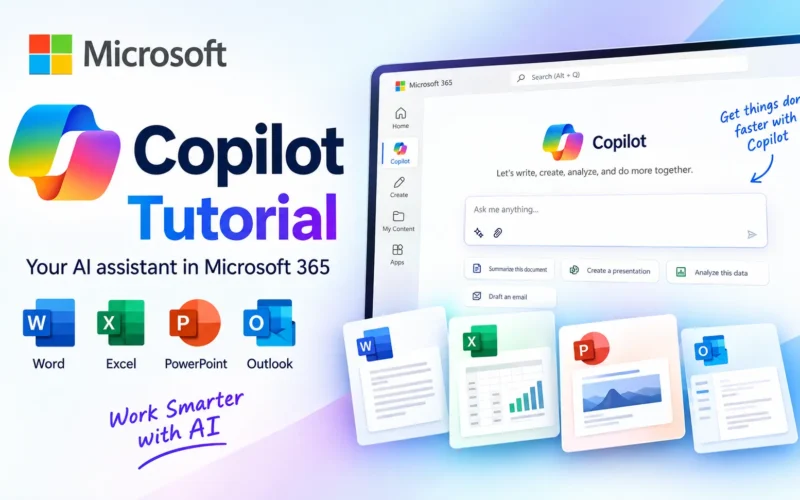
Microsoft Copilot
Microsoft Copilot provides AI assistance across supported Microsoft products and other experiences.
Best for: Productivity workflows involving Microsoft software.
Depending on the version and subscription, Copilot can assist with drafting documents, summarizing information, preparing presentations, and working with spreadsheets.
Website: https://copilot.microsoft.com/
Perplexity
Perplexity is an AI-powered answer and research tool that emphasizes information discovery and source-linked responses.
Best for: Exploring topics, discovering sources, and conducting preliminary research.
It can help users investigate a subject, identify potentially relevant references, and organize information before producing an article or report.
Always open and verify important sources rather than assuming every generated answer is correct.
Website: https://www.perplexity.ai/
Which AI chatbot should you choose?
Choose a general-purpose assistant for everyday tasks, a research-focused tool for source discovery, or an assistant integrated with your existing software for convenient workflows. Testing two or three options with the same task is a practical way to compare their usefulness.
2. Best AI Writing Tools for Bloggers and Content Creators
AI writing tools can help users generate ideas, develop outlines, improve grammar, rewrite sentences, and prepare initial drafts.
They are particularly useful for bloggers, website owners, marketers, freelance writers, and small businesses.
Grammarly
Grammarly helps users improve grammar, spelling, clarity, tone, and overall writing quality. Its available AI features depend on the product and plan.
Best for: Editing, proofreading, and improving professional communication.
It can help polish emails, articles, business documents, and other written materials.
Website: https://www.grammarly.com/
Jasper
Jasper is an AI content platform designed primarily for marketing and brand-related workflows.
Best for: Marketing teams, campaign content, and brand-focused writing.
It can assist with creating marketing copy and maintaining consistency across supported content workflows.
Website: https://www.jasper.ai/
Copy.ai
Copy.ai offers AI-assisted workflows focused on sales, marketing, and business processes.
Best for: Marketing copy, sales communication, and supported workflow automation.
Businesses can explore its features for drafting promotional content, organizing messaging, and streamlining repetitive content tasks.
Website: https://www.copy.ai/
Writesonic
Writesonic offers AI writing and content-related features for marketers, publishers, and other users.
Best for: Marketing content, article preparation, and AI-assisted content workflows.
The suitability of its features depends on your content requirements, publishing process, and subscription.
Website: https://writesonic.com/
Rytr
Rytr is an AI writing assistant designed to help users produce short-form and other types of written content.
Best for: Short drafts, captions, descriptions, and writing inspiration.
It can be useful for freelancers and small teams looking for assistance with everyday writing tasks.
Website: https://rytr.me/
How to Use AI Writing Tools Effectively
For the best results, do not simply ask an AI tool to write an entire article without context.
Instead, provide:
- The main topic and target audience.
- The article’s purpose and search intent.
- The preferred tone and writing style.
- The important subtopics to cover.
- Any reliable sources or facts that must be included.
- The desired structure, word count, and formatting.
After generating the draft, check factual accuracy, remove repetition, improve examples, and add original insights.
AI-generated content should be edited to provide genuine value to readers rather than published automatically without review.
3. Best AI Image Generation Tools
AI image generators transform written prompts into visual content. They can create illustrations, concept art, product concepts, decorative graphics, and other visual assets.
These tools are valuable for bloggers, graphic designers, educators, advertisers, and social media creators.
Midjourney
Midjourney is known for AI-generated artwork and visually distinctive images.
Best for: Artistic visuals, concept development, stylized illustrations, and creative exploration.
It can help users explore different visual directions before developing a final design.
Website: https://www.midjourney.com/
Adobe Firefly
Adobe Firefly provides generative AI features for creating and editing visual content.
Best for: Design workflows, creative editing, and users working with supported Adobe products.
Its available capabilities vary by product, region, and subscription.
Website: https://firefly.adobe.com/
Leonardo AI
Leonardo AI provides tools for generating and refining visual assets.
Best for: Concept art, character concepts, game assets, and creative image production.
It can be useful when developing visual ideas that require multiple variations.
Website: https://leonardo.ai/
Ideogram
Ideogram is an AI image-generation platform known for its capabilities in creating images that incorporate text, although results still require checking.
Best for: Posters, graphic concepts, promotional visuals, and text-oriented designs.
It can be particularly helpful when exploring designs that combine typography and imagery.
Website: https://ideogram.ai/
Canva AI
Canva includes AI-assisted design features within its broader visual communication platform.
Best for: Social media graphics, presentations, marketing materials, and beginner-friendly designs.
It is useful for people who want to create and edit visual content without starting every design from scratch.
Website: https://www.canva.com/
Tips for Better AI Image Results
A good image prompt should describe the subject, setting, composition, style, lighting, colors, and intended use.
For example:
“Create a clean, modern editorial illustration about artificial intelligence and digital productivity, featuring a laptop, abstract neural network patterns, subtle blue and purple accents, professional lighting, and a balanced composition suitable for a technology blog.”
For website images, choose dimensions appropriate to the layout, maintain visual consistency, and compress images to support fast loading.
Always review image quality, unwanted artifacts, text accuracy, and applicable commercial-use terms.
4. Best AI Video Creation and Editing Tools
AI video tools can simplify video production by assisting with editing, subtitles, voiceovers, script development, and the creation of videos from supported inputs.
They are useful for YouTubers, educators, marketers, businesses, and social media creators.
Runway
Runway provides AI-powered video generation and editing capabilities.
Best for: Creative video experiments, visual storytelling, and AI-assisted production.
It can help creators explore video concepts and generate visual material for projects.
Website: https://runwayml.com/
Synthesia
Synthesia focuses on AI-generated videos featuring digital presenters and voice-based delivery.
Best for: Training videos, business presentations, and educational content.
It can help organizations prepare presenter-led videos without recording every segment using a traditional camera setup.
Website: https://www.synthesia.io/
HeyGen
HeyGen offers AI video creation features, including digital avatars and supported video translation workflows.
Best for: Business communication, explainers, and multilingual video content.
Review avatar, translation, consent, and commercial-use requirements before publishing generated videos.
Website: https://www.heygen.com/
Descript
Descript provides video and audio editing tools with text-based editing features.
Best for: Podcasts, interviews, tutorials, and spoken-content editing.
Its workflow can make it easier to edit recordings by working with the associated transcript.
Website: https://www.descript.com/
InVideo
InVideo offers tools for creating and editing videos through supported templates and AI-assisted workflows.
Best for: Marketing videos, short promotional content, and social media production.
Website: https://invideo.io/
CapCut
CapCut provides video editing features for creators, including various AI-assisted capabilities depending on the version.
Best for: Short-form videos, social media clips, captions, and accessible editing workflows.
Website: https://www.capcut.com/
AI video tools can reduce production time, but they do not eliminate the need for a good script, appropriate pacing, clear audio, fact-checking, and a consistent visual identity.
5. Best AI Tools for Programming and Coding
AI coding assistants help developers understand code, generate suggestions, troubleshoot errors, write tests, and navigate unfamiliar programming languages.
They can support beginners learning to code as well as experienced developers working on larger projects.
GitHub Copilot
GitHub Copilot provides AI coding assistance in supported development environments.
Best for: Code completion, programming assistance, and developer productivity.
It can suggest code, help explain programming concepts, and assist with development tasks.
Website: https://github.com/features/copilot
Cursor
Cursor is an AI-powered code editor designed to support development workflows.
Best for: AI-assisted coding and working with codebases.
Its capabilities can help developers navigate projects, edit files, and reason about implementation changes.
Website: https://cursor.com/
Replit
Replit provides an online development environment with AI-assisted coding capabilities.
Best for: Learning programming, prototyping applications, and browser-based development.
It can be useful for experimenting with ideas without first setting up a complex local development environment.
Website: https://replit.com/
Codeium and Windsurf
Windsurf is an AI-powered development environment, while Codeium is associated with AI coding assistance and developer tools.
Best for: AI-supported programming workflows.
Check the current product offerings, integrations, and licensing terms to determine which solution meets your needs.
Website: https://windsurf.com/
Best Practices for AI-Assisted Coding
AI-generated code can contain bugs, security weaknesses, incorrect assumptions, or inefficient implementations.
Developers should:
- Explain the programming language, framework, and expected behavior.
- Provide relevant code and error messages.
- Review generated changes before accepting them.
- Run tests and inspect edge cases.
- Check dependencies and security-sensitive operations.
- Avoid sharing passwords, API keys, or confidential source code without appropriate safeguards.
AI is a development assistant, not a substitute for code review, testing, and security practices.
6. Best AI Tools for Search Engine Optimization (SEO)
SEO tools help website owners research search queries, evaluate content opportunities, analyze websites, and improve their visibility in search engines.
AI features can accelerate research and content optimization, but they cannot guarantee rankings.
Semrush
Semrush provides SEO, keyword research, competitive analysis, and digital marketing tools.
Best for: SEO research, website analysis, and marketing strategy.
Website: https://www.semrush.com/
Ahrefs
Ahrefs offers tools for backlink analysis, keyword research, competitor research, and website optimization.
Best for: SEO analysis and understanding organic search opportunities.
Website: https://ahrefs.com/
Surfer
Surfer provides content optimization features intended to help users structure and improve search-oriented articles.
Best for: Content planning and on-page optimization.
Website: https://surferseo.com/
Frase
Frase offers content research and AI-assisted writing and optimization workflows.
Best for: Organizing research, preparing content briefs, and optimizing articles.
Website: https://www.frase.io/
Google Search Console
Google Search Console is a free service that helps website owners monitor their site’s presence in Google Search.
Best for: Understanding search performance, indexing issues, and search queries that bring visitors to a website.
Website: https://search.google.com/search-console/about
How to Use AI Tools for SEO
An effective SEO workflow includes:
- Researching the audience and the intent behind search queries.
- Selecting a primary keyword and closely related subtopics.
- Creating a useful, well-organized article outline.
- Writing original content that answers readers’ questions.
- Using descriptive titles, headings, image alt text, and internal links.
- Checking technical performance and indexing issues.
- Monitoring search impressions, clicks, and conversions.
- Updating outdated information when necessary.
Avoid publishing large quantities of repetitive, low-value articles simply because AI makes content generation faster.
Search optimization should focus on helping people find accurate, useful information.
7. Best AI Tools for Presentations
Creating professional presentations often requires research, organization, visual design, and careful editing.
AI presentation tools can help users turn an idea or outline into a structured presentation.
Gamma
Gamma helps users create presentations and other visual documents with AI-assisted workflows.
Best for: Quickly developing presentation drafts and structured visual content.
Website: https://gamma.app/
Beautiful.ai
Beautiful.ai offers presentation design tools that help users build visually consistent slides.
Best for: Business presentations, proposals, and professional slide decks.
Website: https://www.beautiful.ai/
Canva
Canva provides presentation templates and AI-assisted design capabilities.
Best for: Educational presentations, social media presentations, and marketing decks.
Website: https://www.canva.com/
Microsoft PowerPoint with Copilot
Eligible Microsoft 365 plans offer AI assistance for supported presentation workflows.
Best for: Users who already work within the Microsoft Office ecosystem.
Website: https://www.microsoft.com/microsoft-365/powerpoint
AI can help create a first draft, but users should verify facts, improve the narrative, remove overcrowded slides, and ensure that the design supports the message.
8. Best AI Tools for Productivity and Task Management
Productivity tools help users organize tasks, manage projects, document decisions, and reduce administrative work.
Notion AI
Notion AI provides AI assistance within Notion’s workspace environment.
Best for: Notes, knowledge management, documentation, and supported workspace tasks.
Website: https://www.notion.so/product/ai
ClickUp AI
ClickUp offers AI-related capabilities within its project management platform.
Best for: Team coordination, project documentation, and task-related workflows.
Website: https://clickup.com/
Zapier
Zapier connects supported applications and enables users to automate workflows. It also offers AI-related automation capabilities.
Best for: Connecting applications and reducing repetitive administrative tasks.
Website: https://zapier.com/
Make
Make provides visual workflow automation for connecting applications and services.
Best for: Multi-step automations and workflows involving supported integrations.
Website: https://www.make.com/
For example, a business might automate the movement of form submissions into a spreadsheet, notify the appropriate team member, and create a task for follow-up.
Before deploying an automated workflow, test its behavior, permissions, error handling, and data access.
9. Best AI Tools for Audio, Voice, and Transcription
Audio-related AI tools help users generate speech, transcribe recordings, improve sound quality, and produce spoken content.
ElevenLabs
ElevenLabs offers AI voice generation and other audio-related capabilities.
Best for: Narration, voiceovers, and supported speech-generation workflows.
Website: https://elevenlabs.io/
Otter.ai
Otter.ai provides transcription and meeting-related assistance.
Best for: Meeting notes, interview transcription, and organizing spoken information.
Website: https://otter.ai/
Adobe Podcast
Adobe Podcast provides tools designed to improve and work with spoken audio.
Best for: Podcast recordings, voice clarity, and speech-focused audio workflows.
Website: https://podcast.adobe.com/
Suno
Suno provides AI music-generation capabilities.
Best for: Exploring music ideas and creating generated musical content.
Website: https://suno.com/
AI-generated voices and audio can be useful, but always respect consent, privacy, copyright, and applicable rules. Do not impersonate someone or clone their voice without appropriate authorization.
10. Best AI Tools for Data Analysis and Spreadsheets
AI-powered data tools can help users interpret datasets, write formulas, identify patterns, and create reports.
They are especially useful for business analysts, students, accountants, researchers, and Excel users.
Microsoft Excel with Copilot
Eligible Microsoft 365 experiences offer AI assistance for supported spreadsheet tasks.
Best for: Spreadsheet analysis, formula assistance, and working with business data.
Website: https://www.microsoft.com/microsoft-365/excel
ChatGPT for Data Analysis
ChatGPT can assist with analyzing supported uploaded datasets, generating summaries, exploring patterns, and helping users understand calculations.
Best for: Exploring data, interpreting results, and developing analytical workflows.
Website: https://chatgpt.com/
Julius AI
Julius AI offers AI-assisted data analysis capabilities.
Best for: Exploring datasets, generating visualizations, and answering questions about data.
Website: https://julius.ai/
Tableau
Tableau is an analytics and visualization platform with AI-related capabilities across supported products.
Best for: Business intelligence, interactive dashboards, and visual analytics.
Website: https://www.tableau.com/
Example: Using AI for Excel
Suppose you have a spreadsheet containing monthly sales data.
You could ask an AI assistant to help you:
- Calculate total sales by month.
- Identify the highest-performing product.
- Explain an XLOOKUP formula.
- Create a suitable chart.
- Compare sales performance across regions.
- Summarize important trends.
- Identify possible data-quality problems.
For financial, operational, or other high-impact decisions, verify formulas and calculations against the original dataset. AI can misinterpret columns, overlook missing values, or produce incorrect conclusions.
11. Best AI Tools for Learning and Education
AI learning tools can explain difficult subjects, generate practice questions, provide feedback, and support personalized study routines.
Khan Academy and Khanmigo
Khan Academy offers educational resources and Khanmigo, an AI-supported learning experience.
Best for: Guided learning and educational assistance in supported subjects.
Website: https://www.khanacademy.org/
Quizlet
Quizlet provides study tools and AI-supported learning features in applicable experiences.
Best for: Flashcards, practice, and revision.
Website: https://quizlet.com/
Duolingo
Duolingo offers language-learning experiences, with additional AI-powered features in certain plans and products.
Best for: Practicing languages through structured lessons.
Website: https://www.duolingo.com/
How Students Can Use AI Effectively
Students can ask AI to explain a topic in simpler language, provide examples, generate practice questions, or help identify gaps in their understanding.
For instance, a student learning Excel could ask an AI assistant to explain the difference between VLOOKUP and XLOOKUP, show a sample formula, and generate practice exercises.
The best approach is to use AI to improve understanding rather than simply copy answers. Students should also follow their institution’s academic integrity policies and verify information against reliable learning materials.
12. Best AI Tools for Customer Service and Business
Businesses can use AI to support customer communication, organize incoming requests, prepare marketing material, and assist with internal processes.
Intercom
Intercom provides customer service and communication software with AI-related support capabilities.
Best for: Customer support workflows and business communication.
Website: https://www.intercom.com/
Zendesk
Zendesk provides customer service software with AI features across supported products.
Best for: Managing support requests and improving customer service workflows.
Website: https://www.zendesk.com/
HubSpot
HubSpot provides marketing, sales, customer service, and customer relationship management tools, including AI-assisted features.
Best for: Managing customer relationships and coordinating marketing and sales activities.
Website: https://www.hubspot.com/
Practical Business Applications
A small business might use AI to draft frequently asked questions, summarize support conversations, prepare product descriptions, or classify incoming requests.
Human oversight remains important when an issue involves refunds, sensitive personal information, contractual obligations, or complex customer complaints.
Businesses should also ensure that automated responses are accurate, appropriate, and consistent with their policies.
13. Best AI Tools for Website Creation and Design
AI-powered website tools can help users create layouts, draft website copy, generate visual concepts, and build basic web experiences.
Wix
Wix offers website creation tools, including AI-assisted features.
Best for: Small business websites, portfolios, and online services.
Website: https://www.wix.com/
Framer
Framer provides website design and publishing tools with AI-assisted capabilities.
Best for: Landing pages, portfolios, and visually focused websites.
Website: https://www.framer.com/
Durable
Durable offers AI-assisted website-building capabilities aimed at businesses and independent professionals.
Best for: Exploring quick website drafts for small businesses.
Website: https://durable.co/
WordPress
WordPress is a widely used website publishing platform. AI functionality can be added through compatible plugins, services, and other integrations.
Best for: Blogs, content websites, and customizable publishing workflows.
Website: https://wordpress.org/
When selecting a website tool, consider ownership, customization, hosting, SEO controls, accessibility, page speed, and the ability to export or migrate your content.
An AI-generated website is only a starting point. It still needs accurate information, clear navigation, responsive layouts, security updates, and meaningful content.
14. Best AI Tools for Research and Knowledge Management
Research tools can help users discover sources, summarize documents, compare viewpoints, and organize information.
NotebookLM
NotebookLM is Google’s AI-powered research and note-taking tool that works with supported source materials.
Best for: Exploring provided documents, studying source material, and organizing research.
Website: https://notebooklm.google.com/
Elicit
Elicit is a research assistant focused on helping users investigate questions using scientific literature and related research workflows.
Best for: Literature reviews and academic research support.
Website: https://elicit.com/
Consensus
Consensus is an AI-powered research tool focused on finding and understanding scientific research.
Best for: Exploring evidence from scientific papers.
Website: https://consensus.app/
These tools can speed up the early stages of research, but summaries may omit qualifications or misrepresent a study’s findings. Review the original research before citing a source or making important claims.
15. Best AI Tools for E-Commerce and Online Businesses
Online businesses can use AI to improve product content, customer communication, merchandising, and marketing workflows.
Common applications include generating product description drafts, analyzing customer feedback, brainstorming advertising concepts, and identifying patterns in sales data.
Shopify provides e-commerce tools and AI-assisted capabilities within supported experiences.
Website: https://www.shopify.com/
Canva can assist with promotional graphics, while ChatGPT and other writing assistants can help draft product descriptions, email campaigns, and customer-facing content.
For product research and analytics, business owners can also explore the reporting and automation features available in their existing e-commerce platform.
The important point is to ensure that generated descriptions accurately represent the product. Do not invent product specifications, performance claims, warranties, or customer testimonials.
16. Best Free AI Tools for Beginners
You do not need to purchase several subscriptions to begin using AI. Many providers offer free access, limited usage, trials, or free features, although conditions vary.
Here are some tools worth exploring.
| Tool | Main purpose | Beginner-friendly use |
|---|---|---|
| ChatGPT | General AI assistance | Writing, learning, and brainstorming |
| Google Gemini | AI assistance | Questions, summaries, and ideas |
| Microsoft Copilot | General productivity | Drafting and everyday assistance |
| Perplexity | Research | Discovering sources and exploring topics |
| Canva | Visual design | Social media graphics and presentations |
| Grammarly | Writing assistance | Grammar and clarity improvements |
| Google Search Console | SEO | Monitoring website search performance |
| NotebookLM | Research and study | Exploring supported source documents |
| Replit | Coding | Learning and prototyping applications |
| CapCut | Video editing | Creating and editing short videos |
A free plan may include usage limits, fewer advanced features, restricted model access, or limitations on file uploads and exports.
Always check the current terms before relying on a free feature for professional work.
How to Choose the Best AI Tool for Your Needs
With so many options available, selecting the right AI tool can feel overwhelming. A simple evaluation process can make the decision easier.
Step 1: Identify Your Main Goal
Start by defining what you want to accomplish.
Do you want to write blog posts, create images, edit videos, analyze spreadsheets, automate tasks, build websites, or learn new skills?
A clear objective helps you avoid paying for features you do not need.
Step 2: Compare Features
Review the features that matter for your workflow.
For example, a blogger may prioritize writing quality, research support, document export, and editing tools. A video creator may focus on output quality, editing controls, export resolution, and available commercial rights.
Do not choose a tool simply because it has the largest feature list.
Step 3: Check Pricing and Usage Limits
Compare free plans, paid subscriptions, usage limits, and any additional charges.
Some products charge by subscription, while others may charge according to usage, credits, storage, or API consumption.
Calculate the expected cost based on how often you will use the tool.
Step 4: Test Output Quality
Use a real task from your daily workflow to evaluate the tool.
For example, ask two writing tools to develop an outline for the same article and compare their structure, relevance, factual accuracy, and editing requirements.
The best option is the one that consistently produces useful results for your specific needs.
Step 5: Evaluate Ease of Use
A powerful application is not necessarily the best choice if it takes too much time to learn.
Beginners may prefer straightforward interfaces and guided workflows, while experienced professionals may want advanced controls, customization, and integrations.
Step 6: Review Privacy and Security
Before uploading information, check how the provider handles your data.
Avoid submitting confidential documents, customer records, passwords, financial information, or proprietary business material unless you have confirmed that the service is appropriate for that data.
For business use, review access controls, data retention, administrator settings, and contractual terms.
Step 7: Consider Integrations
A tool that connects with your existing applications may save time.
For example, a spreadsheet assistant may be more convenient when integrated with your spreadsheet software. A writing tool may be more useful when it works within your preferred editor.
Evaluate the entire workflow rather than a single feature.
How to Use AI Tools to Build a More Productive Workflow
Using multiple AI tools can be helpful, but too many disconnected applications can create unnecessary complexity.
Instead, build a simple workflow around your primary goal.
Example: AI Workflow for Bloggers
A blogger can organize the process into several stages.
Stage 1: Topic research
Use a research assistant and reliable sources to understand the subject, audience, and search intent.
Stage 2: Content planning
Use an AI writing assistant to generate potential headlines, outline the article, and identify questions readers may have.
Stage 3: Drafting
Prepare the article with assistance from a writing tool, adding examples, practical explanations, and original insights.
Stage 4: Fact-checking
Verify statistics, product features, dates, and claims using trustworthy sources.
Stage 5: Editing
Improve clarity, remove repetitive paragraphs, correct grammar, and ensure the article meets readers’ needs.
Stage 6: Visual creation
Use an image generator or design application to create relevant illustrations and supporting graphics.
Stage 7: SEO optimization
Review the title, headings, internal links, meta description, image alt text, and technical requirements.
Stage 8: Publishing and improvement
Publish the article, monitor its performance, and update it when new information becomes available.
This workflow combines AI assistance with human judgment and editorial quality control.
Common Mistakes to Avoid When Using AI Tools
AI tools can be extremely helpful, but poor implementation can waste time or introduce unnecessary risks.
1. Trusting Every AI Answer
AI systems can produce incorrect information, fabricated references, outdated claims, or misleading summaries.
Verify important information before publishing or using it to make decisions.
2. Publishing Unedited Content
AI-generated content can be repetitive, generic, or poorly matched to the audience.
Improve it with real examples, original analysis, accurate information, and a clear purpose.
3. Paying for Too Many Tools
Many AI applications have overlapping features.
Begin with a small set of tools that address your most important needs. Add more only when a specific requirement justifies the cost.
4. Ignoring Privacy
Never assume that every AI platform handles your data in the same way.
Read relevant privacy terms and use appropriate safeguards when working with sensitive information.
5. Expecting Perfect Results from Simple Prompts
Vague instructions often produce generic output.
Explain the task, context, desired format, audience, constraints, and evaluation criteria to improve the result.
6. Ignoring Copyright and Licensing
AI-generated content may raise copyright, ownership, or licensing questions depending on the content, provider, jurisdiction, and intended use.
Review the relevant terms and avoid using generated material that unlawfully imitates protected work or misrepresents another person’s identity.
7. Automating High-Impact Decisions Without Oversight
AI should not be treated as an unquestionable authority in medical, legal, financial, employment, or other high-impact situations.
Use qualified human judgment and appropriate professional review when the consequences of an error are significant.
The Future of AI Tools Beyond 2026
AI tools are likely to continue developing in several important areas.
More Capable AI Agents
AI systems are increasingly being designed to perform multi-step tasks, use supported tools, and coordinate parts of a workflow.
Their reliability will depend on permissions, testing, supervision, and the complexity of the task.
Greater Integration with Everyday Software
AI assistance is becoming part of writing applications, spreadsheets, development environments, customer service platforms, and creative software.
This may make it easier for users to work with AI without constantly switching between applications.
More Personalized Experiences
Some AI tools may become better at adapting to user preferences, project requirements, and established workflows, subject to available features and privacy settings.
Improved Multimedia Capabilities
AI development continues across text, images, audio, and video. These capabilities may help creators produce and edit different types of content within more connected workflows.
Increased Focus on Security and Transparency
As AI adoption expands, organizations will need better approaches to privacy, content verification, permissions, auditability, and responsible deployment.
For users, understanding both the capabilities and limitations of AI will remain essential.
Frequently Asked Questions About AI Tools
The best AI tools depend on your needs. ChatGPT, Gemini, Claude, and Microsoft Copilot are useful general-purpose assistants. Midjourney and Adobe Firefly support image creation, while Runway and Descript offer video-related capabilities. GitHub Copilot supports coding, and tools such as Semrush and Ahrefs support SEO workflows.
Yes. Many providers offer free plans, limited usage, or free features. Availability and restrictions vary, so check the current terms on the official website.
ChatGPT, Claude, Jasper, Writesonic, and other writing assistants can help with article planning and drafting. The best option depends on writing quality, research needs, editing features, budget, and your preferred workflow.
Always review the final article for accuracy, originality, clarity, and usefulness.
Midjourney, Adobe Firefly, Leonardo AI, Ideogram, and Canva are options worth exploring. Their strengths differ, so choose according to the style, editing controls, text-rendering requirements, and licensing terms you need.
Yes. AI can support keyword research, content planning, topic exploration, editing, and optimization. SEO platforms such as Semrush and Ahrefs offer additional research and analysis capabilities, while Google Search Console helps monitor website search performance.
However, AI cannot guarantee search rankings or traffic.
Many AI tools are suitable for beginners because they allow users to describe tasks in ordinary language. Starting with one general-purpose assistant and one task-specific tool is a practical approach.
AI can automate or accelerate certain tasks, but its impact varies by occupation and workflow. Many applications still require human judgment, creativity, communication, accountability, and domain expertise.
It is generally more useful to evaluate which tasks AI can support than to assume it can replace an entire profession.
There is no universal number. Start with the smallest collection that covers your main needs. Add another tool when it provides a meaningful improvement that your existing tools cannot deliver.
AI-assisted articles can be useful when they provide accurate, original, relevant, and helpful information. Simply generating large volumes of generic content does not guarantee strong search performance.
Focus on satisfying the reader’s needs, verifying facts, and demonstrating real expertise.
Check privacy policies, protect confidential information, verify important claims, review licensing terms, and maintain human oversight for high-impact decisions. Use reputable providers and apply suitable security controls when working with business data.
Conclusion: Build Your Own Collection of AI Tools in 2026
AI tools offer practical ways to improve productivity, support creativity, organize information, and simplify digital work. Whether you are writing blog posts, designing graphics, creating videos, learning programming, analyzing spreadsheets, conducting research, or managing a business, there are tools that can help you work more efficiently.
The best collection of AI tools is not necessarily the largest collection. It is the combination of applications that supports your goals, fits your budget, protects your information, and produces results you can trust.
If you are a beginner, start with a general-purpose AI assistant, a suitable writing or design tool, and any specialized application required for your work. Learn how to write effective prompts, review generated results, and incorporate the tools into a consistent workflow.
As you gain experience, evaluate additional tools based on their real-world usefulness rather than popularity alone.
Most importantly, remember that AI works best when combined with human creativity, critical thinking, experience, and responsible decision-making.
Explore the AI tools that match your needs, experiment with their capabilities, and build a smarter workflow throughout 2026.
3 comments