Hi, I’m Vishal Kumar, and welcome to ZeexasTech.com!
I’m passionate about technology, artificial intelligence, Microsoft Excel, and digital innovation. I created this platform to share useful information, easy-to-follow tutorials, and practical tips that anyone can understand and apply.
Whether you want to explore AI tools, improve your Excel skills, discover productivity tips, or stay updated with technology, ZeexasTech.com is here to help you learn something new and grow with confidence.
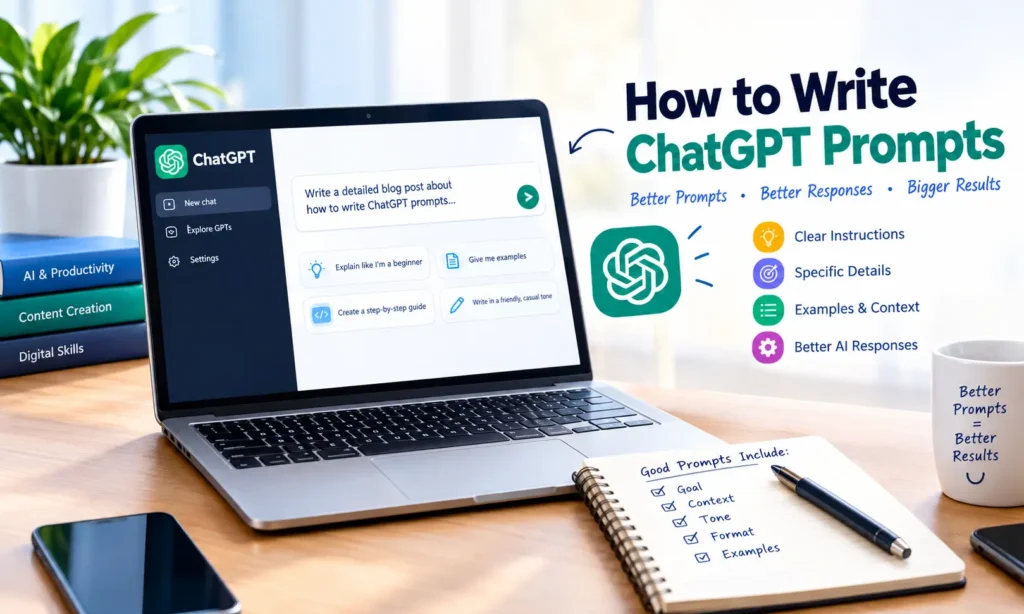
Have you ever asked ChatGPT a question and received an answer that was too general, too short, or completely different from what you expected? The problem may not be ChatGPT itself. In many cases, the secret to getting better results is learning how to write effective prompts.
ChatGPT is an AI-powered assistant that can help you write articles, generate ideas, solve problems, summarize information, create marketing content, learn new skills, and complete many other tasks. However, the quality of its responses depends significantly on how clearly you communicate your needs.
A well-written prompt tells ChatGPT what you want, why you want it, what information it should consider, and how the final answer should look. Instead of asking a vague question, you can provide clear instructions, relevant context, examples, and formatting requirements to receive a more useful response.
Whether you are a student, blogger, business owner, digital marketer, freelancer, content creator, or beginner, learning how to write ChatGPT prompts can help you save time and improve your productivity.
In this comprehensive guide, you will learn how to write effective ChatGPT prompts, discover practical prompt-writing techniques, explore real-world examples, and use ready-to-copy templates for different tasks.
Table of Contents
- What Is a ChatGPT Prompt?
- Why Is Writing Good ChatGPT Prompts Important?
- How to Write ChatGPT Prompts Step by Step
- The Essential Elements of a Good Prompt
- Best ChatGPT Prompt-Writing Techniques
- ChatGPT Prompt Examples for Different Tasks
- ChatGPT Prompts for SEO and Blogging
- ChatGPT Prompts for Students and Learning
- ChatGPT Prompts for Business and Marketing
- Common ChatGPT Prompt-Writing Mistakes
- Advanced Tips for Better ChatGPT Responses
- Ready-to-Use ChatGPT Prompt Templates
- How to Improve a Weak ChatGPT Prompt
- Frequently Asked Questions
- Conclusion
1. What Is a ChatGPT Prompt?
A ChatGPT prompt is the instruction, question, or information you provide to ChatGPT to tell it what you want it to do.
A prompt can be a simple question, a detailed request, a collection of instructions, or a conversation containing background information and examples.
For instance, if you want to write a blog post, you could enter:
Basic prompt:
“Write an article about digital marketing.”
This prompt gives ChatGPT a topic, but it does not explain the intended audience, article length, writing style, structure, or purpose.
A more effective prompt would be:
Improved prompt:
“Write a comprehensive 2,000-word blog post about digital marketing for beginners. Explain the meaning of digital marketing, its major channels, its benefits, and practical strategies for small businesses. Use clear language, descriptive headings, real-world examples, and a conclusion. Optimize the article naturally for the target keyword ‘digital marketing for beginners’ without keyword stuffing.”
The improved prompt gives ChatGPT a clearer understanding of the task and the expected result.
Types of ChatGPT Prompts
There are several common types of prompts.
- Informational prompts: Ask questions or request explanations.
- Creative prompts: Generate stories, ideas, slogans, and creative content.
- Writing prompts: Create emails, articles, reports, and social media posts.
- Analytical prompts: Compare options, identify patterns, and evaluate information.
- Educational prompts: Explain concepts, develop study plans, and create quizzes.
- Technical prompts: Help with programming, formulas, troubleshooting, and technical documentation.
- Business prompts: Develop strategies, marketing plans, customer communications, and business proposals.
Understanding these categories helps you select the right instructions for your intended task.
2. Why Is Writing Good ChatGPT Prompts Important?
Writing effective prompts is important because AI tools need clear instructions to understand what you want.
A vague prompt may produce a generic answer, while a detailed and well-structured prompt can produce a response that is more relevant to your specific needs.
Here are some important benefits of learning prompt writing.
Get More Relevant Answers
When you clearly describe your requirements, ChatGPT can tailor its response to your topic, audience, and objective.
For example, asking “Explain Excel” is very broad. Asking “Explain Excel formulas to beginners using five practical examples from office work” provides a much clearer direction.
Save Time and Effort
A strong prompt can reduce the number of revisions needed to achieve your desired result.
Instead of repeatedly asking ChatGPT to add headings, simplify the language, or provide examples, you can include those requirements in your original instruction.
Improve Content Quality
Writers and bloggers can use prompts to organize articles, create outlines, generate headlines, explain complex subjects, and improve readability.
However, AI-generated content should still be reviewed for accuracy, originality, usefulness, and suitability for the intended audience.
Increase Productivity
Professionals can use ChatGPT to draft emails, summarize meeting notes, organize project plans, brainstorm ideas, and prepare documents.
A well-defined prompt helps make these tasks more efficient.
Learn Difficult Topics More Easily
Students and lifelong learners can ask ChatGPT to explain complicated concepts using simple language, examples, comparisons, or step-by-step explanations.
For example:
“Explain machine learning to a beginner using everyday examples. Then provide five practice questions and explain the answers.”
This approach turns a general question into a structured learning activity.
3. How to Write ChatGPT Prompts Step by Step
Writing a useful prompt does not require technical knowledge. You can start with a simple framework and add detail as needed.
Follow these steps to create effective ChatGPT prompts.
Step 1: Define Your Goal
Before writing a prompt, decide what you want ChatGPT to accomplish.
Ask yourself:
- What task do I want to complete?
- What problem am I trying to solve?
- What should the final answer help me achieve?
- What would make the response useful?
For example, suppose you want to create a blog post about Excel.
A vague goal might be to write something about Excel.
A clearer goal would be to create a beginner-friendly tutorial explaining how to use Excel formulas in everyday office tasks.
Your goal determines the direction of your prompt.
Step 2: Provide Relevant Context
Context helps ChatGPT understand the situation surrounding your request.
Depending on the task, useful context might include your audience, industry, experience level, business type, project details, or intended use.
For example:
“I run a beginner-friendly Excel tutorial blog. My readers are students, office workers, and people who are learning spreadsheet skills for the first time.”
This context helps guide the vocabulary, examples, and explanations used in the response.
You do not need to provide a long background description for every request. Include only information that is relevant to the task.
Step 3: Assign a Useful Role
Sometimes, you can improve a prompt by describing the perspective you want ChatGPT to take.
For example:
“Act as an experienced Excel instructor who explains spreadsheet concepts to beginners.”
Other examples include:
- Act as a professional copy editor.
- Act as a patient mathematics tutor.
- Act as a content strategist for a small business.
- Act as a technical writer who specializes in clear documentation.
- Act as an interview coach for entry-level job applicants.
A role can help establish the tone and approach, but it does not guarantee professional expertise or factual accuracy. Important information should still be verified.
Step 4: Give Clear Instructions
Tell ChatGPT exactly what you want it to do.
Instead of writing:
“Tell me about email marketing.”
Try:
“Explain email marketing, describe its main benefits, list five practical strategies, and provide an example of a welcome email for a small online store.”
Specific instructions help reduce ambiguity.
Use direct action words such as:
- Explain
- Compare
- Summarize
- Analyze
- Rewrite
- Generate
- Organize
- Evaluate
- Translate
- Recommend
Choose verbs that describe the actual task you need completed.
Step 5: Specify the Output Format
The format of an answer can make a significant difference in its usefulness.
You might want a numbered list, a table, a step-by-step guide, a formal email, an article, or a checklist.
For example:
“Compare ChatGPT and traditional search engines in a table with four columns: feature, ChatGPT, search engines, and best use case.”
Or:
“Create a step-by-step tutorial with an introduction, six numbered steps, practical examples, troubleshooting tips, and a conclusion.”
If you need a specific format, state it directly.
Step 6: Define the Tone and Reading Level
The same information can be communicated in different ways depending on the audience.
For example, a technical explanation for software developers may use terminology that would confuse a beginner.
You can specify a tone such as:
- Friendly and conversational
- Professional and formal
- Educational and beginner-friendly
- Persuasive but factual
- Concise and direct
- Engaging and informative
Example:
“Write in a friendly, professional tone. Use short paragraphs, explain technical terms, and avoid unnecessary jargon.”
This gives ChatGPT a clearer writing direction.
Step 7: Include Constraints and Requirements
Constraints define what the response should include or avoid.
Examples include:
- Keep the answer under 500 words.
- Include exactly seven tips.
- Use British English.
- Avoid unexplained technical terminology.
- Include three practical examples.
- Do not invent statistics or citations.
- Use the supplied information as the primary source.
- Separate confirmed facts from assumptions.
Constraints are especially helpful when you need content that follows a particular format or standard.
Be realistic about your requirements. A prompt that demands too many unrelated things at once may be harder to evaluate and refine.
Step 8: Provide Examples When Necessary
Examples are useful when you want ChatGPT to follow a particular structure, tone, or style.
Suppose you need short product descriptions. You can provide an example of the type of description you prefer.
For example:
“Follow this structure: one sentence describing the product’s main benefit, two sentences explaining its features, and one sentence recommending who should use it. Keep each description under 80 words.”
Providing a sample can be more effective than relying on vague instructions such as “make it sound good.”
Use examples that demonstrate the desired result without introducing details that should not be copied.
Step 9: Review the Response
Even a carefully written prompt may not produce a perfect answer on the first attempt.
Review the response and identify what needs improvement.
Ask yourself:
- Does the answer address the original question?
- Is the information accurate?
- Is anything important missing?
- Is the language appropriate for the audience?
- Does the format meet my requirements?
- Are the examples useful and relevant?
If necessary, give ChatGPT specific feedback.
For example:
“Revise the article by adding three practical examples, simplifying the technical explanations, and removing repeated ideas. Keep the original headings and target audience.”
This is more useful than simply saying “make it better.”
4. The Essential Elements of a Good Prompt
A useful prompt often contains five important elements: task, context, audience, constraints, and output format.
These elements are not mandatory for every request. A simple question may need only a few words, while a complex professional task may require a detailed instruction.
The Five-Part Prompt Formula
1. Task: What should ChatGPT do?
2. Context: What background information does it need?
3. Audience: Who will use or read the result?
4. Constraints: What requirements or limitations should it follow?
5. Output: What should the final response look like?
Here is an example:
“Write a beginner-friendly guide to Excel pivot tables for office workers. Assume readers understand basic spreadsheets but have never used pivot tables. Explain the concept, provide a sample dataset, demonstrate how to create a pivot table, and describe three common mistakes. Use clear headings, numbered instructions, and practical examples. Keep the tone professional and approachable.”
This prompt includes all five elements.
When Should You Use a Short Prompt?
Short prompts are often sufficient for simple, direct tasks.
Examples:
- “Summarize this paragraph in three bullet points.”
- “Translate this sentence into Hindi.”
- “Give me five names for a productivity blog.”
- “Explain the difference between SUM and SUMIF in Excel.”
When Should You Use a Detailed Prompt?
Detailed prompts are useful for tasks involving multiple requirements, such as:
- Writing a comprehensive article.
- Developing a content strategy.
- Creating a marketing campaign.
- Reviewing a long document.
- Planning a training program.
- Generating or debugging complex code.
The goal is not to make every prompt as long as possible. The goal is to provide enough information for the task to be completed well.
5. Best ChatGPT Prompt-Writing Techniques
Once you understand the basics, several techniques can help you write more effective prompts.
Technique 1: Be Specific
Specificity is one of the most important principles of prompt writing.
Weak prompt:
“Give me some marketing ideas.”
Better prompt:
“Suggest ten low-cost digital marketing ideas for a small online clothing store. Prioritize methods that one person can manage with limited time and explain the main benefit of each idea.”
The second prompt gives ChatGPT a defined business context, quantity, and practical constraint.
Technique 2: Break Large Tasks Into Smaller Steps
Complex tasks are often easier to manage when divided into stages.
For example, instead of asking ChatGPT to create an entire content marketing campaign in one instruction, work through the following sequence:
- Identify the target audience.
- Generate topic ideas.
- Select the strongest topics.
- Create a content calendar.
- Draft the first article.
- Review and improve the article.
- Prepare promotional content.
Breaking the task into stages allows you to evaluate each result before moving forward.
Technique 3: Use Positive, Actionable Instructions
Tell ChatGPT what you want it to do rather than relying entirely on negative instructions.
Instead of:
“Do not make this article boring.”
Try:
“Make this article engaging with practical examples, clear explanations, informative subheadings, and a helpful conversational tone.”
Negative instructions are still useful when they address specific restrictions, but positive instructions make your desired outcome easier to understand.
Technique 4: Request a Particular Level of Detail
If you need a brief explanation, say so. If you need a comprehensive guide, explain the depth you expect.
Examples:
- “Explain this in approximately 100 words.”
- “Provide a detailed explanation with five examples.”
- “Give me a quick summary followed by a more detailed analysis.”
- “Explain each step as if I have never used this software before.”
Remember that requested word counts are targets rather than guarantees. Review the final response if an exact length is important.
Technique 5: Ask for Alternatives
Sometimes the first answer is not the best fit.
You can ask ChatGPT to generate several options and explain their differences.
For example:
“Create five headlines for a blog post about writing effective ChatGPT prompts. Include one educational headline, one curiosity-driven headline, one beginner-friendly headline, one SEO-focused headline, and one concise headline.”
Comparing alternatives helps you make a more informed choice.
Technique 6: Use Follow-Up Prompts
Prompt writing is often an iterative process. You can refine the output through additional instructions.
Useful follow-up prompts include:
- “Explain this concept with a simpler example.”
- “Expand the third section.”
- “Make the introduction more engaging without using exaggerated claims.”
- “Convert the explanation into a comparison table.”
- “Identify unsupported claims and suggest ways to verify them.”
- “Rewrite this for readers with no prior experience.”
A conversation can gradually improve the output without requiring you to start over.
Technique 7: Ask ChatGPT to Identify Missing Information
For complicated requests, you can instruct ChatGPT to ask questions before producing the final answer.
Example:
“Help me create a content strategy for my website. First, ask me up to five questions about my target audience, subject area, publishing schedule, business goals, and available resources. After I answer, develop the strategy.”
This approach is helpful when your request depends on information that has not yet been supplied.
Technique 8: Provide Source Material
If you want ChatGPT to summarize or analyze a particular document, provide the relevant text or upload the document when supported.
For example:
“Using the report below, summarize the five most important findings. Distinguish the report’s stated facts from your interpretation. Do not introduce external statistics.”
When factual precision matters, use reliable sources and verify important conclusions. A clear prompt cannot guarantee that every answer will be correct.
6. ChatGPT Prompt Examples for Different Tasks
The best prompt depends on the task you want to complete. Below are practical examples you can adapt.
A. Prompts for Writing Articles
Example prompt:
“Write a detailed blog post about the benefits of time management for students. Include an introduction, eight practical strategies, real-world examples, common mistakes, frequently asked questions, and a conclusion. Use clear language and descriptive headings. Aim for 1,800 words and avoid repetitive advice.”
This prompt specifies the subject, structure, audience, and approximate length.
B. Prompts for Email Writing
Example prompt:
“Write a professional email to a client explaining that a project deadline needs to be extended by three days. Apologize for the inconvenience, provide a brief and honest explanation, propose the revised deadline, and maintain a respectful tone. Keep the email under 180 words.”
C. Prompts for Social Media
Example prompt:
“Create ten LinkedIn post ideas for a business that provides Excel training. Target office workers and job seekers who want to improve their spreadsheet skills. For each idea, provide a hook, the main message, and a relevant question to encourage discussion. Avoid exaggerated promises.”
D. Prompts for Learning
Example prompt:
“Teach me the basics of Python programming as a complete beginner. Start with variables and data types, then explain conditional statements and loops. Include simple code examples, explain each line, and give me a short practice exercise after every topic.”
E. Prompts for Coding
Example prompt:
“Review the following Python function for bugs and readability issues. Explain each identified problem, suggest a corrected version, and provide test cases for normal inputs, edge cases, and invalid inputs. Do not assume behavior that is not specified in the code.”
F. Prompts for Business Planning
Example prompt:
“Help me develop a practical business plan for a small online store selling stationery. Include a target customer profile, product positioning, marketing channels, operating requirements, potential risks, and a 90-day action plan. State assumptions clearly and identify information that requires further research.”
G. Prompts for Summarization
Example prompt:
“Summarize the following document in five bullet points. Identify its main argument, three important supporting details, and the conclusion. Preserve the original meaning and do not introduce information that is not in the document.”
H. Prompts for Decision-Making
Example prompt:
“Compare these three project management tools using cost, ease of use, collaboration features, integrations, and suitability for a small team. Present the comparison in a table, identify the trade-offs, and explain which tool best fits the requirements I provide. Flag any information that needs current verification.”
These examples show that effective prompting is not limited to one profession or type of content.
7. ChatGPT Prompts for SEO and Blogging
ChatGPT can assist with many parts of the blogging process, including topic research, article planning, headline generation, content editing, and search-intent analysis.
However, AI-generated SEO suggestions should be treated as starting points. Search demand, keyword difficulty, competitor performance, and current search results should be checked with appropriate research tools.
A. Generate SEO Blog Topics
Prompt:
“Act as a content strategist for a beginner-friendly Excel tutorial website. Generate 30 useful blog topic ideas for students, office workers, and Excel beginners. Group them into beginner tutorials, formulas and functions, data analysis, charts, and productivity tips. For each topic, describe the likely reader problem it solves.”
B. Create an SEO-Friendly Article Outline
Prompt:
“Create a detailed outline for a blog post targeting the keyword ‘how to write ChatGPT prompts.’ Identify the likely search intent, suggest an informative H1, organize the main sections using H2 and H3 headings, and include practical examples and frequently asked questions. Avoid repetitive headings and prioritize reader usefulness.”
C. Write an SEO Blog Post
Prompt:
“Write a comprehensive, beginner-friendly blog post targeting the keyword ‘how to write ChatGPT prompts.’ Include an engaging introduction, a step-by-step tutorial, practical prompt examples, common mistakes, useful templates, FAQs, and a conclusion. Use the target keyword naturally and include relevant variations where appropriate. Do not invent statistics, sources, or guarantees about search rankings.”
D. Generate SEO Metadata
Prompt:
“Create SEO metadata for a blog post about writing effective ChatGPT prompts. Provide five title tag options, three meta description options, one concise URL slug, and a recommended primary keyword. Keep titles and descriptions concise, relevant, and compelling. Do not promise guaranteed rankings.”
E. Improve Article Readability
Prompt:
“Review the following blog article for readability and usefulness. Identify repetitive sections, unclear explanations, weak transitions, and unsupported claims. Then revise the article while preserving its meaning and adding practical examples where they improve understanding.”
F. Create an FAQ Section
Prompt:
“Based on the topic ‘how to write ChatGPT prompts,’ suggest ten relevant questions a beginner might ask. Provide concise, accurate answers. Avoid repeating the main article and do not claim that specific questions have search demand unless keyword research supports that conclusion.”
G. Create Image Ideas for a Blog Post
Prompt:
“Suggest five original visual concepts for a blog post about writing effective ChatGPT prompts. For each concept, describe the subject, composition, text overlay if needed, and how the image supports the article. Include one featured-image concept suitable for a 5:3 aspect ratio.”
H. Plan Internal Links
Prompt:
“Review the following list of existing article titles from my Excel tutorial website. Recommend relevant internal links for an article about ChatGPT prompts. For each suggestion, explain the topical connection and propose a natural anchor text. Only recommend URLs or articles included in the supplied list.”
These prompts can help you create a more organized content workflow. For better results, combine AI assistance with original insights, reliable research, and a careful editorial review.
8. ChatGPT Prompts for Students and Learning
Students can use ChatGPT to understand difficult topics, organize revision, practice problem-solving, and develop study materials.
The most useful prompts encourage active learning rather than simply requesting answers.
Explain a Difficult Concept
“Explain photosynthesis to a student who has never studied biology in detail. Use simple language, a step-by-step explanation, and an everyday analogy. Finish with five questions to check my understanding.”
Create a Study Plan
“Create a four-week study plan for an examination covering mathematics, science, and English. I can study two hours per day, six days per week. Divide the schedule into manageable sessions and include revision, practice questions, and rest periods.”
Generate Practice Questions
“Create 15 practice questions about basic algebra. Include five easy, five intermediate, and five challenging questions. Put the answers in a separate section and explain the solutions step by step.”
Improve Writing Skills
“Review the essay below for grammar, clarity, organization, and argument quality. Identify the most important improvements and explain why they matter. Preserve my original ideas and voice instead of replacing the essay with an unrelated response.”
Learn Through a Quiz
“Teach me the basics of Excel formulas through an interactive quiz. Ask one question at a time, wait for my answer, explain whether it is correct, and provide a short explanation before moving to the next question.”
Always follow your institution’s academic integrity rules and verify important information using appropriate educational sources.
9. ChatGPT Prompts for Business and Marketing
Businesses can use ChatGPT to brainstorm ideas, prepare communication, organize operations, and develop first drafts of marketing materials.
Good business prompts should include the target audience, business objectives, constraints, and relevant information about the product or service.
Create a Marketing Strategy
“Develop a 90-day digital marketing plan for a small business that sells handmade home decor. The budget is limited, and the owner manages most activities independently. Include weekly priorities, potential marketing channels, content ideas, performance indicators, and risks. Distinguish assumptions from confirmed information.”
Understand a Target Audience
“Help me define potential customer segments for an online Excel training course. Consider beginners, students, office workers, and job seekers. For each segment, identify possible goals, common challenges, content preferences, and questions to validate through customer research.”
Write Product Descriptions
“Write three product descriptions for a reusable stainless-steel water bottle. Target customers who want a practical everyday bottle. Use a clear, benefit-focused tone and include only the product features provided below. Do not invent certifications, performance claims, or technical specifications.”
Prepare Customer Support Responses
“Draft a polite customer support response to a customer whose order arrived late. Acknowledge the inconvenience, explain the confirmed order status provided below, and outline the next steps. Do not promise refunds, delivery dates, or compensation unless authorized.”
Analyze Business Feedback
“Analyze the customer feedback below. Group comments into recurring themes, summarize positive and negative observations, and identify possible product improvements. Include representative examples from the supplied feedback and distinguish recurring patterns from isolated comments.”
For confidential business information, share only what is necessary and follow your organization’s data-handling policies.
10. Common ChatGPT Prompt-Writing Mistakes
Even experienced users sometimes write prompts that lead to disappointing results.
Understanding common mistakes can help you avoid unnecessary revisions.
Mistake 1: Being Too Vague
A prompt such as “Write something about technology” does not provide enough direction for a specific result.
How to improve it: Define the topic, audience, objective, and desired format.
Mistake 2: Giving Too Many Unrelated Instructions
A single prompt that asks for a business plan, a 30-day social media calendar, a complete website, a financial forecast, and an email campaign may be difficult to review effectively.
How to improve it: Divide complex work into stages and evaluate each output separately.
Mistake 3: Ignoring the Target Audience
Content for experts differs from content for beginners.
How to improve it: State the audience’s knowledge level, needs, and relevant background.
Mistake 4: Forgetting the Output Format
If you need a table but do not specify one, ChatGPT may respond with paragraphs.
How to improve it: Explicitly request a table, checklist, numbered list, report, or other suitable format.
Mistake 5: Expecting Perfect Results Immediately
Even clear prompts may produce incomplete, inaccurate, or unsuitable responses.
How to improve it: Review the output, provide targeted feedback, and request specific revisions.
Mistake 6: Treating AI Responses as Automatically Correct
ChatGPT can make mistakes, misunderstand context, or provide information that needs verification.
How to improve it: Check important claims against reliable sources, especially for medical, legal, financial, technical, or current information.
Mistake 7: Overloading Prompts With Unnecessary Details
More information is not always better. Irrelevant background can make your actual request less clear.
How to improve it: Include details that affect the expected result and remove unrelated information.
Mistake 8: Using Unclear Success Criteria
Instructions such as “make it excellent” or “write professionally” can be interpreted in different ways.
How to improve it: Define observable qualities, such as sentence length, reading level, tone, number of examples, or required sections.
Mistake 9: Forgetting to Provide Relevant Materials
If you want ChatGPT to summarize a document, analyze a dataset, or revise an existing article, it may need that material.
How to improve it: Paste the relevant text, provide a file when supported, or clearly identify the information it should use.
Mistake 10: Using AI Content Without Editing
Publishing generated text without review may introduce errors, repetition, unsupported statements, or content that does not reflect your experience.
How to improve it: Edit the output, check factual claims, add original insights, and make sure the final result serves the reader.
11. Advanced Tips for Better ChatGPT Responses
After mastering the fundamentals, you can use more advanced techniques to handle complex requests.
Use Structured Instructions
Separate your instructions into clearly labeled sections.
For example:
Goal: Create a beginner-friendly Excel tutorial.
Audience: Students and office workers.
Requirements: Explain each step, provide formulas, and include practical examples.
Restrictions: Avoid unexplained jargon and unsupported claims.
Output: A structured article with headings, a conclusion, and FAQs.
This format makes complex prompts easier to understand and revise.
Ask for Assumptions to Be Identified
When a task involves incomplete information, ask ChatGPT to distinguish facts from assumptions.
For example:
“Based on the information provided, recommend three possible strategies. State the assumptions behind each strategy, explain its advantages and disadvantages, and identify what additional information would help validate the recommendation.”
This helps you evaluate the reasoning rather than accepting a recommendation without context.
Request a Quality Checklist
You can ask ChatGPT to evaluate its draft against explicit criteria.
Example:
“Review the draft against these criteria: factual accuracy, clarity, relevance to the target audience, completeness, organization, and repetition. Identify weaknesses and suggest specific improvements for each criterion.”
Treat this as a useful review aid, not independent proof that the content is accurate.
Use Iterative Drafting
For substantial writing projects, use a staged workflow:
- Develop the article brief.
- Create the outline.
- Review the outline.
- Draft the content section by section.
- Check the structure and consistency.
- Verify factual claims.
- Edit for clarity and usefulness.
- Prepare final formatting and metadata.
This workflow gives you more control over the final result than relying on one large instruction.
Request Different Perspectives
For planning or decision-making, ask ChatGPT to examine different options.
For example:
“Evaluate this product launch plan from the perspectives of a customer, a marketing manager, and a small-business owner. Identify the strongest features, possible weaknesses, and questions that should be investigated before launch.”
Different perspectives can reveal issues that a single approach might overlook.
Use a Prompt Library
If you repeatedly perform similar tasks, save your best prompts in a document or spreadsheet.
Organize them into categories such as:
- Blog writing
- SEO research
- Email drafting
- Social media
- Business planning
- Education
- Data analysis
- Coding and troubleshooting
Record what each prompt is designed to do and which changes improve the results. Over time, you can develop a reusable workflow tailored to your needs.
12. Ready-to-Use ChatGPT Prompt Templates
The following templates provide a starting point for common tasks. Replace the information in brackets with your own details.
Template 1: General-Purpose Prompt
“Help me [describe the task]. The intended audience is [audience]. The main objective is [goal]. Use the following context: [relevant information]. Follow these requirements: [requirements]. Present the result as [format] and use a [tone] tone. If essential information is missing, ask clarifying questions before proceeding.”
Template 2: Blog Article Prompt
“Act as a content writer for a website about [topic]. Write a comprehensive article targeting the keyword ‘[primary keyword]’. The intended audience is [audience]. Aim for approximately [word count] words. Include an introduction, logical H2 and H3 headings, practical examples, common mistakes, FAQs, and a conclusion. Use clear language, avoid repetition, and do not invent statistics or citations. Provide the article in a publication-ready format.”
Template 3: SEO Content Planning Prompt
“Develop an SEO content brief for the topic ‘[topic]’. Describe the likely search intent, target audience, reader questions, recommended article structure, related subtopics, and useful content opportunities. Suggest potential title tags, a meta description, and a URL slug. Clearly label keyword ideas as suggestions that require validation through keyword research.”
Template 4: Learning Prompt
“Teach me [subject] as a beginner. Start with the fundamentals and gradually introduce more advanced concepts. Explain each idea using simple language and practical examples. After each major section, provide a short exercise and wait for my response before continuing. Correct misunderstandings with clear explanations.”
Template 5: Email Prompt
“Write an email to [recipient] about [subject]. The purpose is to [objective]. Include [important details]. Use a [tone] tone, keep the message approximately [length] words, and end with an appropriate call to action. Do not invent details that I have not supplied.”
Template 6: Content Improvement Prompt
“Review the following content for [specific goals]. Identify unclear statements, repetition, structural problems, and missing information. Explain the most important changes, then provide a revised version that preserves the original meaning and intended audience. Flag factual claims that need verification.”
Template 7: Research and Comparison Prompt
“Compare [option A], [option B], and [option C] using the criteria [criteria]. Present the results in a table and explain the most important trade-offs. Use the supplied sources where available, identify missing evidence, and flag information that may have changed. Do not invent prices, statistics, or citations.”
Template 8: Brainstorming Prompt
“Generate [number] ideas for [goal]. The target audience is [audience], and the main constraints are [constraints]. Group the ideas into useful categories. For each idea, explain its potential benefit, the resources required, and one possible limitation. Avoid repeating similar ideas.”
Template 9: Data Analysis Prompt
“Analyze the dataset or information provided below. First, describe its structure and identify any missing or inconsistent data. Then summarize the main patterns, calculate relevant measures where possible, and explain the limitations of the analysis. Separate observations from interpretations and do not infer information that the data cannot support.”
Template 10: Problem-Solving Prompt
“Help me solve the following problem: [problem description]. Relevant context: [context]. Desired outcome: [goal]. Constraints: [limitations]. Identify the main issues, suggest possible approaches, compare their advantages and disadvantages, and recommend practical next steps. State any assumptions clearly.”
These templates are starting points rather than rigid formulas. Adjust them to match the complexity of the task and the information available.
13. How to Improve a Weak ChatGPT Prompt
One of the fastest ways to learn prompt writing is to compare a weak prompt with a stronger version.
Consider the following examples.
Example 1: Writing a Blog Post
Weak prompt:
“Write about SEO.”
Improved prompt:
“Write a beginner-friendly guide to search engine optimization for small-business website owners. Explain what SEO is, how keyword research works, why useful content matters, and how technical SEO affects websites. Include practical examples, a step-by-step checklist, and a conclusion. Avoid guaranteeing rankings or inventing performance statistics.”
Why it is better: It defines the audience, topics, structure, and important limitations.
Example 2: Learning Excel
Weak prompt:
“Teach me Excel.”
Improved prompt:
“Create a four-week beginner learning plan for Microsoft Excel. Cover worksheet navigation, data entry, formatting, essential formulas, sorting, filtering, charts, and pivot tables. Allocate 30 minutes per day, five days per week. Include weekly practice tasks and a final project.”
Why it is better: It converts a broad learning goal into a structured, manageable plan.
Example 3: Creating Social Media Content
Weak prompt:
“Make Instagram posts.”
Improved prompt:
“Create seven Instagram post concepts for a small bakery promoting its new product range. For each post, provide a short opening hook, caption, visual idea, and relevant call to action. Use a friendly tone and avoid claims about ingredients or product benefits unless supplied.”
Why it is better: It identifies the business, quantity, content components, tone, and restrictions.
Example 4: Summarizing a Document
Weak prompt:
“Summarize this.”
Improved prompt:
“Summarize the supplied report in approximately 250 words. Include the main conclusion, three important findings, and any limitations identified by the author. Use plain language and do not introduce information that is absent from the report.”
Why it is better: It specifies length, structure, reading level, and source boundaries.
Example 5: Improving Existing Content
Weak prompt:
“Make this better.”
Improved prompt:
“Edit the following article to improve clarity, grammar, organization, and readability. Preserve the original meaning and factual claims, remove repetition, and improve transitions. List any claims that require verification instead of silently changing their meaning.”
Why it is better: It replaces an unclear instruction with specific editorial goals.
The main lesson is simple: identify what is missing from the weak prompt and add only the information that helps ChatGPT produce a more useful answer.
14. Frequently Asked Questions About Writing ChatGPT Prompts
The best approach is to state your goal clearly, provide relevant context, identify the audience, specify important requirements, and describe the desired output format.
For complex tasks, break the work into smaller steps and refine the result through follow-up instructions.
Beginners can start with a simple formula: “Help me [task] for [audience]. Include [requirements] and present the result as [format].”
For example, “Explain Excel charts to beginners using five practical examples and a step-by-step tutorial.”
Not necessarily. A longer prompt may be helpful for complex tasks because it provides additional context and constraints.
However, unnecessary details can make instructions harder to follow. Aim for clarity and relevance rather than length alone.
Five useful elements are task, context, audience, constraints, and output format.
Depending on the task, you may also want to specify tone, examples, source material, and quality criteria.
Yes. You can use ChatGPT to generate topic ideas, develop outlines, create first drafts, improve readability, suggest titles, and prepare FAQ sections. However, keyword research, factual verification, original insights, and editorial review remain important.
Provide clear questions, relevant source material, and enough context. Ask ChatGPT to identify uncertainty, distinguish assumptions from facts, and flag claims that require verification. Check important information against reliable sources, particularly when accuracy has significant consequences.
A role can help establish the perspective, tone, and approach you want. For example, asking for an explanation from the perspective of a beginner-friendly Excel instructor may encourage clearer teaching. However, role instructions do not guarantee accuracy or replace appropriate verification.
Yes. Reusable prompts are especially helpful for recurring tasks such as article writing, email drafting, content planning, and document editing. Save effective templates and adjust their details for each new task.
Describe the format explicitly. For example, request a table with named columns, a numbered list containing eight steps, or an article with specified headings. If the format is important, provide a sample or template.
Identify the specific problem and provide a targeted follow-up instruction. You might ask it to add missing information, simplify the explanation, correct a formatting issue, or reconsider an unsupported assumption. If the task itself is unclear, rewrite the original prompt with more context.
12. Can ChatGPT Prompts Guarantee SEO Rankings?
No. A prompt cannot guarantee that an article will rank in search results. Search performance depends on multiple factors, including relevance, content quality, competition, website characteristics, and search engine systems. Use AI to support your content workflow rather than treating it as a ranking guarantee.
13. How Often Should I Improve My Prompts?
Improve prompts whenever the results consistently miss your requirements or when your task, audience, or objectives change. You do not need to rewrite a successful prompt every time. Small adjustments to context, examples, and output requirements may be sufficient.
14. Is Prompt Writing a Technical Skill?
Prompt writing is primarily a communication and problem-definition skill. You do not need to know programming to write useful prompts. Technical knowledge may help for specialized tasks, but beginners can get started using ordinary language.
15. What Is the Most Important Prompt-Writing Tip?
Be clear about the result you want. A prompt that explains the task, supplies relevant information, and defines success is usually more useful than one that simply asks ChatGPT to produce something “better.”
15. Conclusion
Learning how to write ChatGPT prompts is a practical skill that can improve the way you work, learn, write, and solve problems.
The key is to communicate your requirements clearly. Start by defining your goal, providing relevant context, identifying your audience, specifying the desired format, and including any important constraints. Use examples when necessary, divide complex tasks into smaller steps, and refine the response with targeted follow-up instructions.
You do not need to master every prompting technique immediately. Begin with simple prompts and gradually experiment with more detailed instructions as your needs become more complex.
For bloggers, ChatGPT can support topic research, article outlines, content drafting, and editing. For students, it can explain concepts and create practice exercises. For professionals, it can assist with communication, planning, analysis, and repetitive tasks.
However, effective prompting is only part of the process. Always review important responses, verify factual claims, protect confidential information, and apply your own judgment before using AI-generated content.
Remember: the goal is not to write the longest prompt. It is to write the clearest prompt that gives ChatGPT the information it needs to help you achieve your objective.
Start practicing today by choosing one task, writing a clear prompt, reviewing the result, and improving the instructions until the response meets your needs. With consistent practice, you can build a personal library of useful prompts and make ChatGPT a more effective assistant in your daily work.
What Is an AI Resume Builder?
3 comments