I’m Vishal Kumar, the founder of ZeexasTech.com, a platform built around my passion for technology, learning, and digital innovation.
I believe technology should be easy to understand and useful in everyday life. That’s why ZeexasTech.com focuses on sharing valuable insights about artificial intelligence, Microsoft Excel, emerging technologies, productivity tools, and practical digital skills.
My vision is to build a helpful online resource where beginners and experienced users alike can discover new tools, solve problems, develop their skills, and unlock new opportunities through technology.
Introduction
Creating high-quality content consistently is one of the biggest challenges for bloggers, YouTubers, social media influencers, digital marketers, and online businesses. From researching topics and writing articles to designing images, editing videos, optimizing content for search engines, and managing social media accounts, content creation requires time, creativity, and the right set of tools.
Fortunately, artificial intelligence is changing the way content creators work. Today, AI-powered tools can help generate ideas, write drafts, create images, edit videos, produce voiceovers, improve grammar, research keywords, and automate repetitive tasks.
The best part is that you do not need to be a professional designer, experienced writer, or advanced video editor to benefit from these tools. Beginners can use AI to simplify complicated tasks, while experienced creators can use it to improve their productivity and focus on creative decisions.
However, choosing the right tools can be confusing. There are hundreds of AI platforms available, and each one offers different features, pricing plans, and capabilities. Some tools specialize in writing, while others focus on video production, image generation, search engine optimization, or social media management.
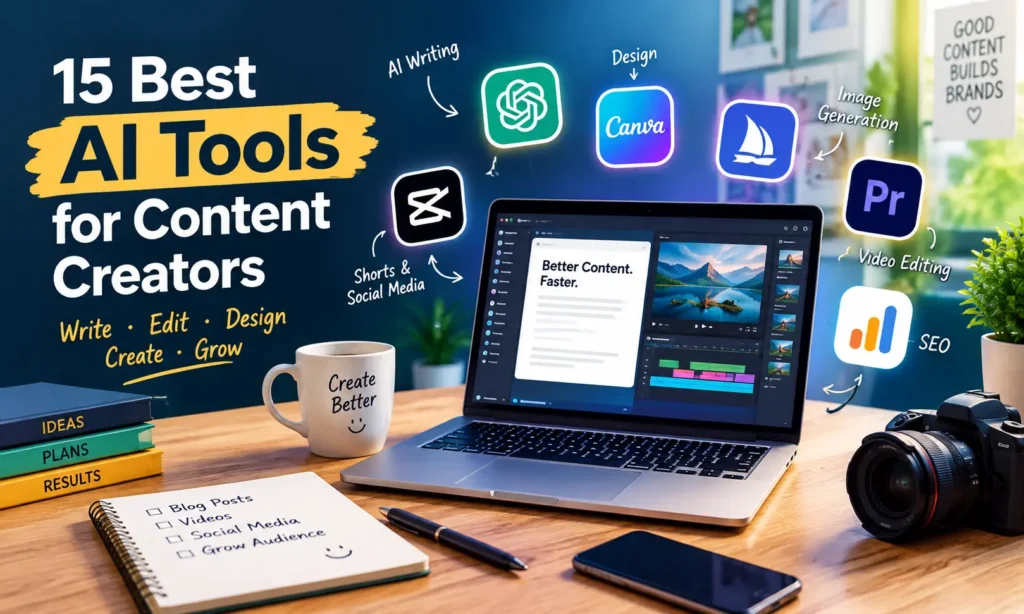
In this guide, we will explore the 15 best AI tools for content creators in 2026, explain their main features, discuss their advantages and limitations, and show you how to build an effective AI-powered content creation workflow.
Whether you are a blogger, YouTuber, freelancer, influencer, or business owner, this article will help you understand which AI tools are worth considering for your content creation needs.
What Are AI Tools for Content Creators?
AI tools for content creators are software applications that use artificial intelligence to assist with different stages of producing digital content.
These tools can analyze text, understand instructions, generate images, summarize information, process audio, edit videos, and help users complete repetitive creative tasks.
For example, a blogger can use an AI writing assistant to brainstorm article topics, an SEO tool to identify relevant keywords, and an image generator to create a featured image. A YouTuber can use AI to develop video scripts, remove unwanted pauses, generate subtitles, and create short clips from longer videos.
AI does not necessarily replace the creator. Instead, it can act as a creative assistant that helps reduce manual work and makes production more efficient.
Common Uses of AI in Content Creation
AI tools can support many different activities, including:
- Content research: Discover trending topics, audience questions, and content ideas.
- Writing and editing: Create outlines, draft articles, improve grammar, and rewrite unclear sentences.
- SEO optimization: Research keywords, organize topics, and identify opportunities to improve existing content.
- Image generation: Create illustrations, thumbnails, product visuals, and blog graphics.
- Video editing: Generate captions, remove pauses, improve audio, and repurpose long videos.
- Audio production: Generate voiceovers, clean recordings, and convert text into speech.
- Social media management: Write captions, brainstorm posts, and plan content calendars.
- Automation: Connect applications and simplify repetitive publishing workflows.
The most effective approach is to choose tools based on your actual workflow rather than subscribing to every new AI platform.
15 Best AI Tools for Content Creators in 2026
Below are 15 popular AI-powered tools worth exploring, covering writing, design, video editing, SEO, audio, and productivity.
1. ChatGPT — Best for Content Ideas and Writing Assistance
ChatGPT is a versatile AI assistant that can help content creators brainstorm, research topics, plan campaigns, draft articles, generate scripts, and refine existing content.
It is especially useful when you need to turn an early idea into a structured content plan.
For example, if you run an Excel tutorial blog, you can ask ChatGPT to generate article ideas about formulas, charts, pivot tables, data cleaning, and spreadsheet automation. You can then use those ideas to develop outlines, practical examples, and frequently asked questions.
Key features:
- Blog topic brainstorming and article outlining
- Drafting and editing assistance
- YouTube scripts and video ideas
- Social media captions and content calendars
- Email newsletters and marketing copy
- Summaries and explanations of complex subjects
- Assistance with content repurposing
Advantages:
ChatGPT supports many content formats in one place. It can help beginners get started quickly and assist experienced creators with planning and editing.
Limitations:
AI-generated information can contain errors, outdated claims, or generic language. Important facts should be verified, and the final content should reflect your own experience and expertise.
Best for: Bloggers, marketers, freelancers, educators, and creators who need a flexible writing and brainstorming assistant.
2. Jasper — Best for Marketing Content
Jasper is an AI writing platform designed primarily for marketing teams and businesses that need to create consistent brand-focused content.
It can help marketers develop advertising copy, campaign messages, landing-page content, email drafts, and other promotional materials.
Unlike a general-purpose assistant, Jasper emphasizes marketing workflows and maintaining a consistent brand voice.
Key features:
- Marketing copy generation
- Brand voice support
- Campaign content development
- Drafting for different marketing channels
- Content rewriting and expansion
- Team-oriented content workflows
Advantages:
Jasper can be useful for businesses producing a high volume of marketing content. Brand voice features can help teams maintain consistency across campaigns.
Limitations:
Some features may be unnecessary for individuals who only need occasional writing assistance. Pricing and available features depend on the current plan.
Best for: Marketing agencies, content teams, businesses, and professionals producing frequent promotional content.
3. Grammarly — Best for Grammar and Editing
Grammarly helps writers improve spelling, grammar, punctuation, clarity, and tone. Its AI features can also assist with rewriting sentences, generating text, and adjusting communication for different audiences.
For content creators, editing is an essential step because even a well-researched article can appear unprofessional when it contains unclear sentences or avoidable grammatical mistakes.
Key features:
- Grammar and spelling checks
- Punctuation suggestions
- Sentence clarity improvements
- Tone guidance
- AI-assisted rewriting
- Writing support across compatible applications
Advantages:
Grammarly is helpful for polishing drafts, improving readability, and catching common writing mistakes before publication.
Limitations:
Automated suggestions are not always appropriate for every writing style. Creators should review changes to preserve their personality and intended meaning.
Best for: Bloggers, students, professional writers, freelancers, and anyone who regularly publishes written content.
4. Canva Magic Studio — Best for Graphic Design
Canva is a popular design platform that provides templates and creative tools for producing visual content. Its Magic Studio features include AI-assisted capabilities that can simplify parts of the design process.
You can use Canva to create blog featured images, YouTube thumbnails, social media posts, presentations, infographics, and promotional graphics without advanced design skills.
Key features:
- AI-assisted design and image creation
- Social media templates
- Background removal and editing tools
- Presentation creation
- Resizing designs for different platforms
- Brand kits and reusable templates
Advantages:
Canva combines design templates with accessible editing features, making it easier to maintain a consistent visual identity.
Limitations:
Advanced features may require a paid plan. Template-heavy designs can also look generic unless you customize them.
Best for: Bloggers, YouTubers, social media creators, small businesses, and beginners who need professional-looking graphics.
5. Adobe Firefly — Best for AI-Generated Images and Visual Effects
Adobe Firefly provides generative AI features for creating and editing visual assets. Depending on the available tool and plan, creators can generate images, experiment with visual styles, and make targeted changes to existing artwork.
It is particularly useful when you need custom visuals that match a specific article, campaign, or creative concept.
Key features:
- Text-to-image generation
- Generative image editing
- Object removal and replacement in supported workflows
- Visual variations and creative exploration
- Integration with selected Adobe applications
Advantages:
Firefly can help creators produce original visual concepts and speed up certain editing tasks. Its integration with Adobe’s creative ecosystem can be valuable for designers.
Limitations:
Generated images may contain visual inconsistencies, and commercial-use conditions can vary by feature and applicable terms. Review licensing requirements before using assets commercially.
Best for: Designers, marketers, bloggers, and creators who need customized visual content.
6. Midjourney — Best for Artistic AI Images
Midjourney is an AI image-generation platform known for creating detailed, stylized, and visually striking artwork from text prompts.
Creators can use it to explore artistic concepts, develop mood boards, produce illustrations, and create visual assets for creative projects.
For example, a travel blogger might experiment with illustrated destination concepts, while a fantasy writer might generate atmospheric artwork to accompany a story.
Key features:
- Text-to-image generation
- Different visual styles
- Image variations
- Prompt-based artistic direction
- Creative concept exploration
Advantages:
Midjourney is useful when visual style and artistic quality are important. It can help creators explore many visual directions before finalizing a design.
Limitations:
Precise text rendering, exact object placement, and consistent characters across images may require additional work. Commercial rights depend on the applicable terms and account conditions.
Best for: Digital artists, creative bloggers, designers, and social media creators who need distinctive artwork.
7. CapCut — Best for Short-Form Video Editing
CapCut is a video-editing platform popular among creators producing TikTok videos, Instagram Reels, YouTube Shorts, and other short-form content.
Its available AI-assisted features can simplify captioning, editing, background removal, and other production tasks.
Key features:
- Automatic captions in supported languages
- Video templates and effects
- AI-assisted editing features
- Background removal in supported workflows
- Text overlays and transitions
- Tools for short-form video production
Advantages:
CapCut makes many common editing tasks accessible to beginners. Templates and captioning tools can help speed up the production of social media videos.
Limitations:
Feature availability varies by device, region, and plan. Heavy use of templates can also make videos look similar to other creators’ content.
Best for: TikTok creators, Instagram influencers, YouTubers, and beginners producing short videos.
8. Descript — Best for Editing Video and Audio Through Text
Descript offers an editing workflow that connects recorded media with its transcript. This allows creators to make certain video and audio edits by working directly with text.
For example, a podcaster can edit a transcript to remove unwanted sections and then review the corresponding changes in the recording.
Key features:
- Transcription
- Text-based audio and video editing
- Caption creation
- Screen recording in supported workflows
- Audio enhancement tools
- Tools for removing unwanted sections
Advantages:
Descript can make spoken-word editing more intuitive, especially for interviews, podcasts, tutorials, and educational videos.
Limitations:
Transcription errors can affect editing accuracy, and complex visual edits may still require a conventional video editor.
Best for: Podcasters, educators, interviewers, course creators, and YouTubers.
9. Runway — Best for AI-Assisted Video Generation
Runway provides generative AI tools for creating and transforming video content. Depending on the current model and plan, creators can experiment with text-to-video, image-to-video, and other AI-assisted visual workflows.
These capabilities can be useful for developing concept videos, atmospheric backgrounds, creative advertisements, and experimental visual sequences.
Key features:
- AI video generation
- Image-to-video workflows
- Creative video transformation
- Visual experimentation
- Tools for selected video-editing tasks
Advantages:
Runway can help creators explore visual ideas that would otherwise require specialized production resources.
Limitations:
AI-generated motion can be inconsistent, and results may require several attempts. Generation credits, resolution, and available features depend on the current plan.
Best for: Filmmakers, creative agencies, video marketers, and experimental content creators.
10. ElevenLabs — Best for AI Voiceovers
ElevenLabs offers AI-powered speech generation and audio tools that can help creators produce voiceovers from written scripts.
It can be useful when creating narrated tutorials, educational videos, explainers, and other projects that require spoken audio.
Key features:
- Text-to-speech generation
- Multiple supported voices and languages
- Voice customization in supported plans
- Audio production tools
- Speech-related AI capabilities
Advantages:
AI voiceovers can help creators produce narrated content without recording every line themselves. Multilingual capabilities may also support localization projects.
Limitations:
Generated speech may not always communicate the emotion or nuance of a human performance. Voice cloning requires particular care and appropriate authorization.
Best for: YouTube creators, course developers, educators, and businesses producing narrated content.
11. Surfer SEO — Best for Content Optimization
Surfer SEO is a content optimization platform designed to help creators analyze search results and improve the structure and relevance of their website content.
It can assist with content briefs, keyword-related recommendations, and on-page optimization.
For example, if you are writing an article about Excel charts, an SEO workflow can help you identify related subtopics and compare your draft with competing search results.
Key features:
- Content optimization recommendations
- Keyword and topic analysis
- Content briefs
- On-page SEO guidance
- Content auditing features in supported plans
Advantages:
Surfer SEO can help creators organize their research and identify potential content gaps.
Limitations:
Optimization recommendations should not be followed blindly. Search rankings depend on many factors, including usefulness, originality, competition, site quality, and search intent.
Best for: SEO writers, bloggers, publishers, and content marketing teams.
12. Semrush — Best for SEO Research and Content Strategy
Semrush is a digital marketing platform with tools for keyword research, competitor analysis, site auditing, and content planning. Its AI-related features can support selected research and content workflows.
It is useful for creators who want to understand what their audience searches for and how their website compares with competing sites.
Key features:
- Keyword research
- Competitor analysis
- Site auditing
- Search visibility tracking
- Topic research and content planning
- Selected AI-assisted marketing features
Advantages:
Semrush combines several SEO research capabilities in one platform, helping creators plan content around relevant topics and business goals.
Limitations:
Some advanced features may be expensive for beginners. Keyword metrics are estimates and should be interpreted alongside actual website performance data.
Best for: SEO professionals, established bloggers, publishers, agencies, and businesses investing in organic traffic.
13. Notion AI — Best for Content Planning and Organization
Notion is a workspace for notes, documents, databases, and project management. Its AI features can assist with summarization, drafting, organizing information, and working with content inside supported workflows.
Content creators can use Notion to maintain an editorial calendar, store article outlines, track publication dates, and organize research.
Key features:
- AI-assisted drafting and summarization
- Notes and document organization
- Content calendars
- Project and task tracking
- Shared workspaces
- Structured content databases
Advantages:
Notion can bring planning and documentation into one workspace, reducing the need to manage content ideas across scattered files.
Limitations:
The workspace requires consistent organization to remain useful. AI features and usage allowances depend on the current plan.
Best for: Bloggers, freelance writers, marketing teams, and creators managing multiple projects.
14. Buffer — Best for Social Media Publishing
Buffer is a social media management platform that helps creators plan, schedule, and publish content to supported social channels.
Its AI-assisted writing capabilities can help generate post ideas, refine captions, and adapt messages for different platforms.
Key features:
- Social media scheduling
- Publishing workflows
- AI-assisted caption writing
- Content planning
- Performance analytics in supported plans
- Multi-channel management
Advantages:
Buffer can simplify social publishing and help creators maintain a more consistent posting schedule.
Limitations:
Supported channels and features may vary. Scheduling alone does not guarantee engagement, so creators should monitor performance and interact with their audience.
Best for: Influencers, small businesses, social media managers, and independent creators.
15. Make — Best for Content Workflow Automation
Make is a visual automation platform that connects supported applications and helps users create workflows between them.
It is not primarily a writing or image-generation tool. Instead, it can connect AI services, spreadsheets, databases, email platforms, and publishing systems to reduce repetitive work.
For example, a creator might design a workflow that collects content ideas from a form, stores them in a database, and sends a notification when an item is ready for review.
Key features:
- Visual workflow building
- Application integrations
- Automated data transfer
- AI-service integrations
- Scheduled or event-triggered workflows
- Multi-step processes
Advantages:
Automation can save time when creators repeatedly perform the same administrative tasks across different platforms.
Limitations:
Workflows may require testing, troubleshooting, and careful handling of permissions. Incorrect automation can publish incomplete content or move inaccurate information between systems.
Best for: Advanced bloggers, agencies, online businesses, and creators managing repetitive workflows.
Comparison Table: Best AI Tools for Content Creators
The following table summarizes the main use case for each tool.
| AI tool | Primary purpose | Best suited for |
|---|---|---|
| ChatGPT | Writing and brainstorming | Bloggers and general creators |
| Jasper | Marketing copy | Marketing teams |
| Grammarly | Editing and grammar | Writers and professionals |
| Canva Magic Studio | Graphic design | Social media and visual content |
| Adobe Firefly | Image generation and editing | Designers and marketers |
| Midjourney | Artistic image generation | Digital artists |
| CapCut | Short-form video editing | Reels and Shorts creators |
| Descript | Transcript-based editing | Podcasters and YouTubers |
| Runway | AI video generation | Creative video producers |
| ElevenLabs | Voiceovers | Narrated content creators |
| Surfer SEO | Content optimization | SEO writers |
| Semrush | SEO research | Bloggers and publishers |
| Notion AI | Planning and organization | Content teams |
| Buffer | Social media publishing | Influencers and businesses |
| Make | Workflow automation | Advanced creators |
Remember that the best tool depends on your goals, budget, preferred workflow, and existing software. A beginner does not need every tool on this list to produce valuable content.
How to Choose the Best AI Tools for Your Needs
With so many platforms available, choosing the right combination is more important than collecting the largest number of subscriptions.
1. Identify Your Main Content Format
Start by deciding what you create most often.
If you publish blog posts, focus on writing, research, editing, and SEO. If you create YouTube videos, prioritize scripting, video editing, captioning, and audio. If you manage social media accounts, look for tools that support graphics, captions, scheduling, and performance analysis.
Your main content format should determine your first tool choices.
2. Set a Realistic Budget
AI tools use different pricing models, including free plans, monthly subscriptions, usage-based credits, and team licenses.
Before paying, ask yourself:
- Does the free version meet my needs?
- How often will I use the tool?
- Will it save enough time to justify its cost?
- Does another tool I already use offer similar features?
- Are there usage limits that could affect my workflow?
Start with free or low-cost options where practical. Upgrade only when you understand which features provide genuine value.
3. Evaluate Ease of Use
A tool with many advanced features is not necessarily the best choice for beginners.
Look for an intuitive interface, useful tutorials, clear documentation, and an editing process that fits your experience level.
The ideal tool should make your workflow easier rather than introduce unnecessary complexity.
4. Check Output Quality
Never choose a writing or image tool based solely on promotional claims.
Test it with a realistic task. For example, ask an AI writing assistant to develop an outline for a topic you understand well. Check whether it follows your instructions, uses an appropriate tone, and produces information worth developing.
For image generators, test whether they can create visuals that match your desired style and composition.
5. Consider Privacy and Usage Rights
Before uploading confidential documents, customer information, unpublished business plans, or sensitive recordings, review the platform’s data-handling policies.
You should also check the applicable licensing terms for generated images, audio, video, and other assets before using them commercially.
These checks are especially important for businesses and professional creators.
Best AI Tools for Different Types of Content Creators
Different creators need different workflows. Here are practical starting points.
Best AI Tools for Bloggers
Bloggers generally need assistance with research, outlining, writing, editing, SEO, and visual design.
A practical setup might include:
- ChatGPT for brainstorming and outlines
- Grammarly for editing
- Semrush or Surfer SEO for SEO research and optimization
- Canva for featured images and graphics
- Notion for editorial planning
This combination covers much of the blogging process without requiring a separate application for every task.
However, your own expertise, accurate information, useful examples, and original insights should remain the foundation of every article.
Best AI Tools for YouTube Creators
YouTube creators often work with scripts, recordings, thumbnails, captions, and video descriptions.
A useful workflow might include:
- ChatGPT for topic development and scripting assistance
- Canva for thumbnail design
- CapCut or Descript for editing
- ElevenLabs for appropriate voiceover projects
- Notion for organizing video ideas and production schedules
AI can help reduce production time, but successful videos still depend on engaging storytelling, clear delivery, useful information, and audience understanding.
Best AI Tools for Instagram Creators
Instagram creators need visually appealing posts, engaging captions, and a consistent publishing schedule.
Consider using:
- ChatGPT for content ideas and caption drafts
- Canva for carousels, graphics, and promotional designs
- CapCut for Reels editing
- Buffer for planning and scheduling
- Notion for tracking campaigns and ideas
Always adapt content to the platform and your audience rather than publishing identical material everywhere.
Best AI Tools for Freelance Writers
Freelance writers can benefit from tools that improve productivity without compromising originality.
A useful starting combination includes ChatGPT for brainstorming, Grammarly for editing, Notion for organizing assignments, and SEO research software when the project requires search optimization.
Writers should also follow client requirements regarding AI assistance, confidentiality, fact-checking, and disclosure.
Best AI Tools for Small Businesses
Small businesses often need to create marketing content with limited resources.
A simple workflow could combine an AI writing assistant, a graphic design platform, a social media scheduler, and an automation service.
The goal is to maintain a consistent publishing process while protecting brand identity and ensuring that customer-facing information remains accurate.
How to Use AI Tools to Create Content Step by Step
AI tools become more valuable when they are connected through a clear workflow. Here is a practical process that works for many blogs and digital content projects.
Step 1: Research Your Audience
Begin by identifying your audience’s interests, questions, challenges, and goals.
Use customer feedback, comments, keyword research, online communities, and analytics to understand what people want to learn.
AI can help group questions into themes and suggest additional topics, but validate those ideas against real audience needs.
Step 2: Generate Content Ideas
Ask an AI assistant to propose topic ideas based on your audience and niche.
For example:
“Generate 20 beginner-friendly blog topics about Microsoft Excel. Organize them into formulas, data analysis, charts, and productivity. Give each topic a clear audience benefit.”
Review the suggestions and select topics that match your expertise, audience needs, and publishing strategy.
Step 3: Build an Outline
Once you select a topic, develop an outline before writing the full article.
Include the main question, important subtopics, examples, common mistakes, and practical recommendations. An outline helps keep the article focused and reduces unnecessary repetition.
Step 4: Draft the Content
Use AI to help write an initial draft, explain concepts, improve transitions, or expand an outline into sections.
Treat the draft as a starting point rather than a finished article. Add your own knowledge, real examples, useful observations, and original analysis.
Step 5: Verify the Information
Check factual claims, statistics, product features, prices, legal statements, and references against reliable sources.
AI-generated content can sound confident even when information is incorrect. Fact-checking is therefore essential, especially for subjects involving finance, health, law, technology, or current events.
Step 6: Improve Readability
Edit the draft for clarity, structure, grammar, and usefulness.
Break up long paragraphs, remove repeated ideas, explain unfamiliar terms, and add descriptive headings. Use an editing tool when helpful, but preserve your intended tone.
Step 7: Create Supporting Visuals
Use a design platform or image generator to create relevant graphics, illustrations, diagrams, and thumbnails.
Ensure that visuals support the content instead of merely filling space. Add meaningful alternative text to informative website images and optimize image file sizes for performance.
Step 8: Optimize for SEO
Choose a primary keyword and naturally include relevant terminology where appropriate.
Write a descriptive title, useful meta description, clear headings, and a readable URL. Add relevant internal links and ensure that the content satisfies the searcher’s intent.
Avoid keyword stuffing. Search optimization should improve clarity and discoverability rather than make writing awkward.
Step 9: Publish and Promote
After reviewing the final content, publish it on your chosen platform.
Repurpose the material into social media posts, short videos, newsletters, or carousel graphics when appropriate. Adapt each version to its intended audience and channel.
Step 10: Measure Performance
Review meaningful metrics such as website traffic, engagement, watch time, click-through rates, conversions, and audience feedback.
Use the results to understand which topics and formats perform well. Update older content when necessary and test improvements systematically.
Benefits of Using AI Tools for Content Creation
AI tools offer several potential advantages when used thoughtfully.
Faster Content Production
AI can reduce the time needed for brainstorming, organizing information, drafting, captioning, and certain editing tasks.
The amount of time saved depends on the complexity of the project and how much human review is required.
Lower Production Costs
Some AI tools offer free features or affordable plans that help individuals produce content without hiring a specialist for every task.
However, subscriptions, usage credits, editing time, and other expenses should be considered when evaluating total cost.
More Consistent Publishing
Content calendars, reusable templates, and automated workflows can make it easier to publish regularly.
Consistency is useful when it supports quality and audience expectations. Publishing more often is not automatically better if the content offers little value.
Greater Creative Flexibility
AI image and video tools can help creators experiment with styles, concepts, and formats that would otherwise require more production effort.
This can be particularly helpful during early brainstorming and concept development.
Easier Content Repurposing
A long article can become a newsletter outline, a social media carousel, or a video script. A recorded interview can be converted into a transcript and several potential clips.
Human editing is still necessary to ensure that each format feels natural and preserves the original meaning.
Limitations and Risks of AI Content Creation
Although AI tools are useful, they have important limitations.
Inaccurate Information
AI-generated content can include fabricated details, incorrect figures, or misleading explanations.
Verify important claims and never assume that polished writing is evidence of accuracy.
Generic Content
AI may produce familiar phrases, repetitive explanations, and advice that lacks depth.
Improve the output with original examples, relevant experience, expert insights, and detailed explanations.
Copyright and Licensing Concerns
The legal treatment of AI-generated material can vary by jurisdiction, platform, and type of content.
Review applicable terms, respect intellectual property rights, and avoid creating material that improperly imitates protected characters, logos, or other distinctive work.
Privacy Issues
Uploading sensitive information to an AI platform can create privacy and confidentiality risks.
Understand data controls and retention policies before submitting confidential material, and obtain appropriate permissions when processing other people’s content.
Overdependence on Automation
Relying on AI for every creative decision can make content less distinctive.
Use AI for repetitive tasks and initial exploration while retaining human control over editorial judgment, storytelling, originality, and final quality.
Best Practices for Using AI Tools Effectively
To get better results from AI, follow these practical recommendations.
Write specific prompts. Explain the task, audience, purpose, tone, format, and important constraints. Detailed instructions usually make it easier to evaluate the output.
Use AI as an assistant, not an unquestioned authority. Review drafts, verify facts, and correct errors before publishing.
Develop a recognizable brand voice. Create guidelines for vocabulary, tone, formatting, and audience expectations. Edit generated content to match those guidelines.
Prioritize usefulness over volume. A single detailed, original article may serve your audience better than several superficial posts.
Keep human expertise involved. Add demonstrations, case studies, personal experience, original research, and practical advice wherever appropriate.
Review platform policies. Check relevant rules about AI-generated media, disclosure, monetization, privacy, and commercial usage.
Measure results. Evaluate whether a tool actually improves your workflow instead of assuming that every new feature is worthwhile.
Frequently Asked Questions (FAQs)
Popular options include ChatGPT for brainstorming and writing, Canva for design, CapCut for short-form video editing, Descript for transcript-based editing, ElevenLabs for voiceovers, and Semrush for SEO research.
The best choice depends on your content format, budget, and production requirements.
Several platforms offer free plans or limited free features. ChatGPT, Canva, Grammarly, CapCut, and Buffer are examples worth checking.
Free access may include usage limits, restricted features, or paid upgrades. Always review current plan details before relying on a tool for regular production.
Yes, many AI writing assistants can generate long-form drafts from detailed instructions.
However, a generated draft may contain errors, repetition, unsupported claims, or generic explanations. Writers should verify information, add original insights, and edit the result before publication.
AI assistance alone does not determine whether a blog post performs well in search results.
Content is more useful when it answers the reader’s question, demonstrates appropriate expertise, provides reliable information, and offers something meaningful beyond generic summaries. Review Google’s current guidance on AI-generated content and focus on quality rather than manipulating rankings.
There is no single best tool for every YouTube workflow. ChatGPT can assist with planning and scripts, Canva can help with thumbnails, CapCut and Descript can support editing, and ElevenLabs can generate voiceovers for suitable projects.
Choose tools based on the production tasks that take the most time.
Yes. Many AI writing, design, and video platforms are designed for users with limited technical experience.
Beginners can start with one writing assistant and one visual design tool, learn the basics, and add more specialized software when needed.
Not necessarily. Free plans may be sufficient for occasional projects or early experimentation.
Paid plans may be useful when you need higher usage limits, advanced editing features, team collaboration, or a more efficient workflow. Compare the cost with the actual value you receive.
Yes. Image generators and AI-assisted design platforms can help produce illustrations, featured images, social graphics, and other visual assets.
Review generated images for visual errors, follow applicable licensing terms, and use optimized image files to maintain website performance.
AI voice generators can be useful for tutorials, explainers, educational videos, and other narrated content.
Choose voices that suit your audience, check pronunciation, and make sure you have the appropriate permissions for any voice cloning or impersonation.
There is no fixed number. Many creators can accomplish most tasks with two to five well-chosen tools.
A small, integrated toolkit is often easier to manage than a large collection of overlapping subscriptions.
11. Will AI replace content creators?
AI is changing many creative workflows, but producing valuable content still requires judgment, audience understanding, storytelling, originality, and subject expertise.
Creators who learn to use AI responsibly can often reduce repetitive work and spend more time on activities that require human insight.
12. How can I use AI without making my content sound robotic?
Use generated text as a draft, then revise it in your natural voice. Include specific examples, practical explanations, original observations, and language that suits your audience.
Remove repetitive phrases and generic introductions. Read the content aloud to identify sentences that sound unnatural.
Conclusion
AI tools for content creators are becoming valuable resources for people who want to produce written, visual, audio, and video content more efficiently.
From ChatGPT and Grammarly to Canva, CapCut, Runway, ElevenLabs, and Semrush, each platform can support a different part of the creative process.
However, you do not need every available tool to build a successful content workflow. Start with the tasks that consume the most time, choose a small number of tools that solve those problems, and expand your setup as your needs evolve.
For bloggers, a writing assistant, an SEO research platform, and a design tool may be enough to get started. For YouTubers, scripting, editing, thumbnail creation, and audio tools may offer the greatest value. Social media creators may benefit more from design templates, video editing, and scheduling software.
Most importantly, remember that AI should support your creativity, not replace your judgment. Accurate information, original ideas, useful examples, and a clear understanding of your audience remain essential to producing excellent content.
Start with one or two tools, experiment with practical workflows, measure your results, and improve your process over time. With the right combination of AI assistance and human creativity, you can create better content while using your time and resources more effectively.
If you are starting today, choose one repetitive task in your workflow and find an AI tool that makes it easier. That small improvement can be the first step toward a more productive content creation process.
Thank you so much for visiting ZeexasTech.com and taking the time to read my articles. Your support and interest mean a lot to me. I hope you find the information useful and enjoy exploring the website!
Best regards,
Vishal Kumar
Writer of ZeexasTech.com
1 comment