Hello! I’m Vishal Kumar, the creator of ZeexasTech.com.
Welcome to your destination for AI tools, Excel tips, technology tutorials, and smart digital solutions. My aim is to simplify complex topics and share practical knowledge that helps you learn faster, boost productivity, and stay ahead in the digital world.
ZeexasTech.com — Learn Technology. Work Smarter. Grow Faster.
Artificial Intelligence (AI) is transforming the way people work, learn, create content, manage businesses, and solve everyday problems. From writing blog posts and designing images to analyzing data and automating repetitive tasks, AI tools are helping individuals and organizations save time, improve productivity, and achieve better results.
In 2026, AI tools have become an important part of digital work. Students use them to understand difficult topics, content creators use them to generate ideas, marketers use them to improve campaigns, and businesses use them to automate workflows and support customers.
However, choosing the right AI tool can be challenging because hundreds of platforms are available, each offering different features, pricing plans, and capabilities.
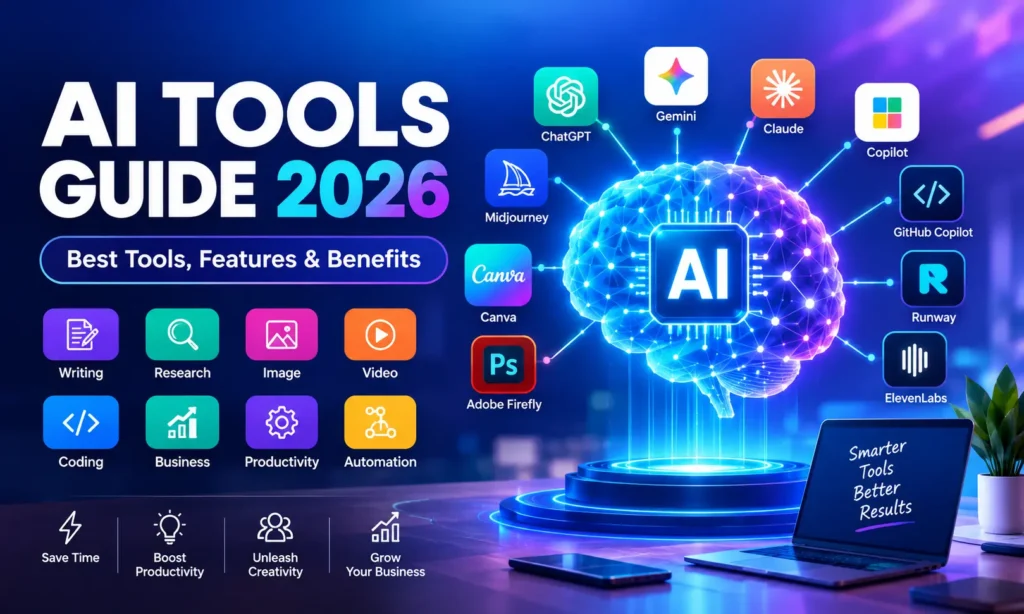
In this complete AI tools guide, you will discover the best artificial intelligence tools in 2026, their features, practical uses, advantages, limitations, and tips for selecting the right solution for your needs.
Whether you are a beginner, blogger, student, freelancer, digital marketer, developer, or business owner, this guide will help you understand how to use AI tools effectively.
What Are AI Tools?
AI tools are software applications that use artificial intelligence technologies to perform tasks that normally require human intelligence. These tasks may include understanding language, generating text, recognizing images, analyzing information, writing code, creating videos, and making predictions.
Many modern AI tools use machine learning, natural language processing, computer vision, and generative AI models to process information and produce useful results.
For example, an AI writing assistant can help create a blog outline, an AI image generator can turn a text description into an illustration, and an AI data analysis tool can identify patterns in a spreadsheet.
AI tools do not all work in the same way. Some specialize in a single task, while others combine several capabilities in one platform.
Why Are AI Tools Important in 2026?
AI tools are important because they can help people complete complex or repetitive tasks more efficiently. Instead of spending hours on a first draft, research summary, or initial design, users can generate a starting point and refine it according to their requirements.
Here are some major reasons AI tools are becoming increasingly useful:
- Higher productivity: Complete certain tasks more quickly.
- Content creation: Generate ideas, drafts, images, and video concepts.
- Business automation: Reduce repetitive administrative work.
- Better data analysis: Identify trends and summarize large amounts of information.
- Personalized learning: Explain concepts at different levels of difficulty.
- Creative support: Explore new ideas for designs, campaigns, and projects.
- Improved accessibility: Support translation, transcription, summarization, and communication.
The greatest value comes from combining AI assistance with human judgment, subject knowledge, and creativity.
Best AI Tools in 2026: Top Platforms to Know
The following tools are useful across writing, research, design, productivity, development, and business. This is a practical selection rather than a definitive ranking, because the best option depends on your needs, budget, and workflow.
1. ChatGPT — Best for General AI Assistance
ChatGPT is a versatile AI assistant that can help users brainstorm ideas, draft content, explain concepts, analyze information, solve problems, and assist with coding.
Key features:
- Text generation and rewriting
- Brainstorming and outlining
- Summarization and explanations
- Assistance with coding and debugging
- Support for various file and media workflows, depending on the plan and available features
Best uses: Blogging, learning, planning, research assistance, customer support drafts, and everyday productivity.
ChatGPT is a useful starting point for beginners because it supports a wide variety of tasks in one interface.
2. Google Gemini — Best for Google’s AI Ecosystem
Google Gemini is an AI assistant designed for tasks such as answering questions, summarizing information, generating content, and helping users work with supported Google services.
Key features:
- Content generation and summarization
- Question answering and brainstorming
- Multimodal capabilities, depending on the version
- Integration with supported Google products and services
Best uses: Productivity, research assistance, planning, and workflows involving compatible Google tools.
Its suitability depends on the features available in your account and the services you already use.
3. Claude — Best for Long Documents and Writing Assistance
Claude is an AI assistant known for its writing, reasoning, summarization, and document-analysis capabilities.
Key features:
- Drafting and editing long-form content
- Summarizing lengthy documents
- Analyzing provided information
- Helping with coding and structured reasoning
Best uses: Reports, research summaries, business documents, editing, and complex writing projects.
Always verify important claims and citations, particularly when using AI for academic, legal, medical, or professional work.
4. Microsoft Copilot — Best for Microsoft Productivity
Microsoft Copilot offers AI assistance across supported Microsoft products and workflows.
Key features:
- Drafting and summarizing text
- Assistance with emails and documents
- Support for spreadsheet and presentation workflows
- Productivity features within compatible Microsoft services
Best uses: Office productivity, business communication, document preparation, and workplace tasks.
Available capabilities can vary depending on your Microsoft account, subscription, and organization settings.
5. Perplexity — Best for AI-Assisted Research
Perplexity is an AI-powered answer and research platform designed to help users explore questions and discover relevant sources.
Key features:
- Conversational search
- Source-linked answers
- Follow-up research questions
- Topic exploration and summaries
Best uses: Initial research, fact-finding, competitor research, and understanding unfamiliar topics.
Source links are useful starting points, but you should still open the original pages and confirm that they support the claims being made.
6. Grammarly — Best for Grammar and Writing Improvement
Grammarly helps users improve written communication by identifying grammar issues and offering suggestions for clarity, tone, and style.
Key features:
- Grammar and spelling assistance
- Clarity and conciseness suggestions
- Tone-related feedback
- AI-supported writing assistance in supported products
Best uses: Emails, articles, reports, business communication, and proofreading.
It is especially useful when you want to improve a draft rather than generate an entire piece of content from scratch.
7. Jasper — Best for Marketing Content
Jasper is an AI content platform focused on marketing and business content workflows.
Key features:
- Marketing copy generation
- Campaign and content brainstorming
- Brand-oriented content workflows
- Support for producing variations of promotional messages
Best uses: Marketing teams, advertising copy, campaign planning, and brand content.
Review generated material for accuracy, originality, brand voice, and compliance before publishing it.
8. Canva Magic Studio — Best for AI-Powered Design
Canva provides accessible design tools, including AI-assisted features in its Magic Studio offering.
Key features:
- Design assistance
- Image generation and editing features
- Presentation creation
- Social media design workflows
- AI-supported content generation in compatible tools
Best uses: Blog graphics, thumbnails, presentations, posters, and social media posts.
Canva is particularly helpful for creators who need attractive visual content without learning advanced professional design software.
9. Adobe Firefly — Best for Creative Image Workflows
Adobe Firefly offers generative AI capabilities for visual creativity and supported Adobe workflows.
Key features:
- Text-to-image generation
- Generative image editing
- Visual variation and creative exploration
- Integration with compatible Adobe applications
Best uses: Marketing visuals, concept art, creative assets, and image editing.
Check the applicable terms and licensing requirements before using generated assets commercially.
10. Midjourney — Best for Artistic AI Images
Midjourney is an AI image-generation platform known for producing stylized visual artwork from text prompts.
Key features:
- Text-to-image generation
- Artistic style exploration
- Visual concept development
- Image variation and refinement
Best uses: Illustrations, concept art, mood boards, and creative visual experiments.
For professional projects, carefully review image composition, text rendering, and the intended use of generated images.
11. Runway — Best for AI Video Creation
Runway provides AI-powered tools for video generation and creative video editing.
Key features:
- AI-assisted video generation
- Visual effects and editing tools
- Creative video workflows
- Tools for transforming and refining visual content
Best uses: Short promotional videos, social media content, storyboarding, and creative experiments.
AI video generation can save production time, but results may need substantial editing for continuity, realism, and brand consistency.
12. Synthesia — Best for AI Presenter Videos
Synthesia is a video creation platform that supports AI-generated presenter-style videos.
Key features:
- AI presenter and avatar workflows
- Script-based video production
- Voice and language options
- Business training and presentation content
Best uses: Training videos, onboarding, educational material, and business explainers.
Make sure you have the appropriate permissions when using real people’s likenesses, voices, or identity-related assets.
13. GitHub Copilot — Best for AI Coding Assistance
GitHub Copilot assists developers with code suggestions and other AI-supported software development tasks.
Key features:
- Code completion
- Coding explanations
- Support for common development workflows
- Assistance with generating and modifying code
Best uses: Software development, learning programming, debugging assistance, and repetitive coding tasks.
AI-generated code should always be reviewed, tested, and checked for security issues before deployment.
14. Cursor — Best for AI-Assisted Coding Workflows
Cursor is a code editor designed around AI-assisted software development.
Key features:
- AI-powered code editing
- Codebase-aware assistance
- Code explanation and modification
- Support for iterative development workflows
Best uses: Developers building applications, maintaining projects, and exploring unfamiliar codebases.
The quality of the results depends on project context, instructions, and the developer’s review process.
15. Notion AI — Best for Notes and Knowledge Management
Notion AI adds AI-assisted features to supported Notion workflows.
Key features:
- Summarization
- Drafting and rewriting
- Organizing information
- Assistance with notes and documentation
Best uses: Project planning, meeting notes, knowledge bases, and team documentation.
Its value is greatest when your information and team workflows are already organized within a compatible Notion workspace.
16. Zapier — Best for AI-Connected Automation
Zapier helps connect supported applications and automate workflows. Its AI-related capabilities can support more intelligent automation in compatible setups.
Key features:
- App integrations
- Trigger-based workflows
- Repetitive task automation
- AI-assisted steps in supported workflows
Best uses: Lead management, notifications, reporting, and connecting business applications.
Before automating important processes, test the workflow and define what should happen when information is missing or an action fails.
17. Otter.ai — Best for Meeting Transcription
Otter.ai offers AI-assisted meeting transcription and related tools for organizing spoken information.
Key features:
- Speech-to-text transcription
- Meeting summaries
- Searchable conversation records
- Support for reviewing discussions
Best uses: Meetings, interviews, lectures, and discussion notes.
Transcription accuracy can vary with background noise, accents, overlapping speakers, and audio quality. Obtain consent where required before recording conversations.
18. DeepL — Best for Translation
DeepL provides AI-powered translation and writing assistance for supported languages.
Key features:
- Text translation
- Document translation in supported plans
- Writing improvement features
- Language-focused productivity workflows
Best uses: Multilingual communication, document preparation, and translation drafts.
For sensitive, legal, or specialized content, have a qualified person review the translation before relying on it.
19. ElevenLabs — Best for AI Voice Generation
ElevenLabs offers AI audio and voice-generation technologies.
Key features:
- Text-to-speech
- Voice generation
- Audio-related creative workflows
- Additional speech capabilities depending on the product
Best uses: Narration, audio content, video voiceovers, and selected accessibility applications.
Use voice cloning and identity-related features responsibly, with appropriate authorization.
20. Tableau — Best for Data Visualization and Analytics
Tableau is a data visualization and analytics platform with AI-related capabilities in supported products and configurations.
Key features:
- Interactive dashboards
- Visual exploration of data
- Reporting and analytics
- AI-supported analytical assistance where available
Best uses: Business intelligence, sales reporting, performance monitoring, and data-driven decision-making.
Users should validate the underlying data, assumptions, and conclusions rather than relying on an attractive dashboard alone.
Types of AI Tools and Their Uses
AI tools can be organized into categories based on the tasks they help users perform.
| AI tool category | Main purpose | Example tools |
|---|---|---|
| AI writing tools | Drafting, editing, and summarizing text | ChatGPT, Claude, Grammarly |
| AI research tools | Exploring topics and finding sources | Perplexity, Gemini |
| AI image generators | Creating and editing visuals | Midjourney, Adobe Firefly |
| AI design tools | Designing graphics and presentations | Canva |
| AI video tools | Generating and editing videos | Runway, Synthesia |
| AI coding tools | Writing and reviewing code | GitHub Copilot, Cursor |
| AI productivity tools | Managing notes and documents | Notion AI, Microsoft Copilot |
| AI automation tools | Connecting applications and workflows | Zapier |
| AI audio tools | Transcription and voice generation | Otter.ai, ElevenLabs |
| AI analytics tools | Exploring and visualizing data | Tableau |
This classification makes it easier to select a tool according to a specific task instead of paying for multiple platforms with overlapping features.
Main Features of Modern AI Tools
Although individual platforms differ, many AI tools offer a combination of the following features.
1. Natural Language Processing
Natural language processing allows AI systems to work with human language. It supports tasks such as summarizing documents, answering questions, rewriting sentences, and translating text.
2. Generative AI
Generative AI produces new content based on instructions and learned patterns. Depending on the platform, it can generate text, images, audio, video, or code.
3. Data Analysis
Some AI tools can help interpret spreadsheets, summarize datasets, identify patterns, and create explanations from supplied information.
4. Multimodal Capabilities
Multimodal AI can work with more than one type of input or output, such as text, images, audio, or video. The supported capabilities vary by model and subscription.
5. Workflow Automation
AI-enabled automation can combine language models with business applications, reducing the need for manual work across repeated processes.
6. Personalization
Some platforms can adapt responses to a user’s instructions, selected preferences, available context, or organization-specific information.
7. Integration With Other Applications
Integrations allow AI features to operate alongside documents, spreadsheets, communication tools, development environments, and other services.
Benefits of Using AI Tools
AI tools can provide meaningful benefits when applied to suitable tasks.
1. Save Time
AI can accelerate first drafts, summaries, brainstorming, and repetitive information-processing tasks. This gives users more time to review, improve, and make decisions.
2. Improve Productivity
A single tool may help with multiple stages of a task, such as planning an article, drafting sections, and preparing a checklist for publication.
3. Support Creativity
AI can generate alternative ideas, visual concepts, headlines, story outlines, and design directions. Users can then choose and refine the most appropriate options.
4. Reduce Repetitive Work
Automation tools can handle routine actions such as transferring information between applications, preparing standard notifications, or organizing incoming requests.
5. Support Learning
Students and professionals can use AI assistants to explain unfamiliar subjects, provide examples, quiz them, and simplify complex information.
6. Improve Communication
Writing assistants and translation tools can help users communicate more clearly across different formats and languages.
7. Assist Data Interpretation
AI-supported analytics can make large datasets easier to explore, although important conclusions must be verified against the original data.
8. Make Some Capabilities More Accessible
Many AI tools provide user-friendly interfaces for tasks that previously required specialized software skills. However, advanced features may still require training or paid subscriptions.
How to Choose the Best AI Tool for Your Needs
Selecting an AI tool should begin with the problem you want to solve.
Step 1: Identify your primary goal. Decide whether you need help with writing, research, design, coding, automation, meetings, or data analysis.
Step 2: Compare features. Check whether the platform supports your required file formats, languages, integrations, output types, and workflow.
Step 3: Check the cost. Review free-plan limits, subscription pricing, usage caps, and any additional fees before committing.
Step 4: Evaluate ease of use. Choose a tool that fits your technical skills and existing work habits.
Step 5: Review privacy and security. Understand how the service handles uploaded files, prompts, business information, and personal data.
Step 6: Test with a real task. Use the same sample task across a few tools and compare the accuracy, usefulness, speed, and amount of editing required.
Step 7: Measure the results. Track time saved, quality improvements, error rates, and the total cost of using the tool.
The best AI tool is not necessarily the most advanced one. It is the one that reliably solves your problem at an acceptable cost and risk level.
Best AI Tools for Different Users
Different people need different AI capabilities. Here is a practical starting point.
- For bloggers: ChatGPT, Claude, Grammarly, and Canva.
- For students: ChatGPT, Gemini, and selected research tools.
- For digital marketers: Jasper, Canva, ChatGPT, and analytics platforms.
- For graphic designers: Adobe Firefly, Midjourney, and Canva.
- For video creators: Runway, Synthesia, and ElevenLabs.
- For software developers: GitHub Copilot and Cursor.
- For office workers: Microsoft Copilot, Notion AI, and Otter.ai.
- For researchers: Perplexity, Claude, and suitable source databases.
- For businesses: Microsoft Copilot, Zapier, Tableau, and relevant customer-support tools.
- For language learners and translators: DeepL and conversational AI assistants.
These are starting recommendations, not exclusive choices. Check each product’s current features and account requirements before adopting it.
How Bloggers and SEO Professionals Can Use AI Tools
AI tools can support nearly every stage of a content workflow, from topic discovery to final proofreading. However, successful SEO requires more than generating large quantities of text.
1. Find Relevant Content Ideas
Use AI to brainstorm topics, identify audience questions, and organize related keywords into content clusters. Validate keyword demand and competition using dedicated SEO research tools.
2. Build a Detailed Article Outline
Ask an AI assistant to organize a topic into a logical structure with an introduction, relevant H2 and H3 headings, examples, and FAQs.
3. Create a First Draft
AI can help draft sections and explain concepts. Add original insights, tested examples, authoritative references, and practical advice to make the article genuinely useful.
4. Improve Readability
Use writing tools to identify unclear sentences, unnecessary repetition, grammar errors, and inconsistent tone.
5. Create Featured Images
Image-generation and design tools can help create original blog illustrations, featured images, infographics, and social media graphics.
6. Optimize On-Page SEO
Review your title tag, meta description, heading structure, internal links, descriptive image alt text, and search intent. Use keywords naturally rather than repeating them excessively.
7. Verify Accuracy
Check names, statistics, product features, prices, dates, and citations against reliable sources. Never assume that AI-generated facts are correct.
8. Measure Content Performance
Use analytics and search performance tools to monitor impressions, clicks, engagement, conversions, and the queries that bring visitors to your website.
Important SEO tip: AI can assist with content production, but publishing large volumes of unoriginal, inaccurate, or low-value pages is not a sustainable strategy. Focus on helpful content that demonstrates expertise, answers the reader’s question, and provides information worth visiting your website for.
Limitations and Risks of AI Tools
AI tools are powerful, but they are not perfect.
Incorrect or Misleading Information
AI systems can produce plausible statements that are false, outdated, or unsupported. Verify important claims independently.
Privacy Concerns
Uploading confidential files, personal information, or customer records may create privacy and security risks. Review the provider’s data policies and your organization’s requirements.
Bias and Inconsistent Results
AI outputs may reflect limitations or biases in their training data. Review results for fairness, accuracy, and suitability.
Copyright and Licensing Questions
The legal status and permitted use of AI-generated material can depend on the jurisdiction, service terms, source material, and intended use. Review relevant terms and laws.
Subscription Costs
Multiple paid subscriptions can become expensive. Compare their actual contribution to your workflow before paying for several similar products.
Need for Human Review
AI may misunderstand context, miss subtle details, or make errors in generated content and code. Human review remains important, especially for high-impact decisions.
The most reliable approach is to treat AI as an assistant rather than an unquestionable authority.
Best Practices for Getting Better Results From AI Tools
Use the following techniques to improve the usefulness of AI-generated output.
- Give clear instructions: Explain the task, intended audience, goal, and desired format.
- Provide relevant context: Include source material, examples, and necessary background.
- Set constraints: Specify length, tone, language, exclusions, and other requirements.
- Ask for structured results: Request a table, checklist, outline, or step-by-step explanation when appropriate.
- Work iteratively: Improve the response through follow-up instructions rather than expecting perfection from one prompt.
- Verify important facts: Check original sources, calculations, and technical details.
- Protect sensitive information: Avoid sharing confidential data unless the tool and your usage arrangements are appropriate.
- Keep human oversight: Review the final result before publishing, sending, or deploying it.
For example, instead of writing “Create an article about AI,” provide a specific topic, target audience, desired headings, key questions, and requirements for reliable sources. Clear prompts usually make it easier to obtain useful results.
Frequently Asked Questions About AI Tools
Popular options include ChatGPT, Google Gemini, Claude, Microsoft Copilot, Perplexity, Canva, Adobe Firefly, Midjourney, Runway, GitHub Copilot, and Notion AI. The best choice depends on whether you need writing, research, design, coding, video creation, or productivity assistance.
Some AI tools offer free plans or limited free usage, while advanced capabilities often require a paid subscription. Free-plan limits, features, and eligibility can change, so check the official product website before signing up.
A general-purpose conversational assistant such as ChatGPT or Gemini is a practical starting point. Beginners can explore writing, learning, planning, summarization, and brainstorming without immediately adopting several specialized tools.
ChatGPT and Claude can help with drafting and brainstorming, while Grammarly can support editing and readability. Writers should add original insights, verify facts, and edit the final content before publication.
Midjourney and Adobe Firefly are options for generating creative visuals, while Canva offers accessible design workflows. Compare their output quality, editing options, licensing terms, and costs for your intended use.
Yes. AI can help brainstorm topics, develop outlines, improve readability, suggest related questions, and support content planning. Keyword research, competitor analysis, fact-checking, and performance measurement still require appropriate sources and tools.
AI can automate or accelerate some tasks, but its impact varies by role and industry. Human judgment, domain expertise, accountability, creativity, and interpersonal skills remain important in many types of work.
Safety depends on the tool, its settings, the data you share, and the task. Review privacy policies, avoid unnecessary disclosure of confidential information, verify important outputs, and follow applicable security requirements.
Businesses can use AI for customer-service assistance, document drafting, reporting, workflow automation, marketing support, and internal knowledge management. They should evaluate accuracy, privacy, compliance, costs, and measurable business outcomes.
AI capabilities and products are evolving rapidly. New models, integrations, and workflows may improve performance, but results will continue to vary by task. It is wise to reassess tools periodically instead of assuming that a popular platform is always the best choice.
Conclusion
AI tools are changing how people create content, conduct research, design visuals, develop software, analyze information, and manage everyday work. In 2026, users can choose from a broad range of AI assistants, writing platforms, image generators, video tools, coding assistants, and automation services.
The best approach is to start with your most important task, test a small number of relevant tools, compare their results, and measure whether they genuinely improve your workflow.
For bloggers and SEO professionals, AI can make research, outlining, editing, and visual production more efficient. For students and professionals, it can support learning, communication, and productivity. For businesses, it can help streamline processes when implemented carefully.
However, AI-generated output should not be accepted without review. Accuracy, privacy, originality, and human judgment remain essential.
2 comments