I’m Vishal Kumar, the founder of ZeexasTech.com, a platform built around my passion for technology, learning, and digital innovation.
I believe technology should be easy to understand and useful in everyday life. That’s why ZeexasTech.com focuses on sharing valuable insights about artificial intelligence, Microsoft Excel, emerging technologies, productivity tools, and practical digital skills.
My vision is to build a helpful online resource where beginners and experienced users alike can discover new tools, solve problems, develop their skills, and unlock new opportunities through technology.
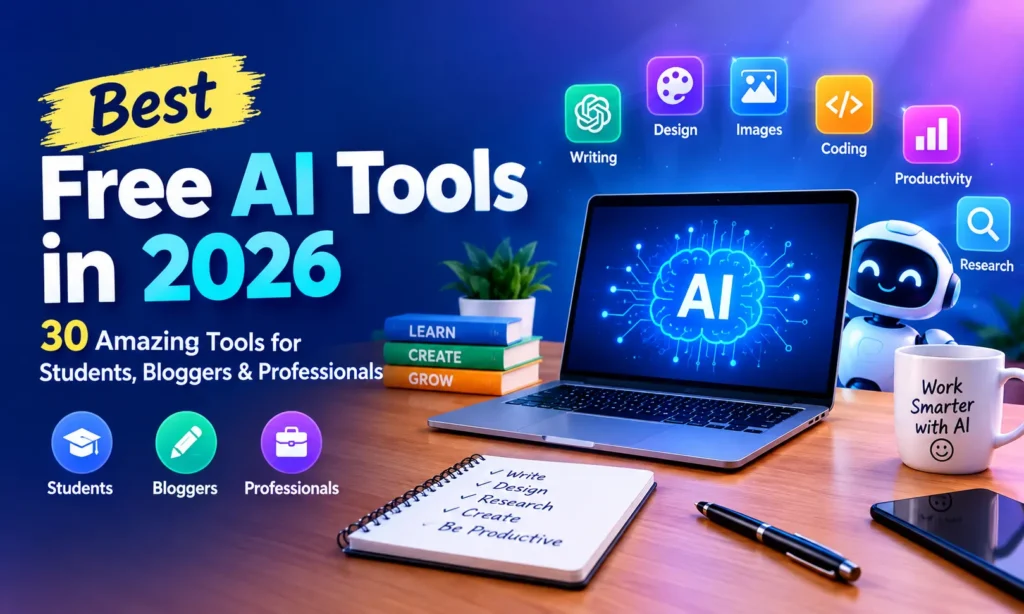
Artificial intelligence is transforming the way people study, write, design, research, communicate, and work. In 2026, you no longer need an expensive subscription or advanced technical skills to take advantage of AI. Many powerful platforms offer free plans that help students complete assignments, bloggers create engaging content, designers generate visuals, and professionals improve productivity.
However, choosing the right tool can be challenging. Some AI tools are excellent for writing, while others specialize in research, image generation, video editing, coding, presentations, or everyday office tasks. The best choice depends on what you want to accomplish and how often you plan to use it.
In this comprehensive guide, we will explore the 30 best free AI tools in 2026, including their key features, practical uses, advantages, and limitations. Whether you are a student, blogger, freelancer, business owner, content creator, or working professional, this list will help you discover useful AI tools without immediately spending money.
Let’s explore the best free AI tools that can help you save time, improve your work, and boost productivity in 2026.
Table of Contents
- What Are AI Tools?
- Benefits of Using Free AI Tools
- 30 Best Free AI Tools in 2026
- Best Free AI Tools for Students
- Best Free AI Tools for Bloggers
- Best Free AI Tools for Professionals
- How to Choose the Right AI Tool
- Tips for Using AI Tools Effectively
- Frequently Asked Questions
- Conclusion
What Are AI Tools?
AI tools are software applications that use artificial intelligence to perform tasks that traditionally require human effort. These tasks include generating text, answering questions, analyzing documents, creating images, summarizing information, writing code, editing videos, and organizing information.
Modern AI tools use technologies such as large language models, machine learning, natural language processing, and computer vision to understand instructions and generate useful results.
For example, a student can use an AI assistant to understand a difficult concept, a blogger can generate article outlines, and a business professional can summarize a lengthy report in minutes.
Many AI platforms offer free versions, although these plans may include usage limits, fewer features, or restricted access to advanced models.
Benefits of Using Free AI Tools in 2026
Before exploring individual tools, let’s understand why free AI software is becoming increasingly useful.
1. Save Time on Everyday Tasks
AI can help automate repetitive activities such as summarizing documents, drafting emails, brainstorming ideas, and organizing information. This allows users to spend more time on important work.
2. Improve Productivity
Students can prepare revision notes, bloggers can develop content calendars, and professionals can create reports more efficiently with AI assistance.
3. Reduce Expenses
Free plans make AI accessible to people who cannot afford multiple paid subscriptions. You can often combine several free tools to build a useful productivity workflow.
4. Improve Creativity
AI tools can suggest blog topics, create image concepts, generate video ideas, and help overcome creative blocks.
5. Learn New Skills
Beginners can use AI to understand coding, explore unfamiliar subjects, practice languages, and receive step-by-step explanations.
Important: AI-generated content is not always accurate. Always review important information, verify factual claims, and follow applicable academic, professional, and copyright rules.
30 Best Free AI Tools in 2026
The following tools are organized by their primary uses. Each offers a free entry point or free access to some features, but availability, usage limits, and commercial rights can change. Check the official website before relying on a particular feature.
1. ChatGPT — Best All-Round AI Assistant
ChatGPT is a versatile AI assistant that helps users write, learn, brainstorm, analyze information, and solve problems. It is useful for students, bloggers, freelancers, and professionals who want one tool for many everyday tasks.
Key Features
- Generate articles, emails, summaries, and outlines.
- Explain complex topics in simple language.
- Brainstorm ideas for blogs and social media.
- Assist with coding and debugging.
- Help analyze supported files and information.
- Support research and problem-solving workflows.
Best Uses
Students can use ChatGPT to understand difficult subjects and create revision questions. Bloggers can develop SEO-friendly outlines, while professionals can draft emails and organize project plans.
Free plan: Available with usage limits that may vary by feature and model.
2. Google Gemini — Best for Google’s Ecosystem
Google Gemini is an AI assistant that can help with writing, brainstorming, explanations, and research. Its connection with Google’s broader ecosystem makes it especially useful for people who already use Google services.
Key Features
- Generate and improve written content.
- Explain technical and academic concepts.
- Summarize information and brainstorm ideas.
- Assist with supported Google ecosystem workflows.
- Help plan projects and organize tasks.
Best Uses
Students can ask for explanations of difficult topics, bloggers can generate content ideas, and professionals can use it to prepare outlines and organize information.
Free plan: Available, but model access and feature limits depend on Google’s current plan.
3. Claude — Best for Long-Form Writing
Claude is an AI assistant known for its usefulness in writing, document analysis, coding, and structured reasoning. It can help users develop clearer explanations and improve the organization of long documents.
Key Features
- Draft and edit articles.
- Improve tone, clarity, and readability.
- Summarize supported documents.
- Assist with programming and technical explanations.
- Organize complex ideas into structured content.
Best Uses
Bloggers can use Claude to improve article structure, writers can refine drafts, and professionals can summarize lengthy reports.
Free plan: Available with usage restrictions.
4. Microsoft Copilot — Best for Everyday Productivity
Microsoft Copilot is an AI assistant for answering questions, brainstorming, writing, and creating content. It is particularly convenient for people who regularly use Microsoft products.
Key Features
- Draft emails and reports.
- Summarize information.
- Generate ideas for presentations.
- Help with everyday research.
- Support selected image-generation and productivity tasks.
Best Uses
Office workers can draft communications, students can organize study material, and freelancers can prepare client proposals.
Free plan: Available with limits; some Microsoft 365 integrations require eligible subscriptions.
5. Perplexity — Best for AI-Powered Research
Perplexity is an AI-powered answer and research tool that helps users explore questions using web sources. Its source-linked answers make it useful when you need to investigate a topic rather than simply brainstorm.
Key Features
- Search for information online.
- Present answers with source references.
- Explore related questions.
- Summarize information from multiple sources.
- Support topic research and fact-checking.
Best Uses
Students can explore research topics, bloggers can identify supporting sources, and professionals can investigate industry developments.
Free plan: Available with limits on some advanced features.
Always open and verify the original sources before citing information in an article or academic assignment.
6. Google NotebookLM — Best for Studying Your Own Sources
NotebookLM helps users work with their own research materials, including supported documents and other sources. Rather than relying exclusively on general knowledge, it can help answer questions grounded in the materials you provide.
Key Features
- Summarize uploaded or connected sources.
- Generate study guides and structured notes.
- Ask questions about research material.
- Identify important themes and concepts.
- Create Audio Overviews from supported sources.
Best Uses
Students can turn lecture notes into revision guides, bloggers can organize research, and professionals can explore lengthy reports.
Free plan: Available with usage limits.
7. DeepSeek — Best for Reasoning and Technical Questions
DeepSeek offers AI assistants for general questions, reasoning, writing, and technical problem-solving. It can be useful when you need to break a complicated question into smaller steps.
Key Features
- Explain technical concepts.
- Help with mathematical reasoning.
- Assist with programming questions.
- Generate and revise text.
- Support brainstorming and structured problem-solving.
Best Uses
Students can practice problem-solving, developers can explore coding issues, and bloggers can brainstorm technical article ideas.
Free plan: Availability and limits depend on the current service and model.
Avoid entering confidential information into any AI service without first checking its data-handling policies.
8. Grammarly — Best for Grammar and Writing Improvement
Grammarly helps users improve grammar, spelling, punctuation, and writing clarity. It is particularly useful for people who write emails, assignments, articles, and professional documents.
Key Features
- Correct spelling and grammar.
- Improve sentence clarity.
- Suggest more concise wording.
- Identify tone-related issues.
- Assist with selected AI writing tasks.
Best Uses
Students can proofread essays, bloggers can polish drafts, and professionals can improve emails and business documents.
Free plan: Available with basic writing assistance and limited access to selected AI features.
9. QuillBot — Best for Paraphrasing
QuillBot provides writing tools that help users rephrase sentences, summarize text, and improve readability.
Key Features
- Paraphrase existing text.
- Summarize longer passages.
- Check grammar with supported tools.
- Improve sentence flow.
- Explore alternative wording.
Best Uses
Bloggers can improve awkward sentences, students can clarify their own writing, and professionals can make documents easier to read.
Free plan: Available with restrictions on certain tools and usage.
Paraphrasing does not remove the need to cite the original source or follow plagiarism policies.
10. Canva — Best for Graphic Design
Canva makes graphic design accessible to beginners through templates, drag-and-drop editing, and selected AI-powered features.
Key Features
- Design blog thumbnails and featured images.
- Create social media graphics.
- Build presentations and posters.
- Edit layouts using templates.
- Access selected AI design tools.
Best Uses
Bloggers can create featured images, students can design presentations, and businesses can prepare promotional materials.
11. Adobe Express — Best for Quick Visual Content
Adobe Express helps users create graphics, social media content, flyers, and other visual materials without needing advanced design skills.
Key Features
- Create promotional graphics.
- Use templates for social posts.
- Edit images and text layouts.
- Develop simple branded content.
- Access selected generative AI features.
Best Uses
Small businesses can create advertisements, bloggers can design article graphics, and students can prepare posters.
Free plan: Available, but some assets, features, and generative AI allowances may be restricted.
12. Microsoft Designer — Best for AI-Assisted Graphics
Microsoft Designer helps users create visual content from ideas and text prompts. It is useful for producing quick concepts for social media and other digital projects.
Key Features
- Generate visual concepts from prompts.
- Create social graphics.
- Explore layouts and design ideas.
- Edit supported images.
- Produce content for digital publishing.
Best Uses
Bloggers can explore thumbnail concepts, creators can brainstorm social posts, and small businesses can develop promotional visuals.
Free plan: Access and generation limits depend on current Microsoft account and service policies.
13. Leonardo AI — Best for AI Image Generation
Leonardo AI is an image-generation platform that helps users create illustrations, concept art, and other visual assets from text prompts.
Key Features
- Generate images from descriptions.
- Explore different visual styles.
- Develop concept art.
- Create visual ideas for digital projects.
- Use supported image-editing tools.
Best Uses
Bloggers can explore featured-image concepts, game designers can develop references, and creators can generate original visual ideas.
Free plan: Available with limited generation credits or other restrictions.
Before publishing generated images commercially, review the current license and usage terms.
14. Ideogram — Best for Images With Text
Ideogram is an AI image-generation tool that is useful for creating graphics in which typography is an important element.
Key Features
- Generate images from text prompts.
- Create poster concepts.
- Explore typography-focused designs.
- Produce visual concepts for branding.
- Experiment with different art styles.
Best Uses
Bloggers can brainstorm title graphics, marketers can explore poster designs, and social media creators can develop visual concepts.
Free plan: Available with restrictions that may change.
Review all generated text carefully, because image models can still make spelling and layout mistakes.
15. Remove.bg — Best for Removing Image Backgrounds
Remove.bg automatically removes backgrounds from supported images, helping users isolate people or objects without manually editing every detail.
Key Features
- Remove image backgrounds.
- Create transparent-background images.
- Prepare product photos.
- Simplify profile-image editing.
- Speed up basic design workflows.
Best Uses
Bloggers can prepare cutout images, online sellers can edit product photographs, and designers can create simple compositions.
Free access: Available for certain uses, with resolution and download restrictions depending on the current plan.
16. CapCut — Best for AI-Assisted Video Editing
CapCut is a video-editing platform with tools that can simplify short-form video creation. Available features vary by region, device, and account.
Key Features
- Edit short videos.
- Add captions and text overlays.
- Use transitions and templates.
- Adjust audio and video clips.
- Access selected AI-assisted editing features.
Best Uses
YouTubers, bloggers, educators, and social media creators can prepare videos for different platforms.
Free plan: Available, although selected effects, AI features, and export options may require payment.
17. Descript — Best for Editing Audio and Video
Descript offers an editing workflow that combines audio and video editing with transcript-based tools. It can be particularly useful for creators who produce interviews, tutorials, and podcasts.
Key Features
- Edit supported recordings through transcripts.
- Create captions.
- Remove selected filler words.
- Improve audio using supported tools.
- Organize video and podcast projects.
Best Uses
Podcast creators can clean up recordings, educators can edit tutorials, and professionals can prepare interview content.
Free plan: Available with usage or export restrictions.
18. ElevenLabs — Best for AI Voice Generation
ElevenLabs offers AI voice-generation and speech tools that can turn text into spoken audio. It is useful for creators who want to experiment with narration without recording every line themselves.
Key Features
- Convert text into speech.
- Explore different synthetic voices.
- Create narration for supported projects.
- Work with selected multilingual voice features.
- Experiment with voice-based content production.
Best Uses
Bloggers can create narration, educators can prepare audio learning materials, and video creators can test voice-over concepts.
Free plan: Available with limits. Commercial rights and voice-cloning permissions depend on the applicable terms and plan.
19. Suno — Best for AI Music Creation
Suno allows users to experiment with generating music from text descriptions. It can help creators explore musical ideas without needing extensive production experience.
Key Features
- Generate music from prompts.
- Explore different genres and moods.
- Create song concepts.
- Experiment with lyrics and musical arrangements.
- Produce audio ideas for creative projects.
Best Uses
Creators can brainstorm musical themes, hobbyists can experiment with songwriting, and video producers can explore sound concepts.
Free plan: Available with usage restrictions. Check commercial-use and licensing rules before using generated tracks in monetized content.
20. Gamma — Best for AI Presentations
Gamma helps users turn ideas and written material into structured presentations and visual documents.
Key Features
- Generate presentation outlines.
- Organize information into sections.
- Create visually structured slides.
- Refine layouts and wording.
- Share supported presentations online.
Best Uses
Students can prepare presentation drafts, professionals can develop project proposals, and founders can create initial pitch decks.
Free access: Available with restrictions that may include credit limits or paid export features.
Always review generated figures, claims, and slide formatting before presenting your work.
21. Google Slides — Best for Collaborative Presentations
Google Slides is a presentation application that supports collaborative editing and integrates with Google’s productivity ecosystem. AI assistance may be available through eligible Google products or plans.
Key Features
- Build presentations.
- Collaborate with teammates.
- Organize information into slides.
- Insert charts, images, and diagrams.
- Share and present online.
Best Uses
Students can prepare group projects, professionals can create business presentations, and teachers can organize lessons.
Free access: Core Google Slides features are available with a Google account. Some AI capabilities require eligible subscriptions.
22. Notion — Best for Notes and Project Management
Notion combines note-taking, documentation, databases, and project organization. It is useful for people who want to manage their work in one structured workspace.
Key Features
- Organize notes and documents.
- Build task lists and project boards.
- Create content calendars.
- Maintain a knowledge base.
- Access selected AI capabilities according to plan.
Best Uses
Bloggers can manage publishing schedules, students can organize notes, and professionals can track projects.
Free plan: Available. Notion AI access and usage may be limited or restricted to particular plans.
23. Trello — Best for Visual Task Management
Trello uses boards, lists, and cards to help people organize tasks and track project progress. It is useful for individuals and teams that prefer a visual workflow.
Key Features
- Create task boards.
- Assign deadlines.
- Track project progress.
- Organize work into stages.
- Use supported automation and AI integrations.
Best Uses
Bloggers can track articles from idea to publication, students can manage assignments, and teams can coordinate projects.
Free plan: Available. Advanced automation and AI-related features may have separate restrictions.
24. Otter.ai — Best for Meeting Transcription
Otter.ai helps users transcribe supported conversations and organize meeting notes. It can reduce the amount of manual note-taking required during discussions.
Key Features
- Transcribe supported audio.
- Generate meeting summaries.
- Identify key discussion points.
- Organize notes.
- Help users review recorded conversations.
Best Uses
Professionals can document meetings, students can organize permitted lecture recordings, and interviewers can review discussions.
Free plan: Available with limits on transcription minutes, imports, and other features.
Obtain appropriate consent before recording meetings or conversations.
25. Otio — Best for Organizing Research Material
Otio is an AI-assisted research and reading workspace designed to help users organize and work with information from supported sources.
Key Features
- Organize research materials.
- Summarize supported content.
- Explore questions about documents.
- Collect useful information in one workspace.
- Support research and writing workflows.
Best Uses
Students can organize reading lists, bloggers can collect source material, and professionals can structure research.
Free access: Check the current plan and usage limits before depending on specific features.
26. GitHub Copilot — Best for AI Coding Assistance
GitHub Copilot assists developers with coding tasks, including code suggestions, explanations, and selected development workflows.
Key Features
- Suggest code as you type.
- Explain unfamiliar code.
- Assist with debugging.
- Generate tests and boilerplate.
- Support selected integrated development environments.
Best Uses
Students learning programming can explore examples, developers can accelerate routine coding, and technical teams can investigate errors.
Free plan: Available with usage limits and feature restrictions.
Always test generated code, inspect dependencies, and review security implications before deploying it.
27. Cursor — Best for AI-Assisted Coding Workflows
Cursor is a code editor designed around AI-assisted development. It helps developers work with codebases and request changes using natural-language instructions.
Key Features
- Suggest and revise code.
- Explain selected sections.
- Help navigate projects.
- Assist with debugging.
- Support AI-assisted editing workflows.
Best Uses
Developers can explore unfamiliar codebases, beginners can practice programming, and teams can experiment with faster editing workflows.
Free access: Available through a limited plan; model access and usage restrictions vary.
28. Google AI Studio — Best for Experimenting With AI Models
Google AI Studio provides a workspace for experimenting with supported Google AI models and testing prompts.
Key Features
- Experiment with prompts.
- Test model responses.
- Prototype AI-powered ideas.
- Explore supported multimodal inputs.
- Develop and test applications using available tools.
Best Uses
Students can explore AI concepts, developers can prototype applications, and technical professionals can test model behavior.
Free access: Available for supported uses, with model, quota, and regional restrictions. API usage can have separate pricing.
29. Hugging Face — Best for Exploring Open AI Models
Hugging Face is a platform for discovering machine-learning models, datasets, and interactive AI demonstrations. It is particularly useful for students, researchers, and developers interested in how AI systems work.
Key Features
- Explore AI models.
- Discover datasets.
- Test supported interactive demonstrations.
- Access open-source machine-learning projects.
- Learn about AI development.
Best Uses
Students can explore machine-learning concepts, developers can experiment with models, and researchers can discover resources for technical projects.
Free access: Many resources are available without charge, but some hosted services, private resources, and advanced computing options have limits or costs.
30. Zapier — Best for Workflow Automation
Zapier connects supported applications and automates repetitive workflows. AI features and integrations can help users move information between services and simplify routine processes.
Key Features
- Connect compatible applications.
- Automate repetitive tasks.
- Trigger actions based on events.
- Organize information across services.
- Build supported AI-assisted workflows.
Best Uses
Bloggers can automate parts of their content workflow, professionals can reduce repetitive administrative work, and small businesses can connect everyday applications.
Free plan: Available with task and feature limits. Some AI integrations and advanced automation options require paid plans.
Best Free AI Tools for Students in 2026
Students need AI tools that make learning easier without replacing their own understanding and effort.
Here are five useful choices:
| Tool | Best Use |
|---|---|
| ChatGPT | Explanations, practice questions, and study planning |
| Google NotebookLM | Summarizing course materials and revision notes |
| Gemini | Exploring topics and understanding concepts |
| Grammarly | Improving grammar and writing clarity |
| Canva | Creating presentations and educational graphics |
How Students Can Use These Tools
Suppose you have an upcoming examination. You can use NotebookLM to organize your course materials, ChatGPT to generate practice questions, Grammarly to proofread your written answers, and Canva to create a visual summary.
This approach can make studying more organized and efficient.
However, students should verify answers against their textbooks and follow their institution’s rules regarding AI-generated work.
Best Free AI Tools for Bloggers in 2026
Bloggers often need to research topics, create outlines, write articles, design featured images, and promote published content.
The following tools can support different stages of the blogging process.
| Tool | Blogging Task |
|---|---|
| ChatGPT | Brainstorming and article outlines |
| Claude | Draft editing and long-form writing |
| Perplexity | Research and source discovery |
| Grammarly | Proofreading and readability |
| Canva | Featured images and blog graphics |
| Leonardo AI | Image concept generation |
| Google NotebookLM | Organizing research sources |
| CapCut | Creating promotional videos |
| Gamma | Turning articles into presentations |
| Trello | Managing an editorial calendar |
Example: A Simple AI Blogging Workflow
Step 1: Find a topic. Use an AI assistant to brainstorm questions readers ask about your niche.
Step 2: Research the subject. Use search tools and reliable original sources to collect facts, examples, and supporting information.
Step 3: Create an outline. Organize the article into an introduction, main sections, examples, and FAQs.
Step 4: Write and edit. Draft the article with AI assistance, then add your own experience, analysis, and original insights.
Step 5: Create visuals. Use Canva or an image-generation tool to develop a relevant featured image.
Step 6: Optimize for SEO. Write a descriptive title, meta description, clean URL, helpful headings, and relevant internal links.
Step 7: Proofread and publish. Check facts, spelling, originality, image licensing, and formatting before publishing.
AI can speed up this process, but quality still depends on the accuracy, usefulness, originality, and experience demonstrated in the final article.
Best Free AI Tools for Professionals
Professionals need tools that support communication, organization, collaboration, and technical work.
Consider these options:
- Microsoft Copilot: Drafting emails, organizing information, and preparing documents.
- ChatGPT: Brainstorming, summarization, and general problem-solving.
- Claude: Editing reports and working with supported documents.
- Otter.ai: Transcribing supported meetings and preparing notes.
- Notion: Organizing documentation and projects.
- Trello: Managing tasks and deadlines.
- Gamma: Creating presentation drafts.
- Zapier: Automating supported repetitive workflows.
- GitHub Copilot: Assisting with software development.
- Google AI Studio: Experimenting with AI-powered applications.
The best approach is to select tools that solve specific problems rather than subscribing to every AI platform.
How to Choose the Right Free AI Tool
With so many options available, choosing the right tool can feel overwhelming. Use these criteria to make a better decision.
1. Identify Your Main Goal
Start by deciding what you want to accomplish. Do you need help writing articles, researching information, designing graphics, editing videos, or managing projects?
A specialized tool may outperform a general-purpose assistant for a particular task.
2. Check Free-Plan Limits
A tool may advertise free access while limiting the number of messages, image generations, transcription minutes, or automation tasks.
Read the current plan details before building an important workflow around it.
3. Evaluate Output Quality
Test tools using the same task. Compare accuracy, clarity, speed, ease of use, and how much editing the results require.
4. Review Privacy and Security
Avoid uploading passwords, confidential client documents, private student records, or sensitive business information unless you understand the service’s data policies and have appropriate authorization.
5. Check Commercial Usage Rights
If you create content for clients or monetize a blog, confirm whether the relevant plan permits commercial use. Image, audio, video, and voice-generation licenses can differ substantially.
6. Consider Ease of Use
The best AI tool is one that fits naturally into your workflow. A simple application that solves your problem consistently may be more valuable than a complex platform with features you rarely use.
Tips for Using Free AI Tools Effectively
Follow these practical recommendations to get better results.
Write Clear Prompts
Instead of asking, “Write an article,” provide the topic, audience, tone, structure, and intended outcome.
For example:
“Create a beginner-friendly article outline about Excel charts for office professionals. Include an introduction, step-by-step instructions, practical examples, common mistakes, and frequently asked questions.”
Specific instructions generally produce more useful results.
Verify Important Information
AI tools can generate incorrect statistics, outdated information, or nonexistent references. Check factual claims against authoritative sources before publishing or using them professionally.
Combine Tools Strategically
You do not need 30 subscriptions to benefit from 30 tools. Start with a general AI assistant, a research tool, and one specialist application that matches your main task.
Add Your Own Expertise
Use AI as a starting point rather than a substitute for original thinking. Add practical examples, personal experience, useful comparisons, and insights that make your work valuable.
Monitor Your Usage
Free plans can have changing limits. Keep track of your usage and avoid relying on a single tool for a deadline-critical task without a backup.
Are Free AI Tools Good Enough for Professional Work?
Yes, free AI tools can be useful for many professional tasks, including brainstorming, drafting, research, basic design, learning, and task organization.
However, free versions may impose restrictions on usage, model quality, integrations, exports, or advanced features.
For occasional use, a collection of free tools may be sufficient. For high-volume content production, business-critical automation, or advanced development, a paid plan may become worthwhile.
Evaluate the time saved, the quality of the output, the cost of alternatives, and the importance of the task before upgrading.
Frequently Asked Questions (FAQs)
Some of the strongest options include ChatGPT, Google Gemini, Claude, Perplexity, NotebookLM, Canva, Grammarly, CapCut, GitHub Copilot, and Google AI Studio. The best choice depends on whether you need writing, research, design, video editing, or coding assistance.
ChatGPT, NotebookLM, Gemini, Grammarly, and Canva are useful options for studying, organizing course materials, improving writing, and creating presentations.
ChatGPT and Claude can help with writing and editing, Perplexity can assist with research, Grammarly can improve readability, and Canva can help create blog graphics.
You can use AI tools to support legitimate freelance services, blogging, design, programming, video editing, and other creative work. However, earning money is not guaranteed. Success depends on your skills, the quality of your services, client demand, and applicable licensing rules.
Many established AI tools can be used safely with appropriate precautions. Review privacy policies, check data settings, avoid sharing sensitive information, and verify the source before downloading software or connecting accounts.
Yes. Many free plans restrict messages, image generations, model access, credits, file uploads, transcription minutes, or automation tasks. Exact limits can change over time.
AI can assist with research, outlining, drafting, and editing, but it does not eliminate the need for human judgment, fact-checking, originality, and subject-matter expertise. Strong articles still need to meet readers’ needs.
Often, yes, but you should check the specific platform’s terms, commercial-use permissions, and any applicable restrictions. Review generated images for inaccuracies and avoid infringing trademarks or other people’s rights.
No. Many AI assistants, design applications, and productivity platforms are designed for beginners. You can start with plain-language instructions and learn more advanced features as your needs grow.
Start with two or three tools that address your main needs. For example, a blogger might begin with ChatGPT for drafting, Perplexity for research, and Canva for graphics. Add other tools only when they provide a clear benefit.
Conclusion
The best free AI tools in 2026 make it easier for students, bloggers, professionals, and creators to work more efficiently without immediately investing in expensive subscriptions.
For general assistance, start with ChatGPT or Gemini. For writing, explore Claude and Grammarly. For research, try Perplexity and NotebookLM. For visual content, consider Canva, Adobe Express, and Leonardo AI. For video, presentations, coding, and automation, explore CapCut, Gamma, GitHub Copilot, and Zapier.
Remember that no single AI tool is perfect for every task. The most effective approach is to select a small set of tools that complement your skills and workflow.
Start with the free versions, experiment with real tasks, verify important information, and upgrade only when the additional features justify the cost.
Which free AI tool will you try first in 2026? Explore the options in this guide, choose one that solves a real problem, and start putting AI to work for you.

4 comments