Welcome to ZeexasTech.com, your trusted destination for technology, AI tools, Microsoft Excel tutorials, digital productivity, and the latest tech insights.
I’m Vishal Kumar, the creator of ZeexasTech.com. My goal is to make technology simple, practical, and accessible for everyone. Through helpful guides, step-by-step tutorials, and informative articles, I aim to help students, professionals, bloggers, and business owners learn new skills and work smarter.
At ZeexasTech.com, we believe that the right knowledge and tools can make a real difference in your digital journey.
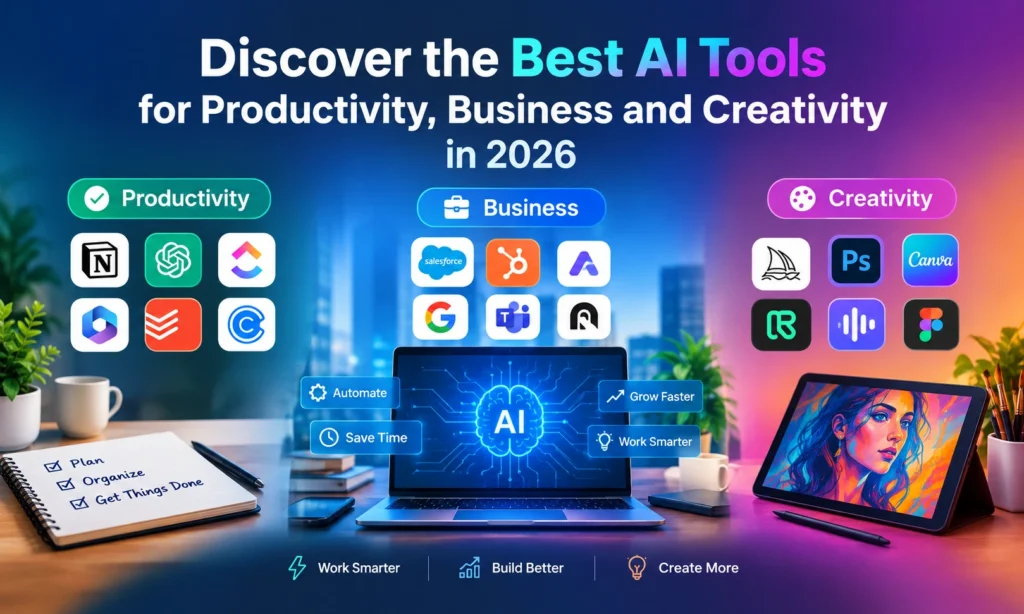
Artificial intelligence (AI) is transforming how people work, manage businesses, create content, and solve everyday problems. In 2026, AI tools are no longer limited to technology experts or large corporations. Students, freelancers, entrepreneurs, marketers, designers, and professionals can use AI to save time, improve efficiency, and unlock new creative opportunities.
From writing articles and designing graphics to automating repetitive tasks and analyzing business data, AI-powered applications have become valuable tools for modern work. However, with hundreds of AI platforms available, choosing the right one can be challenging. Some tools are excellent for writing, while others specialize in research, video production, programming, customer support, or business automation.
This guide explores the best AI tools for productivity, business, and creativity in 2026. You will learn what each tool does, how it can help you, its key features, and how to choose the right solution for your goals.
Whether you want to improve your personal productivity, grow an online business, create professional content, or automate everyday tasks, this comprehensive guide will help you discover the AI tools worth considering.
What Are AI Tools?
AI tools are software applications that use artificial intelligence technologies to perform tasks that traditionally require human intelligence. These technologies include machine learning, natural language processing, computer vision, speech recognition, and generative AI.
Modern AI tools can understand questions, generate written content, summarize documents, create images, analyze information, translate languages, produce videos, and assist with complex workflows.
For example, an AI writing assistant can help you prepare a blog post, while an AI design tool can generate graphics from a text description. An AI meeting assistant can summarize conversations, and a business automation platform can connect different applications to reduce repetitive work.
AI tools generally fall into several categories:
- Productivity tools: Help manage tasks, organize information, summarize documents, and improve workflows.
- Business tools: Support marketing, customer service, sales, operations, and data analysis.
- Creative tools: Generate images, videos, presentations, music, and written content.
- Research tools: Help users find information, explore sources, and understand complex topics.
- Development tools: Assist with programming, debugging, testing, and software development.
- Automation tools: Connect applications and automate repetitive processes.
The best AI tool depends on your needs, budget, technical experience, and preferred workflow.
Why AI Tools Matter in 2026
AI adoption continues to change how individuals and organizations approach everyday work. Instead of completing every task manually, users can delegate suitable activities to AI assistants and spend more time on decision-making, strategy, and creative thinking.
Here are some of the biggest benefits of using AI tools in 2026.
1. Save Time on Repetitive Tasks
Many professional tasks involve repetitive activities, including writing routine emails, summarizing reports, organizing notes, and preparing basic documents.
AI tools can help speed up these activities. For example, a professional can use an AI assistant to draft an email, summarize a lengthy document, or turn meeting notes into an actionable task list.
Although the results still require review, AI can reduce the time spent on routine work.
2. Improve Productivity
AI-powered productivity applications can help users prioritize tasks, organize projects, brainstorm solutions, and manage information more efficiently.
Instead of switching between multiple applications and manually organizing every detail, users can employ AI features to simplify parts of their workflow.
3. Support Creativity
AI can help people explore new ideas, generate design concepts, develop story outlines, create marketing visuals, and experiment with different creative styles.
These tools are particularly valuable when users need inspiration or want to test several concepts quickly.
4. Reduce Barriers to Business Growth
Small businesses and independent professionals often operate with limited budgets and teams. AI tools can support activities such as content creation, customer communication, market research, and workflow automation.
They do not eliminate the need for skilled employees, but they can help smaller organizations work more efficiently.
5. Make Information Easier to Understand
AI assistants can explain complicated subjects, summarize long reports, organize research findings, and help users interpret information.
This can be useful for students, analysts, entrepreneurs, and professionals who regularly work with large amounts of information.
6. Enable Faster Experimentation
Businesses can use AI to test different advertising messages, generate product descriptions, explore customer-service responses, and develop prototypes.
Human review remains essential, but faster experimentation can make it easier to identify promising ideas.
Best AI Tools for Productivity in 2026
Productivity AI tools are designed to help users complete everyday tasks more efficiently. They can assist with writing, research, planning, meeting notes, document analysis, and project management.
The following tools are worth exploring based on their core capabilities.
1. ChatGPT — Best All-Around AI Assistant
ChatGPT is a versatile AI assistant that supports writing, brainstorming, summarization, coding assistance, data analysis, planning, and problem-solving.
It can help users prepare blog posts, create outlines, draft emails, explain technical concepts, analyze compatible files, and develop ideas for personal or professional projects.
Key features:
- Writing and editing assistance
- Brainstorming and idea generation
- Summarization and explanation
- Coding and troubleshooting support
- Data analysis and document assistance, where available
- Planning and structured problem-solving
Best use cases: Content creators, students, business owners, marketers, researchers, and professionals.
For example, a blogger can use ChatGPT to develop an article outline, create frequently asked questions, generate title ideas, and improve readability. A business owner can use it to brainstorm product names or draft a customer-service response.
ChatGPT is particularly useful when you need one assistant for a wide range of tasks rather than a separate application for every activity.
Important consideration: AI-generated information can contain errors or outdated claims. Verify facts, statistics, citations, and important business decisions before using the output.
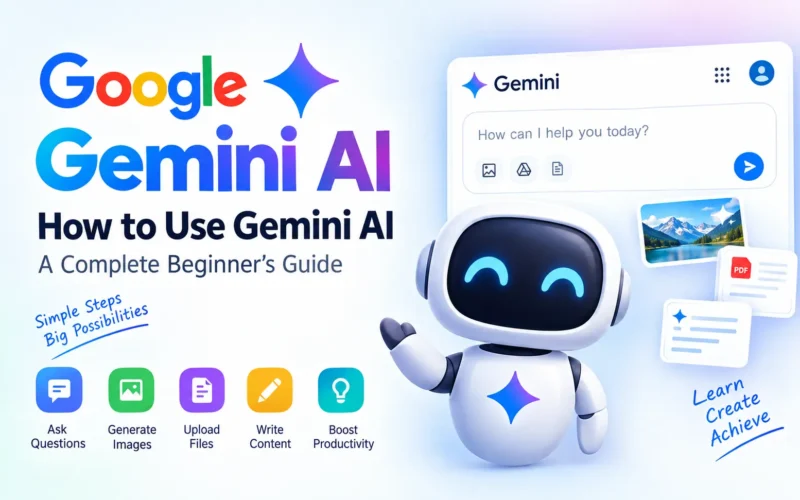
2. Google Gemini — Best for Google Ecosystem Workflows
Google Gemini is an AI assistant that can help with research, writing, brainstorming, summarization, and problem-solving. Depending on the plan, region, and available integrations, it can also support workflows involving Google products.
Its potential value is particularly clear for users who already work extensively with Google services.
Key features:
- Content drafting and rewriting
- Research and summarization assistance
- Brainstorming and planning
- Help with understanding documents
- Integration with supported Google services on eligible plans
Best use cases: Students, office professionals, researchers, and teams using Google Workspace.
For example, a professional might use Gemini to brainstorm a presentation, refine a document, or organize ideas before preparing a report.
Important consideration: Available integrations and features vary by account, subscription, and region. Check the current plan details before choosing it for a business workflow.
3. Claude — Best for Long Documents and Detailed Writing
Claude is an AI assistant developed by Anthropic. It is often considered by users who need help with long-form writing, document analysis, summarization, and structured reasoning.
It can be useful for reviewing reports, developing article drafts, organizing complex information, and improving the clarity of written communication.
Key features:
- Long-form writing assistance
- Document analysis
- Summarization and editing
- Brainstorming and structured explanations
- Coding and analytical support
Best use cases: Writers, consultants, researchers, analysts, and professionals working with lengthy documents.
For example, a content team can use Claude to evaluate an article draft for consistency, identify repetitive sections, and suggest improvements to the structure.
As with any AI assistant, users should verify important claims and avoid sharing confidential information unless the tool and account settings are approved for that use.
4. Microsoft Copilot — Best for Microsoft 365 Users
Microsoft Copilot brings AI assistance into supported Microsoft products and workflows. Depending on the version and subscription, it can assist with drafting, summarizing, analyzing information, and working with documents or meetings.
Key features:
- Writing and summarization assistance
- Support for Microsoft applications
- Presentation and document workflows
- Meeting and communication assistance in supported environments
- Help with organizing and interpreting information
Best use cases: Office workers, corporate teams, consultants, and organizations that rely on Microsoft 365.
For example, a user might employ Copilot to create a first draft of a business report, summarize a supported meeting transcript, or develop presentation content.
Important consideration: Copilot capabilities differ across consumer products, business subscriptions, and individual Microsoft applications. Confirm which features are included in your plan.
5. Notion AI — Best for Notes and Knowledge Management
Notion combines documents, databases, project management, and team knowledge management. Its AI capabilities can help users work with information inside supported Notion workflows.
Key features:
- Summarizing notes and documents
- Rewriting and improving text
- Organizing project information
- Extracting action items
- Supporting knowledge-management workflows
Best use cases: Startups, freelancers, project managers, content teams, and remote teams.
For example, a marketing team can maintain its editorial calendar in Notion and use available AI features to summarize project discussions, refine briefs, and organize campaign information.
Notion is especially useful when your notes, documents, tasks, and internal knowledge need to live in one organized workspace.
6. Perplexity — Best for AI-Assisted Research
Perplexity is an AI-powered search and answer platform that helps users explore questions and discover supporting sources.
It can be useful when you need an initial overview of a topic, want to investigate a question, or need a starting point for more detailed research.
Key features:
- Conversational search
- Answers with linked sources
- Follow-up questions
- Topic exploration
- Research assistance
Best use cases: Students, journalists, bloggers, researchers, and professionals.
For example, a blogger researching productivity software can use Perplexity to identify relevant sources and questions to investigate before writing an article.
Remember that citations do not automatically guarantee accuracy. Open the original sources, confirm that they support the claims, and check publication dates before citing them in your own work.
7. Grammarly — Best for Writing Quality
Grammarly helps users improve written communication through grammar checks, clarity suggestions, tone assistance, and other writing features.
Its AI-powered capabilities can support drafting and rewriting, depending on the product and plan.
Key features:
- Grammar and spelling assistance
- Clarity and conciseness suggestions
- Tone adjustments
- Professional communication support
- AI-assisted writing features
Best use cases: Students, bloggers, marketers, office professionals, and business writers.
For example, an employee can use Grammarly to make an email more concise and professional before sending it to a client.
It works best as a writing-quality assistant rather than a replacement for subject-matter knowledge or careful editing.
8. Otter.ai — Best for Meeting Transcription
Otter.ai offers AI-powered meeting transcription and related features designed to help users capture and review conversations.
Key features:
- Audio transcription
- Searchable meeting records
- Summaries and action items in supported workflows
- Conversation review
- Collaboration features
Best use cases: Remote teams, students, consultants, interviewers, and meeting-heavy professionals.
For example, a project manager can use meeting transcripts to review decisions and identify follow-up tasks instead of relying entirely on handwritten notes.
Always follow applicable consent, recording, workplace, and privacy requirements when recording conversations.
Best AI Tools for Business in 2026
AI is becoming increasingly useful for businesses that want to improve customer experiences, strengthen marketing campaigns, automate workflows, and make better-informed decisions.
The most suitable business AI tool depends on the department using it. A marketing team may need content generation, while a sales team may prioritize customer relationship management and lead management.
9. HubSpot AI — Best for Marketing and Customer Relationships
HubSpot provides customer relationship management (CRM), marketing, sales, and customer service software. Its AI capabilities can support a variety of activities across these functions.
Key features:
- AI-assisted content creation
- CRM and customer data management
- Sales and marketing workflow support
- Customer communication assistance
- Reporting and campaign analysis features
Best use cases: Small businesses, marketing teams, sales professionals, and growing companies.
For example, a business can use HubSpot to organize customer information, manage leads, prepare marketing content, and coordinate follow-up activities.
The main advantage is that AI-assisted workflows can operate alongside customer and campaign information within the broader CRM environment.
Important consideration: Advanced functionality may require paid subscriptions. Businesses should compare available features, contact limits, and integration requirements before purchasing.
10. Zapier — Best for Business Automation
Zapier is an automation platform that connects compatible applications and allows users to create workflows between them. Its AI-related capabilities can help users build or enhance certain automations.
Key features:
- Connections between supported applications
- Trigger-based workflows
- Automated data transfer
- AI-assisted workflow building
- Support for business process automation
Best use cases: Entrepreneurs, operations teams, marketers, and small businesses.
Imagine that your business receives a new customer inquiry through an online form. An automation could add the inquiry to a CRM, notify the appropriate employee, and create a follow-up task.
With the right configuration, automation reduces manual data entry and helps ensure that important steps are not forgotten.
Important consideration: Test workflows before deploying them. Incorrect automation rules can duplicate records, send inappropriate messages, or move information to the wrong destination.
11. Salesforce Einstein — Best for Enterprise CRM
Salesforce provides customer relationship management software with AI capabilities through its Einstein offerings and related platform features.
These capabilities can support sales, service, marketing, and customer-data workflows, depending on the products purchased and configured.
Key features:
- AI-assisted sales workflows
- Customer service assistance
- Predictive insights in supported products
- Workflow automation
- AI capabilities connected to CRM data
Best use cases: Established businesses, enterprise sales teams, and organizations with complex customer relationships.
For example, a sales organization may use supported AI features to help representatives prepare customer communications, prioritize follow-ups, and understand account information.
Enterprise implementations require careful attention to permissions, data quality, governance, and integration design.
12. Canva Magic Studio — Best for Business Design and Marketing
Canva is a visual design platform that includes AI-powered features under its Magic Studio offerings.
It helps users create graphics, presentations, social media content, marketing materials, and other visual assets without requiring advanced design skills.
Key features:
- AI-assisted image generation
- Design and layout assistance
- Presentation creation support
- Image editing features
- Marketing template customization
Best use cases: Small business owners, social media managers, bloggers, educators, and marketing teams.
For example, a small business can use Canva to create promotional graphics, social media posts, presentation slides, and campaign materials that follow a consistent visual identity.
The platform is particularly helpful when teams need to produce multiple visual assets without building every design from scratch.
Important consideration: Review AI-generated images, typography, brand consistency, and licensing terms before publishing commercial materials.
13. Shopify AI — Best for E-Commerce Businesses
Shopify provides tools for building and managing online stores. Its AI-powered features, including Shopify Magic where available, can help merchants create content and manage aspects of their store operations.
Key features:
- AI-assisted product descriptions
- Marketing content support
- Store management tools
- E-commerce integrations
- Support for selected merchant workflows
Best use cases: Online retailers, independent sellers, direct-to-consumer brands, and growing e-commerce businesses.
For example, an online store owner can use AI-assisted writing to develop an initial product description and then improve it with accurate specifications, customer benefits, and relevant search terms.
AI can speed up product listing creation, but merchants must verify product details, shipping policies, prices, and promotional claims.
14. Intercom Fin — Best for AI Customer Support
Intercom offers customer service software, including Fin, its AI agent designed to help resolve customer inquiries using configured support information and workflows.
Key features:
- AI-assisted customer conversations
- Support knowledge integration
- Customer service workflow support
- Escalation to human agents
- Conversation analysis and reporting features
Best use cases: SaaS businesses, online services, e-commerce companies, and customer support teams.
For example, a company could configure its support system to answer common questions about account access, billing procedures, and product usage.
More complicated issues can be directed to human employees according to the organization’s escalation rules.
Before deploying an AI support agent, test its responses, restrict access to sensitive information, and establish clear procedures for uncertain or high-impact questions.
15. QuickBooks AI Features — Best for Small Business Administration
QuickBooks offers accounting and business financial management software, with AI-related capabilities varying by product, plan, and region.
These tools can help users manage accounting workflows and work with business financial information.
Key features:
- Accounting and bookkeeping workflows
- Financial reporting
- Transaction categorization assistance where supported
- Invoice and expense management
- AI-assisted insights in eligible products
Best use cases: Freelancers, small businesses, consultants, and accounting teams.
For example, a small business owner can use accounting software to organize transactions, review expenses, monitor invoices, and prepare information for an accountant.
AI assistance does not replace professional accounting advice or the need to reconcile financial records.
Best AI Tools for Creativity in 2026
Creative AI tools help users turn ideas into written content, illustrations, videos, presentations, and other digital assets. They are useful for creators who want to experiment with concepts and develop content more efficiently.
16. Midjourney — Best for AI Image Generation
Midjourney is an AI image-generation platform known for producing visually detailed images from text prompts.
Users can describe a scene, subject, composition, lighting, or visual style to generate images that help communicate an idea.
Key features:
- Text-to-image generation
- Artistic and photorealistic styles
- Visual concept development
- Image variations and refinement
- Creative experimentation
Best use cases: Digital artists, designers, bloggers, advertisers, and creative professionals.
For example, a travel blogger might generate a conceptual illustration for a destination guide, while a designer could explore visual directions for a campaign.
Prompt example:
“Create a professional editorial illustration about artificial intelligence and workplace productivity, featuring a modern office, a human professional collaborating with a digital assistant, clean composition, realistic lighting, and a sophisticated blue-and-white palette.”
A detailed prompt can improve the relevance of generated images, although results may still require several iterations.
17. Adobe Firefly — Best for AI-Assisted Design Workflows
Adobe Firefly provides generative AI capabilities for image creation and editing, with features available across supported Adobe products and services.
Key features:
- Text-to-image generation
- Generative image editing
- Background and visual modifications
- Creative workflow integration
- Support for selected text and design effects
Best use cases: Graphic designers, photographers, marketing teams, and creative agencies.
For example, a designer might use generative editing to explore background variations for a campaign visual before refining the result in a broader design workflow.
Firefly can be especially useful for professionals who already work with Adobe applications.
Before using generated assets commercially, review the current product terms and any applicable restrictions.
18. Runway — Best for AI Video Creation
Runway offers AI-powered tools for video generation and editing. Its capabilities can help creators develop visual concepts and experiment with different video production techniques.
Key features:
- AI video generation
- Image-to-video workflows
- Video editing assistance
- Visual experimentation
- Creative production tools
Best use cases: Video creators, filmmakers, advertisers, social media teams, and creative studios.
For example, a marketer could develop a short conceptual video for a product campaign, while a filmmaker could explore a visual scene before investing in a full production.
Generated footage should be checked for continuity, visual artifacts, realism, and suitability for the intended audience.
19. Synthesia — Best for AI Avatar Videos
Synthesia is a video creation platform focused on AI-generated presenter-style videos.
It allows organizations to create videos featuring virtual presenters using supported voices, languages, templates, and production features.
Key features:
- AI avatar presenters
- Script-to-video workflows
- Multilingual video creation
- Presentation-style templates
- Business training content production
Best use cases: Corporate training teams, educators, internal communications departments, and businesses producing instructional videos.
For example, an organization could turn a training script into a presenter-style video for employee onboarding.
AI avatar videos can reduce production complexity, especially for repeatable instructional content. However, they may not be the best choice for every brand or audience.
20. Descript — Best for Podcast and Video Editing
Descript provides audio and video editing tools that support transcript-based editing and other AI-assisted production workflows.
Its approach allows creators to work with media through text transcripts alongside conventional editing features.
Key features:
- Transcript-based editing
- Audio and video production
- Caption generation
- Recording and collaboration features
- AI-assisted audio cleanup and related tools
Best use cases: Podcasters, educators, YouTubers, interviewers, and content teams.
For example, a podcast creator can edit a recording by removing unwanted sections from the transcript, then review the audio to ensure the edits sound natural.
This can make content editing more approachable for people who are not experienced with traditional video-editing software.
21. ElevenLabs — Best for AI Voice Generation
ElevenLabs develops AI audio tools, including text-to-speech and voice-generation capabilities.
Depending on the product and plan, creators can use its tools to produce narration, develop audio content, and support multilingual voice workflows.
Key features:
- Text-to-speech generation
- Expressive AI narration
- Multilingual audio support
- Voice customization features
- Audio production tools
Best use cases: Video creators, audiobook producers, educators, game developers, and businesses creating narrated content.
For example, a creator can turn an educational script into narration for a tutorial video.
Always obtain appropriate permission before cloning or imitating a real person’s voice, and disclose synthetic audio where appropriate.
22. Gamma — Best for AI Presentations
Gamma is a presentation and content creation platform that helps users transform ideas into structured visual documents and presentations.
Key features:
- AI-assisted presentation creation
- Content organization
- Visual layouts and themes
- Presentation refinement
- Sharing and collaboration features
Best use cases: Entrepreneurs, students, consultants, sales teams, and educators.
For example, a founder can develop an initial investor-presentation structure from a business summary and then refine the content, supporting evidence, and design.
The generated presentation should always be reviewed for factual accuracy, appropriate visuals, and audience relevance.
Best AI Tools for Content Creation and SEO in 2026
For bloggers, website owners, digital marketers, and publishers, AI tools can simplify content planning, keyword research, editing, and optimization. However, successful SEO still depends on useful information, search intent, originality, and a positive user experience.
23. Jasper — Best for Marketing Content
Jasper is an AI content platform designed for marketing teams and businesses that need to produce consistent brand-focused content.
Key features:
- Marketing copy generation
- Brand voice support
- Campaign content development
- Content rewriting and refinement
- Team-oriented content workflows
Best use cases: Marketing agencies, copywriters, advertising teams, and businesses managing multiple campaigns.
For example, a marketing team can use Jasper to brainstorm advertising headlines, develop campaign concepts, and create initial drafts for landing pages.
Jasper is most useful when marketing consistency and repeatable workflows matter more than simply generating isolated pieces of text.
24. Surfer — Best for SEO Content Optimization
Surfer provides tools that help content creators analyze search results and optimize web pages for relevant search queries.
Key features:
- Content optimization recommendations
- Search-result analysis
- Content planning support
- On-page SEO guidance
- Content auditing features
Best use cases: Bloggers, SEO specialists, content marketers, and website owners.
For example, someone publishing an article about AI productivity tools can use an SEO platform to identify relevant subtopics and assess whether the draft covers the subject comprehensively.
Remember that optimization scores are indicators, not guarantees of rankings. Search engines prioritize helpful content rather than a particular tool’s score.
25. Semrush — Best for SEO Research and Digital Marketing
Semrush is a digital marketing platform offering tools for keyword research, competitor analysis, site audits, backlink research, and other SEO activities. Its available AI-powered features depend on the product and subscription.
Key features:
- Keyword research
- Competitor analysis
- Technical SEO auditing
- Backlink analysis
- Content and marketing research
Best use cases: SEO professionals, bloggers, publishers, agencies, and e-commerce businesses.
For example, a website owner can research keywords related to AI tools, compare competing pages, identify content gaps, and develop a plan for improving organic search visibility.
A successful strategy combines keyword research with original insights, accurate information, clear writing, and useful examples.
26. WordPress AI Tools — Best for Website Content Workflows
WordPress supports a broad ecosystem of plugins and integrations, including tools that assist with AI writing, image generation, editing, and automation.
The best option depends on your WordPress setup and the specific features you need.
Potential uses include:
- Drafting and editing blog content
- Generating image ideas and descriptions
- Improving content readability
- Creating content outlines
- Automating selected publishing workflows
Best use cases: Bloggers, affiliate marketers, publishers, and small business website owners.
For example, a blogger can draft an article with an AI assistant, edit it in WordPress, add original screenshots or illustrations, and review SEO elements before publishing.
AI should support the editorial process rather than automatically publish large amounts of unreviewed content.
Best AI Coding Tools in 2026
AI coding assistants can help developers write code, understand unfamiliar projects, identify potential bugs, and accelerate software development. They can also make programming more approachable for beginners.
27. GitHub Copilot — Best for AI-Assisted Programming
GitHub Copilot is a coding assistant that supports developers through code suggestions, explanations, and other AI-assisted development features.
Key features:
- Code completion
- Code explanations
- Programming assistance
- Support for development workflows
- Assistance with debugging and testing
Best use cases: Software developers, students learning programming, engineering teams, and technical professionals.
For example, a developer working on a website might ask an AI coding assistant to explain a function, suggest a test case, or help identify a likely source of an error.
AI-generated code should be reviewed, tested, and checked for security vulnerabilities before deployment.
28. Cursor — Best for AI-Assisted Code Editing
Cursor is an AI-focused code editor designed to help developers work with codebases through editing assistance, code understanding, and related development features.
Key features:
- AI-assisted code editing
- Codebase-aware assistance
- Code generation and modification
- Refactoring support
- Developer workflow integrations
Best use cases: Web developers, software engineers, programmers, and technical teams.
For example, a developer can use Cursor to understand how multiple files relate to each other or request a proposed change to a particular feature.
Review changes carefully, especially when an AI assistant modifies multiple files or interacts with sensitive application logic.
AI Tools Comparison: Which One Should You Choose?
The following table summarizes the main strengths of the tools discussed in this guide.
| AI tool | Primary purpose | Best suited for |
|---|---|---|
| ChatGPT | General AI assistance | Everyday work and content creation |
| Google Gemini | AI assistance and Google workflows | Google ecosystem users |
| Claude | Long-form writing and document analysis | Writers and researchers |
| Microsoft Copilot | Office productivity | Microsoft 365 users |
| Notion AI | Knowledge management | Teams and project managers |
| Perplexity | Research and source discovery | Researchers and bloggers |
| Grammarly | Writing quality | Students and professionals |
| Otter.ai | Meeting transcription | Meeting-heavy teams |
| HubSpot AI | CRM and marketing workflows | Sales and marketing teams |
| Zapier | Workflow automation | Small businesses and operations teams |
| Salesforce Einstein | Enterprise CRM | Large sales organizations |
| Canva Magic Studio | Graphic design | Bloggers and marketers |
| Shopify AI | E-commerce workflows | Online store owners |
| Intercom Fin | AI customer support | Customer service teams |
| QuickBooks | Accounting workflows | Small businesses |
| Midjourney | Image generation | Visual creators |
| Adobe Firefly | Generative design | Designers and creative teams |
| Runway | AI video production | Video creators |
| Synthesia | Presenter-style videos | Training and business communication |
| Descript | Audio and video editing | Podcasters and YouTubers |
| ElevenLabs | AI voice generation | Audio and video creators |
| Gamma | Presentation creation | Professionals and educators |
| Jasper | Marketing content | Marketing teams |
| Surfer | SEO content optimization | Bloggers and SEO specialists |
| Semrush | SEO research | Website owners and agencies |
| WordPress AI integrations | Publishing workflows | Bloggers and publishers |
| GitHub Copilot | Coding assistance | Software developers |
| Cursor | AI-assisted code editing | Developers and engineering teams |
This comparison describes each tool’s main use case, not an absolute ranking. Some tools overlap, and their available features depend on the product version, subscription, and region.
How to Choose the Best AI Tool for Your Needs
Choosing an AI tool should begin with the problem you want to solve, not the number of features a product advertises.
Here are seven practical factors to consider.
1. Identify Your Main Goal
Start by identifying the task that takes the most time or causes the most difficulty.
For example:
- If you write articles regularly, consider ChatGPT, Claude, or Grammarly.
- If you create graphics, explore Canva Magic Studio or Adobe Firefly.
- If you research unfamiliar topics, consider Perplexity.
- If you manage customer relationships, explore HubSpot or Salesforce.
- If you automate repetitive work, consider Zapier.
- If you create videos, evaluate Runway, Descript, or Synthesia.
- If you develop software, explore GitHub Copilot or Cursor.
Selecting a tool based on a clear need makes it easier to evaluate its real value.
2. Consider Your Budget
AI services may offer free plans, paid subscriptions, usage-based pricing, or enterprise contracts.
A free plan can be sufficient for occasional writing or brainstorming. More advanced workflows may require paid access, higher usage limits, integrations, or collaboration features.
Before subscribing, compare the total cost of the tools you actually need. Avoid paying for overlapping services unless they offer meaningful additional value.
3. Check Ease of Use
A powerful tool is not necessarily the best option if it is difficult to learn.
Beginners should look for clear interfaces, helpful documentation, practical templates, and straightforward workflows.
If a tool requires extensive configuration, determine whether the time saved later justifies the initial learning effort.
4. Evaluate Integration Options
AI tools become more useful when they fit into your existing workflow.
For example, a Microsoft 365 user may benefit from supported Copilot integrations, while a Google Workspace user may prefer Gemini features available in their account.
Similarly, a WordPress publisher may want an AI writing workflow that integrates with their editorial process.
Always confirm that the required integrations are included in your subscription.
5. Review Privacy and Security
Businesses should carefully assess how AI tools handle confidential information, customer records, intellectual property, and uploaded documents.
Before using a tool for sensitive work, review its data-use policies, retention settings, access controls, and available business security features.
Do not upload confidential information to an unapproved service simply because it can process the file.
6. Test Output Quality
Different AI tools can produce very different results for the same task.
Test each candidate using a real example from your workflow. For writing tools, compare factual accuracy, readability, tone, and editing effort. For design tools, evaluate visual quality, consistency, and licensing requirements.
For automation platforms, measure reliability and examine how errors are handled.
7. Measure the Actual Benefit
A useful AI tool should provide a measurable benefit, such as reduced task time, fewer repetitive steps, improved output quality, or better customer response times.
For example, if a tool reduces the time needed to prepare a weekly report from two hours to one hour, it saves approximately four hours over four weekly reports.
The value depends on the quality of the result and whether the saved time outweighs subscription costs, setup effort, and review requirements.
Practical Ways to Use AI Tools Together
You do not need dozens of AI subscriptions to build an effective workflow. A small number of complementary tools can often cover most everyday needs.
Here are four examples.
Workflow 1: Create an SEO-Friendly Blog Post
A blogger can combine research, writing, editing, and publishing tools.
- Research: Use Perplexity or a conventional search engine to identify relevant sources and understand the topic.
- Plan: Use ChatGPT or Claude to organize the article outline.
- Draft: Develop an initial article draft using an AI writing assistant.
- Verify: Check important claims against original, trustworthy sources.
- Edit: Use Grammarly or manual editing to improve readability.
- Optimize: Use an SEO platform to review keyword coverage, internal links, and on-page elements.
- Illustrate: Create original graphics or screenshots where they add value.
- Publish: Upload the reviewed article to WordPress or your preferred publishing platform.
The key is to add original expertise, examples, and useful explanations instead of publishing generic AI-generated text.
Workflow 2: Manage a Small Business
A small business can combine CRM software, an AI assistant, and automation.
- Organize customer information in a CRM.
- Use an AI assistant to draft customer communications.
- Connect supported applications through an automation platform.
- Route incoming inquiries to the appropriate team.
- Review sales and customer service metrics.
- Improve workflows based on recurring problems.
Human employees should remain responsible for sensitive decisions and unusual customer situations.
Workflow 3: Create Social Media Content
Content creators can use a simple production workflow.
- Brainstorm content ideas with ChatGPT.
- Create a content calendar in Notion.
- Draft captions and scripts.
- Generate or design visuals using Canva or Adobe Firefly.
- Edit videos using Descript or another suitable editor.
- Review brand consistency and factual accuracy.
- Publish and evaluate audience engagement.
This approach can reduce production friction while leaving room for originality and personal expression.
Workflow 4: Improve Meetings and Team Collaboration
Teams can use transcription, summarization, and project management tools to make meetings more productive.
- Record meetings only when permitted.
- Transcribe conversations with an appropriate meeting tool.
- Review the summary and correct important errors.
- Identify decisions, owners, and deadlines.
- Transfer action items to the team’s project management system.
- Review outstanding tasks before the next meeting.
This workflow helps preserve institutional knowledge and reduces the chance that important follow-up tasks are overlooked.
Are AI Tools Free in 2026?
Many AI tools provide free access, but the exact limits and features vary.
Free plans are often suitable for learning, occasional use, and testing a workflow. Paid plans may offer higher usage limits, advanced models, additional integrations, collaboration features, or more specialized capabilities.
A practical way to evaluate pricing is to divide potential tools into three groups.
Free or entry-level tools: Start here when learning AI or exploring a new workflow.
Professional subscriptions: Consider these when you use AI regularly and need more capacity or advanced functionality.
Business and enterprise solutions: Evaluate these when your organization needs centralized administration, enhanced controls, team collaboration, or contractual commitments.
Always check current official pricing pages before making a purchasing decision. Features, usage limits, and subscription prices can change during the year.
Limitations and Risks of AI Tools
Although AI tools can be valuable, they also introduce risks that users should understand.
Inaccurate Information
AI-generated responses can contain incorrect facts, fabricated references, or misleading explanations. Verify important claims before publishing or acting on them.
Generic Content
AI-generated articles and marketing messages may sound repetitive if they rely on broad prompts and lack original examples.
Improve results by providing specific context, explaining the intended audience, and incorporating firsthand knowledge.
Privacy Concerns
Uploading confidential documents or personal information can create privacy and compliance risks. Choose appropriate tools and review their policies before sharing sensitive data.
Copyright and Licensing Issues
AI-generated images, audio, text, and video may raise questions about ownership, permitted use, and the rights of third parties. Review applicable terms and legal requirements, especially for commercial projects.
Human Oversight
AI tools can assist with decisions, but they should not automatically be trusted with every task. High-impact financial, legal, medical, security, and employment decisions require appropriate human expertise and review.
Overdependence on Automation
Automating an inefficient process can make the problem happen faster rather than solve it.
Before automating a workflow, clarify the process, test the output, and establish a way to detect and correct errors.
The Future of AI Tools Beyond 2026
AI applications are evolving toward more integrated and task-oriented workflows. Several developments are worth watching.
More Capable AI Assistants
AI assistants are increasingly designed to work with files, tools, and connected applications. As these capabilities develop, users may be able to delegate more complex sequences of tasks while retaining oversight.
Better Multimodal Capabilities
AI systems can increasingly work across text, images, audio, and video. This creates opportunities for richer research, accessibility, creative production, and communication.
Greater Workflow Automation
Businesses are exploring AI-powered systems that can coordinate tasks across different applications. Reliable deployment will depend on permissions, monitoring, and appropriate safeguards.
More Personalized Experiences
AI applications may become better at adapting to user preferences, project context, and established workflows. Personalization should be balanced with privacy and control over stored information.
Increased Focus on Trust and Governance
As organizations use AI for more important activities, security, transparency, accuracy, and accountability will become increasingly important considerations.
The most effective approach is to stay informed, experiment carefully, and adopt tools that provide measurable value rather than chasing every new release.
Frequently Asked Questions About the Best AI Tools in 2026
There is no single best AI tool for every user. ChatGPT is a versatile choice for general assistance, Gemini is worth considering for Google-related workflows, Claude can help with detailed writing and document analysis, and Canva is useful for visual content creation.
The right choice depends on your needs, budget, and preferred workflow.
ChatGPT, Google Gemini, Microsoft Copilot, Notion AI, Grammarly, and Otter.ai are worth considering for different productivity tasks.
ChatGPT and Gemini support general assistance, Notion AI helps with knowledge management, Grammarly improves writing, and Otter.ai supports meeting transcription.
HubSpot, Salesforce, Zapier, Intercom, and Shopify offer tools relevant to business operations.
Their strengths differ: CRM, automation, customer support, and e-commerce require different capabilities. Choose according to the business process you want to improve.
Content creators can consider ChatGPT or Claude for writing, Canva or Adobe Firefly for visuals, Runway for AI video generation, Descript for media editing, and ElevenLabs for voice generation.
You may not need all these tools. Start with the content format you produce most often.
Yes. AI tools can support keyword research, topic planning, content outlining, editing, and SEO analysis.
However, they cannot guarantee search rankings. Strong SEO also requires useful information, trustworthy sourcing, appropriate site structure, relevant internal links, and a good user experience.
AI-assisted blog posts can be useful when they provide accurate, original, relevant information that satisfies the reader’s needs.
Simply generating large quantities of generic content is not a reliable SEO strategy. Review every article for factual accuracy, originality, search intent, and practical value.
Beginners can start with ChatGPT, Gemini, Canva, or Grammarly because these tools support common tasks such as brainstorming, writing, and design.
Start with one tool, practice with real tasks, and expand your toolkit only when you identify a specific need.
AI can automate or assist with certain tasks, but its impact varies by profession and workflow. Human judgment, communication, accountability, creativity, and domain expertise remain important.
In many situations, AI is most effective as an assistant that helps people work more efficiently.
Not necessarily. Free plans can be sufficient for occasional tasks and experimentation.
Consider paid subscriptions when you consistently encounter usage limits, need specialized capabilities, or can demonstrate that the additional cost is justified by the benefits.
There is no universal number. Many individuals can accomplish a wide range of tasks with one general-purpose assistant and one or two specialized tools.
A smaller, well-integrated toolkit is often easier to manage than a large collection of overlapping subscriptions.
11. Are AI tools safe for confidential business data?
Safety depends on the tool, account configuration, contractual terms, data handling practices, and the information involved.
Review privacy policies, retention settings, access controls, and organizational requirements before sharing sensitive information. Use approved business environments for confidential work.
12. How can I get better results from AI tools?
Provide clear instructions, relevant context, the intended audience, and the format you want. Break complex tasks into smaller steps, ask for revisions, and verify important facts.
For example, instead of asking an AI tool to write a generic article, specify the topic, audience, search intent, structure, tone, examples, and required length.
Conclusion: Choose the Best AI Tools for Your Goals
AI tools are becoming important resources for productivity, business operations, content creation, and creative experimentation in 2026. From general-purpose assistants such as ChatGPT and Gemini to specialized platforms such as Canva, Zapier, Midjourney, and GitHub Copilot, there are solutions for many different needs.
The best strategy is not to adopt every available AI application. It is to identify your most time-consuming tasks, select suitable tools, and evaluate whether they improve the quality or efficiency of your work.
If you are a beginner, start with a versatile AI assistant and one specialized tool that addresses your biggest challenge. If you manage a business, focus on practical workflows, data security, and measurable results. If you create content, use AI to accelerate research and production while maintaining originality and editorial standards.
Most importantly, remember that AI is a tool rather than a substitute for good judgment. The strongest results come from combining AI capabilities with human creativity, subject knowledge, critical thinking, and responsible decision-making.
By choosing the right AI tools and using them thoughtfully, you can build more efficient workflows, explore new ideas, and prepare for the changing demands of the digital workplace.
Thank you so much for visiting ZeexasTech.com and taking the time to read my articles. Your support and interest mean a lot to me. I hope you find the information useful and enjoy exploring the website!
Best regards,
Vishal Kumar
Writer of ZeexasTech.com

2 comments